
Overview
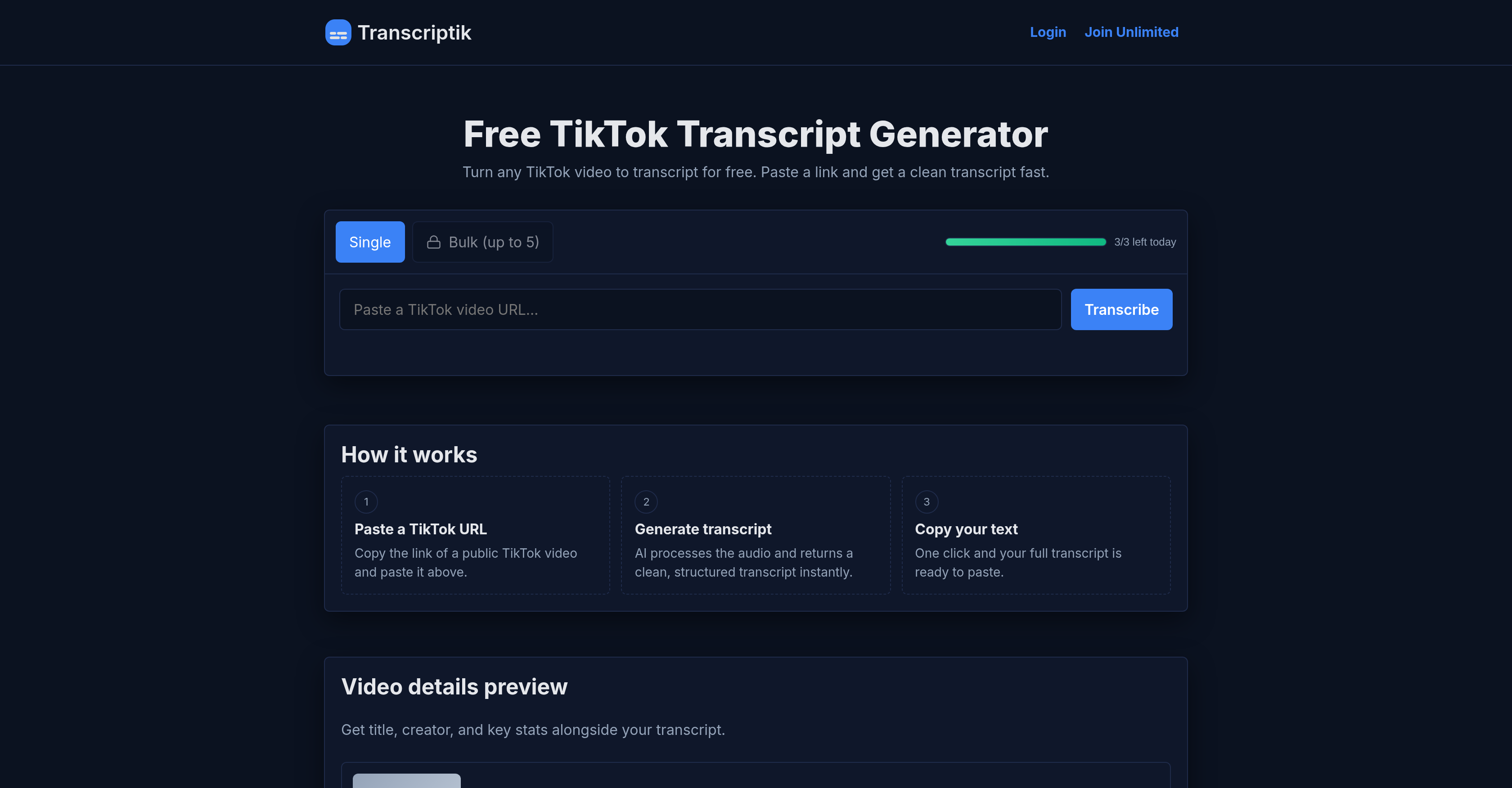
- Repurpose TikTok videos into blog posts and social media captions instantly with structured transcripts that copy with one click
- Create accurate subtitles and captions for your content using AI transcription that supports over 50 languages with automatic detection
- Analyze video performance alongside your transcripts with included video summaries showing title, creator, views and likes
- Process multiple TikTok videos simultaneously through bulk transcription to scale your content creation workflow
- Refine and polish your transcript text for different platforms using the instant Rewrite feature
- Start transcribing immediately without creating an account by simply pasting any public TikTok video URL
Pros & Cons
Pros
- Supports over 50 languages
- Automatic language detection
- No account setup required
- Easy copying of text
- Preview of video details
- Offers Rewrite feature
- Option for bulk transcription
- Ad-free in unlimited plan
- Faster processing in unlimited plan
- Single and bulk operations
- Transcribes public TikTok videos
- Clean and structured transcript
- Applicable in content creation
- Can be used in education
- Video statistics displayed
- Thumbnail and metadata displayed
- Affordable subscription plan
- Accessible without login
- Free service with limitations
- Multiple subscription options
- No refund policy clarity
- Easy to use platform
Cons
- Daily limit for free users
- No refund policy
- Bulk Transcription only in unlimited
- Rewrite feature requires subscription
- Free version contains ads
- Limited speed for free users
- Subscription required for faster processing
- No video storage feature
- No account setup might limit personalization
- No dedicated app
Reviews
Rate this tool
Loading reviews...
❓ Frequently Asked Questions
TikTok Transcript Generator is an AI-powered tool that immediately converts TikTok videos into text by processing the audio from the video into a comprehensive, clean, and structured transcript.
TikTok Transcript Generator works by users copying the URL of a public TikTok video and pasting it into the Generator's dedicated platform. The AI then transcribes the audio from the video into text.
No, TikTok Transcript Generator does not require an account setup. The tool can be accessed and used without any account setup necessary.
TikTok Transcript Generator's transcribed text can be used in various ways, including as captions, subtitles, blog posts, or content for social media platforms.
TikTok Transcript Generator supports over 50 languages for transcription, including major languages such as English, Spanish, French, German, Arabic, Hindi, among others.
TikTok Transcript Generator possesses the capability to automatically detect the spoken language in the TikTok videos in most cases.
Yes, once the transcription is generated, users can easily copy the entire transcribed text for usage anywhere they deem necessary.
Apart from the transcript, TikTok Transcript Generator also provides a preview of the video details, such as title, creator, and key statistics.
In TikTok Transcript Generator, users can paste the URL of a TikTok video by simply copying the video's link and then pasting it onto the Generator's dedicated platform.
The 'Rewrite' feature in TikTok Transcript Generator is part of the upgrade benefits that allows users to refine their transcribed text into a more polished version.
Yes, TikTok Transcript Generator offers services for free to its users, albeit with limitations such as a limited number of transcriptions per day.
Upon upgrading TikTok Transcript Generator service to the unlimited plan, users would receive benefits such as faster processing, freedom from advertisements, bulk transcription, and access to the 'Rewrite' feature for refining transcriptions.
The TikTok Transcript Generator AI possesses a fast processing speed that can immediately return a clean, structured transcript after processing a TikTok video's audio.
Yes, TikTok Transcript Generator offers a bulk transcription feature that allows multiple videos to be processed at once, but this feature is accessible only with the upgraded unlimited plan.
In its base form, the TikTok Transcript Generator does present ads to its users. However, these ads are removed upon upgrading to the unlimited plan.
Yes, the transcription offered by TikTok Transcript Generator is indeed structured, making it easy to read and comprehend.
Yes, TikTok Transcript Generator facilitates video detail preview. Users can view title, creator, and key stats alongside the transcription.
For blogging, the transcribed text from TikTok Transcript Generator can be utilized within posts, creaty copy, or even to create captions or subtitles for videos used in the blog post.
The URL-based feature in TikTok Transcript Generator serves the purpose of allowing users to get a transcript by simply pasting the URL link of a public TikTok video into the tool.
TikTok Transcript Generator is referred as an easy-to-use tool due to its simple process which involves just pasting a video's URL, and the convenient functionalities like no account setup requirement, easy copying of the transcript, language detection, and clear user interface.
The TikTok Transcript Generator operates by utilizing AI to process the audio from a public TikTok video. A user inputs the URL of the desired video into the tool, and the AI analyses the audio, returning a structured, comprehensive text transcript.
No, you are not required to create an account to use the TikTok Transcript Generator. The tool is designed for instant use, you simply paste a TikTok link and receive your transcription.
The TikTok Transcript Generator supports over 50 languages, including but not limited to English, Spanish, French, German, Arabic, and Hindi. In most instances, the AI can automatically detect the spoken language in the video.
The transcripts generated by the TikTok Transcript Generator can be used in various ways. Users can apply them for captions, subtitles, blog content, or any other social media content. The tool allows users to copy the entire transcript with a single click for easy use anywhere.
Along with the transcript, the TikTok Transcript Generator provides information about the original video. This includes the title, creator, and key statistics such as the video's length, views, and likes. The accompanying video data aids in providing context to the generated transcript.
Yes, the TikTok Transcript Generator is capable of transcribing multiple videos at once. This functionality, termed 'bulk mode', however, is only available to the users who subscribe to the Unlimited plan.
The 'Rewrite' feature of the TikTok Transcript Generator is designed to refine the transcribed text instantly. It helps users to improve the readability and coherence of their transcripts, making them more suitable for various uses.
Yes, there is a daily limit on the number of transcriptions that can be generated with the free version of the TikTok Transcript Generator. The free version permits three transcriptions a day.
The Unlimited plan of the TikTok Transcript Generator offers several additional features: unlimited transcriptions, faster processing, an ad-free interface, access to the 'Rewrite' feature for refining transcripts, and bulk transcription, which gives users the ability to transcribe multiple videos simultaneously.
Yes, the free version of the TikTok Transcript Generator does contain ads. If users opt for the Unlimited plan, these ads are removed for a cleaner user experience.
The TikTok Transcript Generator applies the same AI processing to non-English languages as it does for English. It can automatically recognize the spoken language in the video in most cases and proceed with transcription in one of the over 50 supported languages.
Yes, the TikTok Transcript Generator is extremely user-friendly for content creation. It offers clear prompts and straightforward functionality, including the 'Copy' feature, which allows users to effortlessly paste transcribed text into captions, subtitles, blog posts or other media. The tool also includes the 'Rewrite' feature for refining transcripts, helping users to quickly tailor them as needed for different platforms.
Yes, the TikTok Transcript Generator can be utilized for educational purposes. The tool's capacity to transcribe, refine, and copy text from videos in over 50 languages can serve various educational activities, including language learning, content analysis, and accessibility needs.
The TikTok Transcript Generator contributes to accessibility by converting spoken content from TikTok videos into readable text. This allows people with hearing impairments to access the content, or for people who prefer reading over listening. The support for over 50 languages also enhances accessibility across different languages and regions.
The TikTok Transcript Generator processes transcriptions almost instantly. However, users subscribed to the Unlimited plan enjoy faster processing times as a part of their subscription benefits.
Both the Monthly and Yearly Unlimited plans provide the same features, including unlimited transcriptions, faster processing, no ads, bulk transcription, and access to the 'Rewrite' feature. The only difference is in the payment schedule and the associated cost. The Yearly plan offers a cost advantage with a saving equivalent to two months of the monthly fee.
The Bulk Transcription feature of TikTok Transcript Generator allows users to drop multiple links simultaneously, enabling the transcription of several videos at once. This feature, however, is only accessible to the users subscribed to the Unlimited plan.
The Unlimited plan of the TikTok Transcript Generator costs $20 per month. However, if a user chooses the yearly subscription plan, it costs $200 per year, resulting in a saving of $40 when compared to paying monthly for a year.
The video summaries provided by the TikTok Transcript Generator include details such as the title of the video, the creator, and key stats. They display information about the video's length, views, and likes, providing context for the generated transcript.
Pricing
Pricing model
Freemium
Paid options from
$20/month
Billing frequency
Monthly
Refund policy
No Refunds