
Overview
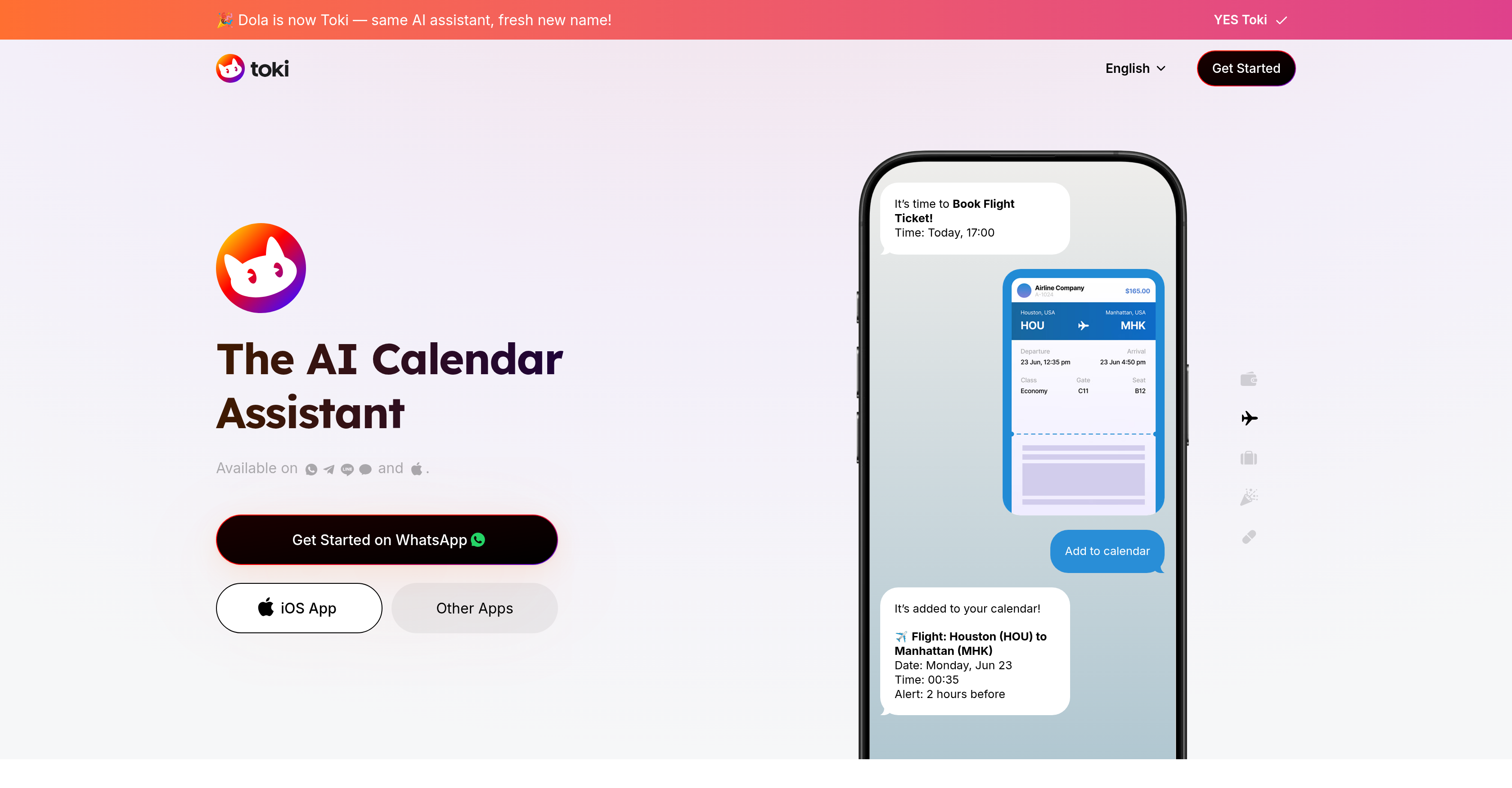
- Centralize all your calendars in one hub to eliminate scheduling conflicts across Google, Apple, and Outlook
- Set reminders and create events through natural conversations using text or voice commands
- Transform images like screenshots and posters into scheduled events automatically
- Receive guaranteed reminders through phone call alerts so you never miss critical appointments
- Manage complex meeting sequences and follow-ups automatically through AI scheduling
- Access calendar management anywhere through WhatsApp and other messaging apps you already use
- Get real-time schedule updates that adapt to your pace and changing daily priorities
Pros & Cons
Pros
- Google Calendar Integration
- Apple Calendar Integration
- Outlook Integration
- WhatsApp Integration
- Text, voice, image inputs
- Centralized calendar hub
- Complex scheduling management
- Image-based planning
- Call alert features
- Real-time updates
- Task management
- Appointment scheduling
- Available on iOS
- Supported by major messaging apps
- Professional and personal use
- Cross-platform compatibility
Cons
- No offline availability
- Depends on third-party calendars
- No desktop application
- Images not always accurate
- Limited to certain messaging apps
- No multi-language support
- No stated data protection measures
- No API mentioned
Reviews
Rate this tool
Loading reviews...
❓ Frequently Asked Questions
The main purpose of Toki AI is to serve as an artificial intelligence (AI) calendar assistant. This means that it helps to manage various aspects of your calendar including setting reminders, making calendar events, and managing follow-ups.
Toki AI integrates with Google Calendar, Apple Calendar, and Outlook by providing a centralized hub for efficient synchronization and management. Users only need to link their respective accounts to Toki AI which then effectively manages all calendars in one single location.
Yes, Toki AI can be used through major messaging apps like WhatsApp. This provides users the flexibility to manage their time and tasks in a way that's most convenient to them.
Yes, Toki AI does accept user inputs through text, voice, and even images. This flexibility allows users to manage their time and tasks in a manner best suited to their needs or preferences.
The unique feature of Toki AI that allows it to utilize images for planning is its advanced AI technology. Users can submit images like screenshots or posters, which the AI then interprets to help in planning your day or managing your tasks.
Toki AI ensures reminders and important events are not missed by providing a call alert feature. The tool can set alerts based on the user's needs, dialling in on time-sensitive tasks or events and ensuring the user is always updated.
Toki AI can be used on any platform where its application can be installed. This includes, but is not limited to, Google Calendar, Apple Calendar, Outlook, and WhatsApp.
Yes, Toki AI can manage complex scheduling scenarios and follow-ups. Its sophisticated AI technology has been designed to handle diverse scheduling requirements, which could include complex or sequential tasks.
Yes, Toki AI is suitable for professional use with diverse scheduling requirements. It can cater to a wide range of users, from individuals with casual needs to professionals with complex scheduling needs.
The call alert feature of Toki AI works by providing timely alerts to the user for important events or reminders. It can even call the user as part of these alerts to ensure no important tasks or events are missed.
Toki AI helps in centralized management of calendars by offering a single hub where all of your calendars can be synchronized and efficiently managed. This helps save time and mitigate scheduling conflicts.
Yes, users can leverage the AI technology of Toki AI to set reminders and make calendar events. It can understand and execute tasks based on text, voice, or image inputs.
The real-time updates feature of Toki AI works by efficiently tracking your schedule, matching your pace, and providing updates as and when things change. This ensures you always have the most up-to-date information on your tasks.
Toki AI is ideal for personal productivity as it offers multiple features like text, voice, or image-based task management, reminder alerts, calendar synchronization, and real-time updates. This makes planning and managing tasks more efficient.
You do not have to use a specific app to access Toki AI. It can integrate with existing apps like Google Calendar, Apple Calendar, Outlook, and WhatsApp to offer its services.
Toki AI brings several benefits to calendar management by incorporating AI. These include efficient management of multiple calendars, integration with messaging apps, flexibility in accepting commands through text, voice and images, capability to manage complex scheduling scenarios and ensuring no event or reminder is missed by providing call alerts.
Yes, you can plan tasks using images with Toki AI. It has a unique feature that can interpret images, such as posters or screenshots, to assist in scheduling or task management.
Toki AI optimizes your schedule by efficiently managing various aspects of your calendar. It uses AI technology to handle complex scheduling scenarios, adjusts to your pace in real time, and even uses methods like image-based planning to increase productivity.
Yes, Toki AI also manages sequences of meetings and appointments. The AI tool can handle complex scheduling scenarios, making it particularly useful for managing a sequence of meetings or appointments.
Yes, Toki AI can manage tasks and reminders across multiple platforms. It supports major calendar platforms like Google Calendar, Apple Calendar, Outlook and integrates seamlessly with messaging apps like WhatsApp.
Pricing
Pricing model
Freemium
Paid options from
$3.59/month
Billing frequency
Monthly
Related Videos
A IA que vai acabar com a bagunça na sua rotina! Conheça o Toki Calendario AI agora! #pc #ia #toki
Xerife Tech •2.4K views•Sep 12, 2025


