Overview
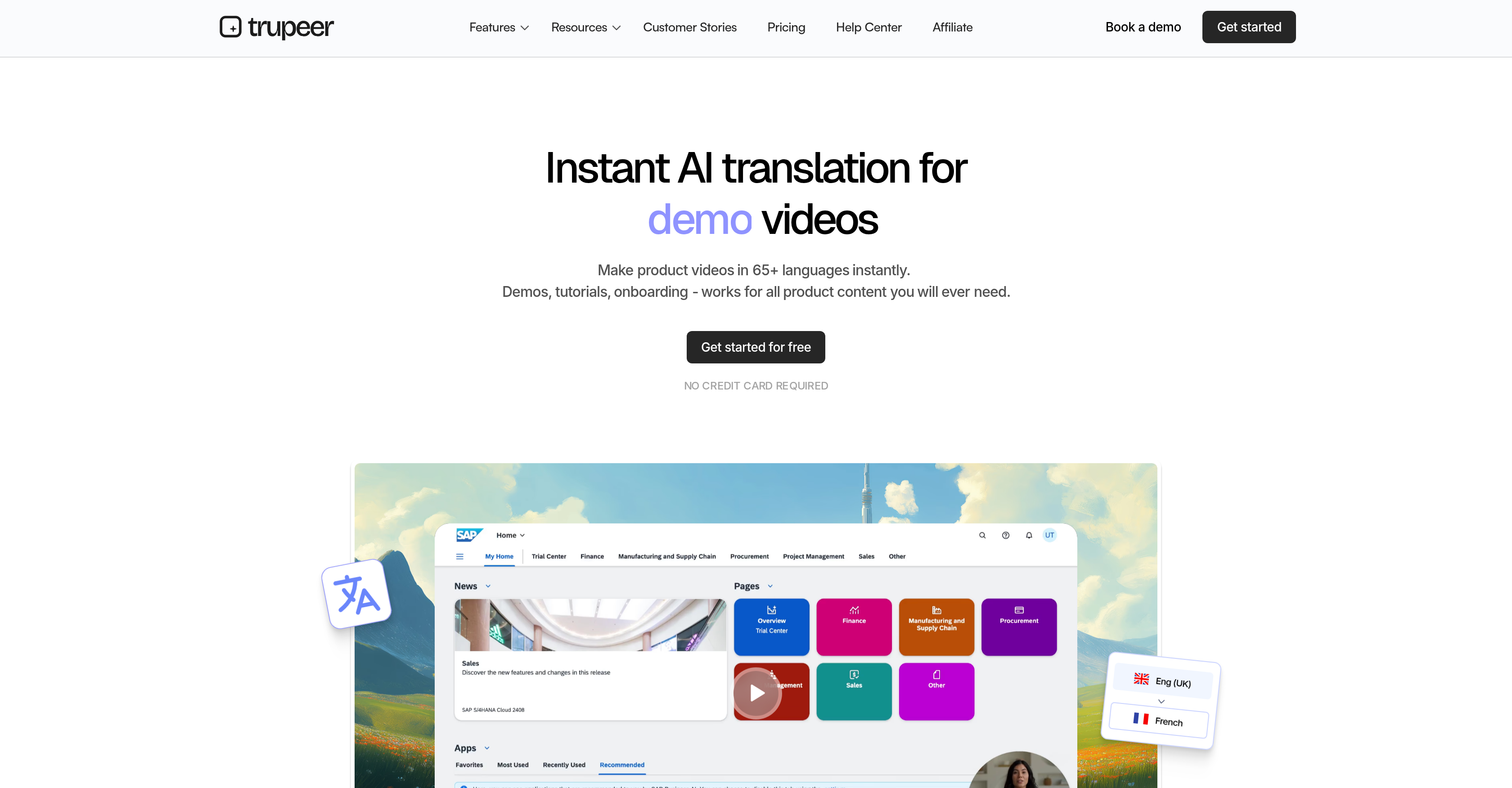
- Launch product tutorials and demos in new markets overnight by instantly translating screen recordings into multiple languages with the Chrome extension.
- Create perfectly localized onboarding and training videos by transforming raw voiceovers into polished AI narrations with region-specific accents and styles.
- Generate multilingual user manuals and step-by-step guides for global deployments directly from your documents, eliminating manual translation bottlenecks.
- Maintain brand consistency across languages by cloning your own voice for AI-generated voiceovers, ensuring a familiar and personalized sound.
- Increase engagement for international audiences by adding a customizable AI avatar to your videos, providing a visual anchor for translated content.
- Refine translated video scripts with immediate accuracy by editing dialogue in real-time and seeing changes reflected live in the preview.
Pros & Cons
Pros
- Instantaneous video translation
- Multilanguage support
- Document translation feature
- Chrome extension for recordings
- Real-time script editing
- Accent variations in voiceovers
- Style variations in voiceovers
- Content personalization options
- Voice cloning feature
- Step-by-step guide generator
- Onboarding guide creation
- User manual creation
- On-the-fly script adjustments
- Single-click video translation
- 100+ accents and styles
- HD wallpapers for videos
- Background music selection
- One-click document translation
- Automatic voiceover syncing
- Live script change reflection
- Generates documents in seconds
- Video format flexibility
- Raw screen recording conversion
- Auto-syncs raw recordings
- Polished voiceover creation
- Multilingual product guide creation
- Personalized avatar visuals
- Localizes content for global teams
- Facilitates global communication
- Improves knowledge transfer
- Supports client onboarding process
- Personalizes translated content
- Clone user voice option
Cons
- Limited to Chrome extension
- Requires real-time script editing
- Limited avatar customization
- Voiceover style restrictions
- Clone voice feature imperfections
- Screen recording quality issues
- May have sync issues
- Requires manual content personalization
- Potential accent misrepresentations
- No multi-language simultaneous translation
Reviews
Rate this tool
Loading reviews...
❓ Frequently Asked Questions
The main function of Trupeer AI is to facilitate language translation and localization for videos and documents. It is notably used for instant translation of product videos like tutorials, demonstrations, and onboarding guides into multiple languages.
Trupeer AI translates product videos by using a chrome extension that allows screen recording. The system captures user actions and translates the associated dialogue. This translation process is real-time, enabling users to edit their scripts on the fly and witness changes as they occur.
Yes, Trupeer AI can translate document content. It allows users to generate step-by-step guides in their desired language for various purposes such as creating multilingual onboarding guides or product manuals in various languages for different markets.
Trupeer AI is broadly used for creating multilingual onboarding guides for global teams and generating user manuals in various languages for product deployments in different markets. It is used in global communication, notably in areas such as client onboarding and knowledge transfer, as well as video translation for product videos and tutorials.
Yes, Trupeer AI's voiceovers are customizable. It transforms raw voiceovers into polished, AI-generated voiceovers. This includes a vast range of accents and styles for further localization of content. Moreover, Trupeer AI can clone user voices for a more personalized sound, offering an extra layer of customization.
The Trupeer AI chrome extension is used for screen recording. It captures user actions and any associated dialogue, allowing translation to occur directly within the recorded output. This facilitates both translation and localization of content almost instantaneously.
Yes, with Trupeer AI, users can edit scripts in real-time. It allows editing directly within its interface, with the changes reflected live. This instant feedback gives users direct control over their content and enables swift modifications to the translated content.
Trupeer AI's voiceovers are available in a multitude of accents and styles, enabling further localization of content. These styles range widely, mimicking different regional accents, speaking styles, and dialects to provide a voiceover that corresponds accurately to the local audience.
Yes, Trupeer AI can generate multilingual onboarding guides. Users can create step-by-step guidelines in their desired language, making it efficient and straightforward to provide multilingual instructions for global teams or product deployments in different markets.
Trupeer AI offers a wide array of personalization features. For content, users can choose specific AI voiceovers, select wallpapers, and background music. They can also add an AI avatar to personalize video presentations further. The AI even allows the cloning of user voices for a distinct sound.
Trupeer AI clones user voices by capturing the tone, pitch, and style of the user’s voice in the recording process. It then uses this data to generate a synthesized voice that closely matches the user's voice, creating a more personalized voiceover for content.
The AI avatar in Trupeer AI enhances video presentation personalization. Users can select from a wide range of avatars that will represent their voice in the video, adding a visual, personalized touch to the video content making it more engaging and relatable to the audience.
Trupeer AI facilitates global communication by providing instant translation and localization of content. By translating videos and documents into numerous languages, Trupeer AI allows businesses to communicate more effectively with a global audience, particularly in areas of client onboarding and knowledge transfer.
To translate videos using Trupeer AI, users first record using the chrome extension. Once recorded, they can modify the script if required and select their desired AI voiceover, wallpaper, and music. After this, Trupeer AI translates the video and the user can then download the video in the format of their choice.
Yes, Trupeer AI can translate tutorial videos. It is equipped to convert any type of video content, including tutorials, into numerous other languages, making it a powerful tool for businesses that seek to provide instructional content to a globally diverse audience.
Yes, Trupeer AI can translate videos and documents in real-time. This ability allows users to edit scripts on-the-fly and see any changes reflected live while using the Trupeer AI service.
Trupeer AI facilitates localization of video content by not only translating the dialogue into different languages but also creating AI-generated voiceovers in a variety of accents and styles. These features, combined with the option to add personalized AI avatars, help in tailoring the video content to suit the cultural and linguistic nuances of different regions.
Trupeer AI's quick translation and localization of screen recordings make it very suitable for product demonstrations translation. It translates and localizes video demonstrations into multiple languages almost instantly, which can be crucial in engaging diverse global markets.
Using Trupeer AI for client onboarding offers quick translation and localization of onboarding videos and guides, facilitating a smoother and more efficient process. Multilingual onboarding material can help in making new clients, from different geographical locations and language backgrounds, understand the product or service better.
Yes, Trupeer AI can be used for knowledge transfer across different languages. It quickly translates screen recordings of any tutorial or educational content, allowing businesses to easily propagate knowledge among teams spread across different geographies and who speak different languages.
Pricing
Pricing model
Freemium
Paid options from
$40/month
Billing frequency
Monthly