Overview
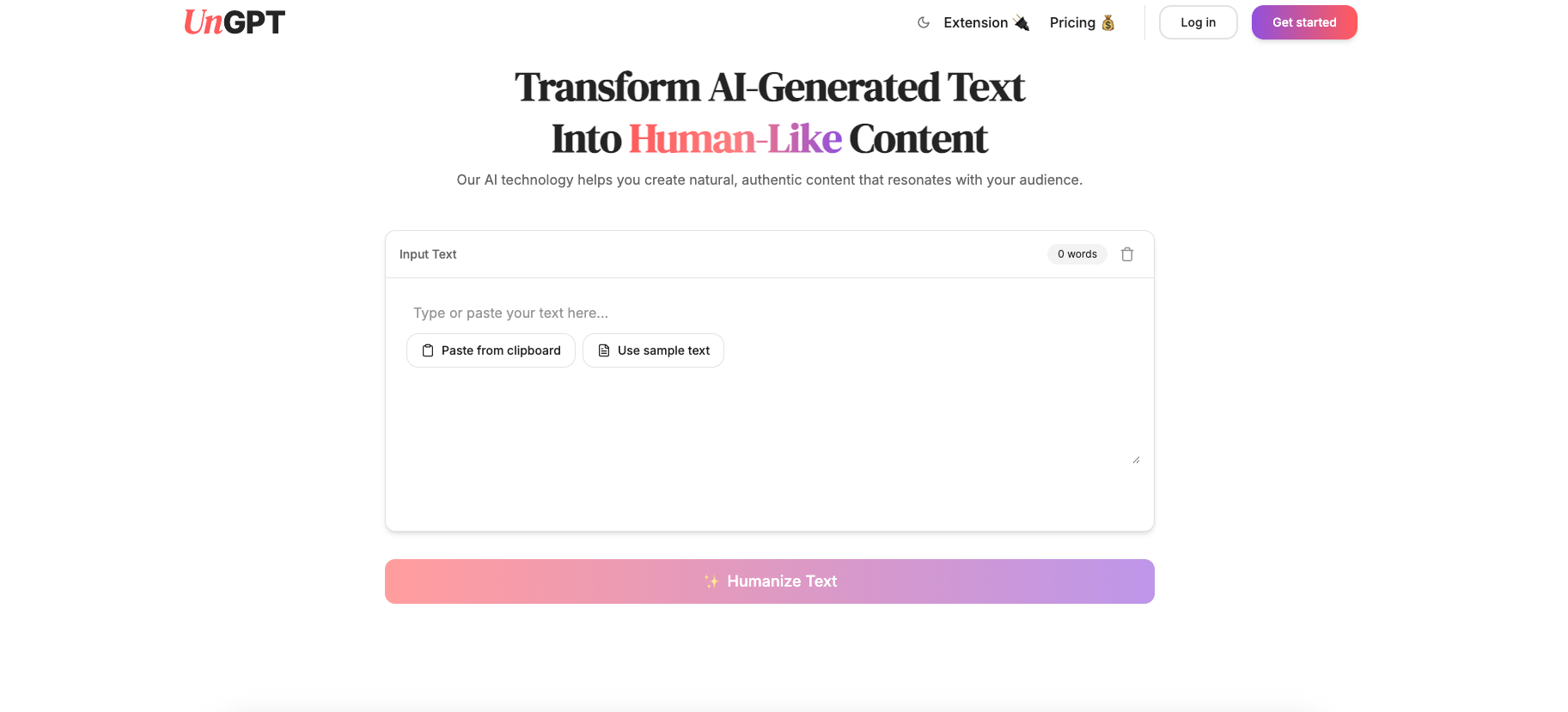
- Bypass AI detection systems with text that reads as human-written using advanced humanization algorithms
- Transform robotic AI writing into natural, flowing text with one-click humanization for immediate results
- Preserve your original message and context while completely changing the writing style to sound authentically human
- Check AI detection confidence scores before humanizing to verify your content needs transformation
- Humanize text directly within Gmail and Google Docs using the browser extension without copy-pasting
- Monitor your word usage with real-time tracking and alerts to manage your content workflow efficiently
- Detect machine-written patterns instantly with reliable AI detection technology that analyzes text structure
- Use humanized content on any platform after processing, ensuring compatibility with your publishing needs
Pros & Cons
Pros
- Powerful text humanization
- Provides precise confidence scores
- One-click humanization feature
- Preserves original content context
- Allows humanizing on websites
- Integrates with Gmail, Google Docs
- Alerts for low word usage
- Multi-feature browser extension
- Quick text analysis
- Maintains original meaning
- Secure content processing
- Generates human-like, flowing text
- Simple 4-step process
- Text can be used anywhere
- Intuitive dashboard for monitoring
- Effortless content transformation
- Applicable across various industries
- Fosters authentic voice
- Introduces natural variations
- Adapts to intended tone
- Reduces repetitive patterns
- Promotes better engagement
- Helps retain human touch
- Supports clearer communication
- Free tools availability
- Contributes to increased open-rates
- Enhances content marketer's effectiveness
Cons
- Only supports English
- No offline functionality
- Limited browser extension compatibility
- Dependent on word quota
- No mobile app
- No multilingual support
- No ability to fine-tune humanization
- Requires an internet connection
- Lacks an API for integration
Reviews
Rate this tool
Loading reviews...
❓ Frequently Asked Questions
UnGPT is a transformative tool that specializes in humanizing AI-generated text. It has the ability to convert robotic, machine-made content into something that reads as if crafted by a human. It is equipped with advanced AI detection technology, which flags content that appears machine-generated and provides a confidence score. With UnGPT, users can enjoy one-click text humanization, context preservation, word tracking, and a powerful browser extension compatible with any website, including Gmail and Google Docs.
UnGPT works in four simple steps. First, you paste your AI-generated text into UnGPT's editor, or you use UnGPT's browser extension to select text directly from any website. The software then performs an immediate analysis, identifying patterns that are indicative of machine writing and providing an AI detection score. The third step sees UnGPT humanizing the text at the click of a button, modifying the writing style but safeguarding the original meaning. Lastly, you can utilize your humanized text on any platform as needed.
The text humanization feature in UnGPT radically transforms AI-generated text into human-like content. This includes the introduction of diverse sentence structures, phrasing and tone. This process is designed to convert text that initially reads as machine-composed, into a cohesive, fluent piece that mirrors human writing, all while preserving the original intended meaning.
UnGPT's AI detection technology serves to promptly recognize when text appears to have been constructed by an AI. The importance of this feature lies in its capability to offer users precise confidence scores, enabling them to gauge the perceived 'robotic' nature of their content before utilizing the humanization feature. This ensures that AI-generated content is successfully disguised, bypassing detection systems and affirming the authenticity of the material.
The one-click humanization feature provided by UnGPT transforms robotic AI writing into natural, flowing text. This is done at the press of a singular button, making the process effortless and quick for the user. The ease of this function makes it possible for users to convert their AI-generated content into human-like text in a single digital action.
Yes, UnGPT's built-in browser extension is universally compatible with any website. Users can directly select and humanize machine-generated text on any platform, making it particularly suitable for tools such as Gmail and Google Docs.
UnGPT monitors user word usage via its intuitive word tracking feature. If word usage approaches a limit, alerts are promptly sent to notify the user. However, the actual limit to the number of words that can be humanized with UnGPT is not explicitly stated on their website.
UnGPT introduces natural variations in structure, phrasing and tone to transform the writing style of your text to sound human. It maintains the integrity of the original meaning while making the output truly sound as if it was written by a person. It consequently gives the content a more human-like quality, avoiding repetitive patterns often found in machine-generated text.
UnGPT provides browser extensions for Chrome and Safari which allows users to humanize text directly on any website. The availability of UnGPT browser extension for all browsers is not specified on their website.
UnGPT tracks word usage through its intuitive user-interface dashboard which keeps real-time count of your word usage. If you near the limit or are running low on words, UnGPT will send alerts, thereby helping you effectively manage your word usage.
In UnGPT, the text analysis process begins as soon as you paste your AI-generated content into the editor or when you use the browser extension to select text on a website. UnGPT performs an immediate analysis, spotting patterns and structures that are typical of machine writing, and provides an AI detection score, offering an indication of the text's 'machine-ness' prior to humanization.
Yes, UnGPT has the ability to detect machine-written patterns in your text. Using powerful algorithms and deep learning, it identifies signs that the text was auto-generated, which helps to then commence the humanization process for transforming such text into natural, human-like content.
Yes, UnGPT guarantees the preservation of the original message while performing text humanization. Despite restructuring and refining the text to sound more 'human', UnGPT maintains the original context and meaning, assuring the output remains true to the original intent.
After pasting your text into UnGPT's editor, the software runs an immediate analysis to detect any machine-generated patterns in your text. Once this analysis is complete, you're provided with an AI detection score. With a single click, UnGPT then humanizes your text, transforming it into a format that appears written by a human, while still holding onto the original meaning and context.
Yes, the AI detection score provided by UnGPT is reliable. It uses advanced AI technology to analyze and detect machine-written patterns in your text, providing an accurate and precise confidence score that indicates the extent to which the text appears to be AI-generated.
UnGPT's Gmail and Google Docs extensions provide users with the ability to humanize text directly within these applications, bypassing the need to cut and paste text into a separate tool. This ease of accessibility and instant modification heighten productivity and time management for users, whether they're sending out emails through Gmail or creating documents in Google Docs.
Yes, UnGPT supports the utilization of your humanized text on any platform. Once you have passed your text through UnGPT's humanization process, the output is fit for use wherever you desire, affording wide-reaching possibilities.
According to the information on their website, UnGPT processes your content securely and does not store your content without your permission, ensuring your material maintains its confidentiality and ownership rights.
Pricing
Pricing model
Free Trial
Paid options from
$7.49/month
Billing frequency
Monthly