AdPulse Studio
Overview
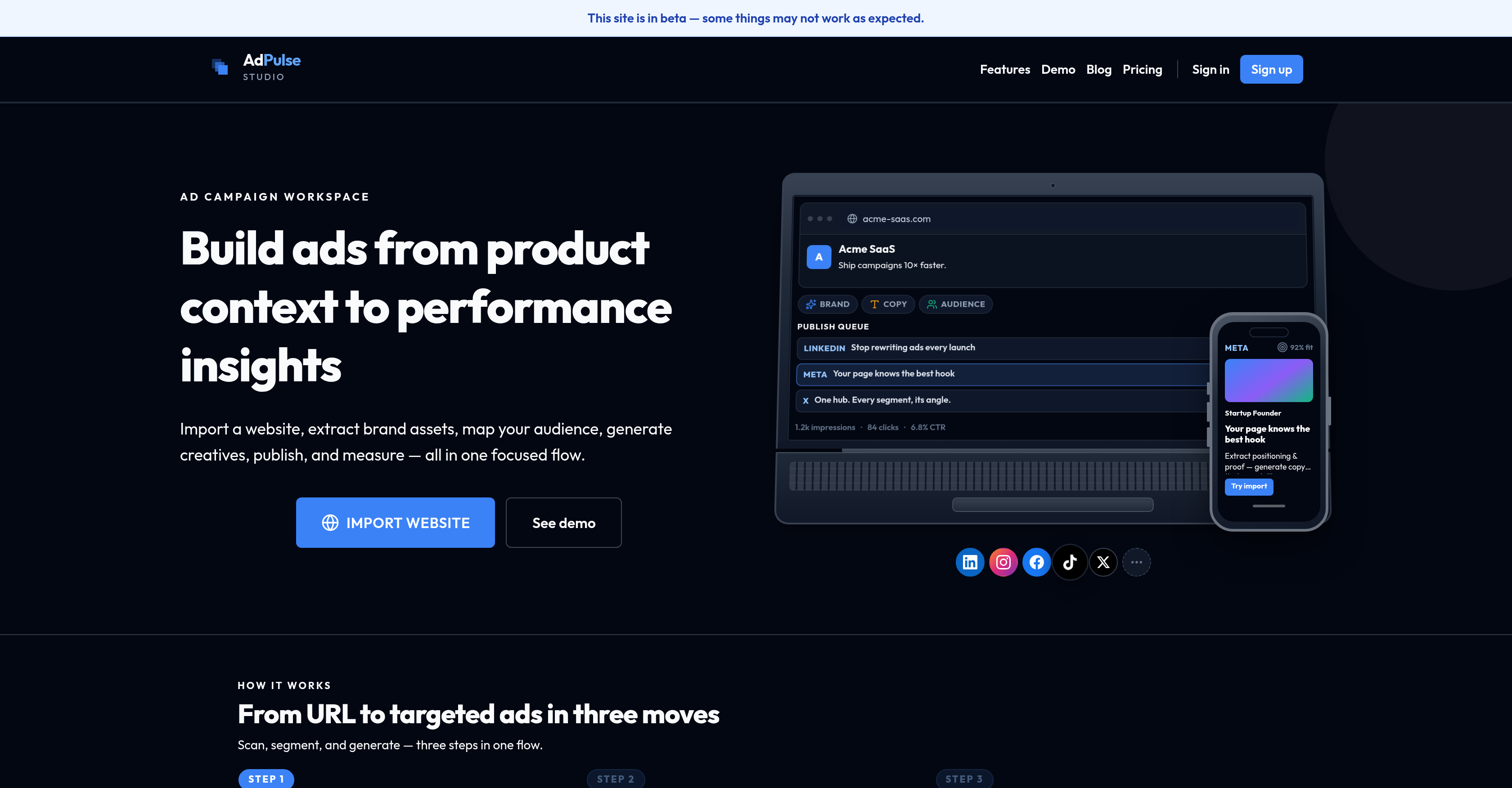
- Launch targeted campaigns faster by importing your website to automatically extract brand assets and product positioning.
- Reach the right customers every time by mapping audience pain points and monitoring competitor positioning within a single workflow.
- Generate on-brand ad creatives instantly with AI that produces copy, images, and videos aligned to your audience segments.
- Eliminate guesswork from campaign planning by visualizing your content schedule across segments and platforms on an integrated campaign calendar.
- Close the feedback loop between campaigns by analyzing social metrics and performance insights to drive data-driven improvements.
- Maintain consistent messaging across all ads by storing canonical product knowledge from URLs, documents, and brand assets in the Product Context Hub.
- Schedule and publish approved assets to connected social channels without switching between tools.
- Optimize future ad spend by tracking competitor positioning and using performance analysis to refine targeting and creative strategy.
Pros & Cons
Pros
- Comprehensive advertising intelligence platform
- Integrated campaign building
- Optimization features
- Aids various team structures
- Structured workflow for advertising
- Support for various advertising stages
- Website import function
- Brand asset extraction
- Audience mapping
- Specific ad campaign generation
- Publishing and measuring abilities
- Facilitates campaign improvements
- Audience segmentation
- Competitor positioning tracking
- Social channel publishing
- Scheduling support
- Campaign performance analysis
- Product Context Hub
- Import and maintain product knowledge
- Integrated campaign calendar
- Visualize content schedules
- Supports different segments and platforms
- Brand Asset Management
- Content Calendar
- Comprehensive marketing automation
- Advertising Intelligence
- Campaign Management
- Performance Insights
- Audience Research
- Website Import Feature
- Product Knowledge Maintenance
- Publishing Scheduling Functionality
- One flow from product context to performance insights
- Extract positioning & proof
- Tailored content generation
- Audience pain points mapping
- Monitor competitor positioning
- On-brand copy, images, and video assets production
- Social metrics analysis
- Feedback loop for campaign cycle
- Visualize content schedule
- Closed-loop ad workflow
- Works for teams, leads, founders, and agencies
Cons
- Beta version stability concerns
- Unclear creative generation capabilities
- No mention of API
- Limited pricing transparency
- No multi-language support
- No offline usability
- Lacking user testimonials
- Limited tech support information
- No detailed feature breakdown
Reviews
Rate this tool
Loading reviews...
❓ Frequently Asked Questions
AdPulse Studio's primary purpose is to provide a comprehensive advertising intelligence platform that streamlines and enhances marketing operations. It facilitates an integrated approach to building, launching, and optimizing advertising campaigns.
The target audience for AdPulse Studio includes marketing teams, growth leads, solo founders, and agencies. It is designed to cater to those who need a structured workflow to improve their advertising efforts.
AdPulse Studio supports different stages of advertising through its integrated approach that includes steps such as product context, audience research, creative generation, publishing, and performance insights. Users are enabled to import a website, extract brand assets, map their audience, and generate creatives for a specific ad campaign. They can then publish and measure their efforts for continual refinement.
Yes, users can import their website to AdPulse Studio. This allows users to efficiently extract brand assets and map audiences for more targeted advertising campaigns.
The process of mapping the audience on AdPulse Studio involves segmenting your audience, mapping their pain points, and monitoring competitor positioning. These actions allow you to target your ads more effectively and create more personalized content.
Creatives for ad campaigns in AdPulse Studio are generated through its AI Ad Generator feature. This tool produces on-brand copy, images, and video assets that are aligned with your audience segments.
AdPulse Studio provides a feature to publish and measure the effectiveness of your ads. It allows for publishing approved assets to connected social channels with scheduling support and offers performance insight capabilities to analyze social metrics and inform the next campaign cycle.
AdPulse Studio can help improve future advertising campaigns by offering tools for performance insights and campaign performance analysis. With these tools, users can measure the effectiveness of their campaigns and use the gathered data to make informed improvements for their consecutive campaigns.
The 'Product Context Hub' in AdPulse Studio is a feature that allows users to import and maintain canonical product knowledge from URLs, documents, and brand assets. This facilitates better understanding and context for advertising efforts.
Yes, AdPulse Studio offers features for audience segmentation and competitor tracking. These features enable users to align their advertisements better with their target audiences and stay strategically positioned in the competitive landscape.
Yes, AdPulse Studio does provide the capability to schedule posts for social channels. It supports dispatching approved assets to connected social channels along with scheduling assistance.
Yes, campaign performance analysis is a crucial part of AdPulse Studio's service. It allows users to analyze social metrics and leverages these insights for the betterment of the next campaign cycle.
AdPulse Studio offers an integrated campaign calendar feature. This tool facilitates the planning and visualization of your content schedule across different segments and platforms.
AdPulse Studio can assist in maintaining product knowledge from various sources through its 'Product Context Hub'. This feature enables users to import and maintain product knowledge from URLs, documents, and brand assets.
AdPulse Studio supports AI ad generation through its AI Ad Generator. With this function, it can produce on-brand copy, images, and video assets identified with user's audience segments, thereby aiding a more effective and personalized ad creation process.
To import a website for an ad campaign to AdPulse Studio, you mainly need to input the website URL. The platform's AI will read your brand, copy, and positioning from the URL to then facilitate the subsequent steps in the advertising workflow.
Yes, AdPulse Studio aids in audience research. Through its audience analysis, it allows users to segment audiences, map their pain points, and keep track of competitor positioning, providing a better understanding of the target audience for a more effective ad campaign.
Yes, AdPulse Studio can analyze your campaign performance. It provides performance insights feature that analyzes social metrics and feedback to inform your next campaign cycle.
Yes, AdPulse Studio can help track competitors’ positions. It offers competitor positioning tracking, which allows users to monitor the competitive landscape and strategize accordingly.
AdPulse Studio can optimize ad campaigns based on performance insights by employing an analytical approach. This means analyzing social metrics and using the insights gained to close the feedback loop into your next campaign cycle. This iterative, data-driven approach aids in continual optimization of your advertising efforts.
Pricing
Pricing model
Free Trial
Paid options from
$1.99/month
Billing frequency
Monthly