

Vdraw's AI Flowchart Generator
Overview
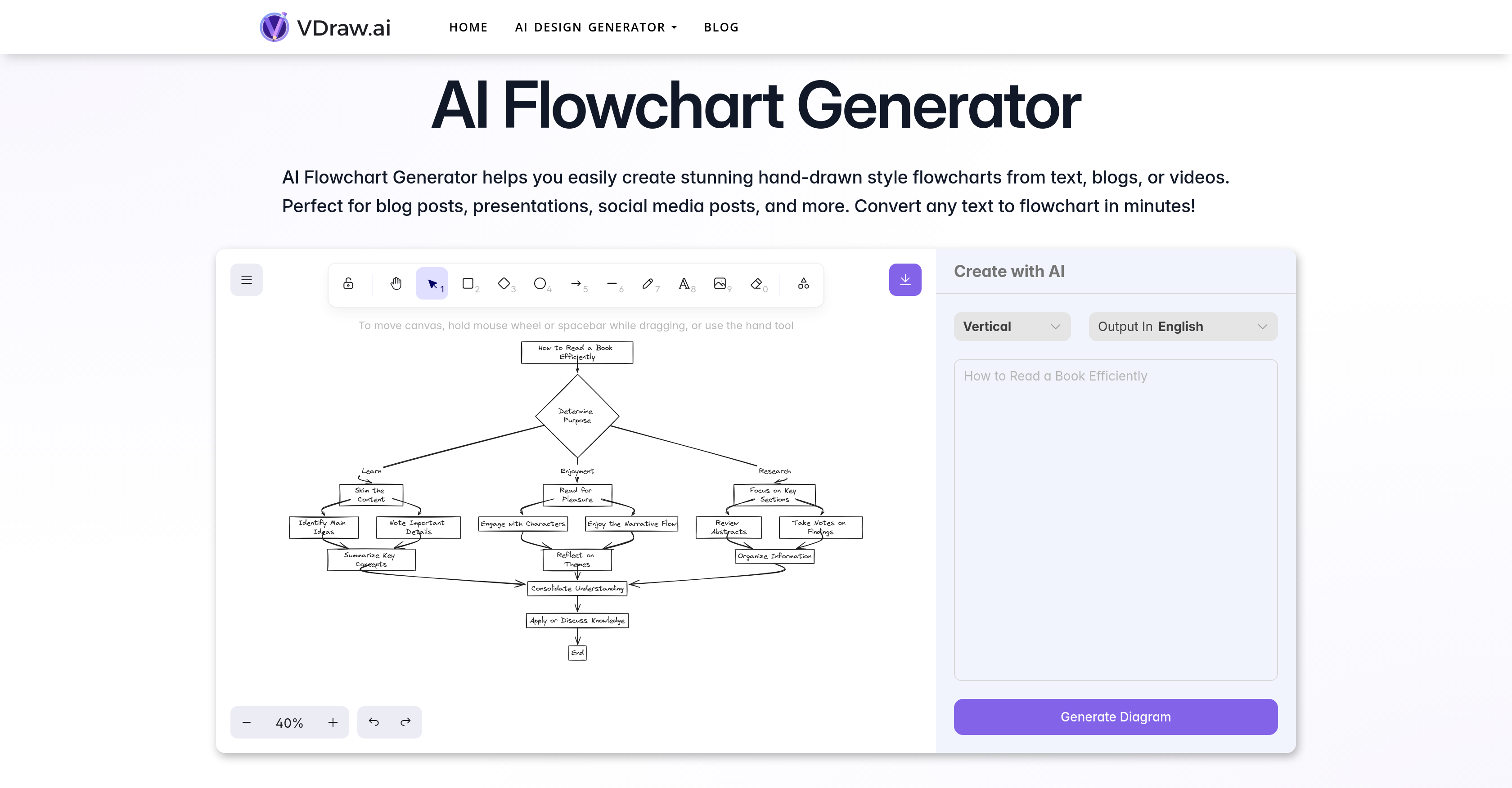
- Convert complex blog posts and articles into clear visual summaries instantly using AI text processing
- Create engaging social media visuals that stand out with distinctive hand-drawn aesthetic flowcharts
- Enhance presentations with custom flowchart symbols and text that match your brand identity
- Simplify video content by converting summaries into step-by-step visual processes
- Visualize code logic and technical concepts quickly for easier team communication and tutorials
- Generate professional flowcharts for online courses without design skills in seconds
Pros & Cons
Pros
- Generates hand-drawn style flowcharts
- Input can be any text
- Efficient text to visual conversion
- Flowchart customization capabilities
- Aid in content simplification
- Facilitates blog post enhancement
- Good for social media content
- Supports brand identity representation
- User friendly
- Easily downloadable flowcharts
- Supports visual downloadable content
- Perfectly suited for presentations
- Assists in data interpretation
- Creates visual summaries
- Converts text to flowchart instantly
- Accepts video input
- No design skills required
- Fast and easy to use
- Facilitates visual content creation
- Helps simplify complex workflows
- Improves audience engagement
- Enhances online courses or tutorials
- Impressive user comments
- Free basic features
- Flowchart saves directly to computer
- Stand-out, unique flowcharts
- Capable of handling complex designs
- Flowcharts suitable for multiple platforms
- Great for mapping coding processes
- Visualizes product workflows
- Simplifies complex financial data
- Text or symbol tweaks post-generation
- Compatibility with PowerPoint slides
- Prepares visuals for YouTube tutorials
- Visually appealing for consulting presentations
- Flowchart generation for press release design
- Can handle complex financial data
- Advanced options in premium features
- Perfect for breaking down concepts
- Creates engaging visuals for blogs
- Supports creation of professional-looking flowcharts
Cons
- Limited to hand-drawn aesthetic
- Repetitive design elements
- Limited symbol customization
- Requires manual editing
- Text-to-flowchart conversion errors
- Inconsistencies in brand alignment
- Limited integration with other tools
- Unknown premium feature costs
- No multi-language support
- No live-support provided
Reviews
Rate this tool
Loading reviews...
❓ Frequently Asked Questions
Vdraw's AI Flowchart Generator is a digital tool that utilizes artificial intelligence to generate unique, hand-drawn style flowcharts from text, blogs, or videos. It's designed to make content simpler, visually appealing and more engaging by transforming them into distinctive visual summaries.
The AI Flowchart Generator from Vdraw can convert any text into flowcharts. This includes content from blog posts, social media posts, presentations, and even summaries of videos.
Vdraw's AI Flowchart Generator functions in a straightforward manner. Users start by pasting or inputting their text into the tool. The AI then processes this information and generates a comprehensive flowchart in a few seconds. The users can subsequently customize the flowchart by adjusting the text or changing the symbols.
Yes, flowcharts produced by the AI Flowchart Generator can be customized as per user needs. Users can tweak their flowcharts by editing the text or modifying the symbols, tailoring the end product to better fit their personal style or brand identity.
The AI Flowchart Generator offers a distinctive hand-drawn style for the flowcharts. This gives the produced charts a unique and aesthetically pleasing look, which sets them apart from conventional, computer-generated flowcharts.
Vdraw's AI Flowchart Generator can greatly enhance your blog posts. It helps in summarizing complex ideas in a visually appealing manner, making your posts understandable and engaging. It can also be used to convert blog post content into flowcharts, making your blogs more effective and captivating.
Yes, you can use Vdraw's AI Flowchart Generator to create engaging visual content for social media posts. The tool’s ability to convert text into eye-catching and understandable flowcharts makes it perfect for enhancing your social media content.
Yes. The AI Flowchart Generator can be particularly suited to creating flowcharts for presentations. Whether you need to present complex workflows in an easy-to-understand format or you wish to add a creative touch to your PowerPoint slides, this tool can be a great aid.
Vdraw's AI Flowchart Generator aids in content simplification by converting text or video summaries into clear, aesthetically pleasing flowcharts. This ability to present information in a visual format allows for better understanding and engagement with your content.
The AI Flowchart Generator creates flowcharts in a matter of seconds. Once the text is entered into the tool, it only takes a few moments for the AI to process the information and generate a comprehensive flowchart.
Yes, once Vdraw's AI Flowchart Generator creates a flowchart, you can adjust the accompanying text or change the symbols. This feature allows users to customize their flowcharts according to their personal requirements or brand identity.
Once you have customized your flowchart generated with Vdraw's AI Flowchart Generator to your liking, you can download it directly to your computer. The tool provides an easy and quick way to save your flowcharts for future use or sharing.
Yes, the flowcharts generated by Vdraw's AI Flowchart Generator can be used in online courses or tutorials. They can serve as visual aids to break down complex concepts into simple, step-by-step processes, thereby enhancing the effectiveness of your educational content.
Vdraw's AI Flowchart Generator can indeed help enhance your brand identity. The tool allows for a high degree of customization, allowing users to align the visual content with their brand requirements and personal style.
Using Vdraw's AI Flowchart Generator is a four-step process. Step one involves entering your text into the tool. In step two, you click 'Next' and wait as the AI generates a flowchart from your text. The third step involves adjusting the text or changing the symbols as you see fit. Lastly, in step four, you download your customized flowchart to your device.
Users can input any text into the AI Flowchart Generator - from blog posts and articles to video summaries. The AI in the tool swiftly and efficiently converts these text inputs into visually appealing flowcharts.
Yes, Vdraw's AI Flowchart Generator can convert video summaries into flowcharts. This feature can be particularly useful when you wish to present the information from videos in a summarized and visually engaging form.
The 'hand-drawn aesthetics' feature of Vdraw's AI Flowchart Generator refers to the distinct style of the flowcharts it produces. Instead of the rigid lines and sharp angles of typical digital flowcharts, this tool generates flowcharts that emulate the irregularities and unique properties of hand-drawn visuals.
Yes, Vdraw's AI Flowchart Generator is suitable for converting code ideas into flowcharts. Developers can use this tool to visualize their code logic and organization, making the code easier to understand and explain to others.
As per the available information, there are 5,000 active users of Vdraw's AI Flowchart Generator.
Pricing
Pricing model
No Pricing








