VidFlux - Photo to Video Generator
Overview
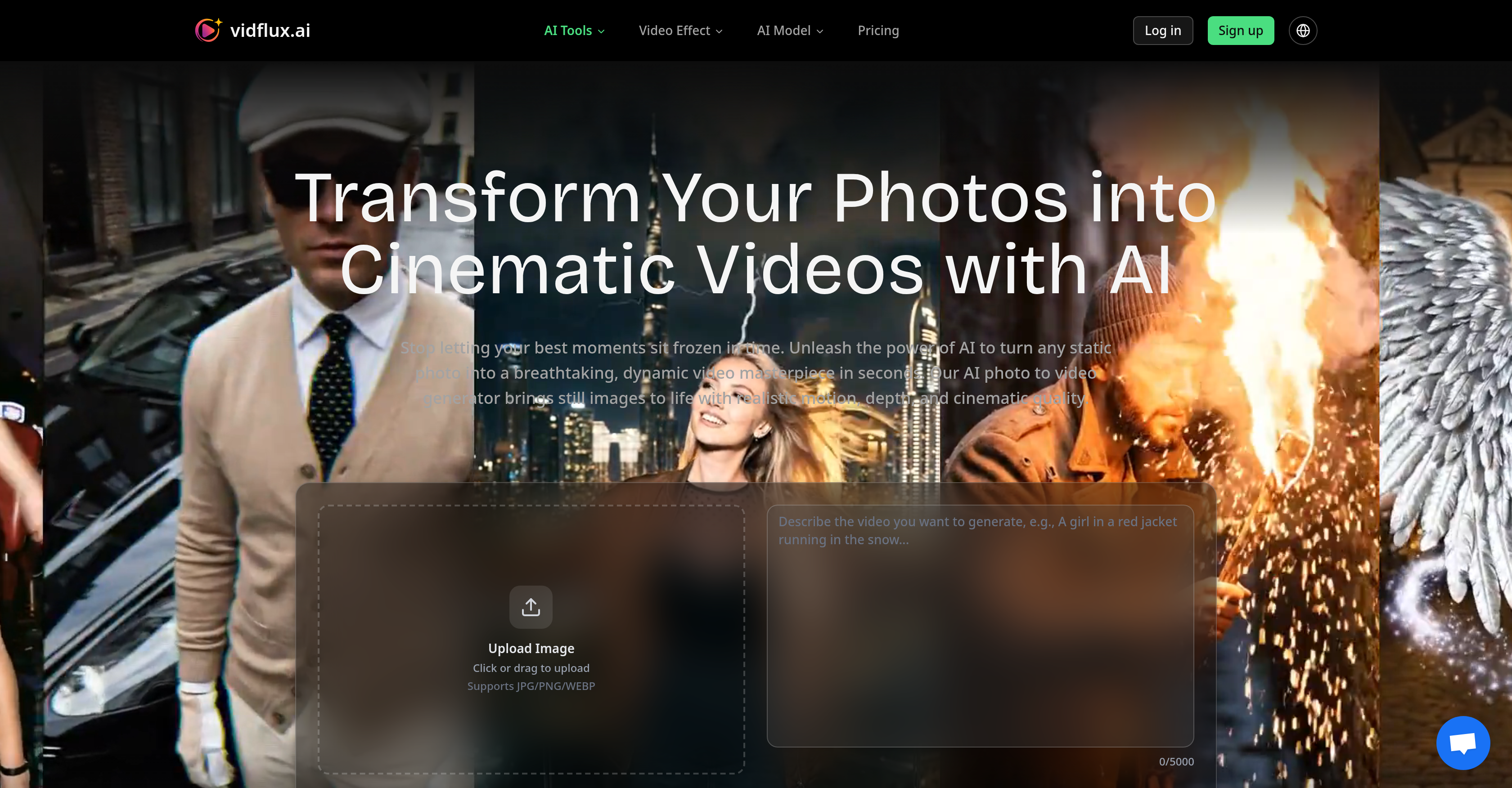
- Transform flat product photos into rotating 3D showcases that boost e-commerce conversions, using AI-powered motion generation for realistic animation.
- Create engaging social media reels and TikToks from stock photos that stand out in crowded feeds, with support for 9:16, 1:1, and 16:9 aspect ratios.
- Produce professional-grade video ads and explainer videos that can increase engagement by up to 40%, guided by descriptive text prompts for specific camera movements.
- Animate historical photos and digital artwork with subtle, respectful motion to add emotional depth, preserving archival photography with lifelike movement.
- Generate virtual property walkthroughs and architectural visualizations with cinematic camera pans, creating immersive real estate showcases from static photos.
- Download ready-to-use, high-definition videos up to 15 seconds long in MP4 format, with multiple resolution options up to 1080p for sharp outputs.
Pros & Cons
Pros
- Transforms photos into videos
- Cinematic quality motion
- High resolution videos
- 15 seconds video generation
- Outputs video in MP4
- Multiple resolution options
- Supports various aspect ratios
- Advanced features for professionals
- E-commerce application
- Social media content creation
- Applicable for digital art
- Preserves historical archives
- Useful for marketers
- Advertising tool
- Useful in real estate
- Useful in architecture
- Easy to use
- Flexible credit system
- Photo Animation
- Platform supports different ratios
- Intelligent motion generation
- High-definition clarity
- Credit system for payment
- Supports JPG/PNG/WEBP
- Adjustable video length
- Video sharing on any platform
- Supports 16:9, 9:16, 1:1 ratios
- Intuitive user interface
- Supports 1080p resolution
- Suitable for individual and professional use
- Generate 3D product showcases
- Generate scroll-stopping Reels and TikToks
- Revive historical black-and-white portraits
- Generate dynamic ad content
- Virtual property walkthroughs
- Generate up to 220 videos
- No watermark on videos
- Commercial usage rights
- Priority support for Pro users
- Dedicated support for studio users
- Simple and powerful interface
- Fast video generation
- Multi industry use cases
Cons
- Limited to 15 seconds
- Video output only MP4
- Requires high-quality image
- Manual text prompt needed
- Limited resolution options
- No support for audio
- Cost per use within credit system
- Possible watermark on outputs
- Aspect ratios may be limited
Reviews
Rate this tool
Loading reviews...
❓ Frequently Asked Questions
AI Photo to Video Generator is a sophisticated tool that employs advanced AI models to animate static photos, converting them into dynamic videos that capture realistic motion and depth with cinematic quality. This tool is versatile and is aimed for use by both individual users and professionals such as content creators, marketers, and digital artists.
The AI Photo to Video Generator functions through a simple step-by-step process. Users upload a clear, high-resolution image and provide a descriptive text prompt detailing the desired motion and perspective. Upon command, the system automatically selects the optimal AI model for the photo and creates a dynamic video masterpiece that can be up to 15 seconds long.
The AI Photo to Video Generator supports high-quality images in JPG, PNG, and WEBP formats. It's recommended that users choose shots that have clear lighting and a distinct separation between the foreground and background for best results.
When using the AI Photo to Video Generator, text prompts should be descriptive and detail the desired motion and perspective. Users are encouraged to use active verbs and specific camera commands. More detailed prompts help the AI understand and effectively execute the user's creative vision.
The AI Photo to Video Generator can create a stunning video masterpiece up to 15 seconds long.
The AI Photo to Video Generator outputs videos in MP4 format, which is a widely supported and versatile file type.
The AI Photo to Video Generator offers multiple resolution options. It supports uploading high-resolution inputs which leads to sharper video outputs, enhancing the viewers' experience.
The AI Photo to Video Generator is flexible and supports various aspect ratios to cater to different viewing environments and user needs. This includes commonly used formats such as 16:9, 9:16, and 1:1 among others.
The AI Photo to Video Generator is designed for a broad range of users. This includes individual users who wish to transform their static photos into dynamic videos, and professionals such as content creators, marketers, and digital artists aiming to create professional-grade photo animations.
As an advanced and versatile tool, the AI Photo to Video Generator can greatly benefit content creators by allowing them to transform static images into dynamic, engaging videos. It provides features that assist in creating professional-grade animation, with multiple resolution options and support for various aspect ratios, all depending on the needs of the creator.
The AI Photo to Video Generator can benefit a diverse array of industries including but not limited to e-commerce, social media, digital art projects, historical archives, marketing, advertising, real estate, and architecture. It essentially caters to any field that involves the use of visuals and would benefit from high-quality, animated content.
For e-commerce, the AI Photo to Video Generator can transform flat catalog shots into vibrant, rotating 3D product showcases. By creating dynamic product videos with professional presentation, it can create more engaging product displays which can contribute to boosting conversions and customer engagement.
Marketers can leverage the AI Photo to Video Generator to transform static ad images into dynamic video content, making for more engaging product demos and explainer videos. This could help increase engagement rates by up to 40% compared to static images.
Yes, the AI Photo to Video Generator can be employed for creating unique and captivating social media content. It can transform generic stock photography into animated reels and TikToks, thus producing content that stands out in crowded feeds and captures more user attention.
The AI Photo to Video Generator uses a system that intelligently selects the optimal AI model for the user's photo. It analyzes the uploaded photo and the descriptive text prompt provided by the user to make this selection, aiming to produce the best quality video output.
The AI Photo to Video Generator employs descriptive text prompts provided by users to understand their creative vision and guide the motion and perspective in the video. The more detailed the user's prompt, the better the AI can animate the photo according to the desired motion, depth, and cinematic effects.
For historical archives animation, this tool can be extremely useful. It can gently animate historical black-and-white portraits and photos, preserving and enhancing archival photography with subtle motion that adds emotional depth to these historical moments.
Yes, the AI Photo to Video Generator can greatly aid in real estate and architectural visualizations. By animating property photos with dynamic camera movements, it can create virtual walkthroughs and showcase spaces with cinematic effects, thus giving potential buyers a more immersive and realistic picture of the property.
The AI Photo to Video Generator can be a pivotal tool for digital artists, offering them the ability to animate their static artwork, creating what could be referred to as 'living paintings'. It enables them to add a new dimension to their work and enhance their creative visions through respectful and subtle animation.
The AI Photo to Video Generator utilizes advanced AI models to create professional-grade photo animations. It gives users creative control, provides multiple resolution options, supports various aspect ratios, and incorporates AI-powered understanding for realistic animation. This empowers users, from individual users to professional content creators, to produce professional-level animation content.
To guide the AI Photo to Video Generator to produce the best results, your text prompt should contain active descriptions and camera commands. Including details like lighting conditions, camera movements, and actions in the scenery can greatly enhance the output. For instance, 'a dog running through grass, cinematic lighting', or using specific camera movements like 'slow pan right' or 'drone view pulling back' help to better shape perspective.
The maximum length for a video generated by the AI Photo to Video Generator is 15 seconds.
Users can upload high-quality, clear images. These could be in JPG, PNG, or WEBP formats. It is recommended that the images have clear lighting and a distinct separation between the foreground and background for best results.
The videos generated by AI Photo to Video Generator are in MP4 format.
While the AI Photo to Video Generator is user-friendly for individual users, it boasts of advanced features tailored for professional content creators, marketers, and digital artists as well.
Several industries can benefit from the AI Photo to Video Generator. This includes e-commerce, social media content creation, digital arts, historical archives, marketing and advertising, real estate, and architecture.
The AI Photo to Video Generator creates motion and depth in videos through intelligent motion generation. This includes cinematic panning across landscapes, dynamic zoom for emotional intensity, and natural movement with realistic physics. The AI intelligently analyzes the photo and adds lifelike motion to create a sense of depth in flat pictures.
Professional content creators gain several benefits from using the AI Photo to Video Generator. Some of these benefits are the AI-powered motion understanding for realistic animation, multiple resolution options, support for various aspect ratios, and a flexible credit system. They can efficiently create professional-grade photo animations thanks to these features.
In the AI Photo to Video Generator, the credit system allows users to pay per use. The cost per video depends on the plan chosen by the user. Different plans offer different amounts of credits per month.
Yes. Beyond photo animation, the AI Photo to Video Generator offers trending AI video effects. It allows users to transform their content with romantic scenes, festive celebrations, or creative transformations.
A video with 'cinematic quality' typically employs professional filming techniques, superior visual and sound effects. The term implies a level of quality that you might expect from a movie. In context, the AI Photo to Video Generator enhances images with cinematic quality by adding realistic motion, depth, and dynamics with the help of advanced AI models.
Yes. By using descriptive text prompts that contain specific camera commands, users can influence the AI's perspective on the image. Commands like 'slow pan right' or 'drone view pulling back' can be used to guide the AI's creation process and add specific cinematic effects.
In e-commerce and advertising, the AI Photo to Video Generator can transform flat catalog shots into interactive 3D product showcases or transform static ad images into engaging video content. This results in increased customer engagement, boosted conversions, and potentially higher engagement rates by up to 40% compared to static images.
Yes. The AI Photo to Video Generator can animate historical photos by bringing historical black-and-white portraits to life with subtle and respectful animation. This can deepen the emotional resonance of historical moments and enhance archival photography.
The cost of generating videos using the AI Photo to Video Generator varies based on the plan chosen by the user. There are different tiers available— Basic Plan, Pro Plan, and Studio Plan— which range from $9 per month to $59 per month.
Yes, commercial usage of the AI Photo to Video Generator is allowed. This is specifically accounted for in the Pro Plan and Studio Plan, allowing for the creation of a higher volume of videos including commercial usage rights.
The AI Photo to Video Generator supports various aspect ratios such as 16:9, 9:16 and 1:1.
The number of videos that users can generate depends on the plan they choose, as each video generation costs credits. Basic Plan users can generate 20 videos per month, Pro Plan users can generate 100 videos monthly, and Studio Plan users up to 220 videos every month.
Pricing
Pricing model
Paid
Paid options from
$6.75/month
Billing frequency
Monthly