Overview
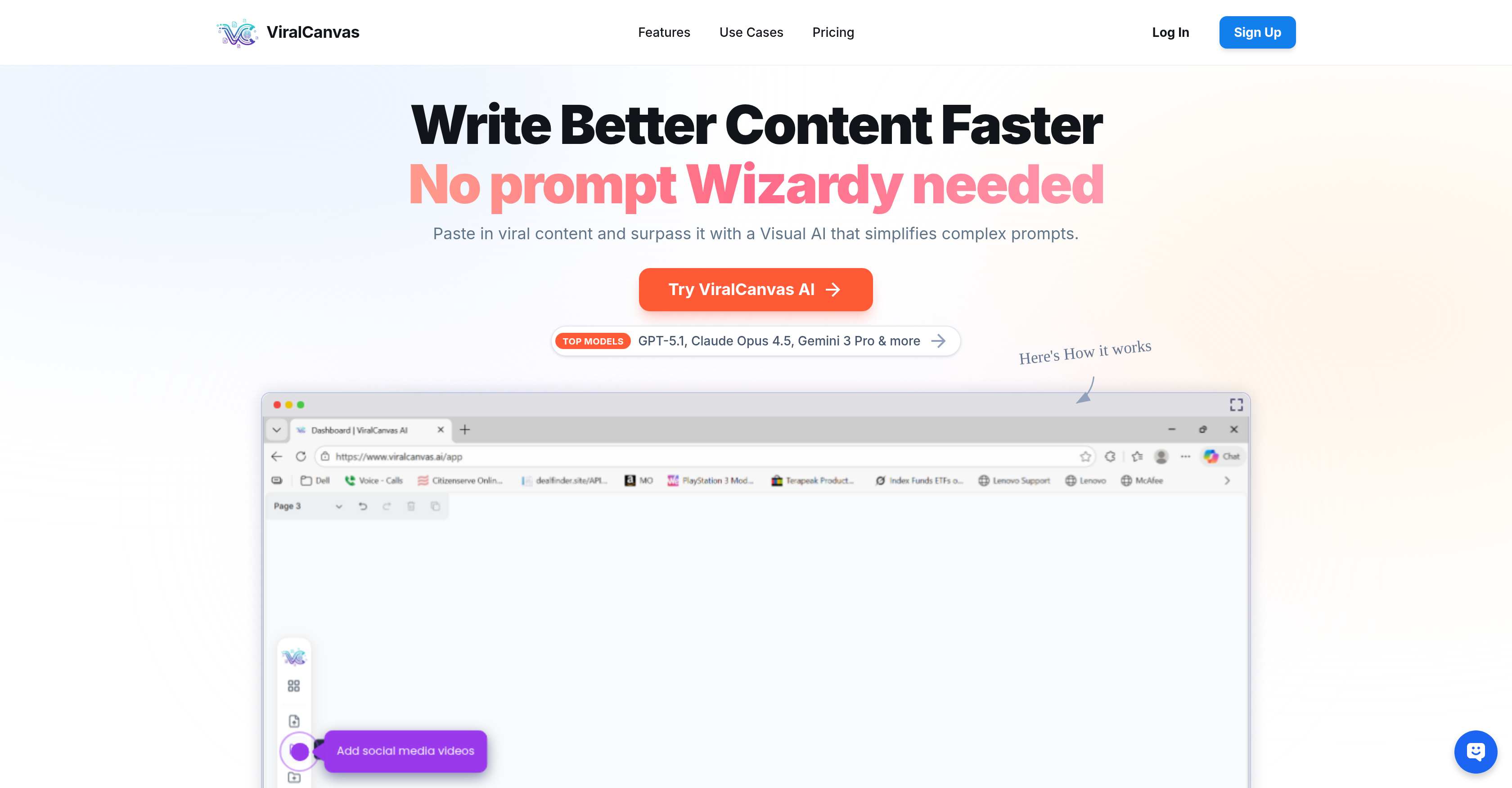
- Organize hundreds of research papers and documents visually by topic using structural grouping and interactive containers, transforming chaotic projects into clear workflows.
- Extract supporting quotes and verify contradictions across your uploaded PDFs and documents instantly by connecting drafts to research with the embedded Intelligent AI Chat.
- Build a persistent knowledge graph for your projects by drawing dynamic links between any two items on the canvas, visually mapping relationships between ideas, files, and notes.
- Create content informed by your full research library by having AI models like GPT-5.1 and Claude Opus analyze connections and surpass viral content patterns.
- Keep all materials—notes, videos, and source files—in one secure, nonlinear workspace with native note-taking and video embedding, eliminating constant tab switching.
- Maintain complete data privacy with government-grade encryption and a guarantee that your private workspace is never used to train AI models.
Pros & Cons
Pros
- Flexible file upload
- Interactive Objects Integration
- Seamless Organization of Items
- Native Note-taking facilities
- Feature for Visual Courses
- Dynamic linking between items
- Persistent Knowledge Graph Creation
- Enhances productivity across profiles
- Safe file uploading
- Interactive Canvas workspace
- Items containerization for projects
- Use of videos in workspace
- Non-linear, item-aided thinking
- Robust security features
- Government-grade encryption
- No user data training
- Different file types support
- Concepts visual grouping
- Productive tool for students
- Creative Workspace for Writers
- Useful for product teams
- Data Patterns summarization
- Draft-writing and Inspiration Connection
- Range of user suitability
- Visual Relationship Mapping
- Different plans availability
- No hidden costs
- Credit-based Billing
- Video Content Analysis
- Unlimited Canvases Access
- High-Priority Support
- Plans for heavy users
- Model and File-based tasks
- Additional Credits Purchase
- Direct Concierge Support
- Advanced Knowledge Graph building
- Visual relationship mapping
- Precision tools for creatives
Cons
- Cannot extract text from images
- Limited video analysis capacity
- Credit-based usage may limit heavy users
- Files can't be grouped automatically
- No version control or history feature
- No collaborative features
- Doesn't support all file types
- No mobile application
- No offline mode
- No text-to-speech functionality
Reviews
Rate this tool
Loading reviews...
❓ Frequently Asked Questions
ViralCanvas AI is a visual workspace tool that utilizes artificial intelligence to streamline complex workflows through non-linear, intelligent, and visually aided thinking. It enables a wide range of users, from students and researchers to data analysts, to enhance their productivity and improve content creation by simplifying complex prompts using Visual AI. Notably, it features top-tier AI models including GPT-5.1, Claude Opus 4.5, and Gemini 3 Pro.
The 'Intelligent AI Chat' in ViralCanvas AI enables users to embed AI directly onto their workspace. This unique feature allows users to connect specific files to the AI, providing it with precise context. The AI can use this information to provide more accurate, relevant responses.
In ViralCanvas AI, users can securely upload an array of file types, including PDFs, text files, and images.
Yes, in the ViralCanvas AI workspace, uploaded files such as PDFs, text files, and images become interactive objects that you can freely move around the canvas.
ViralCanvas AI uses a feature called 'Structural Grouping' to organize related items. This allows users to move, label, and manage complex projects with a single click. The system will organize related items into specific containers, making project management much more efficient.
Native note-taking in ViralCanvas AI enables users to instantly create text blocks, allowing them to jot down ideas adjacent to their research, without the hassle of switching tabs. This makes it easy to compile and cross-reference data in the same workspace.
Yes, videos can be embedded next to notes in ViralCanvas AI. This function is particularly useful for courses, tutorials, and research, as it allows users to seamlessly combine video content with their notes.
Drawing dynamic links in ViralCanvas AI refers to the ability to create connections between any two items on the workspace. These connections help establish a persistent knowledge graph for the AI, contributing to the building of a comprehensive and interconnected workspace.
ViralCanvas AI allows users to upload several PDFs, which they can then visually group by topic. This makes managing a large number of documents much more manageable and less time-consuming.
ViralCanvas AI facilitates linking drafted content with relevant research papers. Users can connect their draft to the relevant research papers and ask the AI to find supporting quotes or check for contradictions, thus helping to verify and solidify the content.
Yes, ViralCanvas AI can assist users in finding supporting quotes within a document. Once related PDFs are uploaded and grouped visually by topic, the AI can be directed to find relevant quotes that lend support to the user's drafted content.
Yes, ViralCanvas AI can verify for contradictions in your research. Users can connect their draft to the relevant research papers and then instruct the AI to look for inconsistencies or contradictions.
Yes, ViralCanvas AI provides AI-based learning. It uses top-tier AI models like GPT-5.1, Claude Opus 4.5, and Gemini 3 Pro to optimize content understanding and creation, supporting the learning process.
ViralCanvas AI enhances productivity for students and researchers by offering an efficient way to organize hundreds of papers and extract citations. It also allows for accurate knowledge retrieval through its intelligent AI chat and enables visual relationship mapping, all of which serve to streamline the learning and research process.
ViralCanvas AI benefits data analysts by providing a visually driven workspace for summarizing patterns across reports. They can visually associate files, create dynamic links, and organize related items into containers for a clean and efficient workflow.
The uploading process in ViralCanvas AI is highly secure. Be it PDFs, text files, or images, all uploads are protected through solid measures including government-grade encryption.
ViralCanvas AI uses top AI models like GPT-5.1, Claude Opus 4.5, and Gemini 3 Pro to facilitate advanced, intelligent operations.
ViralCanvas AI offers three pricing plans. 'Basic' plan for $10 monthly offering essential credits for casual exploration, 'Individual Pro' plan for $20 monthly providing precision tools for the serious creative mind, and 'Elite Alpha' plan for $50 monthly for the ultimate limit-breaking experience.
ViralCanvas AI assures data security by using government-grade encryption and by ensuring that no models are trained on your private workspace. It unequivocally states that your documents are considered your property, thus, respecting and protecting user privacy and data integrity.
If you run out of credits in your ViralCanvas AI plan, you can purchase more credit packs at any time through your secured billing portal.
ViralCanvas AI enhances productivity by facilitating better content creation, simplifying complex prompts utilizing Visual AI, grouping related items into containers for easy management of complex projects. A remarkable feature includes its 'Intelligent AI Chat', where AI is embedded directly onto the user's workspace, allowing particular files to interconnect with the AI for a more precise context, promoting efficiency and ease of operation.
ViralCanvas AI includes top AI models like GPT-5.1, Claude Opus 4.5, and Gemini 3 Pro, which not only enhance the tool's capabilities but also its productivity.
In ViralCanvas AI, the 'Intelligent AI Chat' operates by being embedded directly onto the user's workspace. This allows specific files to interconnect with the AI, providing the AI with a more accurate context which promotes enhanced and target-oriented results.
Yes, ViralCanvas AI allows the uploading of files, including text files, images, and PDFs which can provide context for its AI models.
ViralCanvas AI supports various file types, allowing users to upload PDFs, text files, and images. These files become interactive objects on ViralCanvas AI's platform that can be moved freely according to the user's preference.
ViralCanvas AI assists in organizing complex projects by allowing users to categorize related items into distinct containers, creating a visual and structured workspace. It further simplifies project management by enabling users to link drafts with relevant research papers, employing AI to fetch supporting quotes or verify contradictions.
Yes, ViralCanvas AI provides a native note-taking facility. This allows users to note down ideas conveniently next to their research without having to switch tabs, ultimately enhancing the user experience and facilitating efficient multi-tasking.
Yes, ViralCanvas AI allows users to embed videos on their platform, making it suitable for hosting courses, tutorials, and various kinds of researches.
The dynamic link feature in ViralCanvas AI works by drawing connections between any two items. This capability aids in establishing a persistent knowledge graph for the AI, which can then be used to further enhance contextual understanding when analyzing files and data.
ViralCanvas AI assists in content creation by utilizing Visual AI that simplifies complex prompts, thereby enabling users to generate superior content swiftly. Users can group a variety of uploaded files visually by topic and tie the drafted content with relevant research papers. The AI can then be directed to find supporting quotes or rectify contradictions.
ViralCanvas AI provides a visual AI workspace that mirrors the way users think. It's a platform where users can upload different types of files such as PDFs, text, and images. These become interactive objects that can be freely moved around. It acts as a nonlinear, visual, and intelligent private workspace.
ViralCanvas AI assists with data analysis by allowing users to visually group files by topic and then extract patterns from them. The AI models can even be directed by users to find specific patterns or analyze specific aspects of the data.
Yes, ViralCanvas AI can be used for data visualization. It allows users to group and structure files visually by topic on its virtual canvas, assisting in the visual representation of complex data and information.
ViralCanvas AI facilitates research assistance by allowing users to upload a large volume of documents, organize these visually by topic, and link these to their drafts. The embedded AI can be employed to find supporting quotes within these documents or verify for contradictions, making the research more accurate and comprehensive.
Yes, ViralCanvas AI is suitable for students as it aids in the visualization of requirements, visualization of user feedback, pattern identification, and offers an interactive workspace to improve productivity.
Data security is a priority at ViralCanvas AI. It ensures that user data remains private, by using government-grade encryption and by not training their models on user’s private workspace. This guarantees a secure environment for users to upload and work with their files.
Yes, ViralCanvas AI assists with product development. It allows product teams to visualize requirements and user feedback, efficiently managing complex projects via its capability to organize related items into labeled containers.
ViralCanvas AI uses AI to analyze documents by allowing users to upload multiple documents and visually group them by topic. The AI can then be directed to derive specific information, check for contradictions, or find supporting quotes, helping in the comprehensive and precise analysis of documents.
ViralCanvas AI provides significant benefits for writers and creators. It allows the connection of inspiration with drafts visually and intelligently. The robust AI models aid in creating high-quality content fast by analyzing and surpassing viral content with a Visual AI that simplifies complex prompts.
Pricing
Pricing model
Paid
Paid options from
$10/month
Billing frequency
Monthly
Related Videos
How to Easily Create Viral Finance Videos That Blow Away The Competition (Step by Step)
Viral-Canvas•2 views•Jan 13, 2026