

Overview
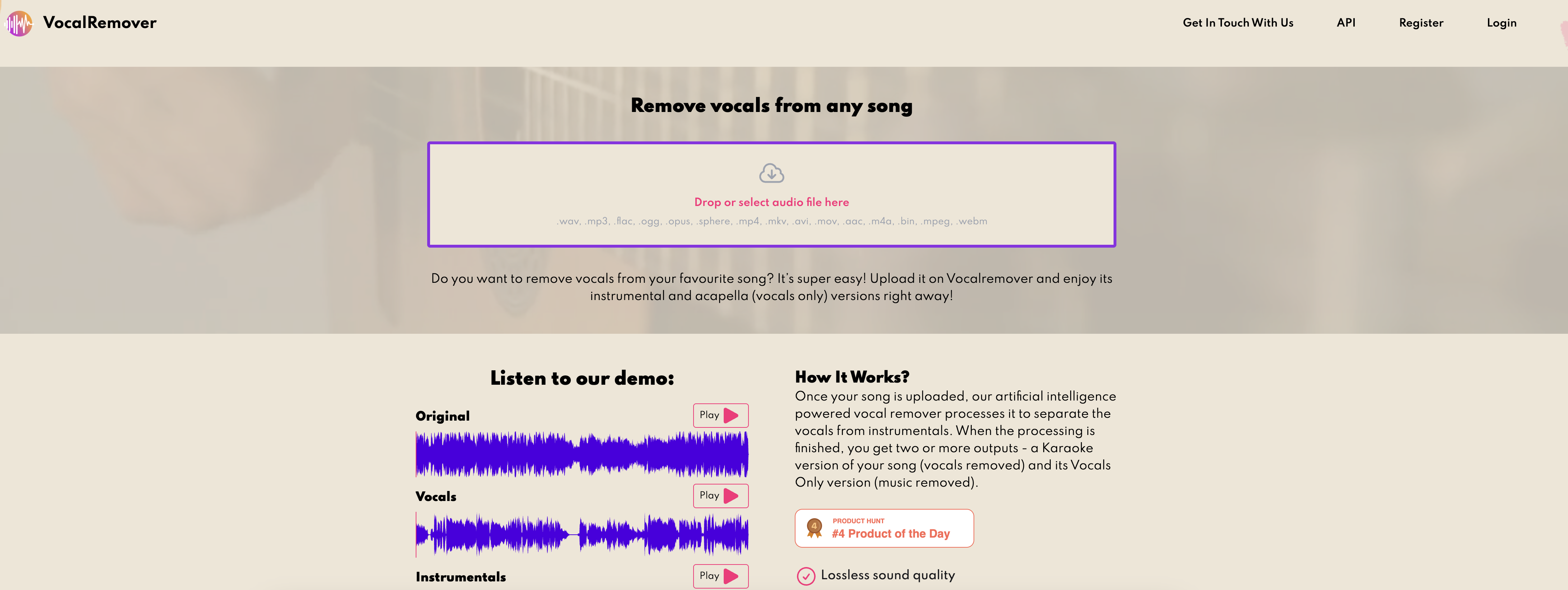
- Create perfect karaoke tracks from any song instantly with AI-powered vocal removal
- Isolate crystal-clear acapella vocals for sampling and remixes using advanced separation algorithms
- Process songs in just one minute without quality loss through optimized AI conversion
- Work with your preferred audio formats including MP3, FLAC, and WAV files
- Scale your music projects with plans processing up to 50 songs using flexible pricing
- Access professional results immediately through the free online demo before committing
Pros & Cons
Pros
- Removes vocals from music
- Creates karaoke version
- Generates vocals only version
- Fast one minute processing
- Supports multiple formats (*.mp3, *.flac, *.wav)
- Up to 50 song processing
- Lossless sound quality
- Ultra fast conversion
- Offers instant support
- Online availability and demo
- API access available
- Accessible in multiple languages
- Frequently Asked Questions (FAQ) Section
- Offers form for inquiries
- Multiple pricing plans
- Machine learning based extraction
- Improves with more usage
Cons
- Limited song processing capacity
- Could be expensive
- Only three pricing plans
- No offline version
- Supports few file types
- Requires internet connection
- No mobile app version
- Slow processing for large files
- Limited language options
- No free permanent version
Reviews
Rate this tool
Loading reviews...
❓ Frequently Asked Questions
Vocal Remover is an AI-powered tool designed to remove the vocal track from any music track, leaving only the background music.
Vocal Remover uses an artificial intelligence powered algorithm that is capable of separating vocals from any song. It processes the raw data of your uploaded music file and differentiates the vocal elements from the instrumental ones.
Vocal Remover is useful for creating backing tracks or karaoke versions of songs as it can remove the vocal track from any music track. This allows users to have an instrumental version of the song for performing purposes, or practice singing with it as a backing track.
After Vocal Remover processes your song, you get two outputs: a Karaoke version of the song (with vocals removed) and its Vocals Only version (music removed).
Vocal Remover offers three pricing plans. The Small plan is priced at $7.99 for processing 3 songs. The Regular plan is $19.99 for 10 songs, and the Premium plan is $59.99 for 50 songs.
According to the highest pricing plan provided on the website, Vocal Remover allows users to process up to 50 songs. Any information beyond this limit is not explicitly provided.
Yes, Vocal Remover promises lossless sound quality for the processed tracks. This means the sound quality of the outputs should remain as close to the original as possible after the vocals have been separated or removed.
Vocal Remover can process and separate vocals from instrumentals in as short as one minute.
Vocal Remover promises instant support. However, specific details regarding the form of this support (live chat, email, etc.) have not been specified.
Yes, Vocal Remover has a demo available where you can upload your music files and try it for yourself.
To get in touch with the Vocal Remover team, you can use the contact form provided on their website.
When you upload your song on Vocal Remover, their artificial intelligence powered vocal remover processes it to separate the vocals from instrumentals. This results in two outputs - a Karaoke version of your song and its Vocals Only version.
You can upload mp3, flac, and wav files onto Vocal Remover for processing.
The Karaoke version of your song is the instrumental of the song with the vocals removed, suitable for performing or practice purposes. The Vocals Only version is the filtered vocal track with the music removed, which might be useful for remixes or sampling.
Yes, Vocal Remover is a fully online service which you can use by uploading files to their webpage and then downloading the processed versions.
Yes, Vocal Remover does offer an API. The link is available at the bottom of their website.
Vocal Remover enhances its functionality based on usage by learning from the songs it processes. The more songs it processes, the better the instrumental versions it can provide.
Terms of Use and Privacy Policy of Vocal Remover can be accessed from the links provided at the bottom of their website.
To sign up for Vocal Remover's service, there's a 'Sign Up' link on the website. After clicking it, you would be able to choose your preferred pricing plan and register.
Vocal Remover achieves ultra-fast conversion through its highly optimized AI-based algorithm for separating vocals from instrumentals in the uploaded music file.
Pricing
Pricing model
Free Trial
Paid options from
$4.99/month
Billing frequency
Monthly
Refund policy
No Refunds


