

Voice Cleaner AI
Overview
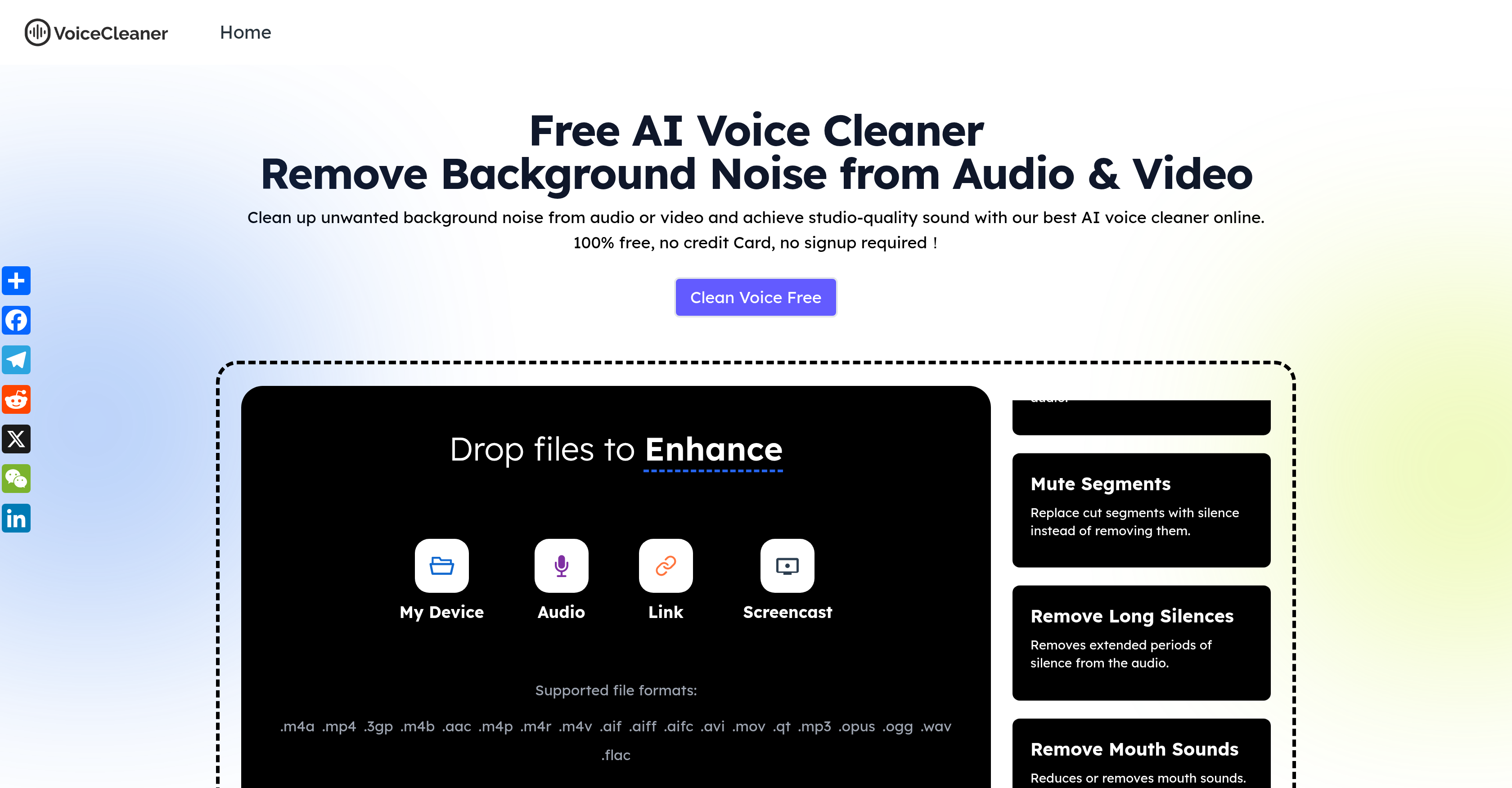
- Achieve professional studio-quality sound without expensive equipment through AI-powered noise removal that eliminates hums, echoes, and static
- Restore valuable old recordings and salvage imperfect outdoor interviews by automatically removing unwanted distortions and background noise
- Export cleaned audio in your preferred format for any project with support for MP3, WAV, MP4 and dozens of other audio/video formats
- Ensure crystal-clear communication in business calls and meetings by removing distracting background noise while enhancing voice clarity
- Process both audio and video files in one tool with comprehensive format support that handles everything from music tracks to podcast recordings
- Instantly preview results before downloading to guarantee perfect audio quality every time with the built-in preview feature
- Record and clean audio in real-time directly from your browser without any software installation or complex equipment requirements
Pros & Cons
Pros
- Supports numerous file formats
- Exports in multiple formats
- Applicable for multiple user-groups
- Outdoor noise reduction
- Revives old audio files
- Simple usage
- Automatic noise detection
- Supports audio and video
- Removes hums, echoes, static
- Perfect for social creators
- Helpful for business calls
- Great for podcasts
- Enhances music production
- Instant background noise removal
- Enhances voice clarity
- Streamlines interview cleaning
- Preview before download
- Choose your noise type
- User-friendly interface
- Effective for video editing
- Suitable for all devices
- Requires minimal effort
- Improves team communication
- Advanced audio enhancement
- Crucial for professional audio
- Significant for sound quality
- Single-click operation
- Robust for voiceover work
- Ideal for home-recorded audio
- Effective noise negation
- Best for phone recording
- Optimized for musicians
- Secure file handling
- SSL encrypted platform
- Free and instant cleaners
- Web-based tool
- No download required
- No learning curve
- Real-time recording cleaning
- Content type identification
- Podcast noise reduction
- Interactive audio link screencast
Cons
- No offline version
- Limited file format compatibility
- No advanced editing features
- Potential privacy issues
- Processing speed depends on internet
- Not ideal for complex distortions
- No multi-track support
- No option for manual adjustments
- No mobile app
Reviews
Rate this tool
Loading reviews...
❓ Frequently Asked Questions
AI Voice Cleaner can process a host of audio and video formats including .m4a, .mp4, .3gp, .m4b, .aac, .m4p, .m4r, .m4v, .aif, .aiff, .aifc, .avi, .mov, .qt, .mp3, .opus, .ogg, .wav and .flac.
Yes, AI Voice Cleaner is designed to pinpoint and eliminate various forms of background noise including hums, echoes, and static sounds.
Cleaned files can be exported in multiple formats such as MP3, WAV, and MP4.
AI Voice Cleaner does more than enhance audio quality. It also amplifies voice clarity, ensuring clear and professional sounding results.
Yes, AI Voice Cleaner can effectively clean up old audio files that often come with unwanted noises and distortions.
AI Voice Cleaner prioritizes data privacy with a secure design. All uploads are automatically deleted within 24 hours, and the platform is SSL encrypted to ensure safe and private processing.
No, you do not need to install any software to use AI Voice Cleaner. It is a browser-based tool, accessible online.
Absolutely, AI Voice Cleaner is an ideal tool for commercial purposes. Whether you are a musician, podcaster, business professional or social creator, you can leverage the AI Voice Cleaner to enhance the quality of your audio content.
AI Voice Cleaner uses cutting-edge AI technology to detect and remove unwanted sounds from audio and video files quickly and accurately. This next-gen AI technology is what makes AI Voice Cleaner advanced.
Yes, AI Voice Cleaner is capable of processing video files to clean the audio component, providing clear and sharp audio for your videos.
No, AI Voice Cleaner is 100% free for use. There is no hidden fee for extended usage.
AI Voice Cleaner leverages advanced AI technology to remove background sounds while enhancing the main voice. This ensures that the main voice in the audio is clear and distinct, and not compromised when background noises are removed.
AI Voice Cleaner works incredibly fast. It removes background noise in a flash, thereby providing you with clear, professional-quality audio or video almost instantly.
Yes, AI Voice Cleaner can enhance the audio quality of your music tracks by removing unwanted noise and enhancing the clarity of every instrument and vocal.
Yes, you can record audio in real time with AI Voice Cleaner. You simply need to select your audio or video files and record in real time. The files can be uploaded from your computer, laptop or mobile device.
AI Voice Cleaner can improve communication in business calls by removing background noise and enhancing voice clarity, which helps reduce misunderstandings and boosts team productivity.
AI Voice Cleaner is an advanced tool that uses AI technology to improve the audio quality of video and audio files by removing unwanted background noise. Geared towards enhancing voice clarity and delivering studio-quality sound, this online tool caters to musicians, podcasters, social creators, and business professionals who aim to deliver professional, distraction-free audio.
AI Voice Cleaner applies next-gen AI technology for unwanted background noise removal. It detects and eliminates noises such as hums, echoes, and static automatically to deliver professional-quality sound. It creates studio-quality, distraction-free audio that's perfect for a range of user needs.
AI Voice Cleaner is compatible with a wide range of audio and video formats. Supported file formats include but not limited to .m4a, .mp4, .3gp, .m4b, .aac, .m4p, .m4r, .m4v, .aif, .aiff, .aifc, .avi, .mov, .qt, .mp3, .opus, .ogg, .wav, and .flac.
Yes, once the AI Voice Cleaner has successfully removed unwanted noise and improved the audio quality, users can export the cleaned files in a selection of formats. This includes commonly used formats such as MP3, WAV, and MP4.
Absolutely, AI Voice Cleaner is highly suitable for business professionals. It enhances voice clarity during business calls and team meetings eliminating miscommunication. This tool can significantly improve team productivity and enhance the quality of communication.
Yes, AI Voice Cleaner is a very useful tool for cleaning up outdoor interviews and old audio files. It can remove unwanted distortions and noise, that often accompanies such files, enhancing their usability.
AI Voice Cleaner leverages cutting-edge AI technology to remove unwanted sounds and background noise. By doing this, the audio quality is immediately enhanced. It importantly focuses on enhancing voice clarity, thus providing studio-quality sound and a more refined audio listening experience.
Yes, AI Voice Cleaner is designed to be user-friendly. It requires you to simply upload your file, select the type of noise and content, and click 'Enhance'. Once the file is processed, you can preview and download the cleaned file in your desired format.
Yes, AI Voice Cleaner supports a range of audio and video formats including .m3, .wav, .mp4 among others. This makes it a versatile solution for cleaning and enhancing audio across multiple file types.
Certainly, musicians can benefit greatly from using AI Voice Cleaner. It can remove all types of unwanted noise from their recordings, providing clearer audio and thus enhancing the production value of the music.
AI Voice Cleaner is indeed an excellent tool for podcasts. It can significantly reduce background noise, ensuring smooth, immersive, and professional-sounding podcast experiences. It saves the need for expensive recording equipment and makes audio editing less complicated.
Yes, AI Voice Cleaner has the capacity to automatically detect and negate a variety of different types of noise, including hums, echoes, and static. This helps in delivering clear, professional, and distraction-free audio.
AI Voice Cleaner certainly can help increase engagement on your social media content. By enhancing the audio quality through the removal of unwanted noise, your audience can enjoy clearer and more appealing sound. Studies show cleaner audio can correlate with higher engagement and retention metrics.
Absolutely, in addition to supporting a wide range of audio formats, AI Voice Cleaner also works with video files. It cleans up both the audio and video files and is a comprehensive solution for delivering clear sound across different media types.
Starting with AI Voice Cleaner is straightforward. Users can upload the audio file, or record in real time from their device, select the noise type they wish to remove (hum, clicks, echo, etc.) and the content type (meeting, studio, voiceover, etc.), then hit 'Enhance'. The tool will automatically clean the audio.
Yes, AI Voice Cleaner offers a preview feature. After the tool has cleaned the audio, users can preview the file before proceeding to download it. This feature allows users to check the cleaned file and ensure they are satisfied with the quality.
No, AI Voice Cleaner does not require users to deploy any complex equipment or software. It's designed to be straightforward and easy to use with just a few simple steps involved: uploading the file, selecting the noise type and content, and clicking 'Enhance'.
AI Voice Cleaner can detect and remove a wide array of noises, including but not limited to hums, echoes, and static. The advanced AI technology employed by this tool ensures a comprehensive noise removal process, thus providing sharper, improved audio.
AI Voice Cleaner significantly enhances voice clarity. Apart from removing background noise, it also focuses on accentuating the main voices in the audio, thus making them more distinct and more professional sounding.
To clean an audio file using AI Voice Cleaner, follow these steps: 1. Upload the audio or video file that you want to clean. 2. Choose the type of background noise you want to remove and the content type. 3. Click 'Enhance'. The tool will automatically analyze and clean the sounds. 4. Once cleaned, preview the file, if you're satisfied, download it in your preferred format.
Pricing
Pricing model
Free
Paid options from
Free


