Whatagraph IQ
Overview
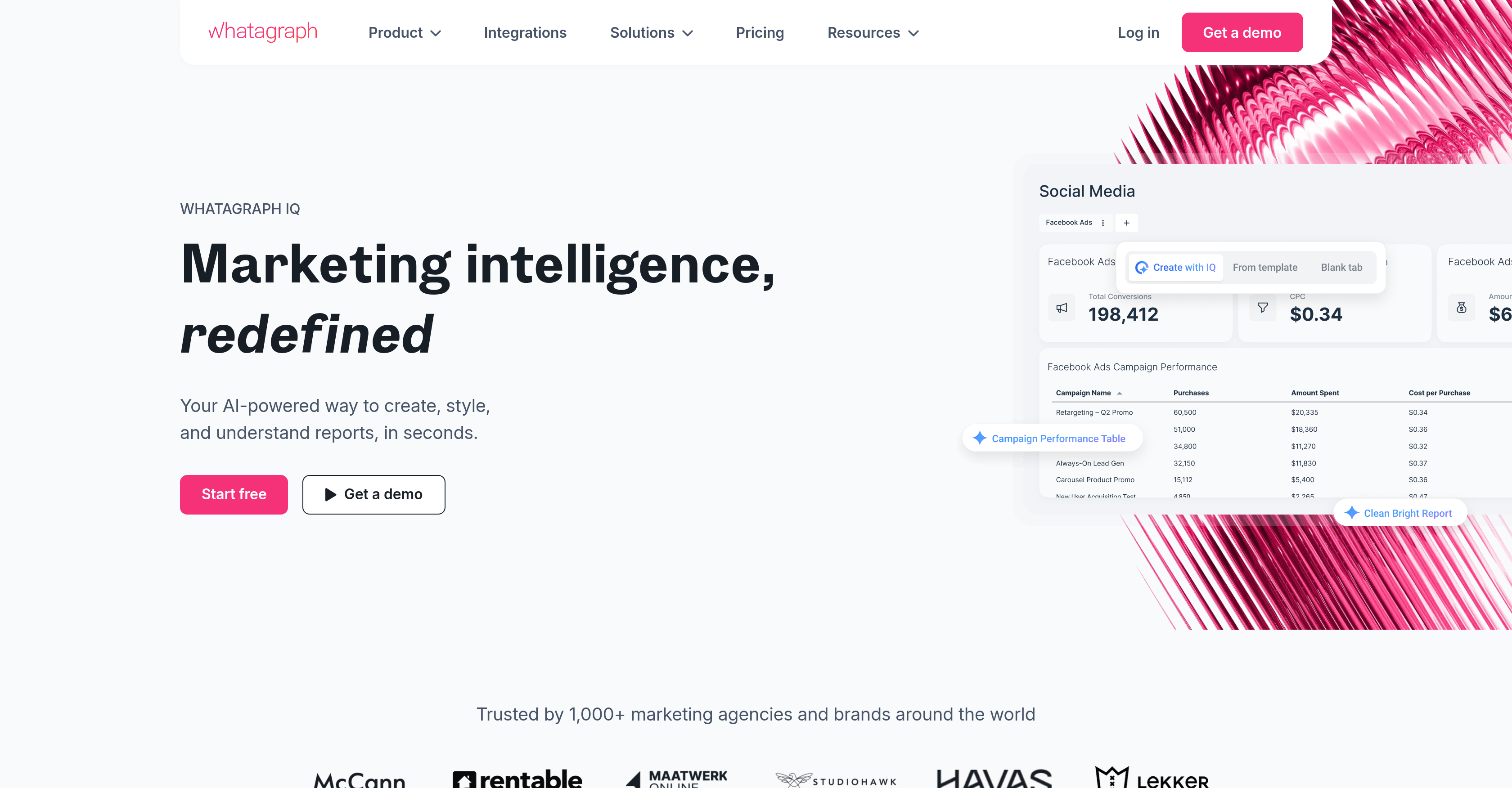
- Create a complete, branded marketing report in minutes by uploading an image and letting the AI generate a matching theme with fine-tuned fonts, colors, and icons
- Generate written performance insights automatically with the IQ Summary feature, eliminating manual report summaries for internal reviews and client updates
- Get instant answers to data questions by chatting directly within the report using IQ Chat, without leaving the interface
- Add specific charts and tabs on the fly by simply requesting what you need, enabling fast report customization for any client demand
- Automatically detect and fix widget issues, incompatible metrics, and incorrect dimensions so reports stay accurate without manual troubleshooting
- Keep AI summaries always up to date as date ranges shift, ensuring live dashboards and automated reports always show fresh commentary
- Let stakeholders explore and understand their data on shared report links with IQ Chat, reducing time spent on follow-ups and questions
- Personalize AI summaries by adding brand, industry, or campaign context to match your tone of voice and reporting style for tailored client deliverables
Pros & Cons
Pros
- Handles complete report creation
- Fast report customization
- Ad hoc chart addition
- Report branding capabilities
- Summary generation feature
- Interactive IQ Chat
- Image upload for themes
- Font, color and icon customization
- Integrated performance insights
- Stakeholder interaction in IQ+
- User-guided summary personalization
- Manages report filter troubleshooting
- Branding element auto-replication
- Auto layouts creation
- On-the-fly tab creation
- Direct insights in reports
- Expanded icon library
- Plain language performance explanations
- Real-time data chat feature
- Feedback-based report modifications
- User-styled shared report links
- Exploratory data interaction for stakeholders
- Automated date range shift updates
- Custom dimension building
- Widget problem detection and fixing
- Marketing data transformation
- Multi-channel report centralization
- Technical expertise not necessary
Cons
- No offline access
- No multi-language support
- Requires constant internet connectivity
- No stated data security measures
- No integration with non-marketing platforms
- Limited customizability of widgets
- No available mobile app
- No freemium version offered
- Limited icon library for branding
- No mentioned support for third-party APIs
Reviews
Rate this tool
Loading reviews...
❓ Frequently Asked Questions
Whatagraph IQ is an AI-powered tool that is designed to streamline and enhance marketing data reporting. The core idea is to address and solve the time-intensive tasks of creating and customizing reports, allowing users to invest their time in making important data-driven decisions instead. It incorporates features for quick customization of reports, real-time insights, and troubleshooting. An upgraded version, Whatagraph IQ+, adds further features for increased automation and stakeholder engagement.
Whatagraph IQ streamlines marketing data reporting by automating the entire report creation process. Users no longer need to spend time building report layouts or troubleshooting filters, as the tool handles these tasks. This not only saves time but also ensures the accuracy and consistency of reports. It effectively transforms complex data into simple narratives and graphics, making the data more comprehensible and manageable. The resultant reports can then be used to draw insightful, data-driven decisions.
Whatagraph IQ offers a myriad of features to quickly customize reports according to user demands. Users can add details like specific charts or tabs instantly depending on their requirements. It offers functionality such as creating an entire report in one go, adding new tabs effortlessly, and obtaining the exact charts needed. The customization process also incorporates AI-driven adjustments, making the tool even more efficient.
Yes, Whatagraph IQ is designed to efficiently manage report branding and summarising. The tool allows users to upload an image of their choice and then generates a report theme that matches the image. Additionally, users can fine-tune elements such as fonts, colors, and icons to align them with their brand identity. For summarising, the tool incorporates an IQ Summary feature that generates written performance insights based on users' data, eliminating the need for manual report summaries.
The IQ Summary feature in Whatagraph IQ is an AI-driven assistant that generates written performance insights based on a user's data. It is designed to eliminate the need for manual report summaries. Instead of investing time to write thorough reports, users can rely on IQ Summary to present detailed performance insights in plain language, which can be useful for internal reviews and client-facing updates.
The IQ Chat feature in Whatagraph IQ is an interactive attribute that allows users to fetch quick insights or breakdowns directly within their report. Whether a user needs fast insights or an analysis of trends, the IQ Chat feature provides instant answers, ensuring that users have immediate data and information on hand without having to leave the reporting interface.
Whatagraph IQ+ is an upgraded version of Whatagraph IQ that offers added features like allowing stakeholders to chat with their data on shared report links. It allows user-guided personalization of summaries and automatically updates AI summaries as per the date range shifts. These features impart more control and consistency in the reports for scaling teams. IQ+ also has features for creating custom dimensions without guesswork and automatically detecting and fixing widget issues before they cause any disturbance in the reports.
In Whatagraph IQ+, users can personalize summaries by adding context about the brand, industry, or campaign. This enables the AI to match the user's tone of voice and reporting style, providing a more detailed and tailored analysis. It allows users to guide the IQ in its approach and tone, ensuing in a more personalized and relevance-rich summarised report.
Whatagraph IQ handles date range shifts in AI summaries by ensuring that the AI summaries update automatically whenever the date range shifts. This feature is particularly useful for live dashboards or automated reports that require fresh and up-to-date commentary. In effect, irrespective of the changing date range, users always get the most current summary.
In Whatagraph IQ, to generate a report theme, users can upload an image and the tool will create a matching report theme. The tool uses AI to process the image and create a unified aesthetic for the report. So, by simply uploading an image, users can obtain a professionally designed, custom report theme in seconds.
In Whatagraph IQ, users can fine-tune multiple features such as fonts, HEX codes, and colors. They can also access an expanded icon library to align with any client style. The combination of these adjustable components allows users to create uniquely branded reports that can match the aesthetic of their brand or the client's brand.
Whatagraph IQ helps make data-driven decisions by presenting the complex data in a format that's easy to understand. It transforms data into narrative and graphic formats that provide a clear view of performance metrics. It eliminates the effort and time required to put together reports, thus leaving users more time to focus on strategizing based on the insights derived from these reports. Furthermore, its AI-powered features like the IQ Summary deliver summarized insights straightaway, eliminating the manual effort.
Yes, users can add specific charts or tabs in Whatagraph IQ. The tool offers a feature called IQ tab creation that allows users to swiftly add new tabs on the fly. Similarly, it has an IQ widget creation feature for obtaining the exact charts needed. Both these features aim to provide flexibility and ease of customization to the users.
Whatagraph IQ+ interacts with stakeholders through shared report links. IQ chat, a feature in Whatagraph IQ+, is now available on these shared report links, matching the report theme and branding. This feature encourages stakeholders to explore and understand their data, while simultaneously reducing time spent on follow-ups.
Yes, Whatagraph IQ allows for icons customization. It offers an expanded icon library that users can access to align with any client style. This feature allows users to enhance their reports visually, providing branding consistency and ensuring aesthetic alignment with the brand identity.
Whatagraph IQ leverages its AI-based abilities to troubleshoot filters in report creation. It automatically detects and rectifies issues related to incompatible metrics and incorrect dimensions, ensuring that the reports are accurate and meaningful. Moreover, it eliminates the need for users to spend time on manual troubleshooting, hence increasing the productivity of the report creation process.
In Whatagraph IQ, the process of report customization involves users inputting what they need, and the tool creates the full report. Various steps are involved including the creation of full reports in one go, adding new tabs as required, and generating specific charts as per the need. If there are changes needed, users simply have to input those requirements and the tool adjusts the report accordingly.
In Whatagraph IQ, automated updates of AI summaries work hand-in-hand with the feature that handles date range shifts. When the date range changes, the AI summaries automatically update to reflect the changes. This automation ensures that regardless of the date range used, the users are provided with fresh, up-to-date commentary.
In Whatagraph IQ, users can upload an image by directly inputting it into the system. Once uploaded, the tool processes the image and creates a matching report theme. This feature allows for rapid brand alignment in reports, removing the necessity for manual report design.
Yes, users can seek quick insights within their report using Whatagraph IQ. They can get these insights directly within their report by utilizing the IQ Chat feature. By typing in their query, users can get instant answers, whether they need quick insights or detailed trend breakdowns.
Pricing
Pricing model
Freemium
Paid options from
$249/month
Billing frequency
Monthly
Related Videos
Build Marketing Reports from a Prompt with Whatagraph IQ
Whatagraph•719 views•Jul 9, 2025