AI Image Combiner
Overview
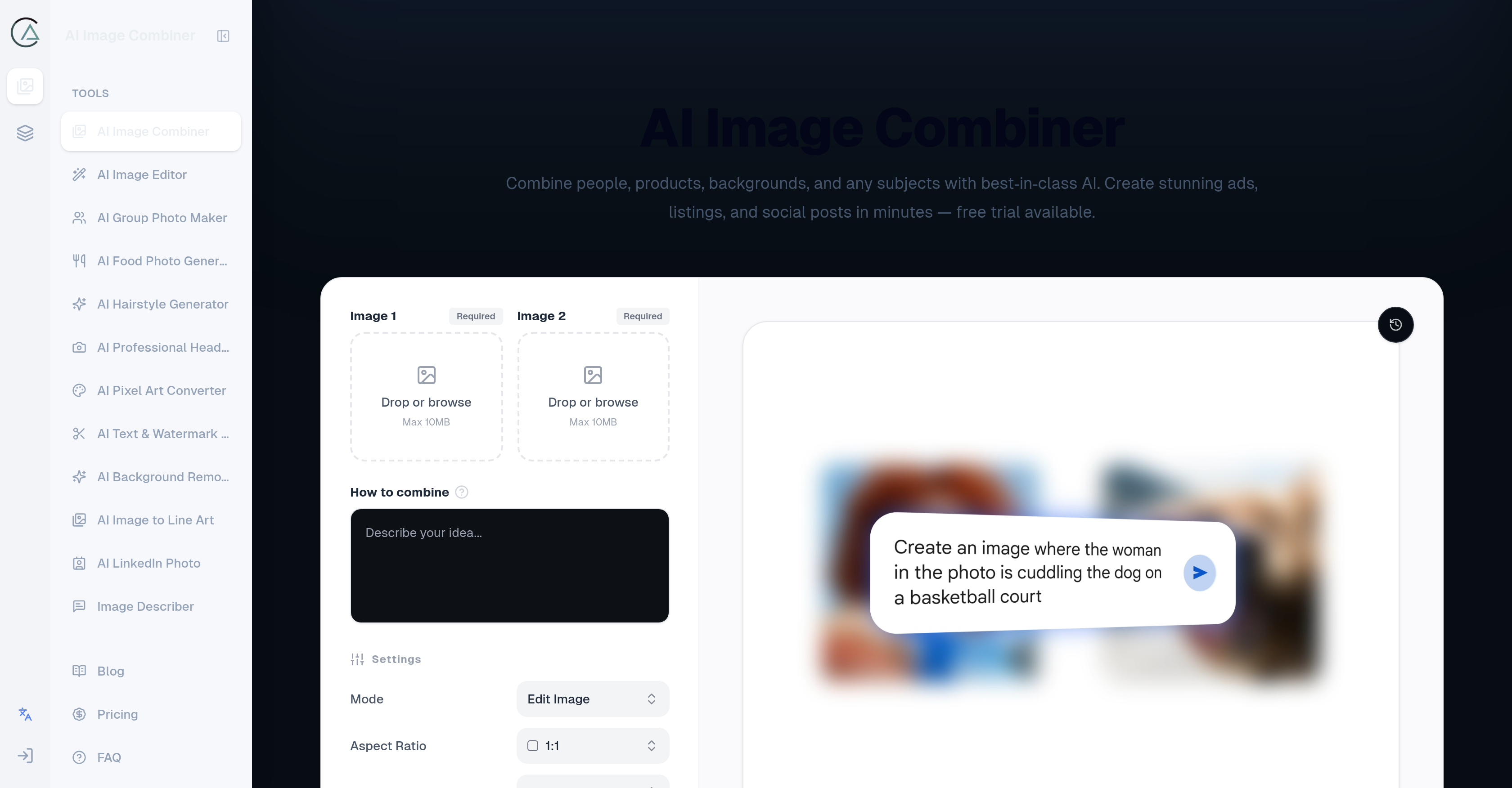
- Create studio-quality lifestyle mockups and product images by simply uploading components and describing your vision, with the AI automatically handling cutouts, light matching, and edge transitions.
- Craft unique social media posts and ads that stand out, using presets for multiple sizes and aspect ratios to fit any platform instantly.
- Produce professional presentations and brand key visuals without any design skills, as the tool autonomously blends people, objects, and scenes into cohesive visuals.
- Export final images as transparent PNGs for flexible use in listings, storefronts, or further editing, giving you full control over the output.
- Work with images of any size or format without constraints, ensuring compatibility with all your source materials from different sources.
- Own every generated visual for commercial use, with one-time credit packages that never expire, so you scale content creation on your schedule.
Pros & Cons
Pros
- Creates seamless visuals
- Accurately handles cutouts
- Adjusts lighting
- Smooths image transitions
- User-friendly interface
- Supports diverse image formats
- Exports transparent PNGs
- Flexible tool operation
- Ideal for ads creation
- Perfect for social media content
- Allows product imaging
- Can be used for presentations
- Facilitates photo manipulation
- Personal and commercial usage
- Easy image export
- One-click image combination
- Allows photo integration
- Supports various aspect ratios
- Enables quality management
- Offers one-time credit packages
- Supports high-resolution output
- 24/7 email support
- Creates studio-quality visuals quickly
- Doesn't store uploaded images
- Supports mobile usage
- Good for lifestyle mockups
- Effective tool for product visuals
- Handy for brand key visuals
- Allows quick concept creations
- Useful for scene replacements
- Improved output via clean inputs
- Allows blending of multiple images
- Capable of character replacement
- Supports different image sizes
- Effective for image compositing
- Flexible scheduling with credit system
- Doesnt require subscription
- No credit expiry
- Allows autonomous operation
- Facilitates digital art
- Blends diverse subject matters
- Ideal for family photos and couple shots
- Great for fan edits
- Produces natural-looking outputs
- Optimizes light matching
- Optimizes edge blending
- Great for commercial use
Cons
- Credits based usage
- No unlimited usage option
- Clarity depending on prompt
- Not ideal for beginners
- Limited to two images
- No built-in image editing
- Max 10MB image size
Reviews
Rate this tool
Loading reviews...
❓ Frequently Asked Questions
AI Image Combiner is a generative workflow that blends people, objects, scenes, and graphics into a cohesive visual. Users upload one or more images, and AI Image Combiner automatically handles cutout, light matching, and edge transitions so the final image looks naturally integrated.
AI Image Combiner handles light adjustments during the image blending process by optimizing light matching for the uploaded images, ensuring a naturally integrated final look.
Yes, AI Image Combiner supports various image formats and sizes. It also offers presets for multiple sizes and aspect ratios to fit social media, ads, and storefronts.
AI Image Combiner's user-friendly nature is defined by its effortless operation process. Users just have to upload their image components, describe the desired outcome, and then click to combine the images.
AI Image Combiner facilitates accurate cutouts in different images by using advanced artificial intelligence. The AI automatically manages the cutout of uploaded image components, ensuring precision in segregating and combining the desired elements.
AI Image Combiner smooths edge transitions in combined images via its advanced AI algorithms, resulting in seamlessly integrated and natural-looking final visuals.
Users commonly use AI Image Combiner to create studio-quality visuals such as lifestyle mockups, product images, advertisements, social media posts, brand key visuals, quick concepts, and scene replacements.
Yes, AI Image Combiner does support transparent PNG outputs, providing users with more flexibility and choices in terms of their final image outputs.
Absolutely, AI Image Combiner can be utilized for both personal and commercial purposes. You are free to use the generated images commercially as long as you have rights to your uploaded materials and follow the platform terms.
Users describe their desired outcome to AI Image Combiner in the prompt, where detailed instructions or ideas can be communicated to guide the AI in image blending.
Yes, AI Image Combiner is specifically designed to blend people, products, and backgrounds effectively. It uses advanced AI algorithms to achieve this blend, resulting in visually unified images.
The advanced AI within AI Image Combiner performs seamless integrations of uploaded image components by handling accurate cutout, light matching, and edge transitions automatically, ensuring the final visual is naturally integrated.
AI Image Combiner can be used to create unique and compelling social media content. Users can combine various images or elements to create distinctive visual content, perfect for stand-out posts on various social platforms.
The process to combine images in AI Image Combiner involves uploading the image components, describing the desired outcome in the prompt, and then instructing the AI to combine the images.
Yes, AI Image Combiner does offer a free trial, providing users an opportunity to experience and test the capabilities of the tool before opting for a paid plan.
AI Image Combiner can be applied in a wide variety of scenarios including crafting ads, creating social media posts, assembling product listings, and designing presentations among others.
Yes, AI Image Combiner can adjust to the size of your image. It supports various image formats and sizes, and offers presets for multiple sizes and aspect ratios.
AI Image Combiner ensures the final product looks naturally integrated by automatically handling cutouts, light matching, and edge transitions using its advanced AI, resulting in seamless integration of all image components.
Yes, AI Image Combiner can certainly be used to design compelling and professional-looking presentations. By combining different visuals, you can create unique slides and graphics that enhance your presentation.
Yes, it is possible to craft advertisements using AI Image Combiner. The tool is particularly useful for creating striking and unique visuals for ad campaigns.
AI Image Combiner is a generative workflow tool that utilizes advanced artificial intelligence to blend various elements like people, objects, scenes, and graphics into a unified, seamless image.
AI Image Combiner works by allowing users to upload one or more images. The tool then automatically handles cutouts, matches lighting, and manages edge transitions to produce an output that appears naturally integrated. The entire process can be initiated with a single click.
AI Image Combiner can blend together a vast variety of images such as people, products, backgrounds, logos, or scenes. This includes components for ads, social posts, listings, presentations, and more.
AI Image Combiner finds application in creating ads, social media posts, assembling product listings, designing presentations, crafting family photos, couple shots, fan edits, and product images. It is versatile enough to handle lifestyle mockups, product visuals, quick concepts, brand key visuals, and scene replacements.
Yes, AI Image Combiner is designed with user-friendly features that make it easy to use. Users simply need to upload their chosen images, describe the desired outcome, and click combine to execute the blending process.
AI Image Combiner supports various image formats and sizes, providing users the flexibility to work with different picture components without any constraints.
Yes, AI Image Combiner gives users the option to export the final product as a transparent PNG image.
AI Image Combiner has an inbuilt system that automatically handles lighting adjustments in the images. It optimizes lighting matching and edge blending to ensure the final image appears naturally integrated. To improve output quality, users can add style details in their prompt, like natural light or soft shadow.
Yes, AI Image Combiner can be used for both personal and commercial purposes. The generated images are owned by the user and can be used as per their requirements, subject to having rights to their uploaded materials and following the platform terms.
Yes, AI Image Combiner's versatility and support for different sizes and aspect ratios allow it to be effectively used for creating unique social media posts.
Yes, AI Image Combiner offers simple one-time purchase credit packages that never expire. The more expensive packs provide better value per credit. Users can use these credits on their own schedule, adding to the tool's operational flexibility.
AI Image Combiner is designed to be user-friendly and does not require any specific skills or knowledge to operate. The tool has a simple interface where users can just upload images, describe their vision, and click combine to execute the process.
Yes, the result of AI Image Combiner is seamlessly integrated. The tool is designed to handle cutouts, match lighting, and manage edge transition to yield a final image that looks naturally unified.
AI Image Combiner performs several tasks autonomously. These include accurate cutouts, handling of lighting adjustments, and smooth edge transitions, all contributing to a final product that appears seamlessly integrated.
Yes, AI Image Combiner supports different aspect ratios. This gives users the flexibility to create images that fit well with varied display platforms like social media, ads, and storefronts.
Yes, in AI Image Combiner, users have the ability to describe their desired outcome before executing the combining function. This allows for a more personalized output based on user specification.
The output quality in AI Image Combiner can be improved by using sharp inputs with consistent lighting, and by adding stylistic details like natural light, soft shadows, and realistic textures in the prompt.
Yes, the generated images from AI Image Combiner can be used commercially. Users retain full ownership over the generated visuals and can use them for commercial purposes, subject to having rights to their uploaded materials and complying with the platform terms.
Pricing
Pricing model
Free Trial
Paid options from
$5/unit
Billing frequency
Pay-as-you-go