Overview
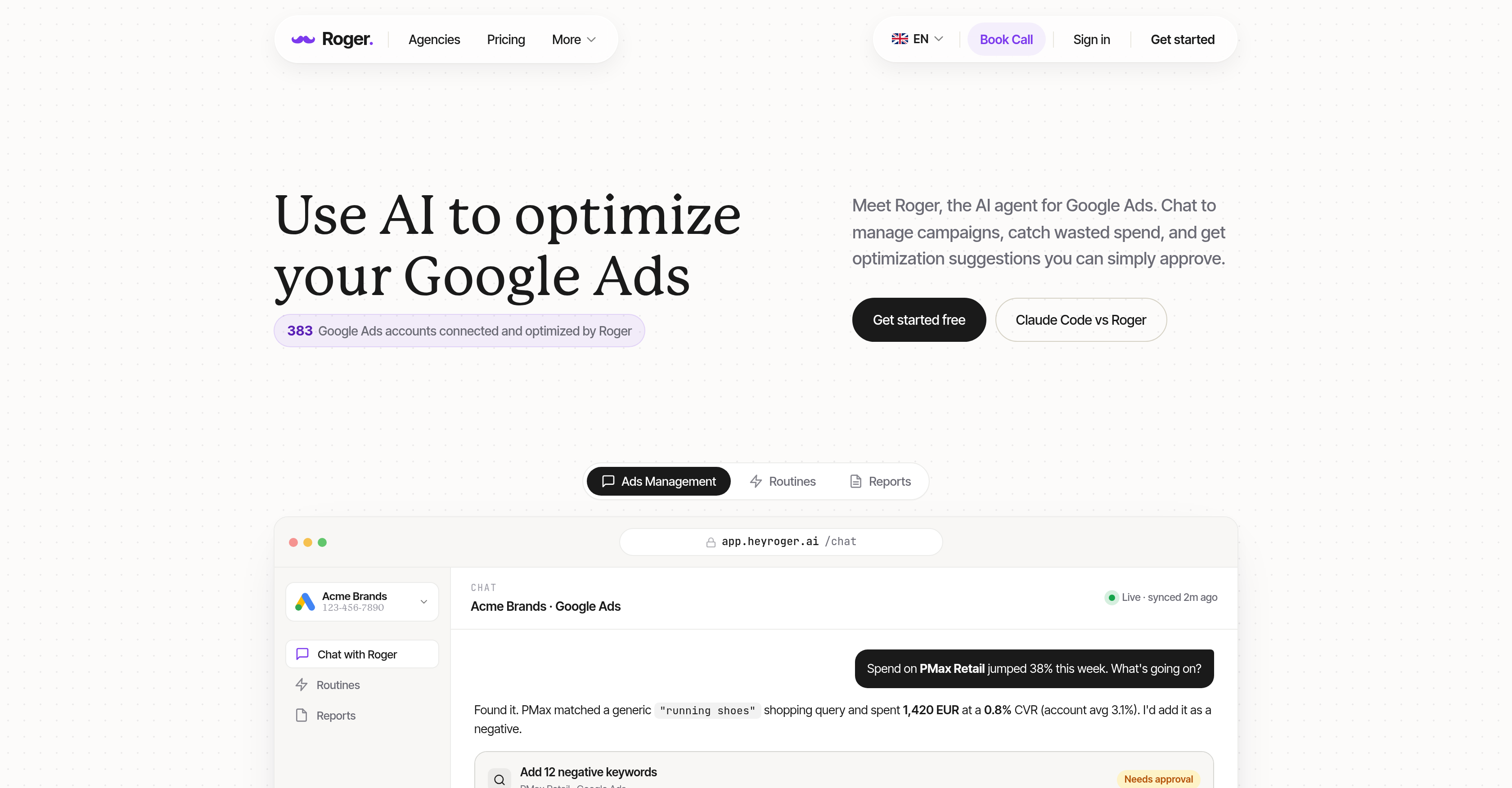
- Stop wasting ad spend on underperforming campaigns by having Roger automatically audit every keyword, tag, and campaign to pinpoint unnecessary spending.
- Cut irrelevant traffic and reduce costs as Roger drafts precise negative keywords from your campaign data, ready for your approval.
- Increase ROI without manual guesswork as Roger evaluates ad performance and suggests bid changes that optimize your campaign budget.
- Stay ahead of costly surprises with 24/7 account monitoring that alerts you instantly to spending anomalies, performance spikes, or untapped opportunities.
- Reclaim hours each week as Roger auto-generates weekly and monthly performance reports, spend breakdowns, and keyword recommendations—no spreadsheets needed.
- Maintain full control over your account with read-only access by default, plus the ability to set custom approval parameters for every suggested action.
- Ensure GDPR compliance and data security with European data residency and Google's CASA Tier-2 protection, keeping your ad data safe at all times.
Pros & Cons
Pros
- Google Ads management focus
- Audits campaigns for waste
- Provides clear improvement recommendations
- User-friendly interface
- Drafts negative keywords
- Optimizes bid changes
- Requires user approval
- 24/7 Monitoring capacity
- Produces performance reports
- Respects data privacy
- Read-only access by default
- Complies with GDPR guidelines
- Uses Google's CASA Tier-2
- Time-saving tool
- Sets maximum limits
- User control over actions
- Relays urgent notifications
- Generates actionable details
- Autonomous operating capability
- Facilitates understanding campaign performance
- Identifies wasted spend
- Connects automatically to Google Ads
- Streamlines ad management
- Does not need manual setup
- Sends spend anomaly alerts
- Offers optimization suggestions
- Auto-generates monthly summaries
- Inbuilt campaign monitoring
- Ad performance breakdown
- Keyword performance metrics
- Comprehensive reporting and recommendations
Cons
- Limited to Google Ads
- User approval requirement
- Data read-only by default
- No autonomous action implementation
- Limited built-in security (CASA Tier-2)
- Regionally compliant (GDPR)
- No mention of multi-language support
- Dependent on user defined parameters
- No specific pricing for small businesses
- Data deletion after 30 days
Reviews
Rate this tool
Loading reviews...
❓ Frequently Asked Questions
Roger is an Artificial Intelligence tool specifically designed for managing Google Ads. As a smart agent, it provides a user-friendly way to manage advertising campaigns and optimize their overall performance.
Roger enhances Google Ads management by accessing your Google Ads account, auditing campaigns for unnecessary spend, and making suggestions for improvement. Its key features include drafting negative keywords and proposing bid changes, with all actions awaiting your approval. By continuously monitoring your campaigns, it helps identify anomalies, spikes, or opportunities and sends out urgent notifications.
No, Roger does not make any changes automatically. It simply drafts suggestions for negative keywords and bid changes. However, it seeks your approval before implementing any of these changes.
Roger respects data privacy and user control by providing read-only access by default. Users can set maximum limits and approvals to maintain control over actions performed by Roger. It uses Google's CASA Tier-2 for security, demonstrating a commitment to keeping your data secure.
By automating the management of Google Ads and streamlining the process of auditing for wasted spend, Roger increases efficiency. It handles drafting negative keywords and making bid change suggestions, thus freeing up your time. Also, given its inbuilt capability of 24/7 monitoring for anomalies and opportunities, it's on the job all the time, meaning it will catch things that a human might miss.
Yes, Roger operates in strict compliance with European data residency GDPR guidelines. This means it provides read-only access by default and adheres to all rules and regulations regarding user data privacy and protection in the European Union.
Negative keywords are search terms that you want to exclude from your PPC advertising campaigns to avoid irrelevant traffic. Roger can draft negative keywords by auditing your campaigns and identifying search terms that are costing you money but not producing results. These drafted keywords, however, are always subject to your approval before being implemented.
Roger drafts suggestions for bid changes by evaluating your ads' performance. It identifies potentially beneficial adjustments that could help optimize your campaign's performance. As with other actions, these proposed changes won't be implemented until you approve them.
Yes, Roger offers a user-friendly interface that allows simple and convenient management of Google Ads. It's designed to streamline the auditing process and provide clear, actionable details for campaign performance improvement.
Roger is equipped with advanced monitoring capabilities that can detect anomalies, spikes, or opportunities in your Google Ads campaigns. This includes significant increases or decreases in ad spend, sudden changes in campaign performance, or potential opportunities for improvement or optimization.
Roger operates 24/7, monitoring your Google Ads performance around the clock. It is constantly auditing the campaigns and looking for areas of unnecessary spend or potential improvement.
Yes, Roger sends out clear and concise performance reports. These reports provide a deep understanding of what's working and what's not within your campaigns without the need for manual spreadsheets or slide decks.
The purpose of Roger's inbuilt monitoring capabilities is to continuously audit your Google Ads campaigns, detect anomalies, alert you of spikes, and identify potential opportunities. Its 24/7 operation ensures that you're always up-to-date with urgent notifications concerning your campaigns.
Yes, administrators can set maximum limits to maintain control over actions performed by Roger. However, what exact limits can be set depends on user requirements and the nature of their campaigns.
Approval from the user is required for implementing key features of Roger, such as drafting negative keywords or making bid changes. By always seeking user approval before implementing changes, Roger ensures users retain full control over their Google Ads accounts.
Yes, by default, Roger limits its data access to read-only. This means it can audit and make suggestions for your Google Ads campaigns, but it cannot implement any changes without your express approval.
Google's CASA Tier-2 is a security measure that Google uses to secure data. Roger utilizes this by ensuring that all data it manages is secure, further strengthening its commitment to user data privacy and control.
Roger simplifies and automates the task of managing Google Ads, reducing the time you spend on ad management and auditing. This means you can invest more of your time in core business activities like strategy, client growth, and product development.
Roger audits your Google Ads campaigns to identify areas of unnecessary or wasteful spending. It uses AI to analyze the performance of your campaigns and drafts suggestions for improvement, such as changes to bids or the addition of negative keywords, which can help reduce spending on ineffective ads.
Yes, Roger provides clear and concise details on your campaign performance. It generates performance reports that give you an understanding of what's working and what's not within your campaigns, all this without the need for manual spreadsheets or slide decks.
To connect your Google Ads account to Roger, plug it into your Google Ads account. This connection enables Roger to access every campaign, keyword, and tag in your account without manually setting up CSV exports.
Roger can draft negative keywords and bid changes to your Google Ads campaigns. Note that it always seeks your approval before implementing any of these proposed changes.
While Roger can operate autonomously within set parameters, you can instruct him on what actions require your approval. This way, it respects user control and carries out actions in a way that aligns with your comfort and familiarity levels.
Roger takes a number of measures to ensure data privacy and security. The access to your Google Ads account by default is read-only. Also, Roger is built in compliance with European data residency GDPR guidelines while using Google's CASA Tier-2 for security. Hence your data's safe handling is ensured.
Yes, Roger is designed to comply with GDPR guidelines. It provides read-only access by default and operates in accordance with European data residency, thereby ensuring your data's privacy is respected and that data handling is GDPR-aligned.
Roger enhances the management of Google Ads campaigns in several ways. This includes conducting audits on campaigns to discover wasteful spending, drafting negative keywords and bid changes, and providing actionable recommendations for optimization. It also monitors your account continuously and sends notifications on significant developments such as anomalies, spikes, or potential opportunities.
Yes, you can set limits on the actions Roger can perform. By setting your parameters, you can instruct Roger on what actions need your approval and what it can carry out autonomously.
Roger is equipped with 24/7 monitoring capabilities, notifying you about spending anomalies, spikes, or potential opportunities that occur in your campaigns.
Yes, Roger has a reporting feature that generates clear, actionable reports. These reports include performance summaries, spend breakdowns, keyword performance and recommendations, thus providing a comprehensive view of your campaign performance.
Roger conducts audits on your Google Ads campaigns and uses the findings to draft negative keywords and bid changes. This process aids in identifying areas of wasteful ad spend, enabling more cost-effective campaign management.
Yes, Roger always awaits user approval before implementing any drafted changes to keywords or bids in a campaign. This ensures that no changes are made without your knowledge and agreement.
Roger identifies areas of unnecessary ad spend by auditing your Google Ads campaigns. It uses this information to make recommendations for improvement, pinpointing areas where resources are wasted and proposing changes to rectify these inefficiencies.
Yes, Roger has round-the-clock monitoring capabilities. It constantly oversees your Google Ads account, alerting you to any significant developments such as anomalies, spending spikes, or potential opportunities.
Roger greatly reduces the time spent on ad management by streamlining several tedious and time-consuming tasks. These include conducting campaign audits, identifying wasteful ad spending, drafting negative keywords and bid changes, generating performance reports, and monitoring your account 24/7.
Yes, Roger is capable of generating clear, actionable reports that include auto-generated weekly and monthly summaries, spend breakdowns, keyword performance, and recommendations. These reports provide a comprehensive view of your campaigns’ performance, helping you understand what's working and what needs adjustment.
Yes, Roger can analyze every campaign, keyword, and tag in your Google Ads account without the need for a manual setup. It accesses all this data once connected to your Google Ads account.
You can instruct Roger on what actions to take autonomously by setting your guardrails. This involves telling Roger what actions need your approval and what actions it can perform on its own.
Yes, you can disconnect Roger from your Google Ads account instantly. This gives you full control over the access Roger has to your account at all times.
After disconnection, Roger ensures the safety of your data by deleting it within 30 days of cancellation. This ensures that your data is not held onto or misused after you have ceased using the service.
Pricing
Pricing model
Freemium
Paid options from
$20/month
Billing frequency
Monthly
Refund policy
No Refunds