AI Image Editor
Overview
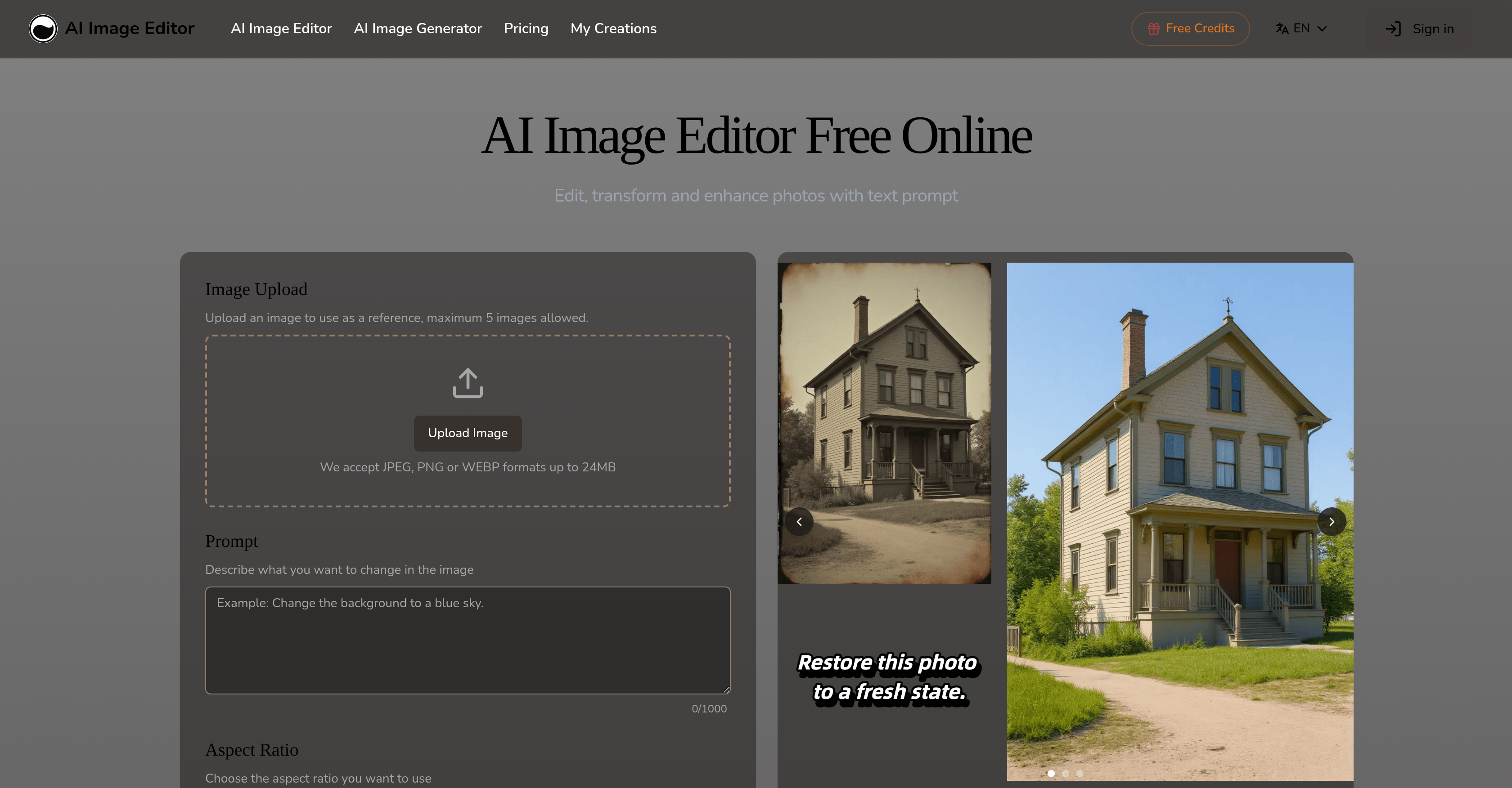
- Edit any photo with simple text commands instead of complex software using natural language prompts
- Transform image styles completely while keeping subjects perfectly consistent with AI-powered style transfer
- Make precise edits to specific areas like backgrounds or poses with pixel-level accuracy for selective adjustments
- Generate multiple high-quality image variations instantly for rapid prototyping and commercial projects
- Insert text that blends naturally into any image context for captions and branding materials
- Maintain perfect subject consistency across all edits regardless of pose, outfit or background changes
- Export high-resolution images ready for professional print and digital content in multiple formats
- Customize transformation strength and aspect ratios for perfect platform-specific image sizing
Pros & Cons
Pros
- Natural language prompts edits
- Selective specific image adjustments
- Transform image style based on reference
- Automatically inserts fitting text
- Supports multiple image formats
- High-resolution output
- Multiple creative toolset
- Generates image variations
- Optimized for various transformations
- Maintains consistency of subjects
- Flexible alterations: backgrounds, poses, styles
- Allows user experimentation
- Encourages specific user instructions
- Eliminates need for traditional editing software
- Good for commercial projects
- Able to remove unwanted objects
- Consistent visual continuity
- Pixel-level accuracy
- Ability to infuse text
- Reference-based style transfer
- Provides models optimized for transformations
- Works efficiently with high-resolution images
- Facilitates professional workflow
- Single tool for multiple transformations
- Appropriate for rapid prototyping
- Structure preservation capabilities
- Control over transformation process
- Regional control with pixel-level accuracy
- Transforms images while maintaining context
- Various content types support
- Fast transformation process
- Full commercial usage rights
- Responsive support team
- User-adjustable transformation strength
- Generates simultaneous variations
- Adjustable aspect ratio
- Image aspect ratio matching
- Optimized output for professional use
- Available in multiple languages
- Retains core image elements
- Proportions and style consistency
- Free to start
- Supports large file sizes
- No Photoshop skills needed
- Multiple outputs generation capability
Cons
- Long transformation processing time
- GIF format unsupported
- Imperfect region isolation
- Inconsistent with complex images
- Limited free usage
- Limits on image size
- Preservation errors with backgrounds
- Requires specific instructions
- Limited commercial usage
- No offline functionality
Reviews
Rate this tool
Loading reviews...
❓ Frequently Asked Questions
AI Image Editor is a tool powered by artificial intelligence that facilitates the editing, transformation, and enhancement of photos. Enabling the users to adjust specific parts of an image, transform an image's style and appearance, or insert text to fit the image's context, it supports multiple image formats and provides high-resolution output. Apart from supporting creative alterations from color adjustments to lighting control, it's also a solution for rapid prototyping and commercial projects.
AI Image Editor functions via natural language prompts. Users provide a description of intended alterations to an image, and the AI tool reads and interprets these instructions to make the desired changes. This interactive and intuitive mechanism enables users to manipulate images using words and phrases, without need for laborious manual editing.
AI Image Editor can perform several transformations on an image. Users can adjust the color and lighting, alter the style and appearance of an image based on a reference picture, insert suitable text into an image, and adjust specific elements such as backgrounds and poses. The AI tool can generate variations of the altered image, making it suitable for diverse applications.
Yes, AI Image Editor allows the users to selectively adjust specific parts of an image. It facilitates region-specific modifications with pixel-level accuracy, isolating the specified areas for precise adjustments while preserving the surrounding elements intelligently.
AI Image Editor supports a range of popular image file formats for user convenience. Users can upload images in JPEG, PNG, or WEBP formats.
AI Image Editor provides high-resolution output, making it suitable for various applications, including professional print and digital content. While the exact resolution may vary based on the original image and user-defined transformations, the platform aims at producing the highest quality results possible.
Yes, AI Image Editor is designed to create multiple high-quality image variations in a short span of time, making it ideal for rapid prototyping and commercial projects. It enables professional workflow integration, helping users generate content ready for marketing, branding, social media, and other commercial purposes.
Yes, users can customize the transformation settings in AI Image Editor. They can adjust transformation strength, provide detailed instructions, and generate multiple image variations, optimizing the editing process to achieve desired results.
Users can improve results with AI Image Editor by being specific with their instructions and experimenting with transformation settings. In addition, providing clear, high-quality images and generating multiple variations can also aid in achieving the desired outcomes.
Yes, AI Image Editor offers a comprehensive set of creative tools, making it possible to make color adjustments, control lighting, integrate text seamlessly, and effect style transfers. Such functionalities offer robust editing capabilities, allowing for wide-ranging transformations of images.
In AI Image Editor, text insertion is handled with a focus on natural integration. Users can input text which the AI tool seamlessly incorporates into the image in line with its existing context. This feature is highly convenient for the creation of captions, branding material, or other informational elements within a photo.
Yes, AI Image Editor allows the generation of multiple high-quality image variations, thus providing users with multiple options from a single set of inputs. This plurality aids in picking the most suitable result or in rapidly prototyping different alternatives for a project.
AI Image Editor is optimized for a broad array of transformations, accommodating varied user requirements. The tool excels at tasks such as character consistency, precision editing, text editing, and style transfer, making it versatile for an extensive gamut of image editing needs.
AI Image Editor allows users to maintain the consistency of subjects while changing other elements in an image. The AI ensures that the subjects' faces, proportions, and styles remain consistent throughout the editing process, regardless of changes made to poses, outfits, or backgrounds.
Yes, AI Image Editor has been designed to eliminate the need for complex editing software. Thanks to its AI-powered capabilities, it can work as a standalone tool for a wide variety of photo editing, transformation, and enhancement tasks, providing high-quality results in less time and with less effort than conventional software.
Users can upload a maximum of 5 images at a time to AI Image Editor. The tool also supports images up to 24MB in size and in JPEG, PNG, or WEBP formats.
AI Image Editor is multilingual, catalyzing broader usage. The platform's interface supports multiple languages including English, Spanish, Deutsch, Français, Italiano, Nederlands, Polski, Türkçe, and several others, meeting the needs of a globally diverse user base.
AI Image Editor offers both free and paid versions. While free users receive a monthly transformation allowance, subscribing to a paid plan yields higher limits and includes additional benefits such as the right to commercial usage of the edited images.
If a user is a paid subscriber of AI Image Editor, then they receive full commercial usage rights for all transformed images. This makes the tool an excellent choice for marketing, advertising, and other business applications.
The Aspect Ratio feature in AI Image Editor allows users to select the desired aspect ratio for their image outputs. This facilitates customized generation of images that will fit perfectly into different formats and platforms, making it ideal for diverse applications such as social media, print, digital ads, etc.
Pricing
Pricing model
Freemium
Paid options from
$7.99/month
Billing frequency
Monthly
Refund policy
Users can request a refund within 7 days of purchase if the service does not meet described standards.