
Overview
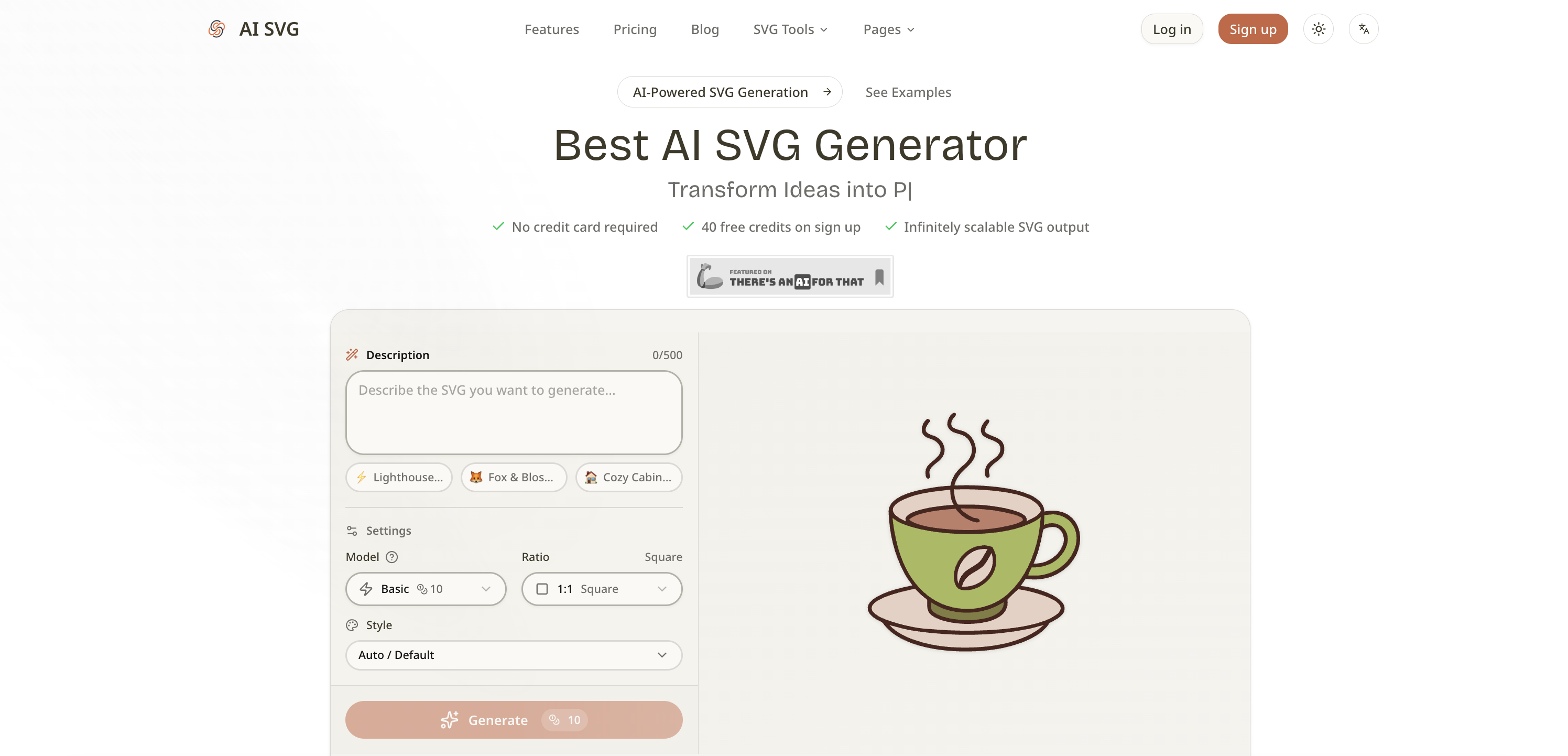
- Generate professional vector graphics in seconds without design software by describing what you want in natural language
- Maintain visual consistency across projects with 11 specialized icon styles and over 22 curated artistic styles
- Get graphics perfectly sized for any platform with customizable aspect ratios for social media, apps, and print
- Produce infinitely scalable vectors that stay crisp on mobile screens or billboards using professional AI models
- Prototype logos and brand assets rapidly, then copy the raw SVG code directly into your HTML or React components
- Pay only for what you use with a credit-based system, choosing from Basic to Max quality models per project
Pros & Cons
Pros
- Converts text into SVG
- Several artistic style options
- Aspect ratio selection
- Regenerate graphics with one-click
- Scalable vectors maintain quality
- Multiple templates for applications
- Credit-based pricing system
- Instant SVG output
- Supports models range
- App icon generation
- Generates social media banners
- Offers copy code feature
- Over 22 artistic styles
- Real-time preview of SVG
- Preset templates for illustration
- Automatic and default style options
- Instant graphic download
- Option to copy SVG code
- SVGs scale infinitely
- Preview SVG in browser
- Pay only for usage
- Integrated prompt templates
- Ideal for various professional sectors
- Supports app and web development
- Suitable for branding
- Assists in social media content
- Relevant in education sector
- Applicable in merchandise design
- Custom SVG icon generation
- No design software needed
- Prototype logo concepts quickly
- Generate educational diagrams
- Optimized for print design
- Requires no design skills
- Produces infinitely scalable vectors
- Export SVG in seconds
- Tiny file size
- Consistent style rendering
- Low learning curve
- Editable SVG code
- Compatible with various design tools
- Compatible with development frameworks
- Support for WordPress and Shopify
- Also works on Webflow
- Compatible with Notion and Google Slides
Cons
- Credit-based pricing system
- Limited number of presets
- Potentially expensive for Max model
- Specific aspect ratios only
- No raster graphics support
- No free SVG downloads
- Commercial use not for free accounts
- Limited history retention in lower plans
Reviews
Rate this tool
Loading reviews...
❓ Frequently Asked Questions
AI SVG Generator works by converting user-provided text into scalable vector graphics using artificial intelligence. Users describe the SVG they want in natural language, mentioning details like colors, subjects, composition, and mood. They select the desired AI model, style, and aspect ratio for their project. After confirming these settings, the AI generates a vector graphic in seconds.
AI SVG Generator offers three different AI models for users to choose from based on their quality needs. The options include a Basic (20B) model that delivers fast, efficient results, a Pro (V4) model that offers improved accuracy and detail, and a Max (V4-Pro) model that produces the highest-quality SVG output.
In AI SVG Generator, users can select an artistic style by picking from over 22 curated styles available on the platform. These styles range from Vector Illustration, Cartoon, and Kawaii to Line Art, Engraving, and Flat 2.0. Plus 11 specialized icon styles including Colored Outline, Gradient Shapes, Doodle Fill, and more.
AI SVG Generator offers a range of aspect ratios to choose from for the perfect proportions. These include Square (1:1), Standard (4:3), Widescreen (16:9), Portrait (9:16), or Photo (3:2). This variety makes the tool perfect for any use case, from app icons to social media banners.
If users are unsatisfied with the result generated by AI SVG Generator, they can easily regenerate the graphic with a single click. The regenerated graphic will incorporate the same parameters input by the user.
The graphics created by AI SVG Generator feature infinitely scalable vectors that retain their crisp and sharp quality at any size, making them perfect for display on a mobile screen or a billboard. Real-time preview, instant download & copy features, as well as a number of preset prompt templates make the tool even more convenient for the users.
AI SVG Generator offers multiple templates that are optimized to produce the best results with the models employed by the system. The templates cover a variety of applications including icons, logos, illustrations, and badges.
Graphics created by AI SVG Generator can be used across a wide variety of applications. These include web and app development, graphic design, branding, social media and content marketing, product design, education and learning, and print and merchandise design.
The credit-based pricing schema in AI SVG Generator operates on a pay-for-what-you-use basis. Various pricing options are available based on the number of credits, with each model having its own credit value. The user only pays for the features and models they use.
SVG Generation using AI SVG Generator is a fast process that takes mere seconds. Once the user confirms their settings, the AI generates a vector graphic almost instantly.
In AI SVG Generator, users describe the SVG they want to create in natural language. They can be as detailed as they want, including aspects such as colors, subjects, composition, and mood. This information is then used by the AI to generate a graphic that matches their description.
AI SVG Generator is beneficial for web and app development as it allows developers to generate custom SVG icons, illustrations, and decorative elements for their websites and applications quickly and efficiently. Since SVG integrates seamlessly with HTML, CSS, and JavaScript, no additional design software is needed.
AI SVG Generator assists in content marketing by helping marketers produce eye-catching vector graphics for social media posts, blog headers, presentations and visual content. The AI can generate graphics in the right aspect ratio for each platform.
AI SVG Generator benefits product design by providing a quick and easy way to generate UI icons, empty state illustrations, and onboarding graphics. With 11 different icon styles available, visual consistency across the entire interface is easy to maintain.
AI SVG Generator contributes to learning and education by serving as a tool for creating educational diagrams, visual aids, and illustration materials. It enables easy production of professional-looking visuals for teaching, presentations, and academic projects.
AI SVG Generator can be extensively used for print and merchandise design. It generates scalable vector artwork that's perfect for print materials, merchandise, and physical products, adjustable from business cards to large-format posters while retaining the sharp quality.
Yes, the vector graphics created by AI SVG Generator are of professional quality. Depending on the chosen AI model, the generated graphics can range from fast, efficient results to highly detailed, professional-grade output.
Absolutely, AI SVG Generator can be used for branding. It helps quickly prototype logo concepts, brand illustrations, and visual assets, serving as a starting point which can be further refined in a vector editor, substantially speeding up the branding process.
AI SVG Generator can indeed be used for graphic design. From rapid prototyping of concepts to creating unique illustrations and assets for projects, the tool allows designers to create a wide range of graphics without needing advanced design skills.
AI SVG Generator can generate a wide range of vector graphics such as icons, logos, illustrations, and badges. Using natural language inputs, it can create professional-quality SVGs based on the user's descriptions.
AI SVG Generator is a sophisticated tool that utilizes advanced AI models to transform text descriptions into professional-quality, instantly scalable vector graphics (SVG). Offering a wide range of styles, models, and ratios, the generator is designed to create SVGs fitting various use cases, from app icons to social media banners. It allows users to describe the SVG they want, choose AI models and styles, and generate an SVG within seconds.
AI SVG Generator works by converting user-provided text prompts into scalable vector graphics. Users describe the SVGs they want to create in natural language, detailing aspects like color, subjects, composition, and mood. They then select from different AI models based on their quality needs, choose from a vast range of artistic styles, and pick an aspect ratio that fits their project. Once these settings are chosen, the SVG is generated instantly.
AI SVG Generator offers three AI models which are Basic, Pro, and Max. The Basic model delivers fast, efficient results, the Pro model offers improved accuracy and detail, whereas the Max model produces professional-grade, highest-quality SVG outputs.
Yes, AI SVG Generator allows users to select from over 22 artistic styles. These include Vector Illustration, Cartoon, Kawaii, Line Art, Flat 2.0, and 11 specialised icon styles.
AI SVG Generator offers multiple aspect ratios to suit different projects. The available ratios are Square (1:1), Standard (4:3), Widescreen (16:9), Portrait (9:16), or Photo (3:2).
Yes, if users are unsatisfied with the generated SVG, they can regenerate it with a single click. This feature allows users to experiment until they are happy with the result.
AI SVG Generator operates on a credit-based pricing schema. There are four tiers - a free tier, and three paid tiers called Starter, Pro, and Max. The free tier offers 20 credits per month while the Starter, Pro, and Max tiers cost $9.9/month, $19.9/month, and varies respectively, providing 500 and 1200 credits per month, with added features. Additional credits packages can also be purchased starting from $9.9 for 300 credits up to $39.9 for 2,200 credits.
AI SVG Generator is used across various sectors including web and app development, graphic design, branding, social media, product design, education, and merchandise design. It serves professionals and hobbyists alike, helping them create vector graphics faster.
The AI SVG Generator's features include three distinct AI models (Basic, Pro, Max), 22+ artistic styles, multiple aspect ratios, instant download and copying of SVG code, infinitely scalable vectors, prompt templates for easy creation, a real-time preview and a credit-based flexible pricing system.
AI SVG Generator can produce an SVG in seconds. The exact time can vary depending on the complexity of the request, but typically, it's almost immediate.
Yes, AI SVG Generator provides a real-time preview feature. This feature allows users to immediately see their generated SVG in the browser, eliminating the need to wait for downloads or file conversions.
AI SVG Generator offers built-in prompt templates for common use cases, such as icons, logos, illustrations, and badges. These prompt templates are optimized to work best with AI models and make the creation of specific types of illustrations easier.
The quality of SVGs generated with AI SVG Generator is professional-grade and varies based on the AI model chosen. The Max model delivers the highest quality SVG output. All generated SVGs are infinitely scalable, looking crisp and sharp regardless of the display size.
Yes, AI SVG Generator delivers a high degree of flexibility in graphic design. With the wide range of artistic styles, models, and ratios to choose from, users can customize their SVG according to their project needs and personal preferences.
To work with the AI SVG Generator, users first write a text prompt describing the desired SVG. They then choose from 3 AI models according to quality needs and select from many artistic styles. The process concludes with generation of the SVG and downloading the graphic or copying the SVG code.
Yes, AI SVG Generator is capable of generating a wide variety of SVGs suitable for various applications like app icons and social media banners. The aspect ratios available cater to different platform requirements.
Yes, AI SVG Generator shines in its ability to produce infinitely scalable vectors. This ensures that the SVGs look crisp and sharp whether they are displayed on a small mobile screen or a large billboard.
The Basic model in AI SVG Generator delivers efficient and quick results. The Pro model offers improved accuracy and detail, enabling more complex SVG production. The Max model produces the best quality results, making it suitable for professional-grade SVG output.
AI SVG Generator's credit-based pricing schema allows users to only pay for what they use. The users choose the right model for each project with the Basic generation starting at just 10 credits, providing a cost-effective way to create multiple SVGs.
Yes, once users create their SVG with AI SVG Generator, they have the option to directly copy the raw SVG markup to their clipboard. This code can be immediately pasted into their HTML, React components, Vue templates or any codebase.
Pricing
Pricing model
Freemium
Paid options from
$9.90/month
Billing frequency
Monthly
Refund policy
Unused credits or subscriptions may be considered for a refund within 7 days of purchase.