Overview
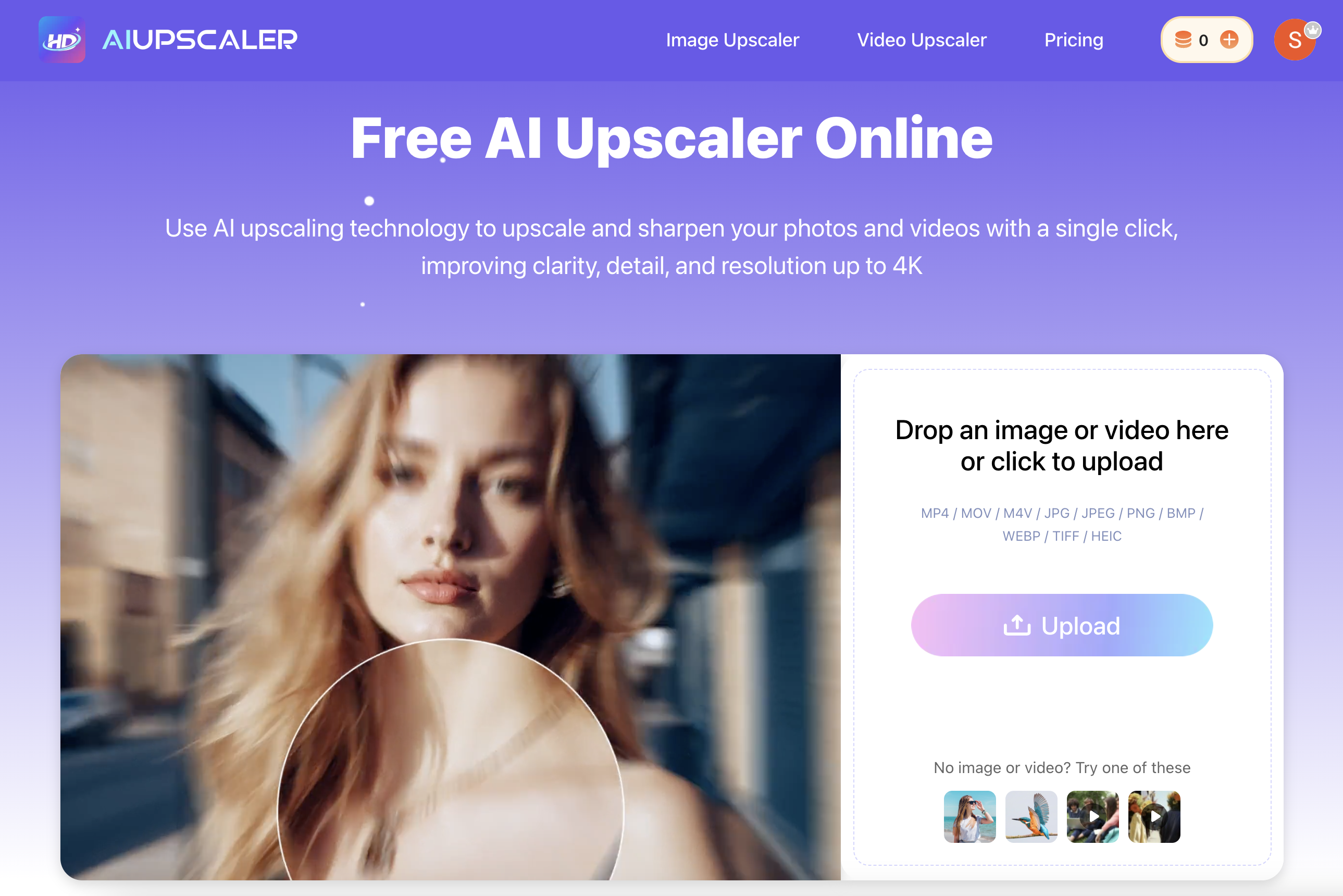
- Instantly transform blurry, low-quality images into sharp, high-resolution photos using AI that removes noise and restores texture without altering original colors.
- Convert low-resolution videos to smooth 4K quality with frame-by-frame AI upscaling that enhances detail and clarity while preserving natural motion.
- Enhance visual content for social media or commercial projects directly from your browser with no software installation, supporting JPG, PNG, MP4, and MOV files.
- Protect your original work and data with secure file processing that ensures all uploaded images and videos are handled with strict privacy measures.
- Download professional-grade, upscaled visuals ready for commercial use, from marketing materials to online stores, with high-quality output options.
Pros & Cons
Pros
- Sharpens image details
- Enhances video resolution
- One-click operation
- Automatically mitigates blurring
- Restores image texture
- High quality downloads
- Smooth video motion
- Frame-by-frame video upscaling
- Converts videos to 4K
- Operates in a browser
- No installation required
- Wide file type compatibility
- Data security
- Applicable for commercial use
- Removes image noise
- User-friendly interface
- Subscription for premium services
- Automatic color retention
- Abolishes need for cropping
- Extends services to professionals
- Conversion of low-resolution
- Free trial usage
- Supports user privacy
- Online, no download
- No need for manual selection
- Old photo restoration capabilities
- Image unblurring feature
- Supports all common formats
- Upload limit for videos and images
Cons
- Limited file size upload
- Limited video length support
- No multiple file processing
- Only upscaling to 4K
- Requires internet connection
- No offline processing mode
- Limited daily free uses
- Lacks advanced customization options
- Subscription required for features
- No support for HEIC
Reviews
Rate this tool
Loading reviews...
❓ Frequently Asked Questions
AI Upscaler is an online tool that utilizes advanced AI technology to enhance the quality of both images and videos. It provides a user-friendly experience, enabling enhancement of visuals in one click, producing sharper details, higher resolution and clearer visuals.
AI Upscaler uses advanced AI upscaling technology to instantaneously upscale low-quality images and videos. This upscaling process focuses on removing blur, reducing noise, and restoring texture in images, while for videos it emphasizes on enhancing quality, clarity, and detail and maintaining smooth motion. Images and videos can be enhanced swiftly with a single click, eliminating the need for any manual editing tasks.
AI Upscaler supports a wide range of file types. For images, it accommodates JPG, PNG, and WebP files, while for videos, it can process MP4, MOV, and M4V files.
AI Upscaler enhance the quality of videos by employing its advanced AI technology, which focuses on increasing quality, clarity, and detail in videos. Additionally, it also maintains smooth motion throughout the video. The technology allows for frame-by-frame video upscaling targeting low-resolution videos to be converted to 4K quality.
Yes, AI Upscaler can be effectively used to enhance images. The upscaling process of the AI technology focuses on eliminating blurring, reducing noise, and restoring texture in images, thus providing a seamless image enhancement.
Yes, AI Upscaler gives users the option to download the enhanced images in high quality. This feature ensures that the upscaled and improved visuals are available for use without any compromise on quality.
AI Upscaler maintains high standards of user privacy. It ensures that all uploaded files are put through strict security processing and the user's information is always protected.
AI Upscaler exercises rigorous security processing for all uploaded files. This means the AI-upscaled visuals, whether images or videos, go through strict data processing and management measures in order to keep user data secure.
Yes, AI Upscaler does offer premium features. Apart from its available free usage, the tool offers PRO subscriptions which unlock additional benefits for the user.
Yes, AI Upscaler is a browser-based tool that requires zero software installation. Users can directly enhance images and videos from their browser, making the tool user-friendly and accessible.
The users of AI Upscaler range from social media creators to professional photographers. They opt for this tool to enhance their visual content owing to the advanced AI technology that it leverages to improve the quality of images and videos.
Yes, AI Upscaler has the capability to convert low-resolution videos to 4K quality. Its advanced AI technology enables frame-by-frame upscaling, thus aiming to enhance the clarity, quality, and detail of the videos.
AI Upscaler utilizes AI technology to eliminate the need for manual editing tasks. Its one-click editing capability makes the process straightforward and effortless. Tasks such as blurring, masking or cropping are handled by the AI seamlessly, providing blur-free, noise-free images restoring their texture and enhancing quality, clarity, and detail in videos.
Yes, AI Upscaler is a great tool for enhancing social media content. Social media creators vouch for the quality improvement brought forth by AI Upscaler in their visual content, thus making their posts look more professional and engaging.
Yes, AI Upscaler can be used by professional photographers. They can avail the benefits of AI technology to enhance their photos, resulting in sharper, higher resolution, clearer images, with restored textures and eliminated blur or noise.
A PRO subscription of AI Upscaler unlocks further additional benefits for the user. Detailed specifics of these additional features are not overtly mentioned, however, the subscription aims to offer more than the available free usage.
Yes, AI Upscaler is designed to enhance video quality while maintaining smooth motion. This is thanks to its advanced AI technology which focuses on maintaining the natural movement of the subjects in the videos while improving their quality, clarity, and detail.
AI Upscaler should be chosen for upscaling images owing to its advanced AI technology which allows for seamless image enhancement. It eliminates blur, reduces noise and restores texture in images. Furthermore, it offers high quality download options and the entire process is completed with just one click.
Yes, AI Upscaler offers free usage. Users can upscale and enhance the quality of their images and videos for free. Additionally, they also have the option to opt for a PRO subscription to unlock more features and benefits.
AI Upscaler improves upon blurry or noisy images through its advanced AI upscaling technology. It seamlessly eliminates blur and reduces noise in images while restoring their texture. This process results in clearer, sharper and higher resolution images.
AI Upscaler is an online tool that uses advanced AI technology to enhance the quality of both images and videos. It's designed to produce sharper details, higher resolutions, and clearer visuals with a simplified user experience.
AI Upscaler supports a wide array of file types. For images, it is compatible with JPG, PNG, WebP and for videos it supports MP4, MOV, M4V formats.
Yes, AI Upscaler can enhance both images and videos. It improves image quality by upscaling and restoring texture, while it increases video quality, clarity, detail, and converts low-resolution videos to 4K.
The AI Upscaler can output videos in HD and 4K resolution. It has the capability to convert low-resolution images and videos to exceptionally high-definition visuals.
No, AI Upscaler operates entirely in the browser and does not require any software installation. This makes it easily accessible and user-friendly.
Yes, you can download images in high quality after upscaling with the AI Upscaler. This is one of the features of the tool designed to ensure the best possible outcome for upscaling visuals.
AI Upscaler maintains smooth motion in videos by applying its AI upscaling technology in a frame-by-frame manner. This detailed process aids in preserving the natural flow of the video while enhancing its clarity and detail.
AI Upscaler takes user security very seriously. All uploaded files go through rigorous security processing to ensure that user data is always protected. Privacy and data security are top priorities for the AI upscaling service.
Yes, you can use the images and videos enhanced by AI Upscaler for commercial purposes. This includes usage for digital marketing, social media posts, online stores, and other visual content for business.
AI Upscaler is highly compatible and supports a diverse array of file types. These include JPG, JPEG, PNG, BMP, WebP, TIFF, and HEIC for image files, as well as MP4, MOV, and M4V for video files.
AI Upscaler enhances blurry images by employing AI technology that restores sharpness and clarity while removing blur and adding texture. It upholds the original colors of the image, avoiding alterations or distortions that could disrupt the image's natural look.
Yes, in addition to free usage, AI Upscaler offers PRO subscriptions that unlock additional benefits such as higher limits for file upscaling and access to more advanced features.
Yes, there is a limit. You can upload image files up to 20MB and video files up to 300MB and 10 minutes in length.
Yes, AI Upscaler works directly from the browser, offering a user-friendly interface without requiring software installation.
Yes, AI Upscaler has been developed to enhance low-quality visuals without causing blur or noise. The AI technology instantly improves image quality, even restoring texture in the process.
The frame-by-frame upscaling of AI Upscaler works by individually enhancing each frame of a video, effectively increasing the overall quality and detail without disrupting the video’s smooth flow.
Yes, professional photographers can use AI Upscaler to improve the quality of their images. It caters to a range of users including social media creators, professional photographers, and more.
AI Upscaler uses advanced AI technology to upscale low-resolution videos to 4K quality. It enhances the clarity and detail of the visuals in a frame-by-frame manner and maintains smooth motion, providing an effective solution for improving video resolution.
The texture restoration feature of AI Upscaler refers to its ability to restore the texture in images. This enhances the image's sharpness and overall result of the upscaling process, giving enhanced visuals a more refined and polished finish.
Pricing
Pricing model
Freemium
Paid options from
$0.20/unit
Billing frequency
Pay-as-you-go