
Overview
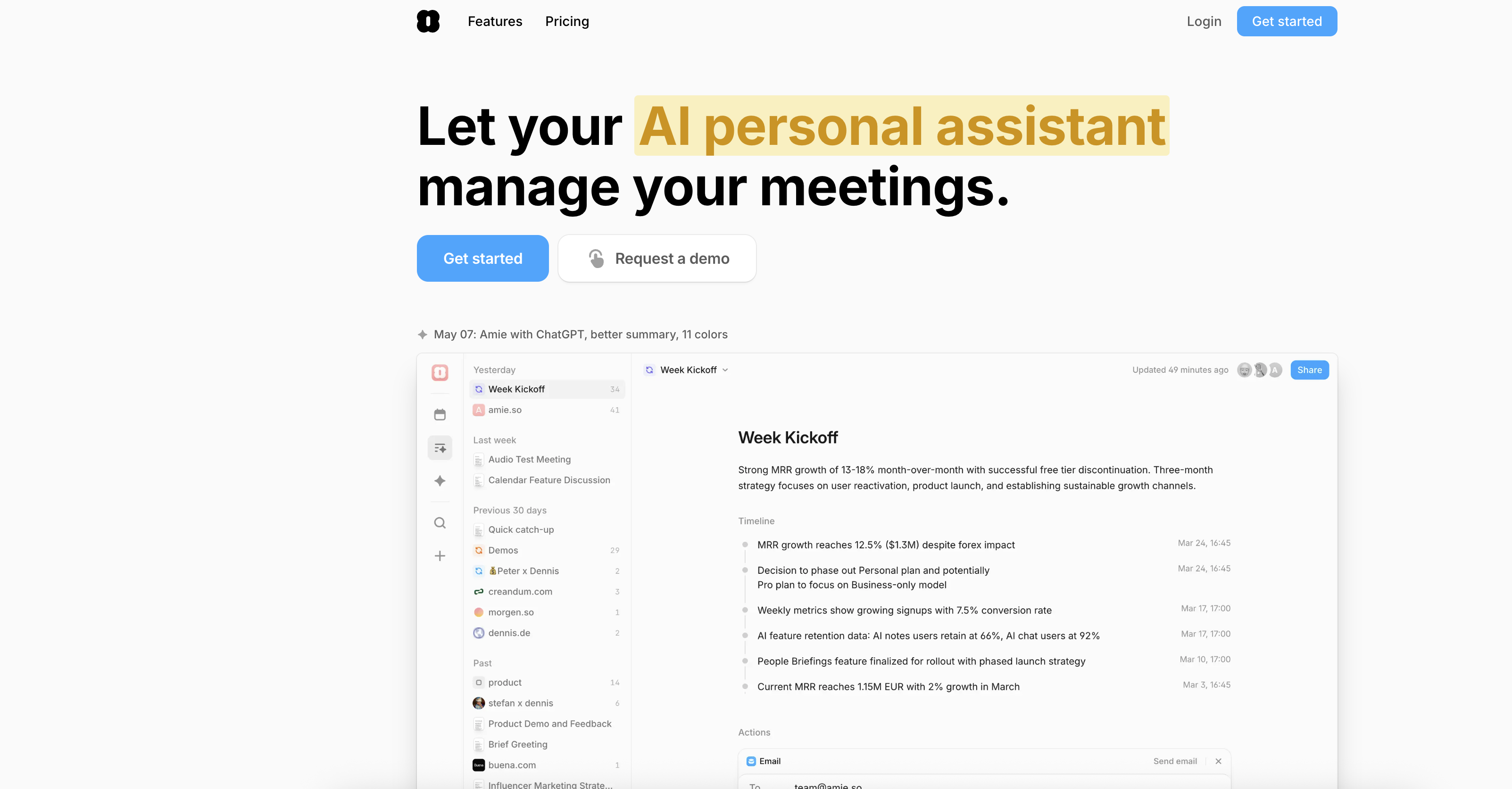
- Turn meeting discussions into automated workflows instantly with AI that transforms notes into actionable next steps
- Generate perfectly summarized meeting notes automatically with AI that understands conversational context across 17 languages
- Record every meeting across all platforms seamlessly with integration for Zoom, Google Meet, Microsoft Teams, and Slack Huddle
- Create personalized emails in your unique writing style through Gmail integration that learns and replicates your communication voice
- Build visual mind maps from meeting summaries to clarify complex discussions and enhance project understanding
- Keep private notes secure during meetings with personal annotations that remain hidden from other participants
- Manage your calendar hands-free through voice commands that create or update meetings without manual data entry
- Separate speakers automatically in transcriptions with AI that identifies and labels each participant clearly
- Work continuously in the background while staying focused on discussions, keeping all tools updated automatically
- Gather company-specific context through Google Calendar and email integration for highly relevant project insights
Pros & Cons
Pros
- Automated workflows from notes
- Informative meeting summaries
- Conversational context understanding
- Cross-platform call recording
- Zoom, Google Meet, Slack Huddle, Microsoft Teams integration
- Private notes in summaries
- Company Context Gathering
- Google Calendar and email integration
- Multi-language support
- Speaker distinction in transcriptions
- Background operation
- Meeting creation/updating
- Email drafting
- Rewriting summaries
- Mind maps from summaries
- Google and Apple Calendar integration
- User's writing style recreation
- Meeting documentation
- User friendly
- Replaces multiple apps
- Customisable summary headings
- Pause recording feature
- Auto-record start/stop
- Private note taking
- Action item auto-creation
- Knowledge base search from meetings
- ChatGPT-like functionality
- Hubspot, Notion, Slack, Linear, Pipedrive integration
- Meeting note exports
- Shareable meeting pages
- Recordings for various call providers
- Automatically updated tools
- Fully-automatic recordings
- Hybrid Calendar & Todo list
- Todo & Schedule reshuffle
- Auto-scheduled day
- Contextual meeting collection
- Progress tracker
- Ask chat to create/update events
- Automated workflow creation
- Quick meeting recording
- Automated time-based notetaking
- Auto-generated shared pages
- Knowledge base search
Cons
- MacOS focused
- No Zoom plugin
- No service PaaS integration
- Limited CRM integrations
- Recreated writing may not match
- Cannot separate speakers in 82 languages
- Manual recording start option
- No mobile app noted
- No direct email integration
- Limited 'automated' followups
Reviews
Rate this tool
Loading reviews...
❓ Frequently Asked Questions
Amie is compatible with numerous platforms. Some of these platforms include Zoom, Google Meet, Slack Huddle, and Microsoft Teams. Apart from these, Amie also works with Google and Apple Calendar, Gmail, Hubspot, Notion, and Slack among other tools.
Amie integrates tightly with Google and Apple Calendar. This integration ensures every meeting gets recorded seamlessly. Any meeting created or updated in these platforms can be managed directly by Amie, which further aids in organizing and managing your tasks and meetings.
Amie is excellent at summarizing meetings. Its AI system is designed to understand the conversational context, which ensures that summaries are informative and useful. The system can turn meeting notes into automated workflows, thus speeding up the workflow and providing better understanding of project discussions.
On Amie, you can easily customize summaries with private notes which aren't visible to others. This feature is particularly useful for inputting personal reminders or for jotting down information that you don't want to share with everyone. Using these raw notes acts as focus points for the summary, enhancing its relevance and usefulness.
Yes, Amie is capable of understanding and processing multiple languages. It's mentioned explicitly on their website that Amie speaks 17 languages very well, and up to 99 others without speaker labeling, giving it powerful multilingual capabilities.
Amie separates speakers in transcriptions proficiently. The design of the software allows it to split recordings and remember the names of the speakers. This feature enhances the readability and clarity of the meeting transcriptions and summaries by clearly delineating different speakers' input.
Absolutely, recording calls is one of the notable features of Amie. It can record calls across different platforms. Whether you use Zoom, Google Meet, Slack Huddle or Microsoft Teams, Amie is equipped to record and transform these meetings into useful resources.
Indeed, you can integrate Amie with Google Meet, Zoom, and Microsoft Teams. This integration allows automatic recording of meetings conducted on these platforms, making the note-taking process seamless.
Beyond taking and managing meeting notes, Amie can also assist with a variety of tasks. It can create or update meetings, draft emails, rewrite summaries, and create mind maps from summaries. Plus, it responds to direct commands to perform these tasks and others based on user requests.
Yes, Amie is designed to replicate the user's writing style for AI-drafted emails. This is made possible through integration with Gmail, allowing the AI to understand and mimic your unique style, creating a personal feel in automated communication.
Amie plays a significant role in workflow management by turning meeting notes into automated workflows. It collects information about the company and job, speeds up the workflow, creates or updates meetings, drafts and rewrites emails, creates mind maps from summaries, and more. This wide functionality makes Amie a comprehensive workflow management tool.
Yes, Amie can assist with drafting and rewriting emails. You can command Amie to draft emails, and through AI and machine learning, Amie will create the content of the email. It can also rewrite summaries to help keep your emails concise and accurate.
Absolutely, Amie has the ability to pose AI questions. The insight from these questions contributes to a deeper understanding of the project at hand and enhances the summaries generated. This querying feature helps keep project management focused and efficient.
Amie's integration with Gmail is seamless. It can draft emails similar to your writing style and manage meetings directly from your Google calendar, both of which are made possible through its integration with Gmail. This makes your interactions with the tool streamlined and efficient.
Yes, you can give direct commands to Amie to create or update meetings. Through this conversational interface, you can manage your schedule effectively, giving you more time to focus on important tasks.
Amie's primary function is to aid in project management. It transforms meeting notes into automated workflows, provides insightful summaries, understands the context of your projects, and can ask AI questions. All these functionalities are designed to provide a comprehensive understanding of your projects and expedite the workflow.
Yes, Amie is designed to work in the background, keeping your tools updated without always requiring active involvement. This ensures that all your systems are up to date while you stay focused on other important tasks.
Yes, Amie can create mind maps from summaries based on your command. It's a powerful way to visualize and comprehend the content of your meetings and discussions, aiding in better project management and understanding.
With Amie, you can keep your notes private. You have the ability to take private notes either before or during meetings. These notes, used as focus points for the summary, are not visible to anyone else, giving you a secure space for personal reminders or sensitive information.
Yes, Amie is designed to gather context about your company's operations. It integrates with your Google Calendar and Gmail to understand the nuances of your business. This allows it to provide accurate and highly relevant summaries, making it an effective tool for streamlined operations.
Pricing
Pricing model
Free Trial
Paid options from
$20/month
Billing frequency
Monthly
Related Videos
AMIE Calendar's New Look
Tool Finder•15.4K views•Mar 21, 2022