
AnyImg
Get finished photo edits by describing them in plain words, with no layers or masks to learn: type the change, such as removing objects, replacing a background, or generating a new image from a text prompt, and the AI image editor applies it.
Listing not yet reviewed by our editors · How we check
Overview
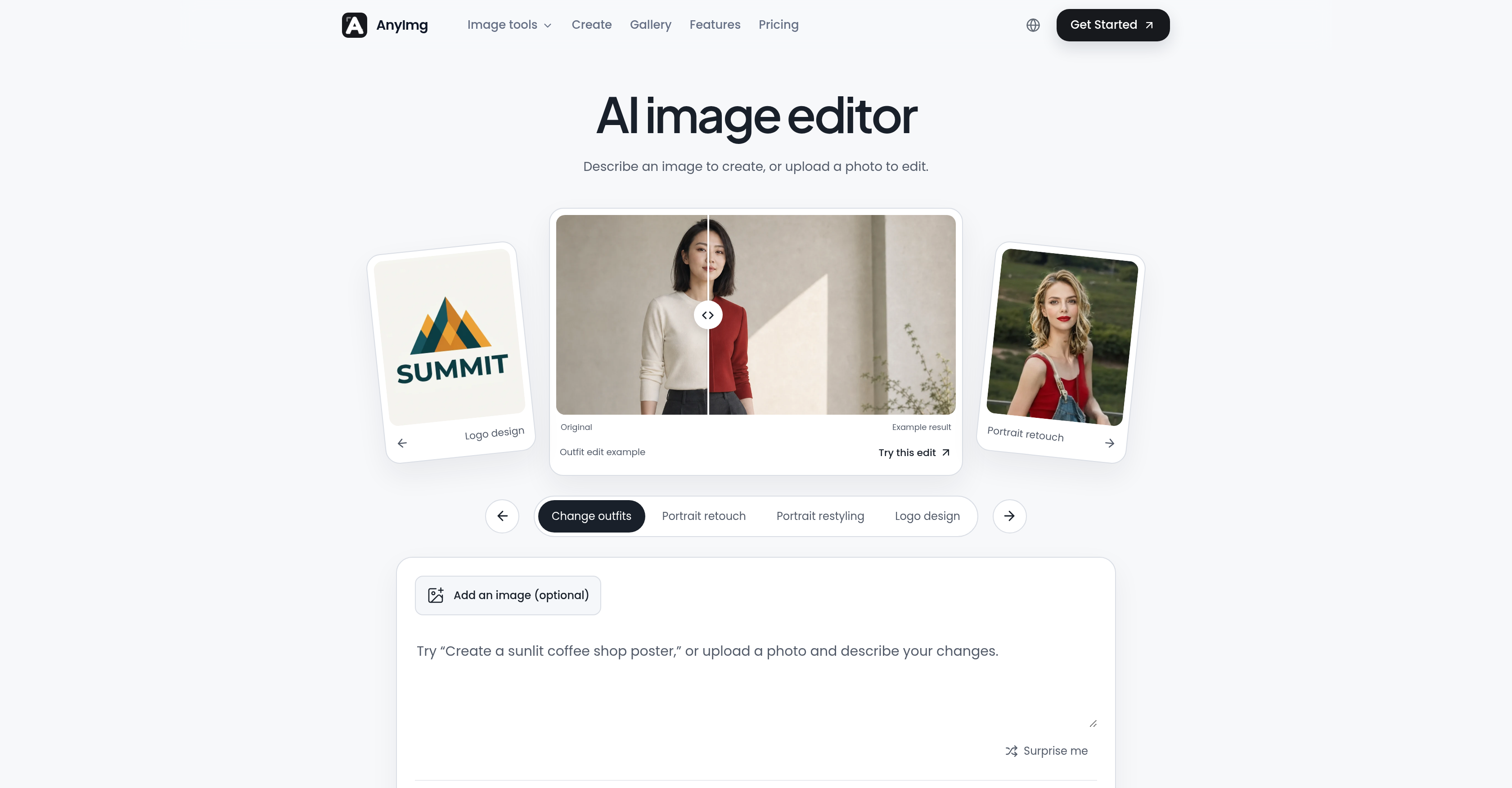
- Get finished photo edits by describing them in plain words, with no layers or masks to learn: type the change, such as removing objects, replacing a background, or generating a new image from a text prompt, and the AI image editor applies it.
- Fix one detail without disturbing the rest of the shot: brush or select a region, like lips or a garment, describe the change, and instruct the editor to leave surrounding lighting, composition, and untouched areas as they are.
- Produce a full campaign set that shares one visual direction: combine model, product, and brand references to create key visuals, social media images, website hero banners, and product-detail images from a single creative brief.
- Keep people and products recognizable across new scenes: upload up to four reference images (10 MB each) for multi-reference composition that carries forward cues such as a person's identity and a product's shape and color.
- Explore several creative directions without losing earlier work: Version Trail saves every edit as a branch with its source, prompt, and result, so you compare options side by side, return to a past version, or continue from it instead of relying on linear undo.
- Finish common e-commerce and fashion jobs faster: dedicated tools for clothing changes, photo style transfer, product background replacement, and text-guided image editing take you straight to the task.
- Match cost and quality to each task: choose GPT Image 2, Nano Banana Pro, or Nano Banana 2 per edit, or let the agent pick the model, then set the aspect ratio (1:1, 16:9, 9:16) and the resolution from Auto up to 4K.
- Keep original photos private until you commit to a result: uploaded images stay on your device until you start generation, and finished work opens in Studio for further editing.
- Pay only for generations that succeed: credits spent on a failed generation are returned automatically.
- Use your visuals in paid campaigns: paid plans include a commercial license and unrestricted downloads for advertising and brand work.
Pros & Cons
From the listing; not yet checked by our editors.
Pros
- Multi-reference composition merging assets
- Version Trail records editing branches
- Region-based brush editing
- Identity preservation across edits
- Pose consistency retention
- Lighting consistency maintenance
- Color consistency across edits
- Campaign workflow across deliverables
- Visual direction lock per campaign
- On-device image storage pre-generation
- Credit-based usage model
- Select GPT/Nano Banana models
- Aspect ratio control per generation
- Resolution scaling up to 4K
- Batch asset production with multi-source
- Text-only editing without masks
- Dedicated clothing change tool
- Dedicated style transfer tool
- Dedicated product background replacement
- Example workflow gallery
- Studio collaboration environment
- Branch comparison visual diff
- Bundled source, prompt, output
- Upload up to four images
- 10MB per image limit
- Automatic aspect ratio options
- Automatic resolution options
- Pixel preservation for untouched areas
- Brand guideline enforcement
- Multi-format output (social, web, print)
- Logo generation from photos
- Interior design visualization
- Lifestyle imagery generation
- Editorial cover design
- Brand asset creation pipeline
- Product photography generation
- Campaign key visual generation
- Social graphic generation
- Website hero generation
- Product detail image generation
- Batch generation via credits
- Privacy: images remain local
- Version Trail keeps source, result
- Branching enables alternative creative directions
- Click region selection without masks
- Fine-grained brush tool
- Seamless edit-to-generate transition
- Integrated model output settings UI
Cons
- Credit system restricts usage
- Upload limit 10MB
- Only two model options
- Requires signin to generate
- No public API available
- Resolution capped at 4K
- Version trail consumes storage
- Brush tool low precision
- Limited batch processing
- No offline mode
Alternatives to AnyImg
Tools that share the most tags with AnyImg.
- EzRemove
Browser tool that removes the background from a photo and returns a transparent PNG.
Freemium
Not listed
Nov 24, 2026
- Dewatermark
Erase any watermark automatically in seconds using AI detection, even complex multi-layered or color-blended ones
Freemium · from $5/month
$5/month
Not yet checked
- Remove Background by Picsart
Eliminate manual editing and process thousands of product images automatically with AI-powered background removal that scales with your production needs
Freemium · from $10/month
$10/month
Not yet checked
- UnblurImage AI
Rescue blurry photos ruined by motion or poor focus with AI algorithms that refine each pixel for maximum sharpness
Freemium · from $3.90/month
$3.90/month
Not yet checked
- Photoleap
Transform any photo into professional quality with AI enhancement that perfects colors, lighting, and details
Free trial · from $3.99/month
$3.99/month
Not yet checked
- RemoveMark
Get watermark-free Sora videos instantly without downloading software using our web-based platform
Freemium · from $9.90/month
$9.90/month
Not yet checked
Reviews
Rate this tool
Loading reviews...
Frequently asked questions
How do I describe an edit to AnyImg using natural language?
Describe the desired edit in plain, conversational language; the AI parses the prompt and applies the change, for example "remove the background and replace it with a beach scene" or "make her lips bright red while keeping her face unchanged".
Can I upload multiple reference images for a single AnyImg project?
Yes. AnyImg allows uploading up to four reference images per project, each with a maximum size of 10 MB, enabling multi‑reference composition.
What’s the difference between the GPT Image and Nano Banana models in AnyImg?
GPT Image 2 is the higher‑fidelity, text‑to‑image model optimized for detailed composition and realism, while Nano Banana Pro and Nano Banana 2 are faster, lower‑cost models that excel at quick iterations and stylized outputs. The credit cost differs, with Nano Banana generally consuming fewer credits per image.
How do I change the aspect ratio or resolution of a generated image in AnyImg?
Before generating, select the desired aspect‑ratio from the preset list (e.g., 1:1, 16:9, 9:16) and choose a resolution setting (Auto, 1K, 2K, 4K). The selections are applied to the next generation request.
Is there a limit on the file size or number of images I can upload to AnyImg?
AnyImg limits uploads to a maximum of four images per edit, with each file no larger than 10 MB.
How does AnyImg’s brush tool work for localized edits like changing lipstick?
Activate the brush tool, paint over the region to edit (e.g., the lips), then type a natural‑language instruction. The AI modifies only the brushed pixels while preserving surrounding composition, lighting, identity, and untouched areas.
Can I keep a person’s identity and pose unchanged while swapping their clothing in AnyImg?
Yes. By describing the clothing change and optionally using region selection, AnyImg can swap garments while keeping the person’s identity, pose, facial features, and lighting intact.
What’s the best way to replace a product’s background using AnyImg?
Use the dedicated Product Background Changer tool: upload the product image, describe or provide a reference for the new background, and the AI replaces the background while maintaining the product’s shape, color, and lighting.