
AnyMusic
Overview
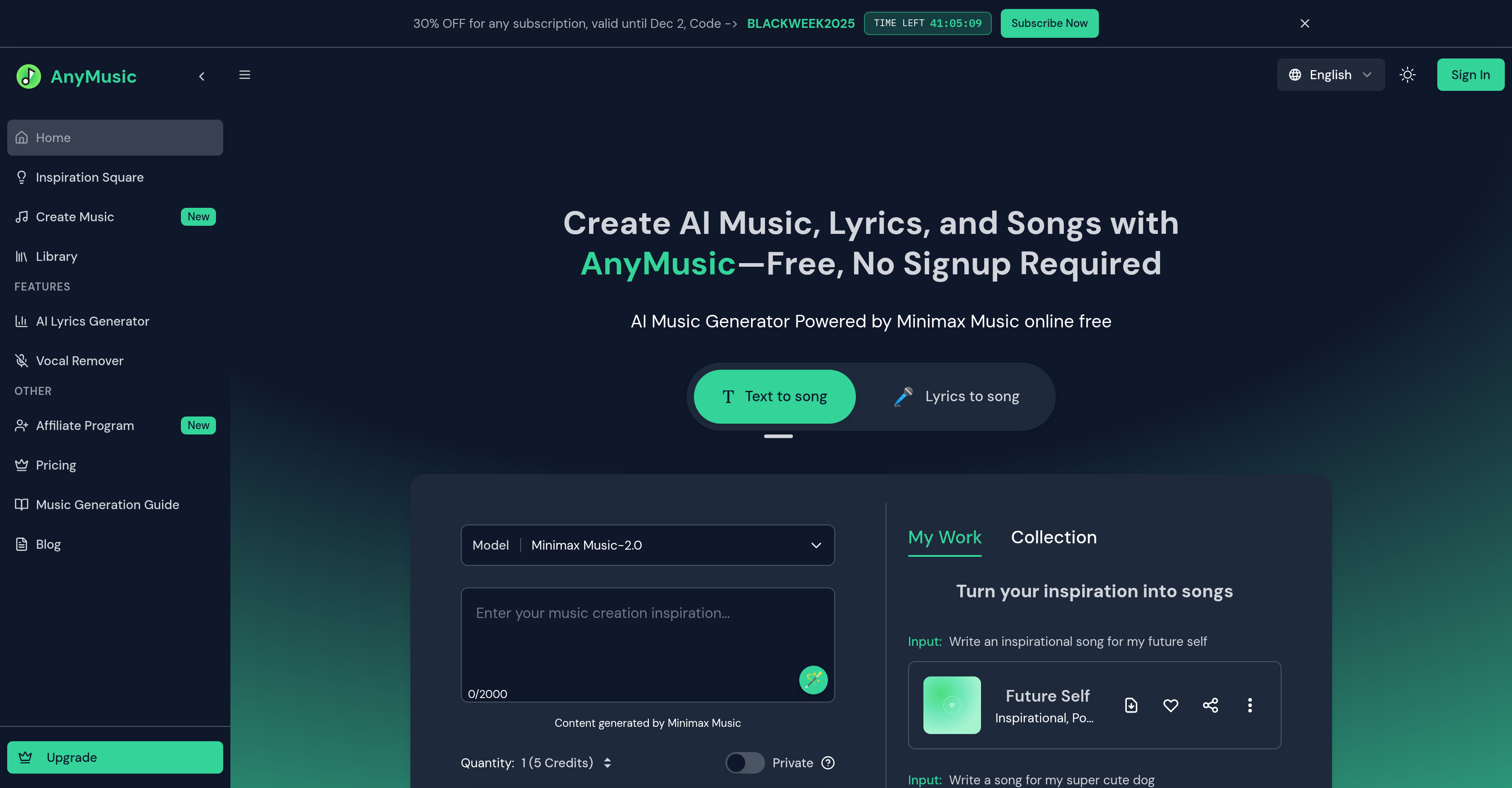
- Launch your music project instantly without signing up or needing production experience, using the accessible web platform.
- Generate complete, narrative-driven songs with clear intro, verse, and chorus structures powered by the Minimax Music AI model.
- Create unlimited, original lyrics for free based on your keywords, themes, or emotions with the AI lyrics generator.
- Produce up to five minutes of high-quality, royalty-free music daily for commercial use in projects and content.
- Transform any text prompt or existing lyrics into engaging melodies across pop, rock, electronic, R&B, and hip-hop styles.
- Isolate pristine instrumental tracks or vocals from any song using the AI vocal remover feature for sampling and remixing.
Pros & Cons
Pros
- Multiple music styles support
- Supports multiple languages
- Supports up to 5-minute tracks
- Private mode for exclusive compositions
- No signup required
- User-friendly interface
- No music production experience needed
- Generates music for different moods
- Generates music for different scenarios
- Generates original lyrics
- Distinctive song structure
- Free daily music production
- Unlimited free lyric creation
- Clear song structures
- Library for inspiration
- Natural and full vocals
- Rich instrumental layers
- Strong song control
- Supports niche and ethnic instruments
- Free music generator online
- Royalty-free music
- Useful for content creators
- Useful for musicians
- Useful for developers
- Useful for marketers
- Production-ready output
- Transparent and realistic sound
- Narrative-level auditory experience
- Supports different vocal lines
- Supports different singing styles
- Comes with mood, scenario control
- Supports arrangement variations
- Supports different playing techniques
- Helpful for professional-grade demo samples
- Effective for dynamic music generation
- Good for advertising songs
- Enables commercial use
- No account creation needed
- Tracks stored indefinitely
- Wide range of music styles
- Allows tempo and style adjustments
- Constantly updates models
- Generates game/app soundtracks
- Creates songs from keywords, themes, emotions
Cons
- Limited to 5-minute tracks
- Free tracks expire in 24 hrs
- Commercial license only for annual subscribers
- No offline mode
- Limited music styles
- Not customizable beyond input prompts
- No API for developers
- No collaboration features
- No direct integration with DAWs
- No version history or undo
Reviews
Rate this tool
Loading reviews...
❓ Frequently Asked Questions
AnyMusic is an AI-powered music generator platform that allows users to effortlessly create songs and lyrics. Through the use of ground-breaking AI technology, it converts text and lyrics into engaging melodies. It is built on the Minimax Music Model and supports a variety of music styles. Users can generate high-quality music compositions without needing music production experience or the necessity to sign up.
The Minimax Music Model used in AnyMusic supports a range of music styles and creates songs by converting text or lyrics to song. It generates original lyrics based on keywords, themes, or emotions, providing clear song structures with distinguishable differences between Intro, Verse, and Chorus sections. It also demonstrates rich instrumental layers, varied playing events, and creation of niche and ethnic instruments.
AnyMusic converts text to song through the Minimax Music Model. The user inputs text, and the AI processes it and generates a unique melody that matches the textual content. By leveraging advanced machine learning techniques, the AI can create music compositions that articulate the sentiment and context of the provided text.
Yes, you can generate lyrics with AnyMusic. The platform includes an AI-powered lyrics generator and also supports a 'Lyrics to Song' mode, enabling users to turn pre-existing lyrics into a complete song.
The AI lyrics generator in AnyMusic generates original lyrics based on user-provided keywords, themes, or emotions. This advanced feature assists users in kick-starting their songwriting process, providing a unique and robust foundation for their music compositions.
AnyMusic supports a wide range of music styles. Selections include Pop, Rock, Electronic Dance, R&B, Hip Hop, Disco, Funk, and other genres to cater to diverse user preferences.
AnyMusic provides clear song structures through the Minimax Music Model. The model generates songs with distinct differences between the Intro, Verse, and Chorus sections, enabling a truly narrative-level auditory experience. This aids in creating music with a coherent story flow.
Playing events within AnyMusic refer to the distinctive parts of the song or instrumental features created by the AI. They enrich the song's structure and sound, enhancing the overall music production quality.
Yes, music created from AnyMusic can be used for commercial purposes. Commercial use of the created songs is permitted, making the platform useful for content creators, musicians, independent developers, and marketing professionals.
Yes, the songs generated by AnyMusic are royalty-free, meaning users can use the AI-generated music without worrying about copyright infringement issues.
AnyMusic presents multiple options for song creation. The platform supports modes for lyrics to song, text to song, and free song creation. Users can start from a text prompt, pre-existing lyrics, or freely construct a song from scratch.
Yes, AnyMusic supports the creation of ethnic and niche instruments. This is a part of the Minimax Music Model technology, providing diverse and rich instrumental layers for song generation.
No, AnyMusic does not impose limitations on lyric creation. Users can generate unlimited lyrics free of charge.
Yes, you can tailor the songs generated by AnyMusic according to your needs. The platform offers users the ability to customize and generate music that is uniquely appropriate to their requirements and preferences.
AnyMusic's melody generation features include its ability to convert text and lyrics into engaging melodies. Through the use of AI and the Minimax Music Model, users can generate unique and pleasing melodies that match the context and sentiment of their input.
Yes, AnyMusic has a user-friendly interface. It is designed to be easy to navigate and operate, making music creation accessible for users of all skill levels.
Yes, AnyMusic can be used without signing up or needing music production experience. The platform is designed to be accessible and easy to use, allowing users to jump in and generate high-quality music instantly.
AnyMusic generates original lyrics based on emotions, themes, or keywords through its AI lyrics generator feature. Users provide keywords, themes or emotions as input and the AI processes that to generate original lyrics that encompass these elements.
Yes, music production in AnyMusic is free. The platform allows users to create unlimited lyric creations and offers a specified number of free AI song generations every day.
While AnyMusic provides unlimited lyric creations, there is a limit to free AI song generations per day. However, the exact number of free AI song generations offered daily on their website is not specified.
AnyMusic's AI text to song generator uses a sophisticated AI, known as Minimax Music 2.0 and Mureka 01 models, to convert written prompts into music. Users enter textual input, and the system then processes this information to produce a unique piece of music. The AI accounts for different musical styles and structures to deliver a coherent and engaging output.
The AI lyrics to song generator in AnyMusic transforms written lyrics into melodies. Users input their lyrics, and the AI uses these as a starting point to form a musical composition that syncs with the lyrical content. It takes into account the defined moods, themes, and even the emotions present in the lyrics, generating a melody that matches the sentiment of the lyrics.
Yes, users can create an instrumental track using AnyMusic. The platform's AI instrumental generator enables the production of tracks devoid of vocals, making it perfect for background music, soundtracks, or music beds for various applications.
The AI vocal remover feature in AnyMusic is a powerful tool that allows users to separate any song into pristine individual tracks. It can extract the vocal component from a mixed piece of music, providing a clean instrumental track and a separate vocal track.
AnyMusic's AI lyrics generator leverages the power of AI to create lyrics in multiple languages. It takes into account the user's input, which can be a mood, theme, or emotion, and generates suitable lyrics accordingly.
Yes, AnyMusic can be used by music enthusiasts regardless of their prior production experience. The design and layout of the platform prioritize accessibility and user-friendliness, accommodating both beginners and experienced producers. Users can generate music using the platform's intuitive features, without requiring any prior music production knowledge.
Yes, AnyMusic supports the generation of music for a variety of moods and scenarios. The AI can interpret and translate user inputs, such as keywords or themes, into musical elements that match the desired mood or scenario.
AnyMusic supports a plethora of music styles, catering to diverse user preferences. It includes popular genres such as pop, rock, electronic, dance, R&B, and hip hop, among others, providing a broad spectrum of options for users to experiment with and create their unique compositions.
AnyMusic allows users to produce high-quality tracks of up to 5 minutes in length.
Yes, AnyMusic does provide a private mode for exclusive compositions. These compositions are only accessible to the creator, thus securing their uniqueness and privacy.
No, AnyMusic does not require users to signup to avail its basic features. Users can start generating music instantly without creating an account. However, for additional features, upgrading or creating an account may be required.
AnyMusic is designed with user accessibility in mind. It's created to cater to music enthusiasts of all skill levels. The user interface is intuitive, understandable, and user-friendly, making it easy for anyone, even those with no prior music production experience, to create music.
The inspiration library in AnyMusic is a curated collection of songs to help inspire users in their music creation process. It contains a diverse range of music, offering users the chance to explore different styles and genres and incorporate unique elements into their own compositions.
Yes, AnyMusic has the capability to generate original lyrics and music structures. With the AI lyrics generator, users can create lyrics based on chosen keywords, themes, or emotions. The music created by AnyMusic also has a distinctive structure featuring clear differences between parts like the intro, verse, and chorus.
Minimax Music model, which powers AnyMusic, uses advanced machine learning algorithms to transform text or lyrics into engaging melodies. It evaluates the input data (text or lyrics), recognizing patterns, emotions, and themes. Based on this analysis, it constructs a unique melody that corresponds with the given input.
Yes, AnyMusic allows users to generate unique song ideas. By inputting different prompts, the system can generate a variety of songs and tunes, making it possible for users to come up with original and unique song ideas.
Yes, AnyMusic is equipped with a vocal remover feature. This feature separates any song into its individual tracks and effectively removes the vocals from the mix, providing users with a clean instrumental version of the song.
AnyMusic allows users to produce up to five minutes of high-quality music for free daily.
Yes, a music generation guide is available in AnyMusic. This guide aids users in understanding how to generate music using the platform and how to make the most of its numerous features.
Pricing
Pricing model
Freemium
Paid options from
$19.90/month
Billing frequency
Monthly
Refund policy
Users can request refunds within 7 days if no more than 5 songs were created.