

AI Photo to Video
Turn a single portrait or couple photo into a believable romantic video, with dedicated kiss, hug, gesture and facial-movement tools that align lighting and facial contours so lips meet and eyes stay natural.
Listing not yet reviewed by our editors · How we check
Overview
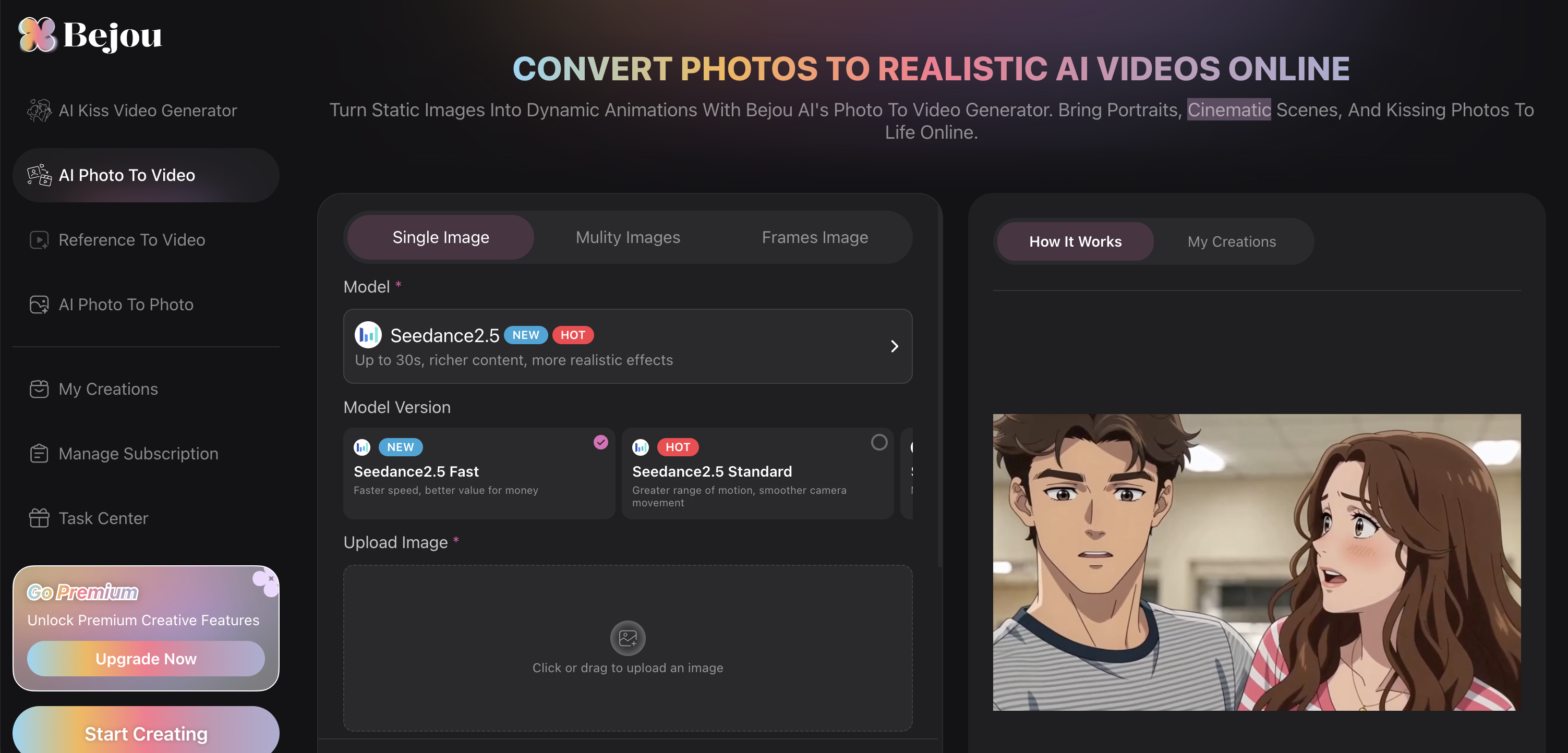
- Turn a single portrait or couple photo into a believable romantic video, with dedicated kiss, hug, gesture and facial-movement tools that align lighting and facial contours so lips meet and eyes stay natural.
- Match every clip to its purpose without switching services, by choosing from Seedance, Wan, Kling, Google Veo, Sora, Minimax, Hailuo, Vidu, Grok, Gemini and Pika models, each with distinct strengths in physics, detail reproduction, transitions or speed.
- Tell a full story from one image, using long-video generation that extends clips up to 300 seconds and automatically develops a storyline beyond the usual 15–30 second limit.
- Get finished videos with sound already in place, by selecting audio-enabled models like Kling 3.0, Sora2, Google Veo, Grok or Vidu Q3 that render synchronized audio from your prompt, with multilingual cinematic output on select models.
- Control exactly how a scene moves and is framed, by writing camera directions such as slow zoom-in, pan left or rotate around subject directly into the text prompt alongside expression, pacing and interaction.
- Bridge two moments into one seamless shot, through keyframe animation that takes your opening and closing frames and fills the gap with continuous motion and camera pans.
- Test ideas cheaply, then deliver polished results, by moving from Fast previews to HD, Ultra HD and 4K (3840 × 2160) renders at the clip length you choose.
- Animate anime characters and illustrations as convincingly as real photos, with stylized-output models like Gemini Omni and Pika alongside realism-focused Seedance and Wan for photographic inputs.
- Avoid warped or grainy results before you spend credits, by following built-in guidance on image resolution, lighting, facial angles, prompt formulas and motion physics.
- Keep every project organized and ready to post, with a personal creations library, downloadable and shareable exports, plus reference-to-video and photo-to-photo tools in the same workspace.
Pros & Cons
From the listing; not yet checked by our editors.
Pros
- Diverse model catalog selection
- Keyframe interpolation between frames
- Automatic depth and geometry estimation
- Realistic lighting alignment engine
- Facial contour alignment technology
- Physicsbased motion synthesis
- Camera pan simulation builtin
- Audiovideo synchronization models
- Multilingual audio output support
- Storyline autoextension up to 300s
- 4K ultrahigh resolution rendering
- Fast generation tier option
- Ultra HD quality tier
- HD preview generation
- Realtime preview before export
- Specialized kiss interaction tools
- Hug and gesture presets
- Anime style animation support
- Extreme physics simulation model
- Transitionenhanced model variant
- Seamless background motion blending
- Custom duration control per clip
- Multiple image input (start/end)
- Dynamic style transfer via prompts
- Detailed reproduction model variant
- Highframerate smooth motion
- Low distortion output guarantee
- Free trial credits included
- Subscription tier rendering management
- Exportable downloadable video files
- Builtin prompt formula guidance
- Automatic lighting normalization
- Facial landmark prediction engine
- Camera movement customization via text
- Audio synced storytelling models
- Multilanguage caption generation
- Extended clip length options
- Modelspecific physics realism
- Transition effect optimization
- Highquality texture restoration
- Fast prototyping mode
- Credit usage tracking dashboard
- Autoaligned facial expressions
- Realistic depth mapping per image
- Compatibility with illustrated characters
Cons
- Max clip length 30s
- No custom audio upload
- Requires highresolution input
- Subscription needed for 4K
- Limited to romance scenes
- Only web interface
- No realtime preview
- Model list confusing
- Keyframe interpolation limited two frames
- Queue delays on free tier
Alternatives to AI Photo to Video
Tools that share the most tags with AI Photo to Video.
- VidFlux - Image to Video AI
Create professional-grade videos from images without switching between multiple tools using our all-in-one platform with integrated AI models
Paid · from $9/month
$9/month
Not yet checked
- Image to Video AI
Bring static images to life with dynamic motion, transforming JPG, PNG, or WEBP files into engaging videos
Free trial · from $13.90/month
$13.90/month
Not yet checked
- Img2Video AI
Create professional animated videos from any image instantly with AI-powered image to video conversion
Freemium · from $5.99/month
$5.99/month
Not yet checked
- MindVideo
Transform static content into vibrant videos instantly using text prompts or uploaded images
Freemium · from $7.90/month
$7.90/month
Not yet checked
- Grok Imagine
Transform abstract ideas into unique visual concepts instantly with AI image generation based on your text prompts
Freemium · from $30/month
$30/month
Not yet checked
- AIVideoMaker - Free AI Video Maker
Bring static photos to life with motion by simply uploading JPG or PNG images and describing the animation you want
Freemium · from $19.96/month
$19.96/month
Not yet checked
Reviews
Rate this tool
Loading reviews...
Frequently asked questions
How do I choose the right video model in Bejou for my animation?
Choose a model by matching its advertised strengths to your animation goal: use Seedance2.5 for richer content and realistic effects up to 30 s, Seedance2.5 Long Video for up to 300 s storytelling, Wan for detailed narrative and accurate reproduction, Gemini Omni for conversational, easy‑prompt creation, Minimax H3 for natural physics and up to 15 s motion, Kling 3.0 for audio‑video synchronization, Grok for multilingual cinematic output, Google Veo for fast audio sync, Sora2 for realistic physics with synced audio, Vidu Q3 for multilingual cinematic videos, Hailuo 02 for extreme physics (no sound), and Pika for smoother transitions. Read each model’s description on the site and pick the one whose features (audio sync, multilingual, physics, speed, length) best fit your desired result.
Can I create a 4K video with Bejou for free?
No. 4K rendering is listed under the Ultra HD/4K quality tiers, which are premium options. Free trial credits only cover lower‑tier outputs; 4K requires a paid subscription or credit purchase.
What’s the maximum clip length I can generate with Bejou?
The longest clip you can generate is 300 seconds (5 minutes) using the "Long Video" model. All other listed models cap at 30 seconds, with some limited to 15 seconds.
How many free credits does Bejou give to new users?
IDK
Does Bejou support audio‑synced videos and how do I enable it?
Audio‑synced videos are supported by models marked with audio‑video synchronization such as Kling 3.0, Grok, Google Veo, Sora2, and Vidu Q3. To enable audio, select one of these models before rendering; the system automatically adds synchronized audio tracks based on your prompt.
Can I upload two frames as start and end keyframes for smoother motion?
Yes. Bejou’s keyframe workflow lets you upload a start frame and an end frame, then the engine interpolates continuous motion and camera pans between them for smoother animation.
What image resolution and lighting conditions work best for Bejou?
Upload high‑resolution images (ideally 1024 px minimum on the shortest side) with even, front‑facing lighting and clear facial features. Avoid strong shadows, extreme backlighting, or heavy compression. The engine aligns lighting and facial contours best when the source photo is sharp, well‑lit, and captures the subject’s face at a moderate angle.
How does Bejou handle anime‑style artwork versus real photos?
Bejou processes both anime‑style artwork and real‑world photos. Anime images are handled with the same depth‑prediction and motion physics pipelines, but models like Gemini Omni and Pika are optimized for stylized output, while Seedance and Wan prioritize realistic rendering for photographic inputs.