Overview
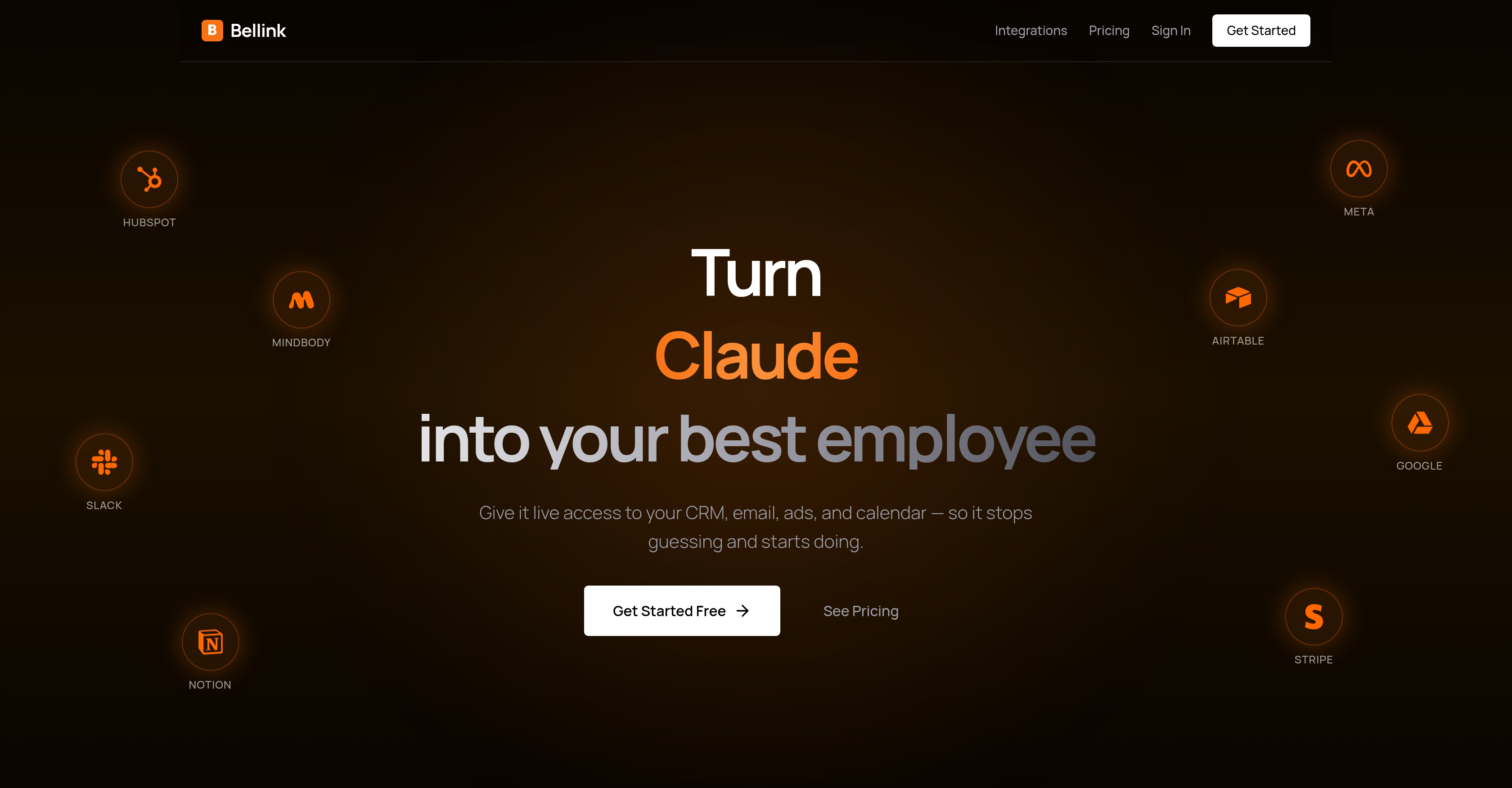
- Command your AI to execute tasks in your real business accounts, from adding CRM contacts to pausing ads, using its direct write permissions to integrated tools
- Eliminate manual data exports and copying by giving your AI live, direct access to read data from your CRM, email, ads, and calendar in real-time
- Secure your business data with enterprise-grade security, SOC 2 compliance, and a promise that your data is never used for training or shared
- Connect any AI platform you use, like ChatGPT or Claude, through a universal hub that works with your preferred tools without locking you in
- Automate workflows immediately with a no-code setup and pre-built integrations for tools like HubSpot, Google Drive, Notion, and Stripe
- Maintain uninterrupted operations with self-healing connections that automatically refresh tokens to prevent access loss
Pros & Cons
Pros
- Multi-tenant MCP hub
- Live CRM access
- Email, ads, calendar integration
- Direct task command
- Add contacts functionality
- Book meetings feature
- Pause losing ads capability
- Data import without CSVs
- Enterprise-grade security
- SOC 2 compliance
- Pre-built tool integration
- Self-sustaining connections
- No-code platform
- Data query transformation
- Workflow optimization
- Data security emphasis
- Automated task management
- Built for service businesses
- Easy setup process
- Enabling efficiency
- User-friendly interface
- Confidential data management
- Integrated with various business tools
- Facilitates real-time data tasks
- Uninterrupted business operations
- Comprehensive solution
- Data sharing prohibition
- Continuous token refresh
- Versatile pre-built tools
- Coding reductions
- Platform supports 17 integrations
- Over 330+ pre-built tools
- Access to resourceful documentations
- Easy app connect process
- Multi-platform support
- CEO-level query handling
- Free to start
- Real-time data actions
- Cross-platform compatibility
- Confidentiality of user data
- Data freshness guarantee
- Integration with popular tools
- Refreshes tokens automatically
- Preserves manual user control
Cons
- Limited pre-built tool integrations
- Dependant on write permissions
- Requires frequent account authentication
- Complicated for non-tech users
- Access limitations to certain tools
- Data security concerns
- Inconsistent self-healing connections
- Limited customization features
- No offline functionality
Reviews
Rate this tool
Loading reviews...
❓ Frequently Asked Questions
Bellink serves as an AI assistant gateway, acting as a multi-tenant MCP hub specifically designed for service businesses. It turns your AI into your best employee by providing live access to your CRM, email, ads, and calendar. Bellink facilitates AI actions, maintaining enterprise-grade security and SOC 2 compliance, and ensuring your data remains confidential.
Bellink works with AI assistants like ChatGPT and Claude by integrating them into your business tools with write permissions. Through Bellink, users can directly command these AI assistants to perform queries or tasks with real-time data.
No, there is no coding required to set up Bellink. The setup process is designed to be simple and user-friendly.
Bellink can integrate with a plethora of business tools including HubSpot, Mindbody, Google Drive, Airtable, Notion, Typeform, and more. These integrations provide an extensive range of functionality.
Bellink enhances the functionality of your AI assistant by enabling it to implement tasks directly in your business tools. It facilitates AI actions such as adding contacts, booking meetings, and pausing losing ads. Instead of guessing, your AI starts implementing tasks based on live data from your CRM, email, ads, and calendar.
Yes, it is possible to command AI assistants to perform real-time tasks using Bellink. After connecting your apps, you can directly command your AI assistants to carry out specific tasks or queries using real-time data.
Bellink improves productivity and efficiency by simplifying AI operations. It provides AI with live access to your business tools, enabling it to stop guessing and start implementing tasks based on real-time data. It circumvents the common hurdle of exporting CSVs and copying data by reading data directly from the integrated apps.
Yes, Bellink's universal approach ensures compatibility with any AI platform. It enhances adaptability to different scenarios making it a flexible tool for AI integration.
Bellink facilitates reading data directly from integrated apps by providing AI with live access to these apps. It enables the AI to stop guessing and implement tasks based on real-time data, circumventing the need for exporting data or copying CSVs.
Bellink prioritizes security by maintaining enterprise-grade standards. It ensures user data remain confidential while also maintaining SOC 2 compliance.
SOC 2 compliance implies that Bellink adheres to the American Institute of CPAs' standards designed to safeguard customer data being served by a service provider. This means that Bellink manages customer data under stringent data protection regulations.
Yes, Bellink offers a range of pre-built tool integration designed to cover a wide spectrum of business needs. Integration tools include, but are not limited to, HubSpot, Mindbody, Google Drive, Airtable, Notion, Typeform, and others.
On Bellink, all connections are designed to be self-sustaining, thus eliminating the risk of AI losing access to your business tools, ensuring consistent and reliable functionality.
Bellink is designed for any business seeking to leverage AI in an efficient, real-time, secure, and scalable way. Whether you are a service business, enterprise, software company, or an individual professional, if you are looking to get more out of your AI, Bellink is built for you.
Yes, through Bellink, AI assistants can add contacts and book meetings. Users can command tasks to be performed directly in their real accounts, enhancing productivity and efficiency.
Yes, it is possible to pause ads using Bellink. It enables AI to pause losing ads within your real accounts, helping manage your advertisements more effectively.
Yes, Bellink maintains user controls intact, subsequently maintaining the confidentiality of user data, despite allowing AI assistants access to perform various tasks.
Through Bellink, you can command an AI assistant to perform a wide variety of tasks. These include identifying customers who haven't booked in a while, adding contacts, booking meetings, pausing losing ads, and more, all within your real accounts.
Bellink addresses the problem of exporting CSVs and copying data by providing AI with live access to your business tools. It allows the AI to read data directly from these integrated apps, doing away with the time-consuming process of data export and copying.
Bellink assures data confidentiality by maintaining enterprise-grade security standards. It is SOC 2 compliant and pledges to never train on your data or share it with anyone. Confidentiality and security of user data are given utmost priority.
Bellink defines an AI assistant gateway as the central hub that connects AI utilities like ChatGPT and Claude to various business tools with write permissions. This means it allows AI systems to interact directly with various business tools, performing actions and implementing changes.
Yes, Bellink can integrate with a wide variety of business apps. The list includes but is not limited to HubSpot, Mindbody, Google Drive, Airtable, Notion, Typeform, Slack, Meta, and Stripe.
Bellink provides access to real-time data through direct integration of your AI assistants with various business tools. This means these AI assistants can read and interact with the data directly, performing tasks based on the available real-time data.
No, Bellink does not require coding skills to set up. It has been designed with a user-friendly interface and a simple setup process that doesn’t require any coding knowledge.
Bellink aids in task implementation by converting the data queries into actionable responses. This means once you have connected your AI assistant to Bellink, you can directly ask it to perform tasks such as scheduling meetings, adding contacts, or pausing underperforming ads.
Bellink can work with various AI platforms. Its universal approach makes it compatible with any AI platform, providing flexibility to integrate different AI tools as per user needs.
Yes, Bellink guarantees that your data is secure. It maintains enterprise-grade security, is SOC 2 compliant, and continuously refreshes tokens while ensuring that user data remains confidential and is neither shared nor used for training purposes.
Bellink helps avoid data duplication by allowing the AI to read data directly from the integrated apps. This eliminates the need for traditional actions like exporting CSVs and copying data, thus reducing duplication and maintaining data integrity.
Service businesses find Bellink especially useful, owing to its design and features. However, any business seeking to leverage AI in an efficient, real-time, and secure manner at scale can use this platform.
Businesses seeking to leverage their AI tools more efficiently and effectively can benefit the most from Bellink. It assists in turning AI into an employee by providing live access to an array of resources, thereby enhancing operations and workflow.
Yes, Bellink supports live data queries. Its unique capability transforms data queries into actionable responses, allowing AI assistants to make business tool interactions seamless and effective.
Bellink facilitates business workflow optimization by allowing AI assistants to directly interact with real-time data from integrated business tools. It enhances schedule management, CRM operations, email integrations, and ads management, promoting efficiency through AI actions.
Yes, Bellink is designed with an emphasis on compatibility. It can connect with a wide range of AI platforms, which enables users to connect different AI systems based on their specific requirements.
Bellink offers a wide array of pre-built tools covering various business needs. These include integrations with multiple platforms like HubSpot, Mindbody, Google Drive, Airtable, Notion, and Typeform to name a few.
Yes, with Bellink, AI tools like ChatGPT and Claude can automate tasks like adding new contacts to your CRM, scheduling meetings, and even pausing underperforming ads in the real accounts.
Bellink can be integrated with a broad selection of tools and platforms. The supported list, includes HubSpot, Meta, Slack, Google, Notion, Stripe, Mindbody, Airtable, Typeform, WordPress, Calendly among others.
Yes, Bellink is SOC 2 compliant, it ensures systems are set up to assure security, availability, processing integrity, confidentiality, and privacy of customer data.
Yes, Bellink features a user-friendly interface. Users can easily navigate the platform, integrate their apps, and begin using their improved AI assistants without dealing with any complex coding problems.
Bellink handles multi-AI compatibility by adopting a universal approach in its design. This enables it to connect with various AI systems like ChatGPT and Claude and other platforms, providing users the flexibility needed for different AI requirements.
Pricing
Pricing model
Freemium
Paid options from
$29/month
Billing frequency
Monthly