Overview
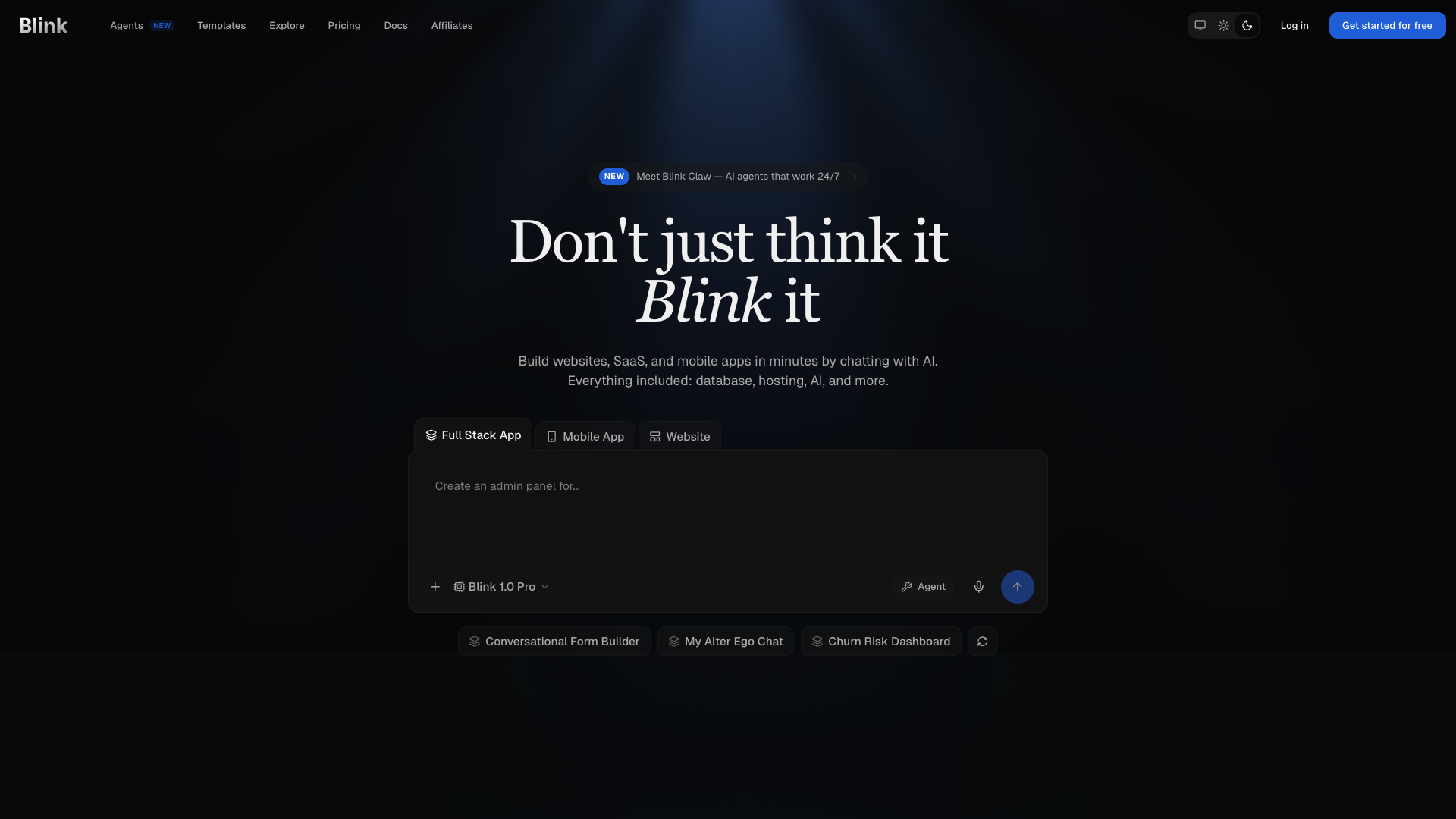
- Launch production-ready SaaS platforms and mobile apps in minutes by describing your idea in plain English, powered by an AI agent that writes code, sets up databases, and handles deployment.
- Create custom alternatives to tools like Salesforce, HubSpot, or Asana tailored to your workflow, using ready-to-use templates and prompts without any coding skills.
- Embed intelligent AI agents into your applications for RAG, sandboxing, or team chat, and connect them to Slack, Gmail, or 100+ services without managing API keys.
- Get a complete, scalable backend with automatic SQL database setup, authentication, Stripe payments, and real-time features, all hosted on a global platform with SSL and CDN.
- Iterate and refine your live application through natural language, allowing the AI to make changes to the UI, logic, or integrations after the initial build.
Pros & Cons
Pros
- Full-stack app builder
- Natural language input
- Automatic deployment and hosting
- Real databases
- Real global hosting
- Individual SaaS tools creation
- Ready-to-use app templates
- Comprehensive documentation
- Varied pricing plans
- Free plan available
- Tailored apps creation
- Tutorial resources
- Vibe coding
- Chat to build apps
- Database setup
- Authentication systems
- Payment systems integration
- Web and mobile apps
- Alternative to popular SaaS
- Auto-configured and deployed
- User specific SaaS tools
- Auto database setup
- Auto API integration
- Auto authentication systems
- Auto payment systems
- Auto hosting setup
- Coding education
- Web app development
- Mobile app development
- Tech stack reference
- Auto SSL certification
- Auto global CDN
- No code platform
- Full-stack production applications
- All plans include hosting
- Per-seat pricing and shared workspaces
- Shared workspaces
- Stripe payments integration
- File storage configuration
- Real-time functions
- Free SSL, CDN
- Automatic app scaling
- Instant app deployment
- Production ready apps
- Frontend and backend generated
- Automatic backend setup
- React Native apps support
- Responsive web apps
Cons
- Desktop app support not yet available
- Best results come with clear prompting
- Requires internet connection to build and deploy
- Free plan suited for getting started
- Learning resources still growing
Reviews
Rate this tool
Loading reviews...
❓ Frequently Asked Questions
Blink is an artificial intelligence-powered full-stack app builder. It allows users to describe in plain English what they want, and it will build, deploy, and host a ready application. It handles all aspects of app development, including database setup, authentication, APIs, and payment systems. It stands out among other AI tools by being able to produce full-stack applications with real databases and global hosting, all configured and deployed automatically.
With Blink, you can create any type of app, website, or SaaS. That includes alternative versions of popular SaaS tools tailored to meet your specific needs. Due to Blink's agentic coding platform, these creations don't require any traditional coding skills.
No, you do not need any coding skills to use Blink. The AI agent made available by Blink interprets all the natural language input and proceeds to build the app based on it.
Blink differentiates itself from other AI tools by producing true full-stack applications with real databases and real global hosting. All the features, including database setup, authentication, APIs, payment systems, and hosting, are configured and deployed automatically. It uses a unique vibe coding method that lets you build applications by describing what you want in natural language.
Vibe coding is an intuitive development approach where you describe what you want in natural language and Blink's AI agent generates working code based on your intent and vision. You don't have to write any code, the AI agent writes it for you and handles database setup, and backend functions deployment automatically.
Yes, Blink's platform is home to an array of ready-to-use prompts and app templates. These resources are provided to facilitate the creation process for different types of apps.
The AI agent in Blink uses natural language processing to interpret plain English commands. It's built using a revolutionary AI Agentic Coding Platform. This means it can take your natural language input, understand it, and then proceed to build, deploy, and host the complete, production-ready application you requested.
Blink handles all aspects of hosting, deploying your app to a real global hosting platform. It ensures professional-grade reliability and performance for the hosted application, giving you production-ready apps from day one.
Blink automatically sets up SQL databases, it handles schema migrations, generates optimized queries, creates relationships, and manages all database operations automatically. This process doesn't require manual configuration or SQL knowledge on your end.
Yes, Blink lets you build custom versions of any popular SaaS tools, tailored to meet your specific needs. You can build custom CRM like Salesforce, marketing and sales platform like HubSpot, a project management tool like Asana, and many more without needing any coding skills.
Blink offers comprehensive documentation and learning resources for users. Users can find a quickstart guide, build guides, AI Gateway, database, authentication, Stripe payments, file storage, real-time, AI agents, and more in the document section of Blink.
Blink offers different pricing plans to cater to diverse user needs. They range from a free plan to the Starter plan at $25 per month, the Pro plan at $50 per month, and Max plans starting from $200 per month. There's also Teams plan with per-seat pricing and shared workspaces.
Yes, Blink does offer a free plan. This plan is suitable for beginners who want to try out Blink and build basic apps.
Getting started with Blink is quite easy. Just visit the Blink website, describe your app idea in plain English, and Blink's AI agent will automatically build, deploy, and host your application in minutes.
Blink can be used to build a variety of apps. This ranges from SaaS platforms, e-commerce stores, booking systems, CRM tools, and admin dashboards to internal tools, AI-powered applications, landing pages, marketing sites, and mobile applications with full backend infrastructure.
Yes, Blink handles mobile app development. It can build responsive web apps that work perfectly on mobile devices. In addition, it can also build React Native applications for iOS and Android app stores with shared backend and user accounts.
Blink can automatically integrate with several third-party APIs such as Stripe for payments, social authentication providers, email services like SendGrid and Resend, SMS providers, and AI APIs like OpenAI and Anthropic. This allows users to extend their apps with powerful external services.
Yes, once Blink has built your app, you can communicate with the AI agent to make changes to your application. All these iterations help refine the user's vision into a production-ready application.
Blink's deployment process is unique in that it's fully automatic. Once an app is built by Blink, it's deployed on real global hosting with professional-grade reliability and performance. This includes providing SSL certificates, global CDN, custom domain support, automatic scaling and instant deployment.
Blink enables the creation of user-specific tools tailored to meet a specific need. This includes alternatives to popular SaaS tools. For example, you can build a custom CRM as an alternative to Salesforce, a custom worksheet and wiki as an alternative to Notion, or a sales pipeline manager as an alternative to Pipedrive.
Pricing
Pricing model
Freemium
Paid options from
$25/month
Billing frequency
Monthly
Refund policy
Refunds are prorated based on the unused credits from your most recent payment only.
Related Videos
Turn Your Idea Into a Mobile App | Blink.new Tutorial 2025
Blog With Ben•14.2K views•Dec 8, 2025