

Blocksona
Play as yourself in Minecraft: the selfie-to-skin converter keeps your hairstyle, hair color, skin tone, glasses, facial details, and outfit prints in a 64x64 Minecraft skin.
Listing not yet reviewed by our editors · How we check
Overview
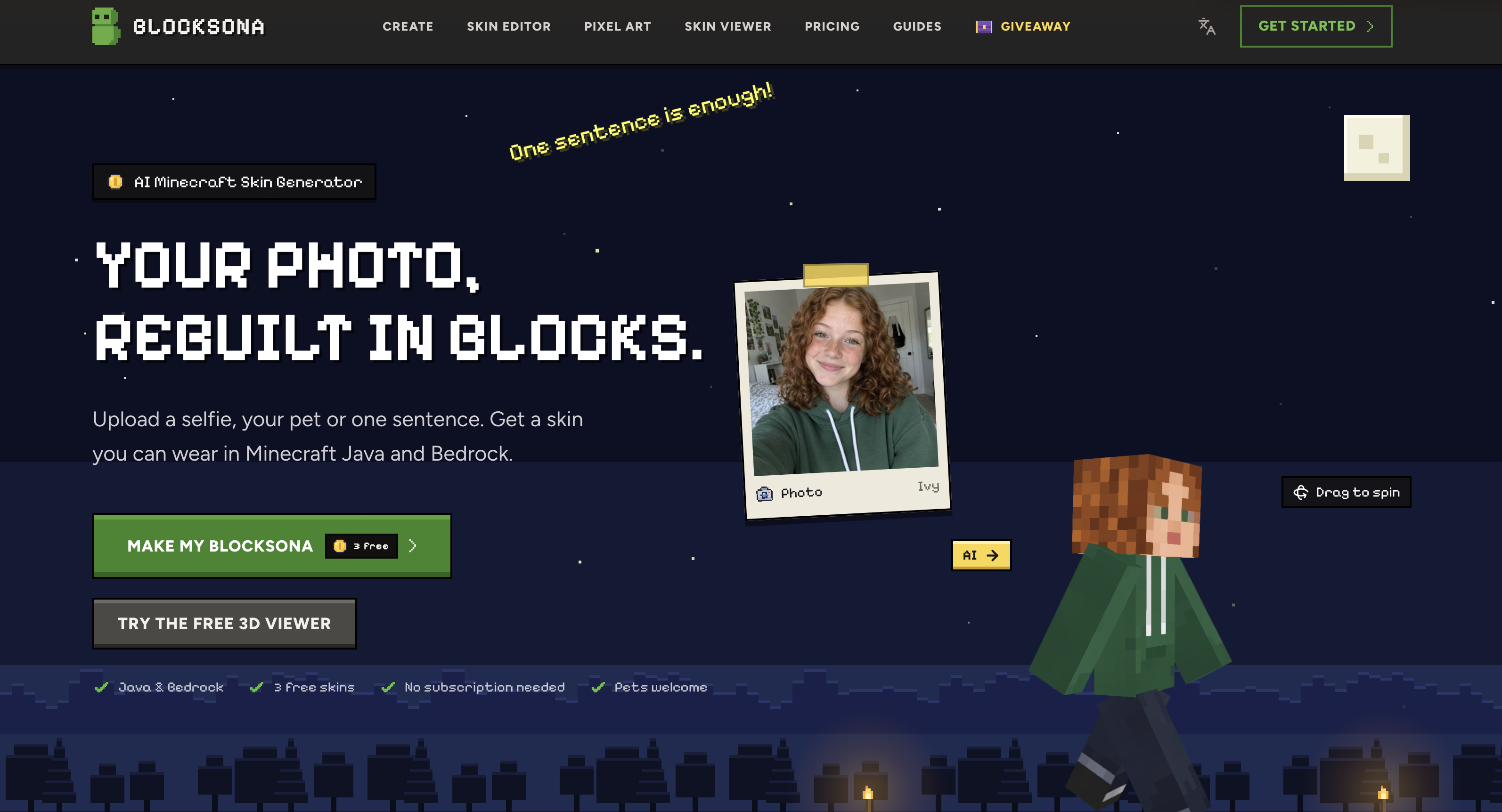
- Play as yourself in Minecraft: the selfie-to-skin converter keeps your hairstyle, hair color, skin tone, glasses, facial details, and outfit prints in a 64x64 Minecraft skin.
- Bring your dog, cat, or parrot into your world: pet-to-skin mode maps fur colors, markings, ears, muzzle, and paws onto an upright player model.
- Create a custom character without any reference image: text-to-skin turns a description of up to 400 characters into a full skin with armor, helmets, robes, or capes, plus color-correction notes.
- Keep the defining look of your fan character, mascot, or artwork: image-to-skin conversion retains hoods, skirts, tails, and back details.
- Move your Roblox identity into Minecraft in one step: enter a username or upload a screenshot to map the face decal, shirt, pants, hair, and hats.
- Skip broken textures and manual mapping: every PNG follows Minecraft's required layout, with front, back, side, and sole surfaces, classic or slim arms, and a .mcpack file that imports directly into Bedrock.
- Spot mistakes before they reach your game: a rotating 3D preview shows the front, back, and sides of the skin before download.
- Fix any detail yourself at no cost: the free Minecraft skin editor supports pixel-level painting on the texture or 3D model, mirroring, face fills, and editing on both texture layers.
- Plan pixel art builds with exact materials: the free pixel art maker turns pictures into block mosaics and counts the wool, concrete, and terracotta you need in stacks.
- Pay only for skins that generate: three free credits to start, pay-per-skin credit packs with no subscription, automatic refunds for failed attempts, and credits valid for 12 months.
- Keep your photos private: images are downscaled in the browser before upload and deleted from the servers within 24 hours.
- Get your skins on any device: a private library stores every generated skin for unlimited re-download, and skin creation works in mobile browsers on iOS and Android.
Pros & Cons
From the listing; not yet checked by our editors.
Pros
- Selfie, pet photo, drawing, Roblox avatar or one sentence
- Real 64×64 PNG in the standard skin layout
- Pet-to-skin mode
- 3D preview with classic or slim arms
- Free skin editor to fix pixels without paying again
- PNG for Java, .mcpack for Bedrock
- 3 free credits for new accounts, 1 credit per skin
- Uploaded photos deleted within 24 hours
- Failed generations refund automatically
Cons
- Outer layer only carries hair, no jackets or hats
- Consoles cannot import skin files
- Needs a clear photo with one subject
- Credits expire after 12 months
Alternatives to Blocksona
Tools that share the most tags with Blocksona.
- MinecraftSkin.ai
Go from character idea to wearable Minecraft skin in one step: describe your character in a text prompt, pick a classic, fantasy, sci-fi, or cozy style, and get a playable skin for 1 credit.
Free trial · from $5/unit
$5/unit
Not yet checked
- PixelSkin
Turn a character idea into a wearable Minecraft skin: describe the role, clothing, main colors, and standout details, or adapt fantasy, adventure, and cute example prompts in the AI Minecraft skin generator.
Paid · from $4.99/unit
$4.99/unit
Not yet checked
- Spaleforce
Add custom server features without writing a line of code: describe a command or mechanic in plain English and the Minecraft plugin generator writes, compiles and debugs the Java code into a ready-to-install .jar, fixing its own compile errors along the way.
Freemium · from $22.50/month
$22.50/month
Not yet checked
- CreativeMode
Turn a Minecraft mod idea into a working build in minutes without writing code, using a visual drag-and-drop editor where you pick a content type, set its properties and publish.
Free trial · from $0.50
$0.50
Not yet checked
- MC Build Studio
Get a complete Minecraft build without placing a single block: describe the structure or attach reference images, and the AI Minecraft builder plans and places it block by block, from shell and roof to rooms and landscape, matching your references' style, colors, proportions, and layout.
Free trial · from $9/month
$9/month
Not yet checked
- Ludo
Cut game design time in half by generating characters, mechanics, and stories in minutes instead of days
Free trial · from $15/month
$15/month
Not yet checked
Reviews
Rate this tool
Loading reviews...
Frequently asked questions
How does Blocksona turn a selfie into a usable 64×64 Minecraft skin?
Blocksona accepts a selfie upload, runs the image through its AI model, and paints every required region of a 64×64 skin texture—including front, back, sides and soles—using detected hair, skin tone, glasses, and outfit colors. The result is a standard PNG file ready for Minecraft.
Can Blocksona create a skin for my pet and keep its fur markings?
Yes; the pet mode converts a dog, cat, parrot or similar photo into a "pet‑sona" that retains fur colors, markings, facial features, ears, muzzle and replaces hands with paws.
What text prompt format works best for Blocksona's text‑to‑skin feature?
A prompt up to 400 characters describing the character and any accessories works best. Include clear nouns for desired items (e.g., "knight in shiny golden armor with a red cape and helmet") and optional notes to correct colors.
Does Blocksona support both classic and slim arm layouts in the generated skin?
Blocksona supports both classic (4‑pixel) and slim (3‑pixel) arm layouts; you choose the layout before download.
Can I edit a Blocksona‑generated skin with the built‑in skin editor after download?
Yes. The built‑in skin editor can open any Blocksona‑generated PNG, allowing pixel‑level edits, painting directly on the 3D model, mirroring, face fills, and changes to both texture layers.
How accurate is Blocksona at preserving glasses, hats, and other accessories?
The AI extracts recognizable details such as glasses, hats, beards, freckles and outfit prints with high fidelity. If a detail is off, it can be corrected in the editor.
Will a Blocksona skin work on both Java Edition and Bedrock on mobile?
The PNG works in Minecraft Java Edition (1.8 and newer) and Bedrock Edition on Windows, iOS and Android devices.
How does Blocksona handle Roblox avatars – do I need a screenshot or just the username?
You can either type a Roblox username, which pulls the public avatar picture automatically, or upload a screenshot. Both methods map face decal, shirt, pants, hair and hats one‑to‑one.