
MinecraftSkin.ai
Go from character idea to wearable Minecraft skin in one step: describe your character in a text prompt, pick a classic, fantasy, sci-fi, or cozy style, and get a playable skin for 1 credit.
Listing not yet reviewed by our editors · How we check
Overview
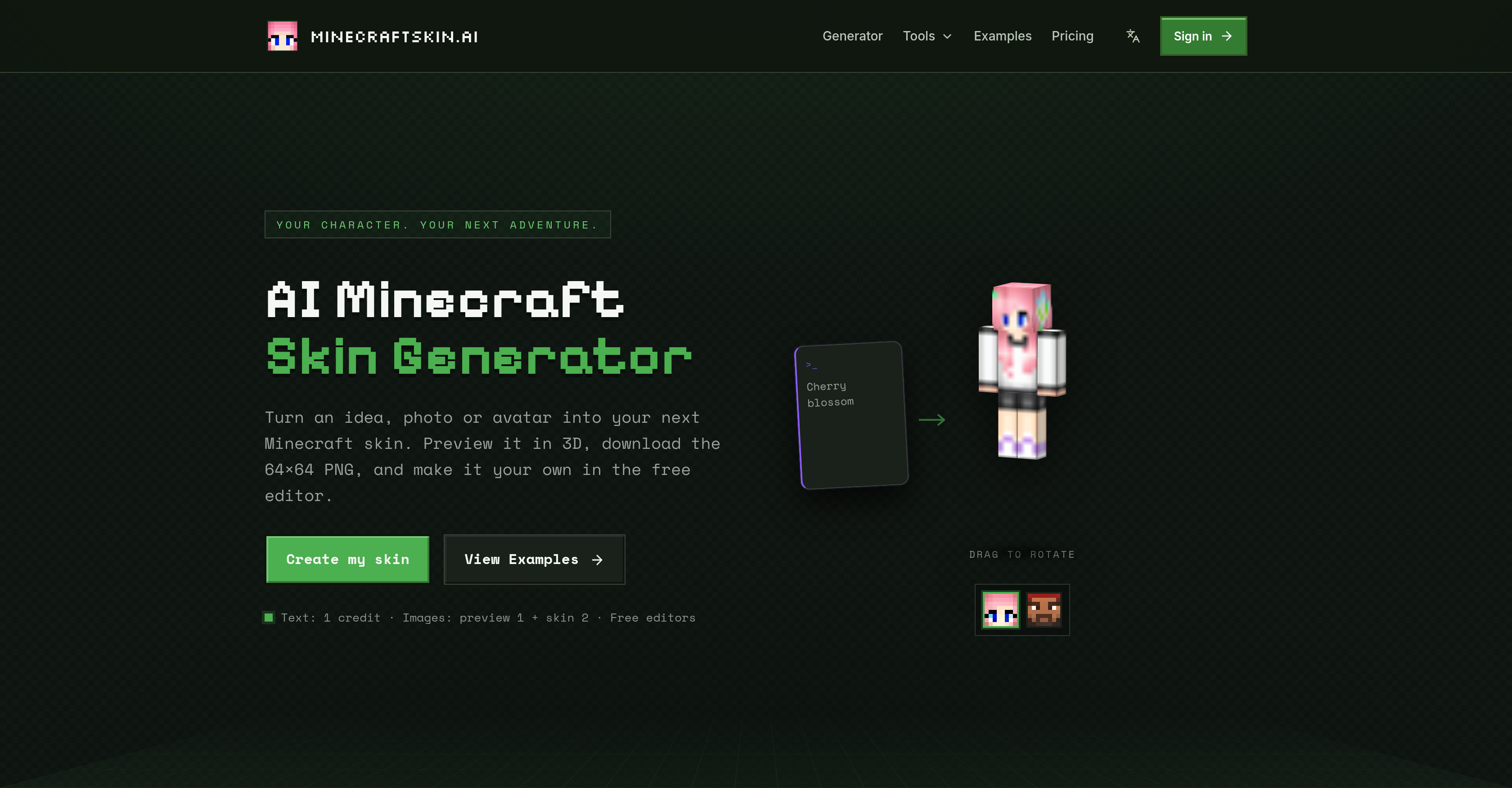
- Go from character idea to wearable Minecraft skin in one step: describe your character in a text prompt, pick a classic, fantasy, sci-fi, or cozy style, and get a playable skin for 1 credit.
- Turn yourself or any reference into a Minecraft character without wasting credits: the photo-to-skin and image-to-skin workflows show a character preview first, and you spend the 2 conversion credits only when you approve the look.
- Bring your Roblox identity into Minecraft: the Roblox-to-Minecraft skin converter reads an uploaded avatar screenshot and keeps its recognizable traits in your new skin.
- Create a character no single reference could give you: the Minecraft skin merger blends two reference images into one preview, ready to convert into a 64×64 skin.
- Catch flaws on the back and sides before you download: every result appears as a rotatable 3D character model with a matching texture view.
- Perfect faces and outfits pixel by pixel: open any generated skin in the free 3D Minecraft skin editor, or move to the 128×128 HD skin editor for finer detail.
- Rework skins you already have without signing up: find any player's skin by username, edit existing standard skins, and switch formats with the skin format converter, all without an account.
- Play in your new look right away: downloads are 64×64 PNG skins on the Classic four-pixel-arm model, ready to import through the Minecraft Java launcher or the Bedrock Dressing Room on devices that support custom skins.
- Experiment without losing credits: failed generations are refunded automatically, and one-time credit packs avoid recurring charges.
- Keep your custom skins to yourself: creations stay private, and signed-in users get a saved private creation history.
- Find a direction before you generate: the examples gallery shows real text and image results with rotatable previews and texture views.
Pros & Cons
From the listing; not yet checked by our editors.
Pros
- Text prompts create skins directly
- Photo previews before conversion
- Review photos before spending conversion credits
- Create from reference images
- Convert Roblox avatar screenshots
- Choose classic, fantasy, sci-fi, or cozy styles
- Rotate character previews in 3D
- Inspect front, back, and sides
- View skin texture images
- Download playable 6464 PNGs
- Java and supported Bedrock compatibility
- Classic model with four-pixel arms
- Free 3D skin editing
- Refine facial details in 3D
- Export standard or HD dimensions
- Separate 128128 HD editor
- Edit existing standard skins
- Search skins by player name
- Convert skin formats
- Merge two character references
- Browse examples without signing in
- Edit skins without signing in
- Convert formats without signing in
- Private saved creation history
- Refunds for failed generations
- One-time credits never expire
- Clear text and photo credit costs
- Accepts PNG, JPG, and WEBP
- Edition-specific import instructions
Cons
- Text prompts limited to 450 characters
- Uploads limited to 10 MB
- Uploads accept PNG, JPG, WEBP
- Generated skins use Classic model
- Classic model has four-pixel arms
- Photo previews need separate conversion
- Photo conversion costs two extra credits
- Some Bedrock platforms block imports
- Generation requires sign-in
- Roblox conversion uses avatar images
Alternatives to MinecraftSkin.ai
Tools that share the most tags with MinecraftSkin.ai.
- Blocksona
Play as yourself in Minecraft: the selfie-to-skin converter keeps your hairstyle, hair color, skin tone, glasses, facial details, and outfit prints in a 64x64 Minecraft skin.
Free trial · from $4.99/unit
$4.99/unit
Not yet checked
- PixelSkin
Turn a character idea into a wearable Minecraft skin: describe the role, clothing, main colors, and standout details, or adapt fantasy, adventure, and cute example prompts in the AI Minecraft skin generator.
Paid · from $4.99/unit
$4.99/unit
Not yet checked
- MC Build Studio
Get a complete Minecraft build without placing a single block: describe the structure or attach reference images, and the AI Minecraft builder plans and places it block by block, from shell and roof to rooms and landscape, matching your references' style, colors, proportions, and layout.
Free trial · from $9/month
$9/month
Not yet checked
- CreativeMode
Turn a Minecraft mod idea into a working build in minutes without writing code, using a visual drag-and-drop editor where you pick a content type, set its properties and publish.
Free trial · from $0.50
$0.50
Not yet checked
- Spaleforce
Add custom server features without writing a line of code: describe a command or mechanic in plain English and the Minecraft plugin generator writes, compiles and debugs the Java code into a ready-to-install .jar, fixing its own compile errors along the way.
Freemium · from $22.50/month
$22.50/month
Not yet checked
- Ludo
Cut game design time in half by generating characters, mechanics, and stories in minutes instead of days
Free trial · from $15/month
$15/month
Not yet checked
Reviews
Rate this tool
Loading reviews...
Frequently asked questions
Can minecraftskin.ai create a playable Minecraft skin from a text prompt?
Yes. minecraftskin.ai generates a playable Minecraft skin directly from a text prompt.
How does minecraftskin.ai turn a photo into a Minecraft skin?
Upload a photo or character image. minecraftskin.ai first creates a character preview; if you like it, confirm to convert it into a playable 64×64 PNG skin.
Can I review the character preview on minecraftskin.ai before spending credits on the playable skin?
Yes. You can review the character preview before confirming conversion, which costs 2 additional credits.
What kinds of reference images can I upload to minecraftskin.ai?
You can upload photos, reference images, character images or artwork, and Roblox avatar screenshots. The site recommends a clear, well-lit portrait with the face, hair, and outfit visible.
What image formats and file sizes does minecraftskin.ai accept?
minecraftskin.ai accepts PNG, JPG, and WEBP images up to 10 MB.
Can minecraftskin.ai convert a Roblox avatar screenshot into a Minecraft skin?
Yes. Upload a Roblox avatar screenshot; minecraftskin.ai recreates its recognizable appearance as a Minecraft skin. It does not transfer Roblox accounts or items.
Can I combine two character ideas with minecraftskin.ai?
Yes. The AI Minecraft Skin Merger combines two reference images into one character preview, which you can then confirm for conversion into a 64×64 skin.
Can I rotate minecraftskin.ai's 3D preview to inspect the back and sides?
Yes. You can rotate the 3D preview to inspect the front, back, and sides.