

MC Build Studio
Get a complete Minecraft build without placing a single block: describe the structure or attach reference images, and the AI Minecraft builder plans and places it block by block, from shell and roof to rooms and landscape, matching your references' style, colors, proportions, and layout.
Listing not yet reviewed by our editors · How we check
Overview
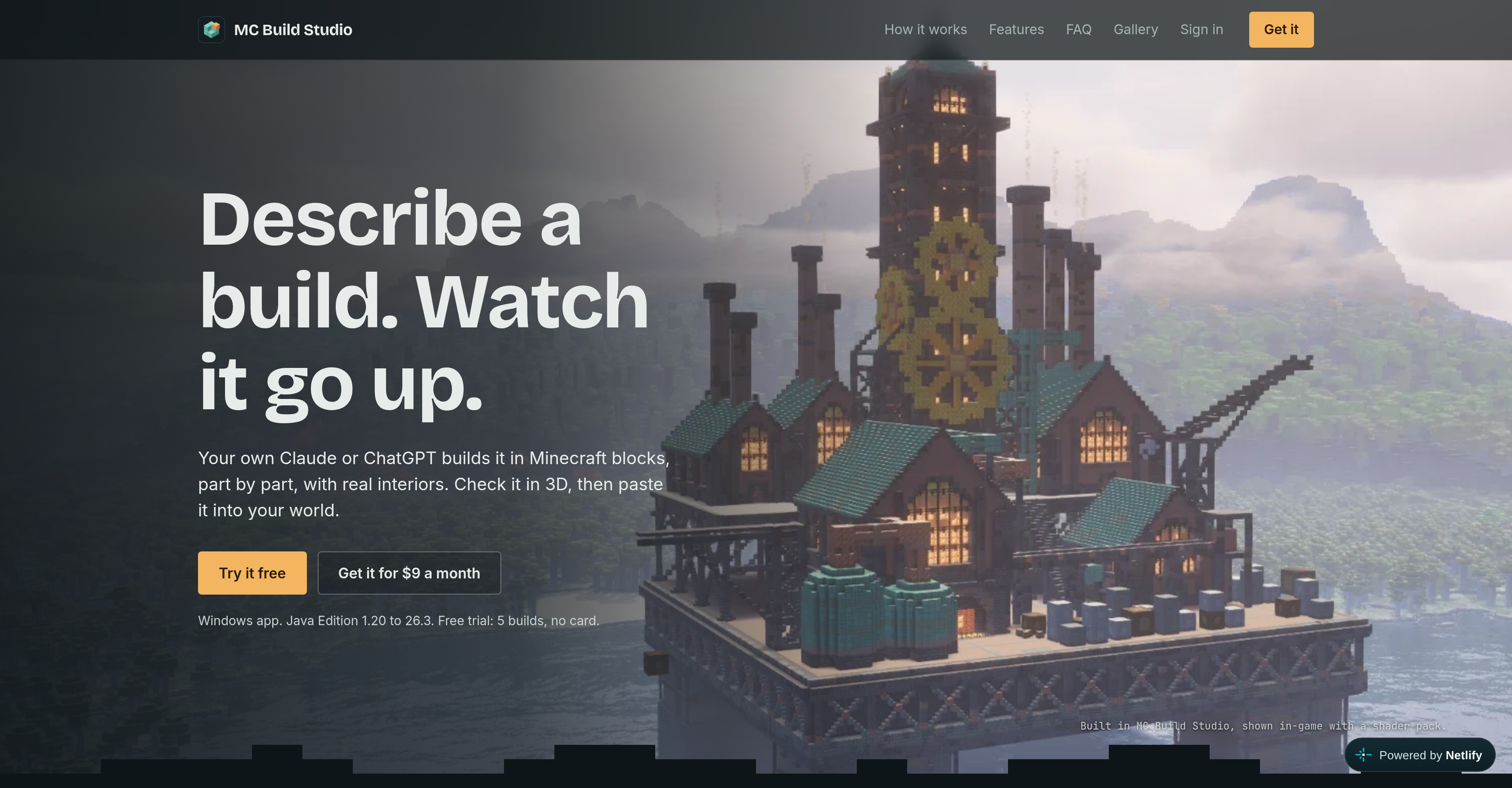
- Get a complete Minecraft build without placing a single block: describe the structure or attach reference images, and the AI Minecraft builder plans and places it block by block, from shell and roof to rooms and landscape, matching your references' style, colors, proportions, and layout.
- Move into finished houses instead of empty shells: generated builds include furnished interiors with furniture, working doors, stairs, chests, lighting, and wall, floor, and ceiling details.
- Skip the cleanup pass: the builder reviews screenshots of its own work and fixes floating blocks, reversed stairs, and dark rooms before you open the build.
- Approve every room before it reaches your world: orbit, fly, or walk through the build at player height in the 3D Minecraft editor, and use cutaway views to slice through floors and hide rooms.
- Change the roof without losing the rest of the house: request edits to a specific part, undo individual steps, or place blocks by hand from the palette.
- Fit new builds into your existing landscape: import a section of your world or a schematic, and the build adapts to slopes with stepped foundations, stilts, and paths, then returns to its original location.
- Paste builds that load correctly on the first try: available blocks are limited to your selected Minecraft Java Edition version, from 1.20 through 26.3.
- Build in your modpack's style: enable blocks from installed mods such as Create, Chipped, Macaw's, and Rechiseled for any project.
- Paste builds with the tools you already use: export .schem for WorldEdit or FastAsyncWorldEdit, .litematic for Litematica, .nbt for structure blocks, or .mcstructure for Bedrock Edition, with paste instructions and commands included.
- Keep your worlds and projects safe: the app reads world folders for terrain import but never writes to them, and projects and builds stay in your Windows Documents folder, not on the developers' servers.
- Generate builds without new API costs: the app runs on your existing paid Claude Pro or ChatGPT plan with Codex, no API key required, and a free trial includes five exportable builds up to 50 × 50 × 50 blocks with no credit card.
Pros & Cons
From the listing; not yet checked by our editors.
Pros
- Visible block-by-block construction
- Room plans precede construction
- Interiors include furniture and lighting
- Working doors, stairs, and chests
- Screenshot-based room inspection
- Automatic fixes for detected issues
- Checks floating blocks and reversed stairs
- Checks for dark rooms
- Cutaway room inspection
- Slice through any floor
- Opens Bedrock .mcstructure files
- Orbit, fly, or walk through
- Player-height walkthroughs include ladders
- Preview builds before exporting
- Import terrain from worlds or schematics
- Terrain-adaptive foundations, stilts, and paths
- Terrain-based builds return to original location
- Reference-guided style, color, and proportions
- Reference-guided layout
- Rebuild individual parts
- Undo steps individually
- Manual editing with full palette
- Blocks match selected Java version
- Supports Java Edition 1.20 to 26.3
- Exports Schem, Litematic, NBT and Bedrock
- Every export includes paste instructions
- Supports WorldEdit, Litematica, and structure blocks
- Share and remix builds in a community gallery
- Reads world folders without writing
- Build files stay on your PC
- Builds with blocks from your mods
- Use on two PCs
- Seven-day offline license grace period
- Five-build trial requires no card
- Trial has no time limit
- Trial builds up to 50 50 50
Cons
- Windows 10/11 only
- Bedrock works through .mcstructure files
- Java Edition 1.20 to 26.3 only
- Gallery accepts vanilla builds only
- Requires paid Claude or ChatGPT
- Never writes directly to worlds
- Trial limited to five builds
- Trial builds capped at 50x50x50 blocks
- Gallery downloads require subscription
Alternatives to MC Build Studio
Tools that share the most tags with MC Build Studio.
- Blocksona
Play as yourself in Minecraft: the selfie-to-skin converter keeps your hairstyle, hair color, skin tone, glasses, facial details, and outfit prints in a 64x64 Minecraft skin.
Free trial · from $4.99/unit
$4.99/unit
Not yet checked
- Spaleforce
Add custom server features without writing a line of code: describe a command or mechanic in plain English and the Minecraft plugin generator writes, compiles and debugs the Java code into a ready-to-install .jar, fixing its own compile errors along the way.
Freemium · from $22.50/month
$22.50/month
Not yet checked
- MinecraftSkin.ai
Go from character idea to wearable Minecraft skin in one step: describe your character in a text prompt, pick a classic, fantasy, sci-fi, or cozy style, and get a playable skin for 1 credit.
Free trial · from $5/unit
$5/unit
Not yet checked
- CreativeMode
Turn a Minecraft mod idea into a working build in minutes without writing code, using a visual drag-and-drop editor where you pick a content type, set its properties and publish.
Free trial · from $0.50
$0.50
Not yet checked
- PixelSkin
Turn a character idea into a wearable Minecraft skin: describe the role, clothing, main colors, and standout details, or adapt fantasy, adventure, and cute example prompts in the AI Minecraft skin generator.
Paid · from $4.99/unit
$4.99/unit
Not yet checked
- Ludo
Cut game design time in half by generating characters, mechanics, and stories in minutes instead of days
Free trial · from $15/month
$15/month
Not yet checked
Reviews
Rate this tool
Loading reviews...
Frequently asked questions
How do I turn a written description into a Minecraft build with MC Build Studio?
Describe the structure, select the Minecraft Java Edition version, and MC Build Studio’s AI plans and places it block by block in a 3D editor. You can watch it being built, inspect it, then export it.
Can MC Build Studio use reference images to guide a build’s style and layout?
Yes. You can attach reference images, and MC Build Studio uses them to guide the build’s style, colors, proportions, and layout.
Does MC Build Studio generate furnished interiors as well as exterior structures?
Yes. MC Build Studio can build exteriors and landscape as well as furnished interiors, including furniture, lighting, and surface details.
Can I inspect a build inside MC Build Studio before exporting it?
Yes. You can orbit, fly, or walk through the build at player height and inspect it in 3D before exporting it.
How do cutaway views and floor slicing work in MC Build Studio?
Cutaway views let you see room layouts, hide rooms, and slice through floors to inspect what is inside. You can also walk through rooms at player height.
Can MC Build Studio adapt a build to terrain imported from my Minecraft world?
Yes. Import a piece of your world or a schematic, and MC Build Studio can adapt the build to the terrain with features such as stepped foundations, stilts, and paths. Terrain-based builds can be returned to their original location.
Which Minecraft Java Edition versions does MC Build Studio support?
MC Build Studio supports Minecraft Java Edition versions 1.20 through 26.3. It uses only blocks available in the selected version.
Does MC Build Studio work with Minecraft Bedrock Edition?
No. MC Build Studio supports Java Edition; Bedrock Edition is not supported.