
Overview
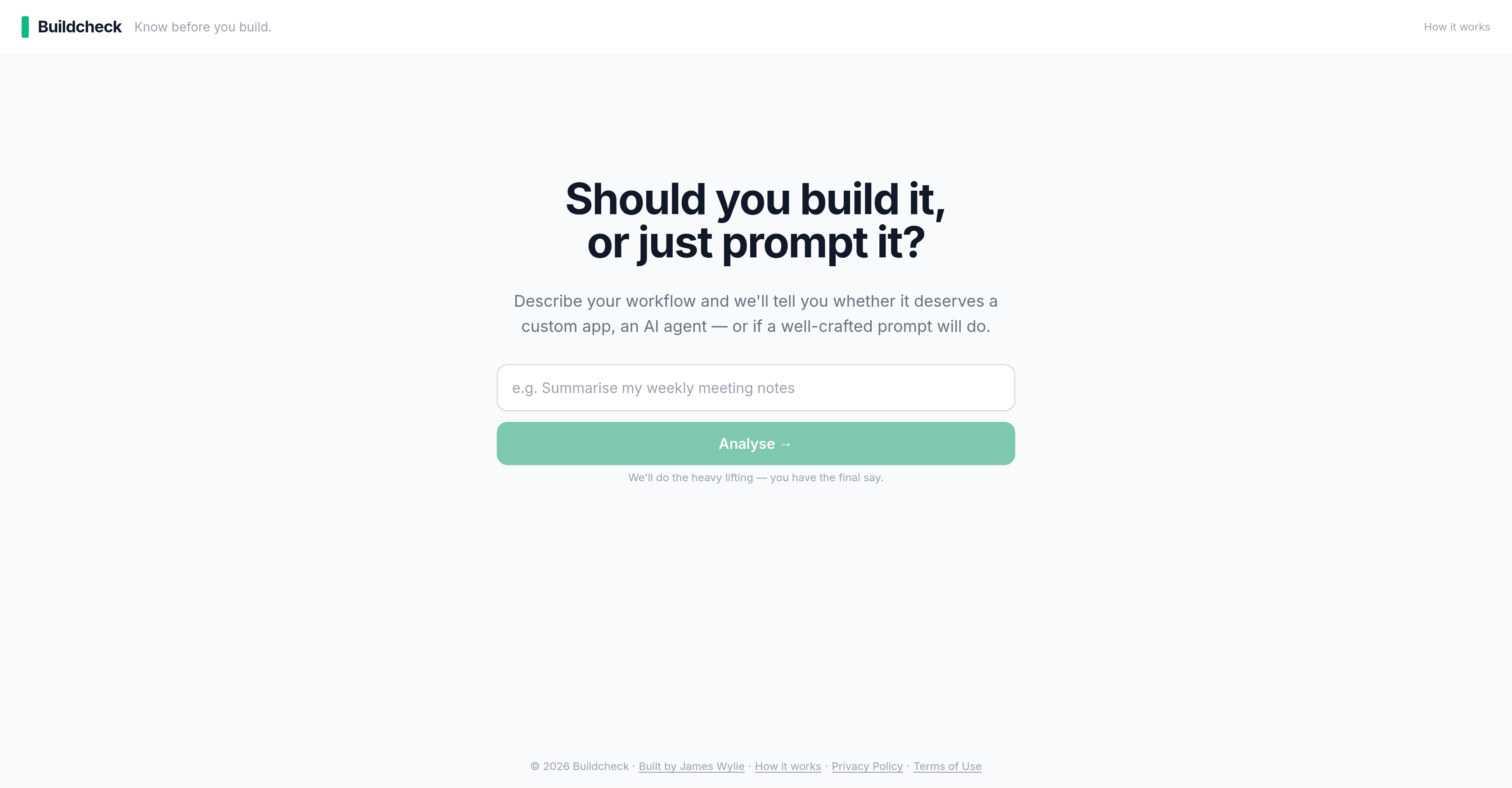
- Eliminate costly build mistakes by receiving an automated analysis that recommends the most efficient solution—custom app, AI agent, or prompt—based on your described workflow
- Avoid unnecessary development expenses by getting actionable advice that tells you exactly when a simpler prompt or AI agent can replace a full custom build
- Accelerate project planning with personalized recommendations that align your unique use case and requirements to the ideal technology—no more over-engineering
- Make informed build vs buy decisions instantly by letting the tool evaluate your workflow complexity and surface the optimal path forward
- Streamline IT strategy formulation by using workflow analysis to precisely match business needs with the right digital solution, reducing risk of unsuitable deployments
- Optimize business processes by pinpointing whether a custom app, AI agent, or well-structured prompt will deliver the outcome without overcomplicating your tech stack
Pros & Cons
Pros
- Workflow optimization
- Technology choice recommendation
- Automated analysis process
- Streamlined build process
- Facilitates informed decision-making
- Suggests most efficient solution
- User retains decision-making power
- Aligns requirements with technology
- User-friendly interface
- Time-saving tool
- Investment advisory functionality
- Custom app appropriateness insights
- Structured prompt evaluation
- Tailored to specific workflows
- Designed for app developers
- Built for IT managers
- Assists in software development
- Anticipates technology adoption needs
- Workflow description based analysis
- Prompt implementation guide
- Helps in business innovation
- Efficient process analysis
- Two-minute insight delivery
- Data privacy assured
Cons
- No mobile app version
- Limited to three solutions
- User-input reliant
- Assumes tech literacy
- No real-time consultation
- No trial version available
- No multi-language support
- Non-interactive workflow analyzer
- No support for legacy systems
- Dependent on user's final decision
Reviews
Rate this tool
Loading reviews...
❓ Frequently Asked Questions
Buildcheck streamlines decision-making in application development by analyzing the user's described workflow, use case and requirements. Following this analysis, Buildcheck provides recommendations on the most suitable solution, be it a custom app, an AI agent, or a well-structured prompt, thus aiding in the decision-making process.
The advantage of using Buildcheck in your build process is that it offers actionable advice and recommendations based on your specific requirements. By considering your workflow needs, it helps determine whether an intended build is necessary, or if a more straightforward solution can achieve the same outcome.
Buildcheck supports workflow analysis by enabling users to describe their workflow, which Buildcheck analyses to understand their specific use case and requirements. It then bases its recommendations on this analysis, aiding in the optimization of the user's workflow.
Buildcheck provides recommendations on the most suitable solution for the user's described workflow, use case, and requirements. These recommendations could be the development of a custom application, the implementation of an AI agent, or the formulation of a well-structured prompt.
Buildcheck assists in deciding between a custom app, an AI agent or a prompt by analysing the user's described workflow and requirements. Based on the analysis, it provides recommendations, leaving the final decision to the user.
Yes, Buildcheck is suitable for IT managers and professionals. It provides a system to analyze and make informed decisions about the development and integration of digital solutions, making it an invaluable tool for these professionals.
Buildcheck can help users save costs in the build process. By providing advice on whether a custom application, an AI agent, or a well-structured prompt is necessary, users can potentially avoid expensive, unnecessary builds.
Yes, Buildcheck does accommodate the user's unique use case and requirements. Users begin by outlining their specific workflow, use case, and requirements, which is then used to provide personalised recommendations.
Buildcheck plays a role in IT strategy formulation by providing a way to analyze and make informed decisions about digital solution deployments. This allows IT strategy to be more precise and tailored to the specific needs of an organization.
Buildcheck contributes to business process optimization by analysing existing workflows, understanding user requirements, and providing recommendations that align with those needs. This makes the process more efficient and reduces the risk of overly complex or unsuitable solutions.
If you are an app developer, Buildcheck can help you make informed decisions about whether to proceed with a particular build. It provides recommendations based on your specific use case and requirements, facilitating more efficient and cost-effective project planning.
Buildcheck determines the appropriateness of a build by analyzing the user's specific use case and requirements. By gauging the suitability of a custom app, an AI agent, or a prompt, it informs users on which solution will most effectively meet their needs.
To use Buildcheck, users should start by describing their workflow, outlining their specific use case and requirements. Buildcheck then provides recommendations based on this information, whether it's for a custom app, an AI agent, or a prompt.
Buildcheck assists with developer decisions by providing actionable advice and recommendations based on the user's specific requirements. It offers insight on whether to build a custom app, implement an AI agent, or formulate a prompt, thereby assisting in decision-making.
Yes, Buildcheck offers actionable advice on build decisions, helping you determine whether a build is necessary or if the same result can be achieved more straightforwardly, based on your unique workflow and requirements.
Buildcheck streamlines the app development process by analysing the user's described workflow and making recommendations on whether a customized application, an AI agent, or a well-structured prompt would be the most effective solution.
The primary goal of the Buildcheck tool is to streamline the build process by considering workflow requirements and providing recommendations based on those needs.
Yes, Buildcheck can help make the build vs buy decision. By analysing your workflow and recommending if a custom app, an AI agent or a prompt is the most suitable solution, it helps inform that critical decision.
Buildcheck's user-friendliness is evident in its design. Users describe their workflow and requirements, and in return, receive actionable advice. The final decision is left to the user, making it a simple tool to utilise in the development process.
Buildcheck integrates with digital solutions by aiding in their development and deployment. By analyzing the user's requirements and providing recommendations for custom apps, AI agents or prompts, it assists in integrating suitable digital solutions for the user's need.
Buildcheck is a decision-making tool designed to guide users when developing applications or systems. It advises about the appropriacy of deploying a custom app, an AI agent, or a well-crafted prompt based on the user's described workflow and specific requirements.
Buildcheck primarily targets app developers, IT managers, and other professionals that are involved in the development and integration of digital solutions.
Buildcheck guides users by analysing their described workflow and requirements. Based on this analysis, it provides recommendations about the most suitable technological solution, whether that's a custom app, an AI agent, or a well-formed prompt.
The process of using Buildcheck involves describing your workflow and stating your specific use case and requirements. Based on these inputs, Buildcheck evaluates and provides actionable recommendations.
No, Buildcheck does not make the final decision. It provides recommendations based on its analysis, but ultimately, the final decision is the user's responsibility.
Buildcheck makes recommendations about whether to develop a customized application, deploy an AI agent, or formulate a well-structured prompt based on the described workflow and specific requirements.
Buildcheck does not specify what types of workflows it can analyze. However, given it's intended for use by app developers, IT managers and professionals involved in digital solutions, it could be inferred it can analyze a variety of workflows related to these areas.
Yes, Buildcheck can be used for app development decisions. It analyses the described workflow and provides recommendations about whether a customized app is the best solution.
Yes, Buildcheck can assist with the implementation of AI agents. It determines when an AI agent would be the ideal solution based on the given workflow and specific requirements.
A 'well-crafted prompt' as employed by Buildcheck, likely refers to a simpler technological solution that can fulfil the desired function for the given workflow and specific requirements without the need for more complex app development or AI implementation.
Yes, Buildcheck can help in choosing technology solutions by recommending the most suitable technology – whether a custom app, an AI agent, or a prompt – based on the users' described workflow and specific requirements.
Yes, Buildcheck is suitable for software developers. It can guide them in their decision-making process when considering whether to develop a custom app, implement an AI agent, or structure a well-formed prompt.
Buildcheck can impact investment decisions by providing recommendations about the most suitable solution for a described workflow. This helps to prevent unnecessary expenditure on unsuitable technology implementations for the user's specific use case.
Yes, Buildcheck offers an automated analysis. It analyzes the described workflow and provides recommendations based on its analysis.
Buildcheck uses AI to analyze the user's described workflow and requirements. Based on this analysis, it recommends whether a custom app, an AI agent, or a well-crafted prompt is the ideal solution.
Yes, Buildcheck is used for business process innovation. By recommending the appropriate technology, it can help optimize workflows, and thereby innovate business processes.
Yes, Buildcheck facilitates technology adoption by offering advice about whether a custom app, an AI agent, or a well-worded prompt would be the most suitable for each use case.
Buildcheck streamlines the build process by analyzing the described workflow and making recommendations about whether to develop a custom app, implement an AI agent, or create a well-structured prompt. This helps users decide the best route to take and streamline their build process.
As long as the use case involves making a decision between developing a custom app, implementing an AI agent, or creating a well-structured prompt, Buildcheck should be applicable. It is designed to analyze described workflows and make appropriate recommendations based on the specific requirements provided.
Buildcheck optimises workflow by analyzing and understanding the user's described workflow, then providing guidance on whether to develop a custom app, implement an AI agent, or arrange a well-crafted prompt. This enables users to optimize their workflow with the most suitable technology solution, hence aligning business requirements with technological solutions.
Pricing
Pricing model
Free
Paid options from
Free
Related Videos
The AI Power Behind BuildCheck | #DemoDay
[KP Reddy]•121 views•Nov 17, 2025