
Car Editor
Overview
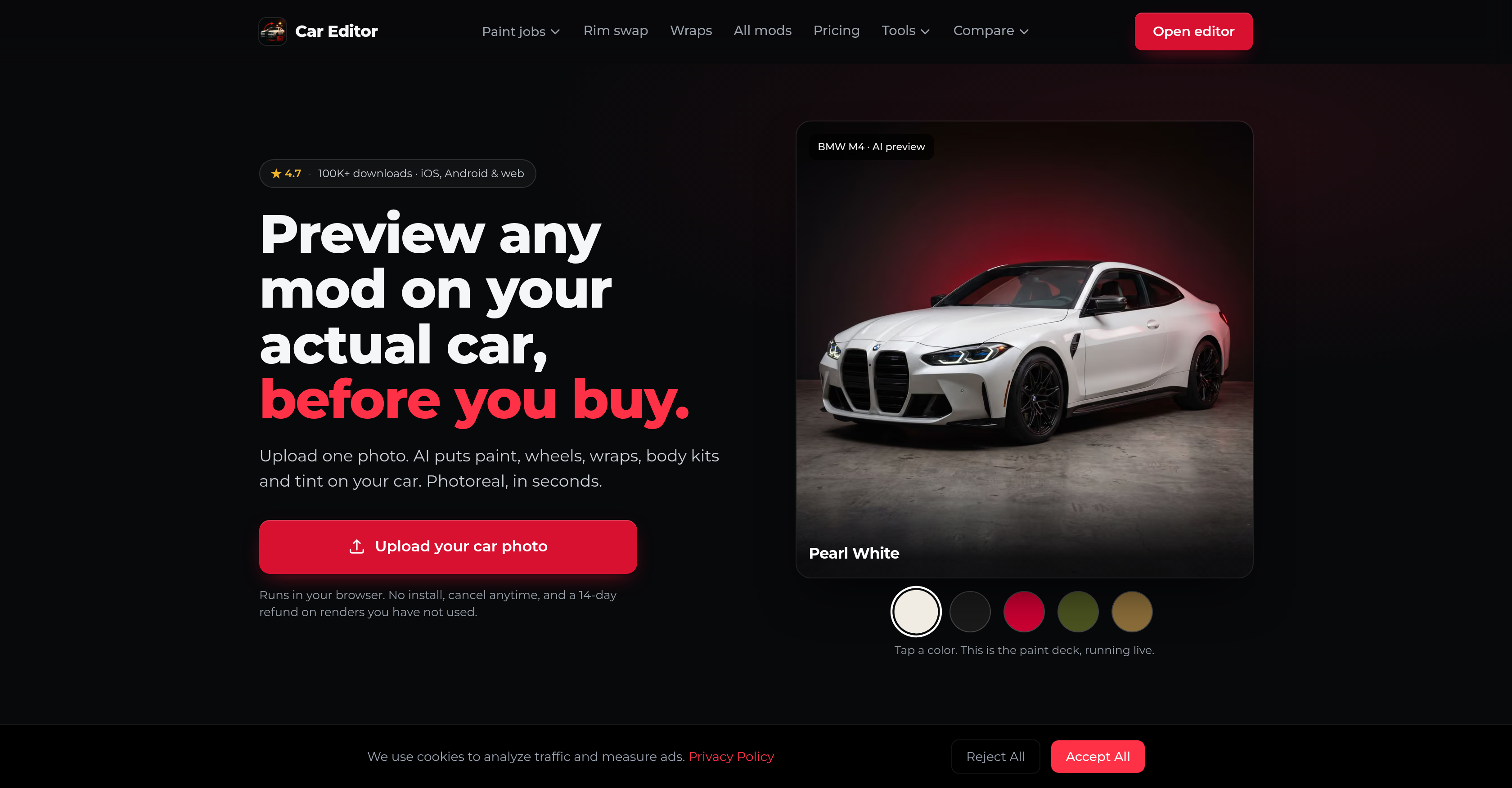
- Visualize any car modification before spending a dime—apply paint jobs, wheels, body kits, and vinyl wraps to your photo and see photorealistic results in seconds.
- Make confident upgrade decisions by comparing different mods side-by-side—use the built-in comparison feature to evaluate color changes, spoilers, and headlights on the same image.
- Skip costly photoshoots and reshoots—upload any car photo and get accurate, photorealistic renders that preserve original lighting and shadows under any conditions.
- Explore every customization option in one place—browse categorized mods from window tint and neon underglow to full builds, ensuring you find the exact look you want.
- Speed up commercial projects—use Car Editor for client presentations, marketing visuals, or shop previews without needing physical modifications or professional photography.
- Avoid risk with flexible terms—cancel anytime and get a 14-day refund on unused renders, making it safe to test the tool for your personal or business needs.
Pros & Cons
Pros
- Available for iOS, Android, web
- Real-time photorealistic effects
- Effective on any photo
- Works under various lighting conditions
- Categorized modifications
- Feature for comparing modifications
- 14-day refund for unused renders
- Can be cancelled anytime
- Handy for commercial use
- Helpful for personal use
- Preview modifications before buying
- No need for physical reshoots
- 119 mods available
- Multiple automotive modification categories
- HD photoreal output
- Realistic image rendering
- User convenience-focused policies
- Adjusts lighting and shadows
- Runs in browser
- Commercial usage rights
- Flexible weekly, monthly, yearly plans
- Multiple mod options
- Wheel replacement preview
- Spoiler preview
- Works with actual car photo
- Neon underglow preview
- Headlight replacement preview
- Multiple paint job options
- Body kit preview
- No upsells inside editor
- Free to open and browse
- Commercial rights with plans
- Money-back guarantee
Cons
- Limited to photo-only modifications
- Complex pricing structure
- Requires paid plan for modifications
- No offline use
- No AR functionality
- Doesn't support video processing
- No 3D modelling
Reviews
Rate this tool
Loading reviews...
❓ Frequently Asked Questions
Car Editor is an AI-powered car customization and modification application, available on iOS, Android and through web browsers. It allows users to visually implement and experiment with diverse types of automotive modifications on a photograph of their car. Users can modify their car's appearance through changes in paint jobs, wheel replacements, tinting windows, placing spoilers, adjusting headlights, and more.
To use Car Editor, you upload a photo of your car and instantly apply the desired modifications. You can observe the photorealistic effects immediately. The modifications are categorized, and you can explore all types to find the perfect fit for your preference, from a colour change to a full build.
Yes, the Car Editor application is available on both iOS and Android platforms.
Yes, besides being available on iOS and Android, Car Editor can also be accessed via web browsers.
Car Editor provides a wide range of modification options including changes in paint jobs, wheel replacement, body kits, window tint, spoilers, headlights, vinyl wraps, and neon underglow among others.
Yes, Car Editor is designed to work effectively on any photo of your car under various lighting conditions. It does not require physical reshoots of the car.
Yes, Car Editor provides a feature for comparing across different modifications to facilitate an informed decision-making process.
Absolutely, Car Editor supports numerous modification options including neon underglow and headlight replacements.
The modifications, also referred to as 'mods', in Car Editor are well-categorized. Users can explore all types to find the perfect fit for their preference, from a colour change to a full build.
The images produced by Car Editor maintain the original lighting and shadows to present a realistic visual representation of the mod. They are instantly rendered and the results are photorealistic.
Car Editor maintains a user-friendly policies, this includes a 14-day refund strategy for unused renders.
Yes, Car Editor prioritizes user convenience. Users can cancel their use of the application anytime.
Yes, Car Editor can be employed for both personal and commercial purposes.
Car Editor's AI technology accurately retains the original lighting and shadows in the image, assuring a realistic modification output.
Indeed, Car Editor allows users to visualize a full build of a car based on their preferences.
Definitely, one of the modification features of Car Editor is changing the paint jobs on the car. Users can apply this modification and see the effects instantaneously.
Car Editor is well-optimized to render modifications in a matter of seconds.
Car Editor makes use of advanced AI technology to generate high-quality, photorealistic impressions of your car with the selected modifications. It's designed to be realistic enough to assist users in making decisions about actual implementations.
Car Editor prides itself in being user-friendly. Its intuitive interface and categorized modifications make it extremely easy for users to navigate and use the application.
Car Editor is highly efficient in both speed and quality. The app allows immediate application of modifications and generates photorealistic images in seconds.
Pricing
Pricing model
Paid
Paid options from
$11.99
Billing frequency
Weekly