
HomeRestyle AI
Overview
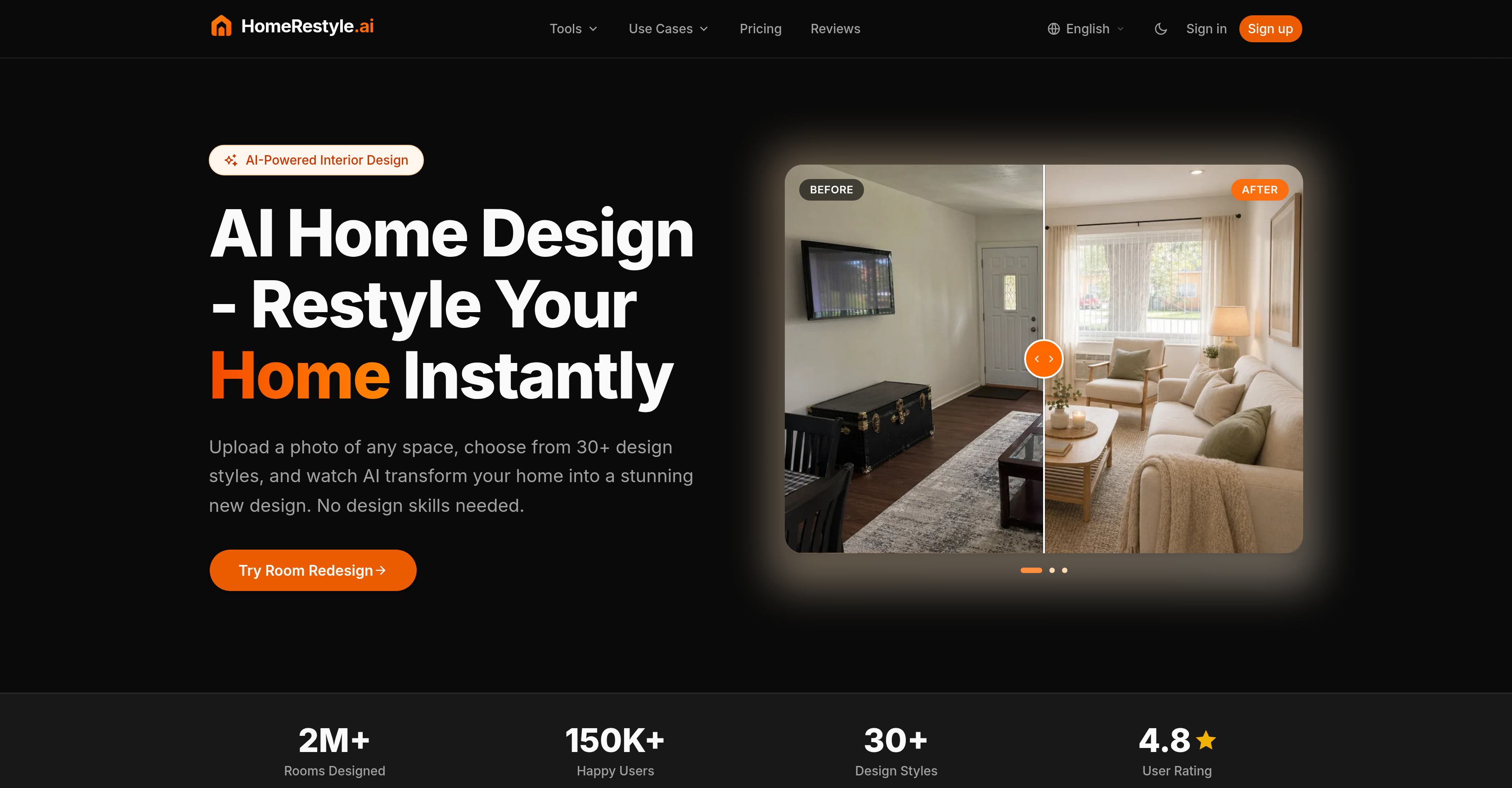
- Preview any renovation risk-free by uploading a photo and selecting a design style, using AI-powered virtual staging and style transfer.
- Sell vacant properties faster by creating stunning listing photos at a fraction of traditional staging costs, with the virtual staging tool.
- Accelerate client presentations by iterating on design concepts within minutes instead of hours, using rapid photorealistic visualization.
- Eliminate costly contractor misunderstandings by sharing exact photorealistic redesigns of your space, enabled by the color and material change tools.
- Explore hundreds of design styles from Modern to Japandi without buying a single piece of furniture, thanks to the style transfer and furniture visualizer features.
- Repurpose any room—from basement to nursery—by instantly testing new layouts and functions, using the room repurpose and text-to-design capabilities.
- Perfect listing photos by removing unwanted objects or flaws and upscaling image resolution, with the object remover and image upscaler tools.
- Communicate design ideas naturally by typing simple text commands to generate custom decor elements, through the text-to-design feature.
- Visualize furniture arrangements before purchasing to avoid costly returns, using the furniture visualizer for accurate placement.
- Adjust lighting and sky in any room to match different moods or times of day, with the lighting changer and change sky tools.
Pros & Cons
Pros
- Photorealistic interior redesign
- Variety of design styles
- Architecture support
- Floor planning feature
- Lighting changes capability
- Furniture visualization
- Color schemes variations
- Material finishes variations
- Sketch to detailed renderings
- Room repurposing
- Image upscaling
- Design element manipulation
- Change sky feature
- Object removal
- Risks-free renovation visualization
- Useful for real estate agents
- Useful for interior designers
- Living room design
- Kitchen design
- Bedrooms design
- Bathrooms design
- Exterior design
- Bohemian and industrial styles
- Client presentation tool
- Property selling enhancement
- Resource optimization
- Material change simulation
- Color change simulation
- Virtual staging feature
- Change color and material function
- Style transfer capability
- Image cleaning
- Text-to-design feature
- Lighting adjustment
- Design iteration feature
- Multiple rooms and areas adaptation
- Design solution for diverse spaces
- 30+ design styles
- Professional-grade tools
- Built for everyone
- A variety of room designs
- Different design styles
- Project workflow feature
- Walkthrough design stages
- Compare results side by side
- No design skills needed
- Different pricing plans
- Commercial license per plan
- Priority processing in plans
- High-resolution download
Cons
- Limited design styles
- Depends on image quality
- Non-interactive visualization
- Limited room categories
- No 3D visualization
- One-time redesign generation
- No multi-lingual support
- Potential watermark on output
- Requires sign-up
Reviews
Rate this tool
Loading reviews...
❓ Frequently Asked Questions
HomeRestyle AI is an artificial intelligence-powered tool designed to virtually redesign interior spaces. Users can select from numerous design styles to see a photorealistic remodel of their space instantly.
Users upload a picture of their room to HomeRestyle AI, select a design style, and then the platform uses artificial intelligence to create a photorealistic visualization of the redesigned space within minutes.
HomeRestyle AI can redesign a variety of room types, including living rooms, kitchens, bedrooms, bathrooms, closets, basements, home offices, and even gaming rooms.
Yes, HomeRestyle AI can be used for exterior design. It can handle exterior spaces as part of the range of rooms it supports for redesign.
HomeRestyle AI offers a variety of design styles, ranging from modern and Scandinavian to Bohemian and Industrial, plus many more including Mid-Century, Japandi, Coastal, Tropical, Bauhaus, and Shabby Chic.
Yes, with HomeRestyle AI, users can explore different color schemes and material finishes for personalizing their design creation.
With HomeRestyle AI, users can manipulate various design elements such as altering the lighting, upscaling images, repurposing rooms, and even changing the sky. They can also remove objects from the setup for a more personalized design.
HomeRestyle AI meets the needs of various users such as homeowners looking to visualize a renovation risk-free, real estate agents needing to virtually stage properties at a fraction of the traditional cost, and interior designers needing to rapidly visualize concepts for client presentations.
Real estate agents can benefit from HomeRestyle AI by using it to stage properties virtually at a fraction of traditional costs. It can help create stunning listing photos that sell homes faster.
Interior designers can use HomeRestyle AI to speed up their workflow by rapidly visualizing different design concepts for their client presentations. It enables quick iteration of ideas, useful in creating client moodboards and exploring various styles.
Yes, HomeRestyle AI offers a tool to convert simple sketches into detailed room renderings, helping to visualize the final remodel more effectively.
HomeRestyle AI includes various tools such as Redesign, Virtual Staging, Change Color & Material, Style Transfer, Sketch to Render, Furniture Visualizer, Object Remover, Image Upscaler, Text to Design, Lighting Changer, Room Repurpose, Auto Edit, Change Sky, Furniture Design, Decor Design, Floor Plan Design, and Elevation Design.
Yes, HomeRestyle AI allows users to remove unwanted objects from their designs, providing a more personalized and clean design experience.
Yes, HomeRestyle AI offers a Furniture Visualizer tool that allows users to visualize different furniture arrangements within their design.
Yes, HomeRestyle AI supports both lighting changes and floor planning. These key aspects of interior design are encompassed by the tool to provide a comprehensive design experience.
Homeowners can use HomeRestyle AI to visualize a renovation risk-free before they commit to it. They can test different styles, colors, and layouts and show contractors exactly what they want.
Yes, HomeRestyle AI generates high-resolution photorealistic images of the redesigned rooms. Users can download these images and iterate their designs until perfect.
HomeRestyle AI allows for virtual staging of properties at a fraction of the traditional cost, helping to create stunning listing photos that can expedite the property selling process.
HomeRestyle AI can work with various types of rooms including living rooms, kitchens, bedrooms, bathrooms, closets, laundry rooms, landscapes, home exteriors, basements, home offices, and gaming rooms.
Yes, HomeRestyle AI supports design for a variety of rooms, including nurseries and kids' rooms. It allows for the personalization of these spaces according to user preferences.
The key features of HomeRestyle AI include virtual staging, color and material changes, style transfer, image upscaling, furniture visualization, object replacement/removal, and text-to-design. It also provides capabilities for image cleanup and lighting adjustment. Users can change color schemes, simulate different material finishes, visualize furniture pieces, clean up images for optimal presentation quality, and use simple text commands to generate designs.
Yes, HomeRestyle AI can create designs for a variety of rooms including living rooms, kitchens, bedrooms, bathrooms, and exteriors. It also has use-cases across various other areas like dining rooms, closets, laundries, landscapes, basements, home offices, gaming rooms, nurseries, and kids' rooms.
Homeowners can benefit from HomeRestyle AI by visualizing their desired renovations without any risk or physical commitment. They can explore different styles, colors, and layouts, and even share these visualizations with contractors to clearly communicate their design expectations. This reduces design mistakes and misunderstandings between homeowners and contractors.
For real estate agents, HomeRestyle AI provides a cost-effective solution for virtual staging of vacant properties. This allows them to create high-quality listing photos that can sell homes faster, and at a fraction of the cost of traditional staging methods.
Interior designers can utilize HomeRestyle AI to speed up client presentations by rapidly visualizing concepts for mood boards and presentations. This tool allows designers to iterate on ideas within minutes, enabling faster refinement and decision making in the design process.
HomeRestyle AI offers highly accurate photorealistic redesigns. It seamlessly combines artificial intelligence with advanced rendering techniques to simulate a variety of design styles on user-uploaded room images, providing an immersive and realistic look into potential room transformations.
HomeRestyle AI supports a vast array of design styles, including but not limited to, Modern, Scandinavian, Industrial, Japanese, Bohemian, Mid-Century, Japandi, Boho, Coastal, Tropical, Bauhaus, and Shabby Chic.
To redesign a space using HomeRestyle AI, users first upload a photograph of their space. Then, they choose a design style they prefer from the choices available. The AI then instantly creates a photorealistic redesign of the space in the chosen style.
Yes, with HomeRestyle AI users can visualise different colour schemes and material finishes. Users can use this functionality to tailor the style of their room and align it with their distinct aesthetics.
HomeRestyle AI aids in the modification of lighting in room designs. Using the 'Lighting Changer' feature, users can adjust the lighting effects in the room to optimise for different moods or times of day.
Yes, HomeRestyle AI can assist in visualizing furniture in a room. The 'Furniture Visualizer' feature aids users in viewing how different pieces of furniture will look within the context of a specific room, aiding design and purchasing decisions.
HomeRestyle AI aids in text-to-design tasks via a feature that converts simple text commands into detailed design elements. This allows non-technical users to create custom designs using intuitive natural language commands.
Yes, HomeRestyle AI can assist in the upscale and clean up of images. With the 'Image Upscaler' and 'Clean Up Image' features, users can upscale images for better quality and clarity, and clean up images by removing unwanted objects or flaws.
HomeRestyle AI offers a rapid redesign process. The AI generates a photorealistic redesign within minutes of uploading the image and choosing the desired style.
Yes, HomeRestyle AI can be used for both interior and exterior design purposes. From living rooms, bedrooms, kitchens, and bathrooms to home exteriors and landscapes, the AI can handle various design requirements.
Yes, there is a risk-free design trial with HomeRestyle AI. Users can visualize renovations, try different styles, colors, and layouts without any commitment. There's no risk or cost associated with actual physical remodelling or staging, allowing for exploration and experimentation.
Yes, HomeRestyle AI can help repurpose rooms. Users can visualize a room's transformation for various functions by deploying different design styles and arrangements.
With HomeRestyle AI, users can manipulate design elements by adding or removing objects in the design. This allows for customization and personalization according to user preferences.
Pricing
Pricing model
Free Trial
Paid options from
$15.54/month
Billing frequency
Monthly