ImageToCartoon
Overview
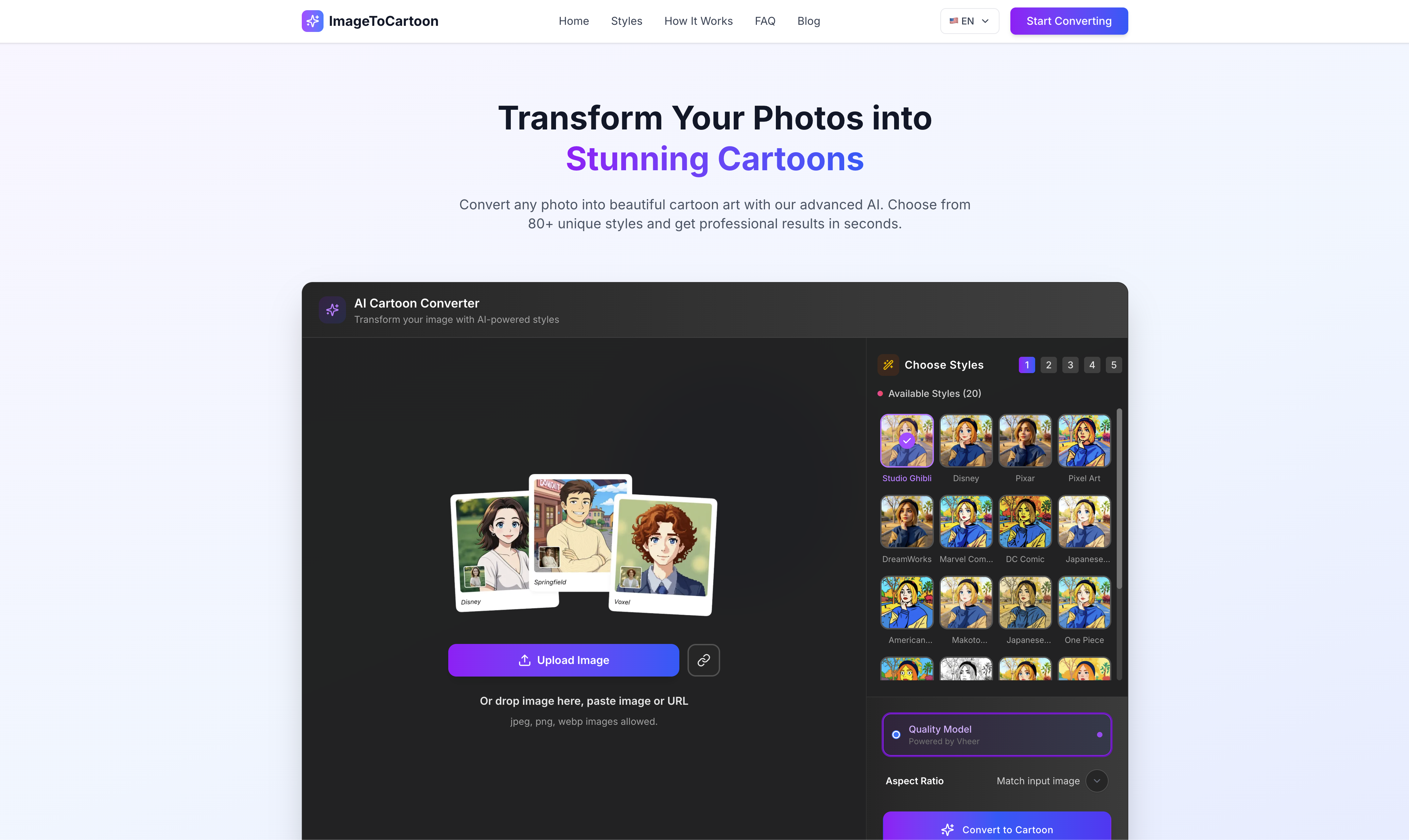
- Instantly create unique cartoon avatars and anime characters from any photo using AI technology that processes images in seconds
- Express yourself with over 50 distinct cartoon effects and styles to personalize your look for any social profile or chat
- Design custom cartoon emojis from your selfies to make your messages and social interactions more personal and fun
- Protect your privacy with automatic image deletion within 3 hours, ensuring your photos are never stored on our servers
- Access professional cartoon styles anytime with 24/7 support available for any questions during your creative process
Pros & Cons
Pros
- Online compatibility
- Mobile and Mac apps
- Free usage
- Doesn't require account
- Over 50 effects
- Creates avatars, characters, emojis
- 24/7 support
- No image storage
- Compatible with other tools
- All images cleared after 3 hours
- Max Image Dimensions: 5000*5000
- 10 images per week limit
- Email notification feature
- Includes gender selection
- Automated conversion
- No payments required
- User-friendly interface
- Privacy safe tool
- Wide variety of cartoon styles
- ImageToCartoon self in seconds
- Zero-click operation
- Multiple cartoon bodies and backgrounds
Cons
- Limited to 10 images/week
- Max image size 5000*5000
- No account sync capabilities
- No multi-image batch process
- No editing tools provided
- No API for developers
- Only cartoon/avatar style conversion
- Doesn't recognize image gender
- No image store option
- Images cleared within 3 hours
Reviews
Rate this tool
Loading reviews...
❓ Frequently Asked Questions
ImagetoCartoon is an online AI cartoonizer that converts faces to cartoon or anime style. It also provides the ability to create characters, avatars, and cartoon emojis.
ImagetoCartoon utilizes latest AI technology to convert images into cartoons. Users just need to upload or drop an image in jpg, png, or jpeg format, and the AI engine quickly converts the image into a cartoon or anime style.
No, ImagetoCartoon does not require any account sign-up or payment. It's free to use.
The main features of ImagetoCartoon include face-to-cartoon conversion, cartoon avatar creation, cartoon emoji creation, and more than 50 effects to choose from. It also offers an app called the Cartoonize App for mobiles and Macs.
ImagetoCartoon offers over 50 effects that users can choose from for their cartoon conversions.
Users can download the Cartoonize App from the iOS App Store or Google Play Store. For Mac, the app can be downloaded from the ImagetoCartoon website.
Yes, ImagetoCartoon is compatible with other cartoon tools such as Image to Sketch and Image to Caricature.
ImagetoCartoon does not store any images. All images are cleared within 3 hours.
ImagetoCartoon provides 24/7 support to its users. Users can contact ImagetoCartoon with any questions they may have about the tool.
The maximum image size that can be uploaded to ImagetoCartoon is 5000 x 5000 pixels.
The ImagetoCartoon tool can be used for free up to 10 times per week.
ImagetoCartoon can convert an image to cartoon in just seconds.
Yes, ImagetoCartoon can create cartoon emojis.
Yes, ImagetoCartoon has the ability to convert face images or photos into cartoon avatars.
The Cartoonize App offers the same features as the ImagetoCartoon website but it can be accessed directly from mobiles or Macs making it more convenient and portable.
Yes, it is safe to upload photos onto ImagetoCartoon. No images are stored and all images are cleared within 3 hours.
No, ImagetoCartoon does not have explicit collaborations with other cartoon tools but it is compatible with cartoon tools like Image to Sketch and Image to Caricature.
For any further questions about ImagetoCartoon, users can contact ImagetoCartoon through their 24/7 support.
Pricing
Pricing model
Freemium
Paid options from
$6/month
Billing frequency
Monthly
Related Videos
AI Tools - ImageToCartoon #shorts
AI Tools Shorts•27 views•Jun 28, 2023