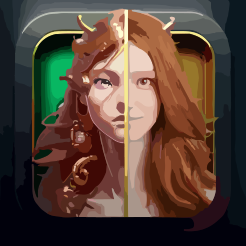
Overview
- Instantly create unique cartoon avatars for your social media profiles with the one-click photo conversion feature
- Design distinctive art pieces without illustration skills using the accessible online cartoonizer tool
- Access your cartoonized photos from any PC or Mac without installing software, thanks to the web-based platform
- Transform personal photos into high-quality, stylized cartoons using proprietary AI algorithms
Pros & Cons
Pros
- Online tool
- No installation required
- One-click conversion feature
- Access on any PC or Mac
- Robust functionality
- User-friendly
- Free of charge
- Creates unique avatars
- Designs distinct art pieces
- No illustration skills required
- Doesn't require advanced software
- Cartoonizing directly online
- Quick photo conversion
- Platform independency
- No download or installation
- Stylized image production
- Social media ready images
- Image manipulation capabilities
- Direct photo upload
- Available globally
Cons
- No offline functionality
- Potential privacy concerns
- Limited to cartoon effect
- No advanced editing options
- Can't handle large file sizes
- No batch processing
- Lacks customization options
- Dependent on internet speed
- No photo-to-photo options
Reviews
Rate this tool
Loading reviews...
❓ Frequently Asked Questions
Colorcinch Photo to Cartoon - Cartoonize Yourself - Character Maker is an online application that lets users convert their photos into stylistic cartoon-like images. It's a creative tool offering various artistic possibilities, from avatar creation for social media to designing unique art pieces.
Colorcinch Photo to Cartoon works based on certain proprietary algorithms. These algorithms manipulate the properties of the uploaded photos to create stylized cartoon versions of the original images.
The process to cartoonize your photo using Colorcinch is simple and straightforward. First, you directly upload your photo onto their website. Then, you use the one-click conversion feature, which manipulates your photo to create a cartoon-like image.
No, there is no need to install any software to use Colorcinch. It's operational entirely online, making it easy to access and use on any device with internet access.
Yes, Colorcinch is compatible with both PCs and Macs. It requires no installation and can be accessed from any browser, making it highly device-agnostic.
Colorcinch manipulates images to create cartoon effects through sophisticated algorithms. These algorithms adjust and morph the properties of the uploaded photo to result in a stylized, cartoon version of the original image.
Yes, Colorcinch online tool can be used free of charge. It offers users the chance to cartoonize their photos without any costs.
Absolutely, you can use Colorcinch to create unique, cartoon-like avatars for your social media platforms.
In addition to creating avatars for social media platforms, Colorcinch can also be used for designing distinctive art pieces. The application offers robust functionality which can be used creatively for a variety of purposes.
No, you don't need any illustration skills or advanced software to use Colorcinch. The tool was designed to be user-friendly and easy to use even for those with no background in graphic design or illustration.
Colorcinch is an optimal choice for a photo to cartoon converter due to its user-friendly interface, proprietary algorithms producing high-quality cartoon-like images, and its free availability. It's a one-stop solution for simple and convenient photo to cartoon transformation.
The specifics about advanced features aren't specifically stated, but, given the detailed control it offers over the cartoonization process, one can infer it does provide some degree of advanced features.
Any individual who wants to transform their photo into a cartoon-like image can use the Colorcinch Photo to Cartoon tool. This includes both professionals seeking a quick design solution and casual users wanting to create unique avatars.
The Colorcinch Photo to Cartoon tool is noted to be user-friendly. It offers a simple, one-click conversion process, making cartoonizing photos a straightforward and easy task for anyone.
Pricing
Pricing model
Freemium
Paid options from
$8.99/month
Billing frequency
Monthly
Related Videos
Colorcinch Video Review (Formerly Cartoonize): Cartoonize Your Photos!
YB.Digital•400 views•Sep 5, 2022