Overview
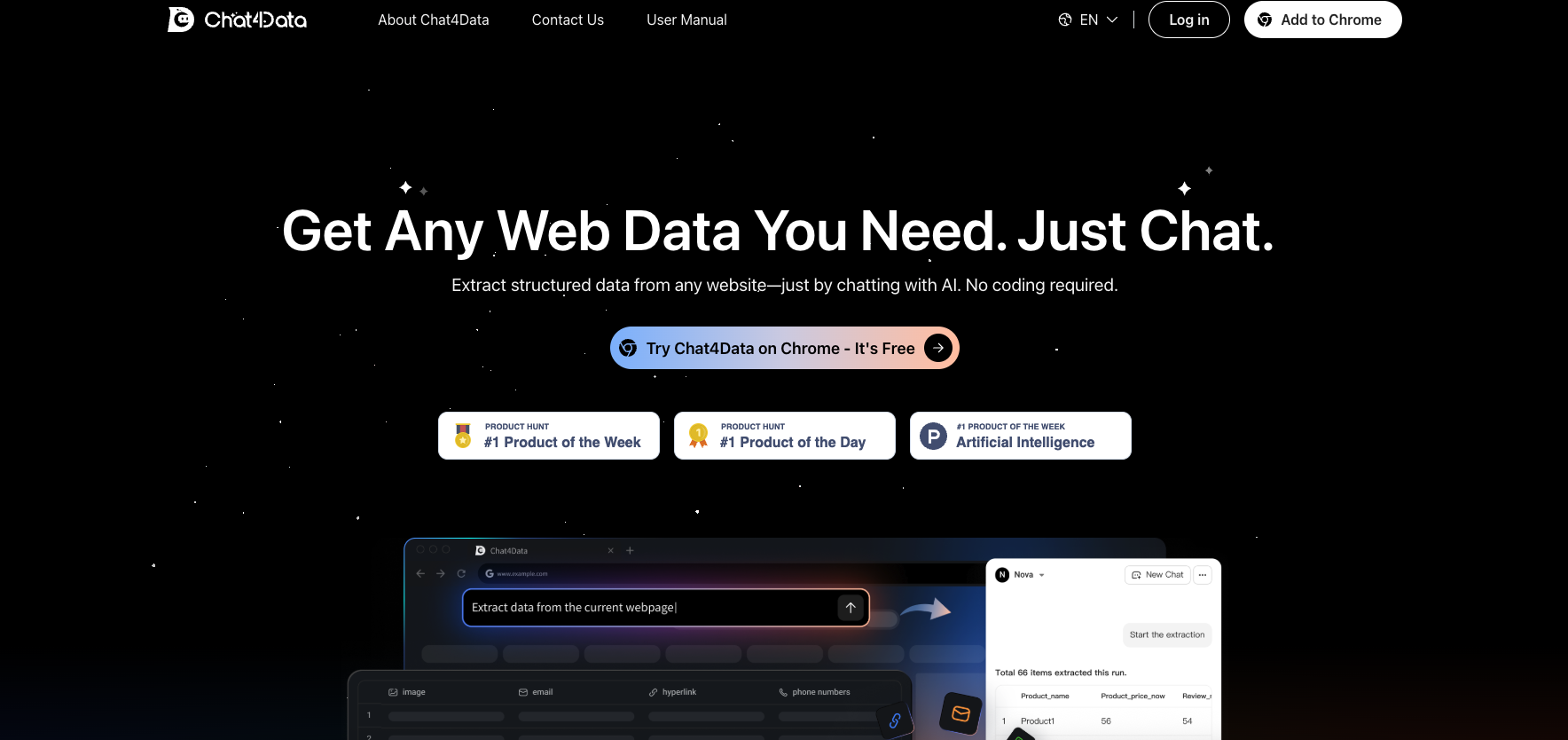
- Extract structured data from any webpage instantly using simple conversation instead of complex coding with AI-powered natural language processing
- Capture hidden elements, images, emails and phone numbers that traditional scrapers miss through comprehensive data detection technology
- Automatically scrape across multiple pages and pagination with zero manual effort using intelligent multi-page extraction
- Modify extraction fields in real-time by telling the AI what to add, remove or change through dynamic field customization
- Download perfectly formatted Excel files immediately after collection with instant export functionality
- Optimize e-commerce product research with specialized scraping for Amazon and other listing pages through e-commerce-focused algorithms
Pros & Cons
Pros
- Chrome browser extension
- Conversational interface
- Auto-detection of data
- Multiple data types extraction
- Captures hidden page elements
- Data ordering mechanism
- No coding skills required
- Natural language commands
- Easily modifiable extraction fields
- Immediate Excel data download
- Supports most HTML websites
- Optimized for ecommerce sites
- Automates across multiple pages
- Streamlined data receiving
- Simplicity of installation
- Efficient data collection
- Extraction of structured data
- Chat interface with websites
- No past sessions storage
- Data accessible post confirmation click
- Eliminates web scraping complexities
Cons
- Only for Chrome
- No past session storage
- Only supports Excel format
- No support for non-HTML sites
- Requires confirmation click
- Optimized for e-commerce only
- No multi-browser support
- Only orders data verbally
- Lacks complex command capabilities
- Limitations in data re-analysis
Reviews
Rate this tool
Loading reviews...
❓ Frequently Asked Questions
Chat4Data is an AI-powered Chrome extension designed to be a data collection assistant. It extracts and organizes web page data using either intuitive natural language commands or simple quick-click actions. It automates the process of web scraping, making information gathering faster and easier.
Chat4Data is capable of extracting a variety of data types from web pages. This includes images, links, emails, phone numbers, and even hidden elements present on a web page.
Chat4Data uses a conversational interface with AI to facilitate data extraction from websites. The tool auto-detects and extracts relevant data from web pages after a confirmation click from the user. This automates the scraping process across multiple web pages for comprehensive data extraction.
Chat4Data's AI plays a key role in identifying and extracting the most relevant and valuable data from a web page. It understands natural language commands which allow users to easily add, remove, and modify the extraction fields within the scraped data. Also, the AI is responsible for auto-detection and extraction of data, automating the scraping process across multiple web pages.
Chat4Data is designed to be user-friendly and does not require users to have any coding skills. End-users can simply install the extension, log in, and start chatting with the AI to navigate and extract data from target websites.
Chat4Data is optimized to work with most HTML websites. However, the tool is particularly enhanced for scraping listing pages on e-commerce sites.
Yes, Chat4Data allows users to modify the extraction fields within the scraped data. Users can command the AI in natural language to add, remove, or modify any field for data extraction.
Chat4Data is capable of instantly exporting the extracted data. The data can be downloaded in Excel format right after its collection.
Chat4Data does not currently support storage of processed data. Users are advised to download their collected data immediately after extraction.
Yes, Chat4Data offers several automated features. It automates the scraping process across multiple pages and performs auto-detection and extraction of data. It also automates pagination, scraping every page for complete data collection with zero manual effort.
Chat4Data can be easily installed on the Chrome browser. Users can download and install the Chat4Data extension from the Chrome Web Store.
Yes, Chat4Data is designed to automate the scraping process across multiple web pages, which implies that the tool can extract data from various web pages simultaneously.
Chat4Data is optimized for scraping listing pages, especially in e-commerce websites like Amazon. However, it still supports most HTML websites.
Natural language commands are used in Chat4Data to facilitate an easy way for users to communicate with the AI. Through these commands, users can request the AI to add, remove or modify the extraction fields within the scraped data.
No, Chat4Data currently does not support saving of past scraping sessions or data.
Chat4Data's AI uses natural language processing to understand the extraction requirements from the user's commands. The AI also auto-detects valuable data on a web page and extracts them after a confirmation click from the user.
Yes, Chat4Data can extract hidden elements from web pages along with images, links, emails and phone numbers.
The data extracted by Chat4Data is available for download in Excel format.
Chat4Data streamlines the data collection by automating multiple processes. It uses AI to auto-detect and extract valuable data while also automating pagination across multiple web pages for comprehensive data extraction. Thus, manually ordering and acquiring data isn't required as users can describe what they need, and the tool delivers it instantly.
Yes, Chat4Data is particularly optimized for e-commerce sites. It performs exceptionally well in scraping listing pages of these sites. Besides, it supports most HTML websites.
Pricing
Pricing model
Freemium
Paid options from
$10/unit
Billing frequency
Pay-as-you-go
Refund policy
No Refunds
Related Videos
Chat4Data AI - Extract Any Website Data with Simple Chat Commands!
Eigi and AI•37.6K views•Nov 26, 2025