
Overview
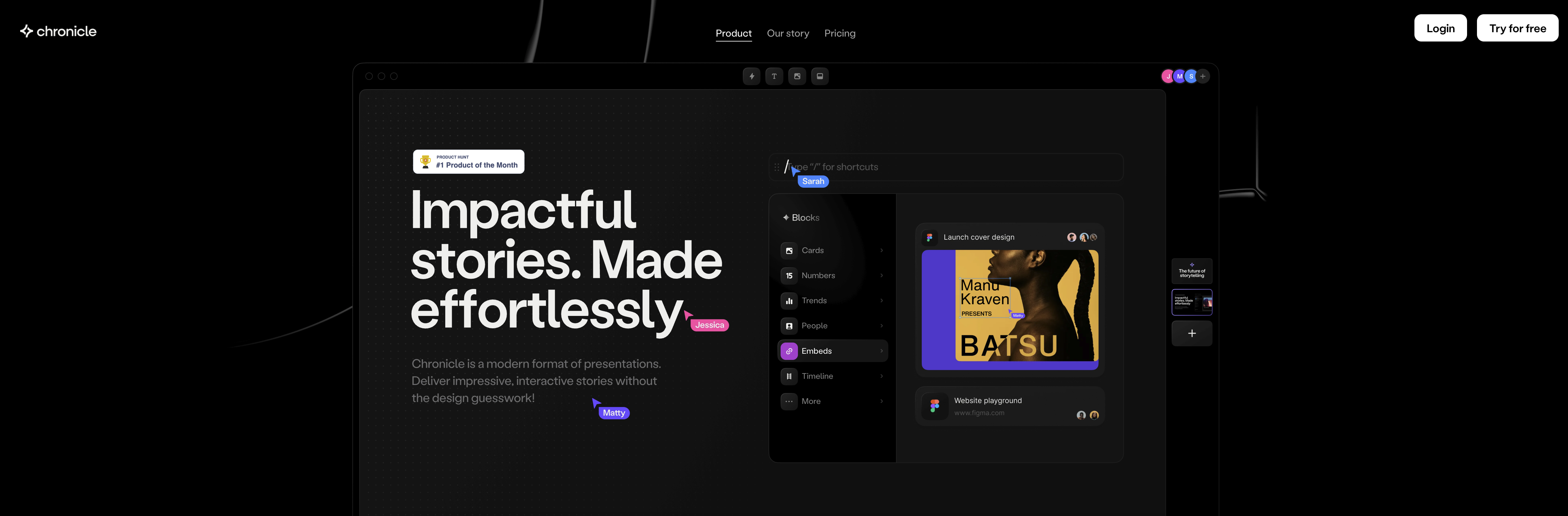
- Create professional presentations without design experience using AI-powered content generation and expert-verified templates
- Transform complex data into engaging visuals instantly with customizable, drag-and-drop widgets that maintain perfect design
- Design presentations faster with keyboard-first workflows and powerful shortcuts that streamline your creative process
- Collaborate seamlessly with teams through real-time editing and shared story development from any device
- Enhance presentations with interactive elements like editable reactions and emotes that humanize your storytelling
- Access presentations anywhere with mobile-friendly, bite-sized viewing optimized for on-the-go presenting
- Incorporate external content effortlessly by embedding links from other tools that automatically format within your presentation
Pros & Cons
Pros
- Customizable widgets
- Seamless interactivity
- Pixel perfect design
- Keyboard-first workflow
- Data visualization capabilities
- Transform widgets visually
- Powerful research features
- Content generation capabilities
- Real-time collaboration
- Editable reactions and emotes
- Mobile viewing capabilities
- Expert-verified templates
- Best practice guidance
- Shortcuts for expedited design
- Effortless embed functionality
- Data manipulation feature
- Real-time sharing
- Dynamic presentations
- Bite-sized mobile presentations
- Interactivity and motion widgets
- Business oriented visualizations
- Link embedding from any tool
- Real-time storytelling collaboration
- Interactive audience engagement
- Emotional humanized presentations
- Mobile-friendly format
- Specialized industry templates
- Built-in contextual guidance
- Easy widget customization
- Interactive effects inclusion
- Integrative team collaboration
- Best for no-design skills
Cons
- Lacks offline functionality
- Too keyboard-centric
- Widget manipulation limited
- Excessive focus on collaboration
- Limited widget customization
- Poor mobile experience
- Widget embedding restrictive
- Lacks integrative features
- Over-reliance on templates
- Limited visual transformation
Reviews
Rate this tool
Loading reviews...
❓ Frequently Asked Questions
Chronicle is a feature-rich, AI-enhanced presentation tool designed to assist individuals with minimal to no design skills in the process of creating visually appealing, compelling narratives. It offers a diverse range of customizable widgets for interactive presentation design, supports a keyboard-first workflow, provides real-time collaborative functionality, and includes mobile capabilities for portable, bite-sized viewing.
Chronicle's AI capabilities support the powerful researching, generating, and remixing functionalities of the tool, helping users enhance their presentations. This AI integration can analyze user inputs to create polished outputs, visual transformations, and conduct extensive research to enrich the presentation content, offering users an intelligent assistant to aid in content creation.
Yes, Chronicle is designed for collaborative use. It enables multiple users to simultaneously create, tweak, and share stories in real-time, fostering effective teamwork and efficient story coordination.
Chronicle offers a multitude of features to simplify the design process. These include an array of customizable widgets that can be visually transformed, a keyboard-first workflow with powerful shortcuts, capabilities for data visualization and manipulation, as well as options for embedding complex narratives into engaging visuals. Furthermore, Chronicle provides expert-verified presentation templates and supports real-time editing and sharing.
Chronicle's 'widgets' are customizable elements that help create interactive and dynamic presentations. They are crafted with precision and interactivity, can be dragged and dropped, and enable users to visualize, embed, and manipulate information to the users' advantage.
Yes, Chronicle's widgets are designed to be easily customized. Regardless of how you edit them, they are engineered to maintain a stunning, polished visual appeal.
Indeed, Chronicle is particularly suited for individuals who lack formal design skills. The platform is designed with ease of use and simplicity in mind, aiming to streamline the process of presentation creation with the assistance of artificial intelligence, customisable widgets, pre-set templates, and a variety of tools for visual data manipulation.
Chronicle employs visually transformative widgets and data manipulation tools to facilitate easy and engaging data visualization. It permits the transformation of widgets into various visual forms, and offers users the ability to embed and manipulate data, simplifying complex narratives into eye-catching visuals.
Chronicle's 'keyboard-first' workflow refers to a design process where common tasks can be expedited using keyboard shortcuts. This workflow is promoted in Chronicle, allowing for quicker and more efficient design and storytelling processes.
Yes, Chronicle is mobile-friendly. The platform boasts mobile capabilities that facilitate accessible, bite-sized viewing of presentations, allowing users to present anywhere, anytime.
Chronicle offers a variety of expert-verified templates, tailored to different kinds of presentations. These templates not only provide a solid starting point for any presentation but are also infused with best-practice guidance to enhance user storytelling capabilities.
No particular skills are required to use Chronicle. The platform is designed for easy use by individuals with minimal to no design skills, and offers a wide range of tools and features - including AI capabilities, customizable widgets, a keyboard-first workflow and expert-verified templates - that can help to simplify the presentation creation process.
Yes, Chronicle supports real-time sharing, allowing multiple users to create, tweak, and share stories simultaneously. This function enables a highly collaborative and timely development of presentations.
'Embeds' in Chronicle refer to the function of seamlessly incorporating external content into your presentation. You can paste links from various tools you use, and Chronicle will seamlessly package your outputs, helping users to enhance their presentations with external information.
Yes, Chronicle employs a keyboard-first workflow that facilitates powerful shortcuts to expedite the design process. These shortcuts assist users in reaching their desired results faster and more effectively.
Chronicle simplifies complex narratives by permitting the transformation of widgets into various visual forms and offering the ability to embed and manipulate information. The system also leverages its AI capabilities to research, generate or remix the presentation, distilling complex details into engaging visuals and enhancing the overall understanding of the storyline.
Yes, one of Chronicle's unique features allows users to utilize editable reactions and emotes to make presentations more engaging and human. This adds a level of interactivity and personalization to the presentations.
Absolutely, Chronicle leverages its built-in AI capabilities to provide research, generate content and remix the presentation. Users can use the advanced AI to perform powerful actions, research topics, generate content or remix their current presentation - all at the click of a button.
Yes, Chronicle offers the ability to transform textual information into visuals instantly. Users can prompt or input any data or content, and Chronicle can convert it into polished, visually engaging outputs in seconds.
Pricing
Pricing model
Freemium
Paid options from
$30/month
Billing frequency
Monthly