

Clipchamp Video Editor
Overview
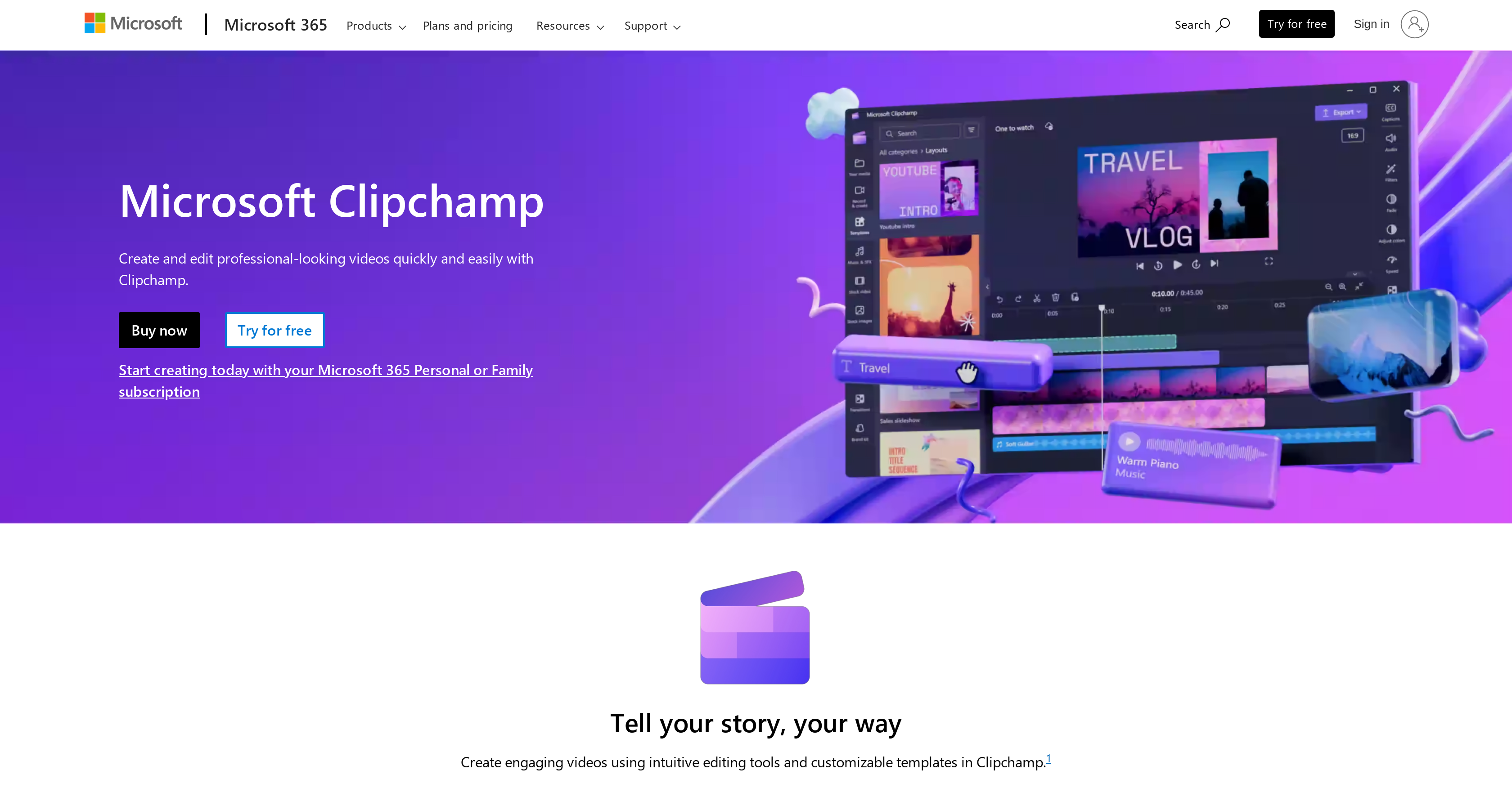
- Create professional-quality videos without editing skills using an intuitive interface designed for all experience levels
- Save time on video production with AI-powered features like automatic captioning and text-to-speech
- Maintain brand consistency across all videos using the Brand Kit to apply your fonts, colors, and logos
- Access your projects anywhere with seamless OneDrive integration for saving and sharing edited videos
- Start creating immediately with ready-to-use templates and a royalty-free asset library
- Work efficiently with drag-and-drop editing, special effects, and transitions for polished results
Pros & Cons
Pros
- Simplifies video editing
- Produces high-quality videos
- User-friendly interface
- Basic to advanced editing
- Integrated with Microsoft 365
- Geared towards individuals and businesses
- No video editing skills required
- Drag-and-drop editing
- Simple camera and screen recording
- Automatic captions for videos
- Text to speech feature
- Availability of video templates
- Access to royalty-free assets
- Audio adjustments: Speed, Pitch, Volume
- Customizable color palette
- Branding functionality
- Social media sharing
- Compatible with Microsoft 365 Personal/Family
- Designed for home and business users
- Adjustable audio settings
- Easy sharing across social platforms
- Integration with Brand Kit
Cons
- Requires Microsoft 365 subscription
- Limited to Microsoft ecosystem
- No standalone version
- Relatively basic editing tools
- Requires internet for usage
- Limited template customization
- Dependent on Microsoft support
- Lacks advanced sound control
- Limited export resolution
Reviews
Rate this tool
Loading reviews...
❓ Frequently Asked Questions
Clipchamp Video Editor is a tool offered by Microsoft 365. It's designed to streamline video editing, enabling users to produce high-quality videos with ease from home.
Clipchamp Video Editor simplifies video editing by offering an intuitive, user-friendly interface with a wealth of features. These features range from basic video editing functionality, such as trim and crop, to more advanced capabilities, including speed control and the application of special effects and transitions.
Clipchamp Video Editor is suited for both individuals and businesses. This covers a variety of use cases, ranging from home video making to creating professional video content for business marketing or training.
No, users do not require professional video editing skills to use Clipchamp Video Editor. It's designed to be easy to use for both novices and experienced video editors, thanks to its intuitive interface and straightforward editing features.
Clipchamp Video Editor is designed to be highly user-friendly. Its interface is intuitive and straightforward to navigate, making video editing accessible to users of all skill levels.
Clipchamp Video Editor provides a broad spectrum of features. Users can take advantage of basic video editing tools such as trim, crop, and speed control, as well as more advanced capabilities like special effects, transitions, and AI technologies for automatic captioning. It also offers customizable templates and a royalty-free asset library.
Clipchamp Video Editor is deeply integrated into the Microsoft 365 ecosystem. This makes it seamlessly compatible with other Microsoft 365 products, providing a unified user experience across the suite.
Yes, Clipchamp Video Editor is designed to enable users to produce high-quality videos. Its combination of user-friendly editing tools and advanced features allows both novice and experienced users to create impressive, high-quality video content.
Yes, with Clipchamp Video Editor, users can edit videos from home. This is consistent with its aim to facilitate easy video-production, catering to both personal and business use scenarios from any location.
Yes, Clipchamp Video Editor offers advanced editing capabilities. Beyond basic editing tools such as trim and crop, it provides features like special effects, transitions, intuitive drag-and-drop editing, and AI-enhanced features such as automatic captioning.
Yes, Clipchamp Video Editor is part of the Microsoft 365 suite. As an added tool within this suite, it's well-integrated with other Microsoft 365 products, enhancing the user experience and providing more value to Microsoft 365 subscribers.
Yes, users can create engaging video content using Clipchamp Video Editor. With its intuitive editing tools, advanced features, and customizable templates, creating professional-looking videos is made straightforward.
Yes, a trial of Clipchamp Video Editor is available. Users can try the application for one month free of charge before deciding to continue with a paid subscription.
Clipchamp Video Editor offers innovative AI features. These streamline creative processes, include capabilities like turning text into speech, creating automatic captions for videos, and providing assistive AI to create video from user-generated content.
Yes, Clipchamp Video Editor includes a feature that lets users add their own branding. With the Brand Kit feature, users can set their brand fonts, colors, and logo, and then easily apply them to any video.
Clipchamp Video Editor plays a crucial role in content creation. It allows users to not only create and edit high-quality professional videos but also embellish them with personal branding, add special effects, transitions, and choose from ready-to-use templates. Paired with a royalty-free library of assets, it's a complete tool for creating engaging video content.
Yes, Clipchamp Video Editor integrates with OneDrive. Users can save, access, edit, and share files and photos finished on the video editor via the integrated OneDrive cloud storage.
Clipchamp Video Editor pricing varies. For individuals, Microsoft 365 Personal, which includes Clipchamp, is available at $69.99 per year. Microsoft 365 Family, for up to six people, costs $99.99 per year. There are also business packages, with Clipchamp's cost starting from $3.00 per user/month.
Yes, users have access to Microsoft support experts as part of their Microsoft 365 subscription. This encompasses assistance with Clipchamp Video Editor among other Microsoft 365 products.
Pricing
Pricing model
Paid
Paid options from
$6.99/month
Billing frequency
Monthly
Related Videos
How to Use ClipChamp Video Editor - Free Video Editing App on PC
Howfinity•16.8K views•May 28, 2025


