
Overview
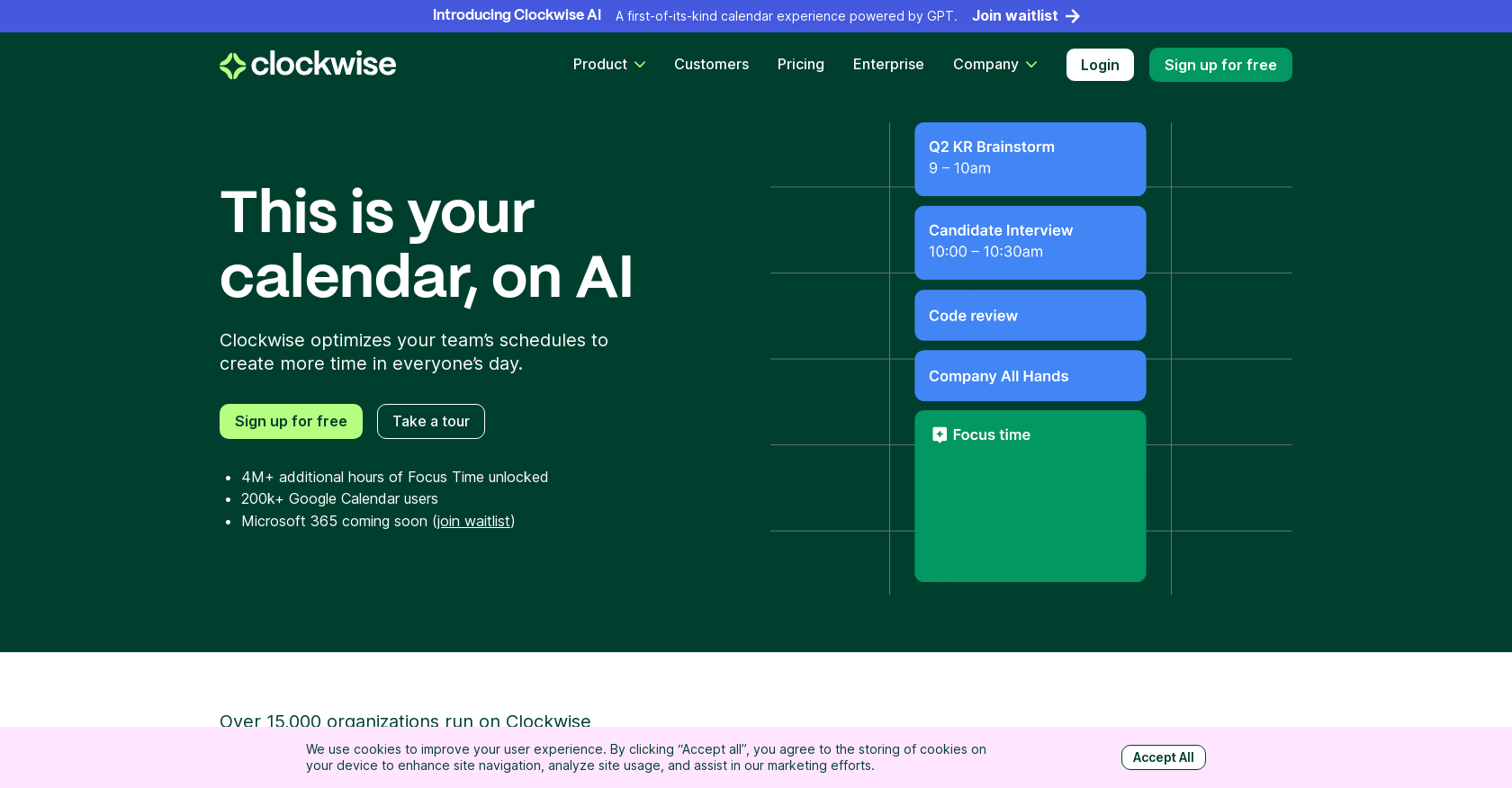
- Automatically reclaim hours of focused work time by having AI create uninterrupted Focus Time blocks across your team's calendar
- Eliminate constant calendar management and scheduling conflicts with AI that moves flexible meetings like one-on-ones to optimal times
- Maintain deep focus states by automatically minimizing distractions through integrations with Slack and Asana during Focus Time
- Gain real-time visibility into team bandwidth and set healthy work boundaries with manager analytics that prevent overload
- Achieve better work-life balance through optimized schedules that protect both collaboration time and independent deep work
Pros & Cons
Pros
- Optimized team schedule
- Automatically resolves conflicts
- Flexibility in scheduling
- Distraction minimization
- Slack and Asana integration
- Real-time analytics for managers
- Sets healthy boundaries
- User-friendly
- Free sign-up
- Tour and demo available
- Microsoft 365 compatibility
- Used by multiple organizations
- Improves collaboration efficiency
- Calendar automation
- Individual focus time blocks
- Finding most efficient meeting times
- Automatically moves flexible meetings
- Respected calendar tool
- Assists in maintaining work-life balance
- Reduces constant calendar management
- Helps in setting priorities
- Maximizes user's time
- Improves productivity patterns
- Efficient meeting scheduling
- Decreases context-switching
- Enhances cross-functional & timezone coordination
- Supports autonomous work flow
- Aids in focus and flexibility
- Monitors team bandwidth
- Endorsements from well-known companies
- Upcoming integration with Microsoft 365
- Preserves personal work preferences
- Promotes healthy working hours
Cons
- Limited meeting customization
- Only compatible with Google Calendar
- Exclusive focus on calendar management
- Minimal features for project management
- Not yet available for Microsoft 365
- Limited to Slack and Asana integrations
- Does not optimize for remote timezones
- Reliant on user preferences for scheduling
Reviews
Rate this tool
Loading reviews...
❓ Frequently Asked Questions
Clockwise is an AI-powered time management calendar tool that optimizes team schedules to create more time. The tool automatically maximizes productive time by efficiently scheduling meetings and minimizing distractions. It provides a new way of working with flexibility and focus by creating blocks of uninterrupted Focus Time and integrating with other tools, improving collaboration and management efficiency.
The AI behind Clockwise is based on the Generative Pre-trained Transformer (GPT) model. This AI technology understands users' preferences and productivity patterns and designs an ideal workday based on this information. The tool moves flexible meetings to efficient times, resolves scheduling conflicts and creates blocks of Focus Time for maximized productivity.
To optimize team schedules, Clockwise uses its AI capabilities to understand individuals' preferences and productivity patterns. It can automatically move flexible meetings, such as one-on-ones, to their most productive times and resolve schedule conflicts. It also creates blocks of time for focused work, minimizing gaps and distractions in the schedule.
During Focus Time, Clockwise creates blocks of uninterrupted time for focused work. It minimizes distractions by integrating with tools like Slack and Asana, ensuring that individuals can maintain a state of flow and increase their productivity. During this time, users can work independently without interruptions.
Clockwise can increase productivity by optimizing schedules for maximum efficiency. Through AI, it designs an ideal day based on one's preferences and productivity patterns, minimizes distractions by integrating with other tools, and creates blocks of uninterrupted Focus Time. It also simplifies calendar management, freeing up time to focus on important tasks.
Clockwise is used by many well-known organizations. Some of these include Amplitude, Asana, Etsy, Twitter, and Uber.
Yes, Clockwise provides real-time analytics for managers. These insights can help managers understand their team's bandwidth and set healthy boundaries, thereby promoting efficiency and a healthy work-life balance.
Yes, Clockwise is user-friendly. It simplifies an individual's workday and reduces the need for constant calendar management. It is accessible through a free sign-up and offers features like a tour and demo to help users get started.
Clockwise can move flexible meetings, like one-on-ones, to the most efficient times. It uses AI to automically find the optimal times for these meetings within the team's schedule, aiming to maximize Focus Time and efficiency.
Yes, Clockwise integrates with tools like Slack and Asana. These integrations allow it to minimize distractions during Focus Time, helping users maintain a state of productive flow.
Clockwise is for individuals and teams who want to manage their time more effectively. It is particularly useful for managers who wish to gain insights into their teams' bandwidth and help set healthy boundaries through real-time analytics.
Yes, Clockwise is free to use. It is accessible through a free sign-up on their website.
Using Clockwise for time management allows users to optimize their schedules, minimizing interruptions and maximizing productive Focus Time. It integrates with other tools to reduce distractions, and its AI automatically aligns flexible meetings with the most efficient times. In addition, managers can gain valuable insights into team bandwidth and set healthy boundaries with real-time analytics.
You can start using Clockwise by signing up for free on their website. They also offer features like a tour and demo to help new users get started.
Yes, Clockwise users find it helpful in creating a work-life balance. By optimizing schedules and focusing on productive work during Focus Time, they have reported being able to balance their professional and personal lives better.
In the Clockwise demo, prospective users can explore different features of the platform and see how it functions in real time. It offers a guided tour of functionalities like automatic meeting scheduling, creation of uninterrupted Focus Time, and integrations with other tools.
Yes, Clockwise is soon to be available for Microsoft 365 users. They can sign up on the waitlist for updates on its launch.
Yes, Clockwise provides scheduling links. These links help find the best time for meetings, keeping productive Focus Time in mind.
Clockwise can help set healthy boundaries for team members by ensuring that there is a balance between meetings and Focus Time. Managers can leverage its real-time analytics to understand team bandwidth, which helps in setting reasonable expectations and preventing work overload.
Yes, Clockwise allows customization according to individual preferences. The AI understands each user's unique work patterns and preferences, and accordingly designs their ideal workday. The settings can be modified to meet individuals' needs, thereby enhancing their productive time.
Pricing
Pricing model
Freemium
Paid options from
$6.75/month
Billing frequency
Monthly
Related Videos
Introducing Clockwise Links | A Smarter Way to Schedule Meetings
Clockwise•1.5K views•Mar 29, 2022