
Overview
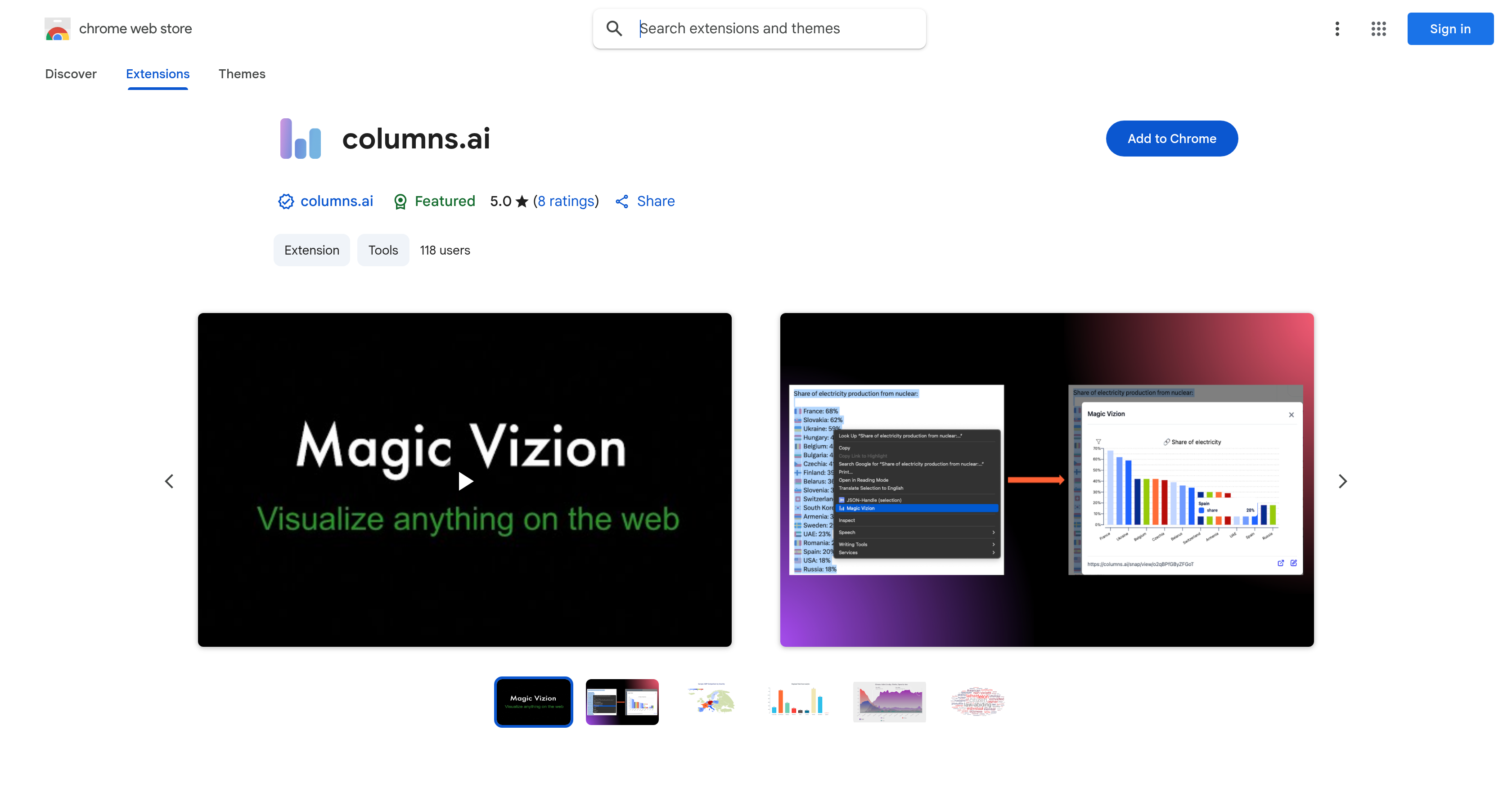
- Instantly understand complex web data by transforming any highlighted text or table into interactive charts with the Magic Vizion feature
- Save hours on data analysis by generating visualizations directly from web content without switching between applications
- Create customized visual reports by opening any generated chart in a new tab for editing, saving, and sharing
- Accelerate research and academic work by converting dense online information into clear, dynamic visual representations
- Capture insights from any webpage by right-clicking highlighted content to activate instant visualization
Pros & Cons
Pros
- Transforms web content into visuals
- Interactive data visualization
- Simple Chrome extension
- 'Magic Vizion' feature
- Customizable generated visuals
- Shareable visualizations
- Useful for researchers/analysts/students
- Operates in Chrome environment
- Interactive with web content
- Privacy policy transparency
- Support via email
- Clear information representation
- Web content processing
- Instant visualization creation
- Can save produced visualizations
- Fast visual transformation
- Visualization opens in new tab
- Good for data insight generation
- High user interactivity
- Developer with good record
- Compliant with Chrome practices
- Highly rated by users
- Continuous updates
- Lightweight size
- Support hub provided
Cons
- Google Chrome exclusive
- Potential privacy concerns
- No mention of offline use
- Limited to web content
- Requires manual content selection
- Only English language supported
- No API for integration
- Visual customization may be limited
- No clearly stated export formats
- User support only through email
Reviews
Rate this tool
Loading reviews...
❓ Frequently Asked Questions
Columns.ai is a Google Chrome extension that transforms the way users visualize and interact with web content. It functions by letting users highlight any paragraph, table, or text on a web page and turning it into an instant, interactive data visualization. The selected web content is analyzed and converted into a dynamic chart or visual, providing a clear and immersive understanding of the data. Users can then customize, save, or share the produced visualization.
To install Columns.ai on your Chrome browser, visit the Chrome Web Store, search for Columns.ai, and click on 'Add to Chrome'. A confirmation dialog will pop up. Click 'Add extension' to complete the installation.
'Magic Vizion' is a feature in Columns.ai that serves as a visualization engine. When a user highlights a paragraph, table, or text on a web page and right-clicks to select 'Magic Vizion', this feature analyzes the chosen information and instantly converts it into a dynamic chart or visual.
Columns.ai converts web content into data visualization through its 'Magic Vizion' feature. Upon selection of a paragraph, table, or text on a web page, 'Magic Vizion' analyzes the chosen information and instantly creates a dynamic chart or visual, which provides a clearer and immersive understanding of the web data.
Yes, visualizations created by Columns.ai are customizable. Upon creating a dynamic chart or visual, users have the option to open the visualization in a new tab and customize it according to their preferences.
Yes, it is possible to save or share the visualizations produced by Columns.ai. After generating a visualization, the user can open it in a new tab where they have the option to customize, save, or share the visualization.
Columns.ai is beneficial for a wide range of users. It is especially useful for researchers, analysts, and students who frequently handle complex data and need to transform it into meaningful insights. Furthermore, individuals desiring to quickly understand and visualize web content can benefit from using this tool.
Columns.ai operates exclusively on the Google Chrome environment. There is no information available indicating that it works on other browsers.
Yes, Columns.ai interacts directly with web content. By using this extension, you can highlight any text, paragraph, or table on a web page, and Columns.ai will then convert the selected content into an interactive data visualization.
Columns.ai can visualize any highlighted paragraph, table, or text on a web page. There are no specific types of data mentioned on their website, which suggests that as long as the content can be highlighted, it can be visualized by Columns.ai.
To activate the 'Magic Vizion' feature in Columns.ai, users need to highlight the desired paragraph, table, or text on a web page, right-click, and select 'Magic Vizion'. 'Magic Vizion' will then analyze the chosen information and instantly create a dynamic visual representing the data.
Columns.ai aids in understanding complex web data by converting it into dynamic charts or visuals. By visualizing the selected information, users can gain a clearer, more immersive comprehension of the data and thereby derive meaningful insights.
Yes, Columns.ai can visualize textual content from a webpage. If you highlight a paragraph, table, or the text on any webpage, 'Magic Vizion' will analyze and convert it into an instant interactive data visualization.
Columns.ai is designed to transform information into insights rapidly. The exact time it takes is not specified on their website, but the process is intended to be quick and efficient, providing users with immediate visual representations of their selected data.
There is a disclosure on the developer's privacy policy regarding the probable collection and usage of user data by the extension. However, the exact details have not been specified on their website.
Columns.ai has disclosed in its privacy policy that it may collect and use your data. More detailed information could be found in the developer's privacy policy. Yet, the specifics are not provided in the given data.
According to the details given, Columns.ai declares that users' data is not being sold to third parties, outside of the approved use cases. However, it is advised to go through the developer's privacy policy for a comprehensive understanding.
Columns.ai can assist in academic research by transforming complex data found on web pages into clear, dynamic charts or visuals. For researchers who need to handle and understand vast amounts of information, this tool provides an efficient way to visualize the data and gain insights rapidly.
Columns.ai is a Google Chrome extension that enables users to convert any highlighted section of a web page into interactive data visualizations instantly. This feature, also known as 'Magic Vizion', analyses the selected information and turns it into an engaging chart or visual, intended to provide a more comprehensive and immersive understanding of online data.
Columns.ai works by analyzing selected web content and transforming it into a dynamic visual representation. Users start by installing the extension on their Chrome browser, then highlight any paragraph, table, or text on a web page they wish to visualize. Upon right-clicking and selecting 'Magic Vizion', the tool automatically analyzes the selection and turns it into a clear, dynamic chart or visual.
To activate 'Magic Vizion' on Columns.ai, highlight any part of a web page's content that you wish to visualize, then right-click the highlighted section and select 'Magic Vizion' from the context menu.
Yes, you can customize the visualization produced by Columns.ai. After creating a visualization using 'Magic Vizion', it can be opened in a new tab where you can tailor it according to your needs.
To save a visualization in Columns.ai, create the visualization using 'Magic Vizion', it will then open in a new tab from where you can save it for future reference.
You can share a visualization from Columns.ai by first creating and customizing the visualization. Once the visualization opens in a new tab, you can then share it directly from there.
Any highlighted paragraph, table, or text on a webpage can be visualized with Columns.ai.
Yes, user support is provided by Columns.ai. Queries, feedback, or questions can be directed to the Columns.ai support team via email at [email protected].
According to the developer's privacy policy, Columns.ai might collect and use user data.
The privacy policy of Columns.ai details the collection and usage of user data. The specifics include what information is collected, how it is used, where it's stored, and more.
Columns.ai is beneficial for researchers, analysts, and students as it offers a quick and easy way to visualize complex data. Information that may be difficult to understand when read in text format can be transformed into a clear, interactive visual representation, aiding in faster comprehension and better insights.
The interaction between users and Columns.ai involves the user installing the Columns.ai extension on their Chrome browser, highlighting the web content they wish to visualize, and running the 'Magic Vizion' command through a right-click.
'Magic Vizion' in Columns.ai creates dynamic charts and visuals based on the web content selected by the user.
To install the Columns.ai extension on Chrome, go to the Chrome web store, search for Columns.ai, and then click on 'Add to Chrome'. Follow the prompts to complete the installation.
Columns.ai transforms web content into a visual representation by analyzing the highlighted information and then converting it into a dynamic chart or visual.
To generate a visualization using Columns.ai, first install Columns.ai on your Chrome browser. Next, highlight any paragraph, table, or text on a web page. After highlighting, right-click and select 'Magic Vizion'. Columns.ai will then analyze your selection and transform it into a visual representation.
The best way to select web content for visualization in Columns.ai is to highlight any part of it, such as a paragraph, table, or text, that you find informative or intriguing. The highlighted section can then be transformed into a visual using 'Magic Vizion'.
Columns.ai, unlike other data visualization tools, operates directly in the browser environment and focuses on creating visualizations from web content. It features 'Magic Vizion' that transforms selected web content into dynamic visuals in an instant, making it a convenient and quick tool for casual or beginner users and professionals alike.
Pricing
Pricing model
No Pricing
Related Videos
Magic Vizion - visualize the web
Columns Ai - Data Storytelling Platform•64 views•Oct 6, 2025