DG Diagram-Generator
Overview
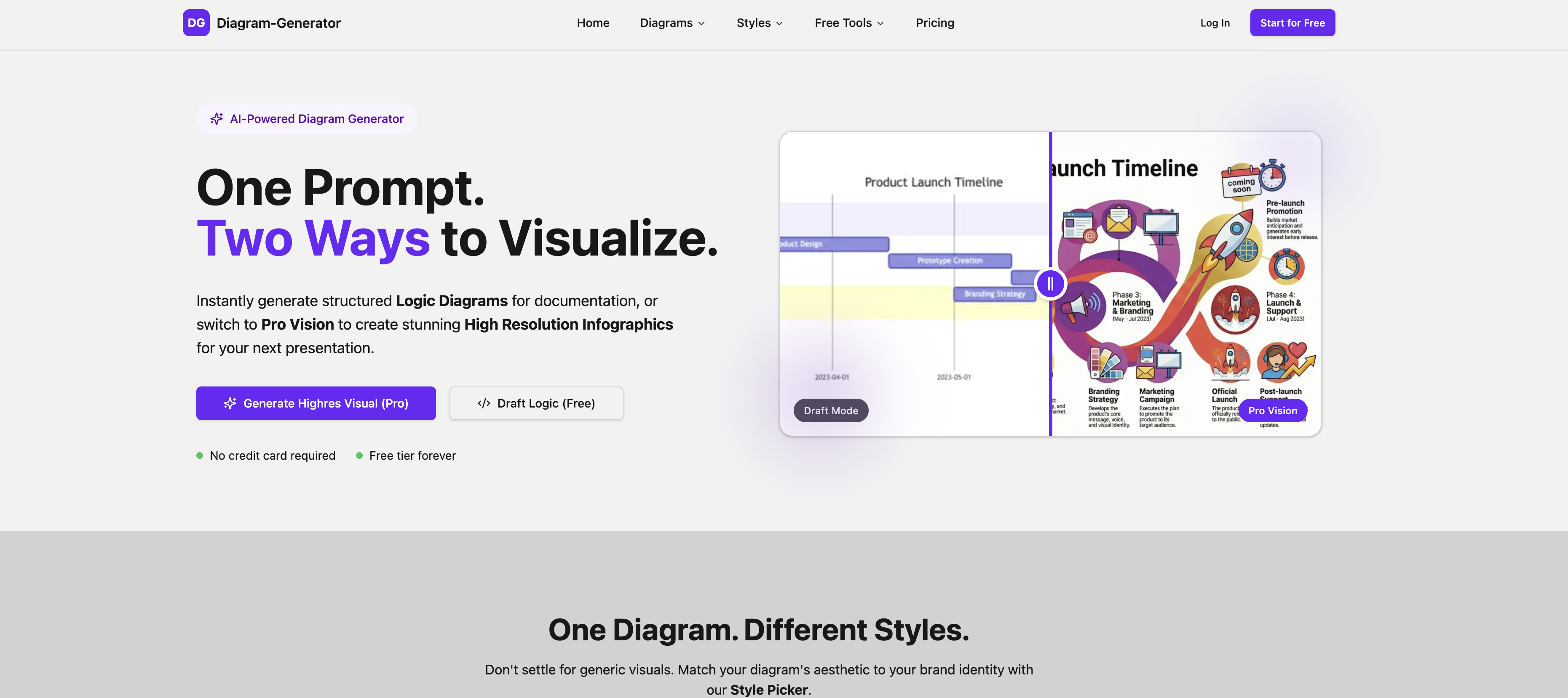
- Transform abstract concepts like customer journeys into clear visual stories using AI that analyzes sentiment and visualizes nuance.
- Create boardroom-ready, high-resolution diagrams for slides and reports instantly with Pro Vision rendering up to 4K.
- Match any brand aesthetic with a Style Picker offering Corporate Clean, Retro Pixel, and other visual styles.
- Generate accurate, up-to-date infographics as the Pro AI researches the latest data and relationships from the web.
- Refine your diagram's logic and text for free using a simple chat interface before committing credits to the final render.
- Cover any project need with 16 supported diagram types, from Flowcharts and Mind Maps to AWS Architecture and Gantt Charts.
Pros & Cons
Pros
- Supports 16 diagram types
- High-resolution outputs
- Draft Render workflow
- Multiple diagram styles
- One prompt generates diagrams
- Flowcharts and Organizational Charts
- Automatic Design feature
- Data Visualization capability
- Infographics creation
- Business Strategy Visualisation
- Emotional Journey Mapping feature
- Web Research tool
- Brand Aesthetics selection
- Credit-Based Pricing
- High Resolution renders
- Real-time updates
- Structured Documentation
- Logic Diagrams feature
- Pro Vision creation feature
- Aesthetic matching capability
- Web-data-driven research ability
- Advanced Pro engine
- Easy chat interface refinement
- Infographic rendering feature
- Boardroom-Ready aesthetics
- Real-world Awareness Search Grounding
- Complex Reasoning Visualization
- 4K Render capability
- Multi-tiered pricing models
- Different levels of resolution options
- Presence of watermark control
- Option of Commercial License
- Private Gallery feature
- Public and Private Gallery options
- Community, standard and priority Support options
- Supports editable Mermaid code
- Variety in Diagram Styles
- Professional-grade visualizations
- Sketch logic structure feature
- Connects to the web
- Customer sentiment analysis
- Pricing for compute usage
- Accuracy and recency assurance
- Unlimited Draft Mode
- Various Style Picker options
- Auto-scrolling showcase feature
- User friendly
- Ideal for presentations
- Varied diagram types and styles
- Create diagrams instantly
- No hidden fees
Cons
- Final rendering incurs cost
- Credit-based pricing
- Limited Pro features for free users
- Watermark presence in free version
- Chat interface may be complex
- Infographic research may be limited
- No alternatives to 'Draft Render' workflow
- Only 16 diagram types supported
- 2K resolution limit on lower tiers
- Credit dependent high-resolution rendering
Reviews
Rate this tool
Loading reviews...
❓ Frequently Asked Questions
DG Diagram-Generator supports 16 types of diagrams: Flowchart, Sequence Diagram, Class Diagram, State Diagram, Gantt Chart, Mind Map, Network Diagram, ER Diagram, UML Diagram, Venn Diagram, Sankey Diagram, AWS Architecture, Lewis Diagram, Organizational Chart, Quadrant Chart, and Funnel Chart.
DG Diagram-Generator uses an AI engine that is capable of understanding complex concepts and visualizing abstract ideas. The AI engine creates a logic structure sketch based on the user's idea, refines the structure, and eventually delivers a professional visualization. This process covers intricate dimensions of diagram creation including data research, sentiment analysis, and nuanced visualization.
DG Diagram-Generator offers a free Developer plan, a Starter plan priced at $9 per month, and a Professional plan priced at $35 per month. The difference between these plans is based on the number of Pro Credits provided per month, maximum resolution allowed, and the availability of features like commercial license, watermarked outputs, and support level.
The 'Draft Render' workflow of DG Diagram-Generator involves three steps: Describe & Draft, Refine, and Render in 4K. In the first step, the AI instantly sketches a logic structure based on the user's idea for free. The user can then refine the diagram by editing the text, adjusting the flow, or adding details, also at no cost. Finally, the diagram is rendered in high-definition, a service that costs between 3 and 6 credits.
DG Diagram-Generator offers an assortment of diagram styles, including Corporate Clean, Modern Tech, Editorial News, 3D Isometric, Blueprint, Hand-Drawn, Cyberpunk, Paper Cutout, Retro Pixel, and more. These styles allow for aesthetic matching with different brand identities or user preferences.
Yes, DG Diagram-Generator can generate high-resolution diagrams. Depending on the user's subscription model, the maximum resolution can be up to 4K.
DG Diagram-Generator stands out among other diagram tools because of its AI-powered capabilities that allow it to visualize complex, abstract concepts. It also supports 16 different types of diagrams, making it versatile for a wide array of requirements. Additionally, it offers multiple diagram styles to align with user or brand preferences, and its 'Draft Render' workflow ensures precision and high-resolution outputs.
DG Diagram-Generator can be used by a diverse range of users. It is designed for both professionals who need to create intricate, high-resolution diagrams for presentations and reports, and students who can benefit from its intuitive, AI-powered visualization techniques.
Yes, DG Diagram-Generator has an ability to visualize abstract concepts. It goes beyond representation of data and structures and can depict invisible, abstract concepts like the emotional journey of a customer or friction points in a sales strategy.
Yes, diagrams from DG Diagram-Generator can be used for professional presentations. They are high-resolution outputs which can be directly included into slides or reports.
DG Diagram-Generator has been developed with user-friendliness in mind. The intuitive, AI-powered tool facilitates easy creation and refinement of diagrams with simple features and a straightforward 'Draft Render' workflow.
With DG Diagram-Generator, users can match diagrams with brand identity using the Style Picker feature. It provides multiple diagram styles ranging from 'Corporate Clean' to 'Retro Pixel', which can be chosen to align the aesthetic of the diagram with the brand ethos.
'Pro Vision' in DG Diagram-Generator refers to the ability to create stunning high-resolution infographics, while 'Draft Logic' refers to the ability to instantly generate structured logic diagrams. Both of these offer different ways to visualize concepts based on user requirements.
The maximum resolution of diagrams created using DG Diagram-Generator depends on the subscription model. For the Professional plan, diagrams can be rendered in up to 4K resolution.
Yes, DG Diagram-Generator is effective for student use. It supports a broad range of diagram types covering diverse subjects and concepts which can aid in studying and assignments. Its intuitive features and 'Draft Render' workflow make diagram creation easy for students.
DG Diagram-Generator assists in report generation by providing high-resolution, professional visualizations that can succinctly depict complex data or abstract concepts. These outputs are ready to be integrated into reports thereby enhancing their comprehension.
'Corporate Clean' style in DG Diagram-Generator refers to a modern and professional diagram style that can be chosen to match with a corporate brand image.
Yes, DG Diagram-Generator offers a Retro Pixel style option, which provides diagrams a pixel-art aesthetic.
Yes, DG Diagram-Generator can cater to complex understanding visualization. Its AI engine is capable of grasping and visualizing complex and abstract concepts.
Yes, DG Diagram-Generator provides a user-friendly interface. It has been designed with a focus on ease of use and intuitive functionality, offering features like simple chat interface for refining drafts and a straightforward 'Draft Render' workflow.
DG Diagram-Generator supports an extensive variety of 16 diagram types. Some of these include Flowchart, Sequence Diagram, Class Diagram, State Diagram, Gantt Chart, Mind Map, Network Diagram, ER Diagram, UML Diagram, Venn Diagram, Sankey Diagram, AWS Architecture, Lewis Diagram, Organizational Chart, Quadrant Chart, and Funnel Chart.
DG Diagram-Generator's 'Draft & Render' workflow starts with creating a free-of-cost logic structure based on the user's idea. This draft is created by a lightweight AI and users can then refine this structure using a simple chat interface. Once the draft is refined, it is rendered into a high-quality visualization by the AI engine.
DG Diagram-Generator uses a simple credit-based pricing model. There are three plans, namely 'Developer', 'Starter', and 'Professional'. The Developer plan costs $0/month and provides 5 Pro credits. The Starter plan costs $9/month and includes 100 Pro credits/month, while the Professional plan at $35/month comes with 400 Pro credits/month. The rendering of the final infographic incurs a cost, which is accounted for in a credit-based structure, with different plans offering different amounts of credits.
DG Diagram-Generator provides a wide array of diagram styles to match any aesthetic requirement. Some of the styles include Content-Based, Corporate Clean, Modern Tech, Editorial News, 3D Isometric, Blueprint, Hand-Drawn, Cyberpunk, Paper Cutout, and Retro Pixel.
DG Diagram-Generator's Pro Vision feature is ideal for creating stunning high-resolution infographics. This Pro AI connects to the web and researches the latest data, facts, and relationships before it draws. This ensures the generation of accurate, up-to-date infographics at a click of a button.
DG Diagram-Generator visualizes complex concepts by interpreting the user input and translating it into an intuitive and detailed diagram or infographic. Whether it's an abstract concept like 'the emotional journey of a customer buying a house' or specific business metrics, the AI meticulously analyzes the sentiment and visualizes the nuance, presenting it in an easily understandable format.
DG Diagram-Generator follows a simple credit-based pricing model where you pay for the compute you use. The final rendering of a high-quality visualization costs between 3-6 credits. Different plans offer different amounts of credits according to the requirement of the users. For example, the Developer plan offers 5 one-time Pro credits, the Starter plan offers 100 Pro credits/month, and the Professional plan gives you 400 Pro credits/month.
Yes, DG Diagram-Generator's outputs are designed to be inserted directly into reports and presentations. The tool offers Boardroom-Ready Aesthetics and generates high-resolution diagrams and infographics ready to drop straight into slides or reports.
Yes, DG Diagram-Generator's Pro AI engine has the capability to connect to the web and conducts comprehensive research on the latest data, facts, and relationships before it draws a diagram, providing users with accurate and up-to-date infographics.
DG Diagram-Generator leverages its AI-powered engine to assist users in creating data visualizations. Whether you need a logic diagram for detailed, structured documentation or a high-resolution infographic for the presentation, DG Diagram-Generator provides you with a 'Draft & Render' workflow, wherein you can create your initial logic structure for free, refine it, and finally have it rendered into a professional diagram.
'Corporate Clean' is among the style options provided by DG Diagram-Generator. This style provides a neat, professional-looking aesthetic suitable for business and corporate presentations, reflecting the clear and minimalistic approach often favored in corporate settings.
Yes, DG Diagram-Generator could definitely be used to create sales strategy visualizations. The tool is capable of visualizing concepts like 'The friction points in our Q3 sales strategy.', thereby helping businesses to strategize and execute their sales plans effectively.
DG Diagram-Generator provides two distinct modes for creating diagrams - 'Draft Mode' and 'Pro Vision'. Users can create structured logic diagrams for documentation for free in Draft Mode. To create stunning high-resolution infographics suitable for presentations, users can switch to the Pro Vision mode.
DG Diagram-Generator ensures the recency of data used in infographics through its 'Search Grounding' feature as part of Pro Vision. The AI connects to the web and conducts research on the latest data, facts, and relationships before it starts drawing, giving users accurate and up-to-date infographics.
DG Diagram-Generator analyzes the sentiment of abstract concepts like 'emotional journey' and visualizes it. It utilizes its AI engine to comprehend complex understandings and then creates a high-resolution visualization of invisible, abstract concepts, thus making them easily understandable.
Yes, DG Diagram-Generator supports the creation of high-resolution diagrams. Users can create both high-resolution infographics through the Pro Vision and Logic Diagrams for detailed, structured documentation.
DG Diagram-Generator's chat interface aids users in refining the initial draft created by the AI. Users can edit the text, adjust the flow, or add details using this simple chat interface, thus allowing them to fine-tune their diagrams according to their specific needs before the final rendering into a high-quality visualization.
DG Diagram-Generator takes a structured approach to documentation. Users can instantly generate structured logic diagrams for documentation. The AI sketches a logic structure based on the inputted idea, which the user can then refine. This provides a structured, intuitive and detailed approach to documentation.
DG Diagram-Generator's 'Pro Vision' is devised to upgrade your diagrams from simple boxes to visual stories ready for the boardroom. It offers features like real-world awareness, complex reasoning, and high-quality rendering. The Pro AI connected to the web researches the latest data, facts, and relationships before it draws, providing up-to-date infographics. It can visualize abstract concepts analyzing the sentiment and the nuances. The 'Pro Render' feature provides a high-fidelity, professional visualization.
Pricing
Pricing model
Free Trial
Paid options from
$9/month
Billing frequency
Monthly
Refund policy
Users can request a full refund within 7 days of the initial subscription if under 10% of credits are used.