

FontDance
Overview
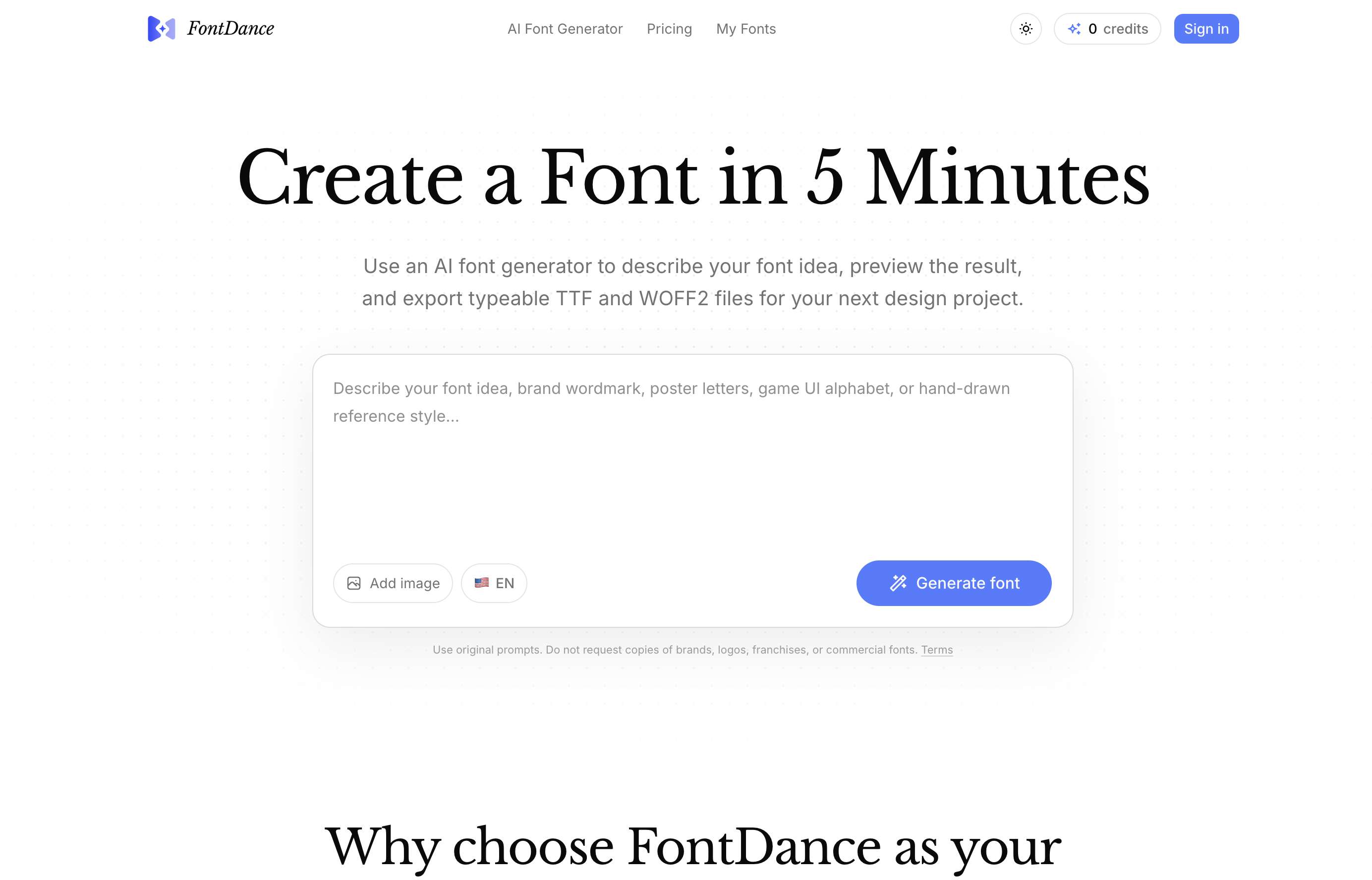
- Design a complete, original typeface from a simple text prompt or reference image, with AI ensuring every glyph—uppercase, lowercase, punctuation, and symbols—is cohesive and ready for use.
- Preview your font with your own words in a live test to verify spacing, rhythm, and readability before exporting, eliminating guesswork from the design process.
- Export finished fonts as standard TTF or WOFF2 files, making them immediately usable in web projects, brand development, prototypes, and graphic design work.
- Explore a vast range of font styles—from modern minimalist to grotesque alien—by combining written prompts and image references, enabling rapid experimentation for any creative direction.
- Avoid copyright risks with built-in originality guardrails that verify each font is not a copy of existing commercial fonts, logos, or franchises, ensuring your work is legally safe for branding.
- Generate a full font system in minutes instead of hours, accelerating the exploration of design possibilities without sacrificing structure or readability.
Pros & Cons
Pros
- Generates fonts from text/image prompts
- Fast font exploration
- Cleaner, usable glyphs
- Downloadable design-ready files
- Live preview function
- Generates punctuation and symbols
- Tests readability and visual rhythm
- Guarantees original fonts
- Offers TTF and WOFF2 formats
- Prioritizes font structure integrity
- Requires no scattered tools
- Option to refine fonts
- Usable for web designs
- Comprehensive character creation
- Cues provided for font originality
- Supports brand development projects
- Template guidance for font creation
- Guidance for clear visual direction
- Ensures consistent character spacing
- Prepare fonts for prototypes
- Quality-aware generation
- Effectively keeps originality guardrails
- Provides simple pricing model
- Designed for real usability
- Facilitates design project execution
Cons
- Only supports TTF and WOFF2
- Potential inconsistency in generated glyphs
- Oversimplified fonts
- Cannot replicate complex fonts
- Difficult to achieve exact font styles
- Price based on font creation frequency
- Not suitable for recreating existing fonts
- Dependent on user's font description skills
- Limited control on font details
- Cannot guarantee readability of fonts
Reviews
Rate this tool
Loading reviews...
❓ Frequently Asked Questions
FontDance generates fonts using AI by starting the process with a written style prompt, a chosen reference image, or both depending on the user's preference. These elements guide the tool towards a specific visual direction. FontDance then generates all the components of a font, ensuring they are all original and not copies of existing fonts.
The main features of FontDance include a prompt-driven AI font generation process, generation of usable AI-driven fonts over simple images or text effects, live preview function for testing the fonts, a thorough review of font structure and layout for cohesiveness, and export capability in TTF and WOFF2 formats. These features make FontDance a comprehensive tool for AI-driven font creation.
FontDance ensures the fonts generated are not copies by using its AI capabilities to review during the generation process and verify that all font components are original. This process verifies that the generated fonts are not derivatives or exact copies of existing fonts in the market.
FontDance creates complete components of a font which include uppercase, lowercase, punctuation, and symbols. These components make up a comprehensive typeface that can be used in various design scenarios.
The function of the live preview in FontDance is to allow users to type their own words and test the spacing and rhythm after the generation of the fonts. It provides the users a real-time view of their typeface, enabling them to ascertain if the result worth exporting.
Yes, FontDance reviews font structure and layout during the generation process. It checks for the coherence of glyphs and ensures that all elements of the font are consistent and harmonious. This process guarantees that the generated font meets the expectations of astute designers.
FontDance can be guided towards a specific visual direction by user inputs, in the form of a written style prompt, a reference image, or both. This technique helps the AI system structure and imagine a desired visual communication scenario - yielding accurate font styles.
FontDance provides downloadable files in TTF (TrueType Fonts) and WOFF2 (Web Open Font Format 2) formats. These are the standard file types used for actual design work, prototypes, brand experiments, and website use.
FontDance prioritizes faster exploration by leveraging AI to quicken glyph generation. By accepting written style prompts or reference images at the start of the process, it quickly focuses on the desired visual direction, reducing unnecessary iterations and providing a more efficient exploration process.
To create a font using FontDance, one has to describe their font idea, preview the result using the live text preview feature, and then export typeable TTF and WOFF2 files for their next design project. It's a simple three-step process.
Yes, users can type their own words in the FontDance live preview. This feature allows them to check the spacing, rhythm, and overall application of their generated font in actual text.
FontDance handles glyph generation using AI. From an input style prompt or a selected image, FontDance generates all the components of a font, such as uppercase, lowercase, punctuation, and symbols, ensuring they align with the desired style and coherence.
Yes, users can use images as references in FontDance. This feature contributes to more accurate and specific font generation, where the AI generates the font in the visual direction given by the reference image.
FontDance allows users to download their generated fonts as TTF (TrueType Fonts) or WOFF2 (Web Open Font Format 2) files. These formats are suitable for further design work, prototypes, website use, and brand experiments.
Yes, FontDance definitely supports designing for web and prototype designs. Fonts generated by FontDance can be downloaded in TTF and WOFF2 formats, which are compatible file types used for web design and prototyping.
FontDance generates cleaner glyphs by reviewing the structure and readability of the font during the generation workflow. The AI checks for consistent spacing, glyph structure and overall readability, ensuring that the final product is of high quality and suitable for real design work.
Yes, FontDance absolutely supports brand design. Fonts generated with FontDance can be used for various applications including branding. The tool provides options to create fonts that help companies create a unique and recognizable visual identity.
Yes, users can explore different design styles with FontDance. The combination of written style prompts and reference images allows FontDance to generate a wide variety of font styles, from modern minimalist fonts to lavish fantasy fonts.
The Originality guardrails feature in FontDance serves to ensure that all fonts generated are original and not copies of existing fonts. This safeguards users from unintentionally infringing on existing font copyrights and promotes creativity in font creation.
FontDance aims to generate fonts in a matter of minutes. Its AI-powered system expedites the process, moving from a user's style idea to a usable font draft quickly. This makes FontDance an efficient tool for rapid type experiments.
FontDance is a tool that harnesses the power of artificial intelligence to streamline the process of font creation. It allows users to generate unique, functional fonts from given text prompts or image references. The generated fonts are not merely decorative but typeable and applicable to actual design work. The tool maintains a focus on facilitating faster exploration of design possibilities, cleaner production of glyphs, and ensuring the availability of downloadable files ready for further design, brand development, or web use.
FontDance begins the font generation process with a user's input in the form of a written style prompt, a selected reference image, or both. This guides the tool towards a specific visual direction. The AI then generates all necessary components of a font, including upper and lowercase letters, punctuation, and symbols. There's a live preview feature for users to review spacing and rhythm of the generated font, make required adjustments, and decide if the result is worth exporting.
Yes, FontDance is designed to create both uppercase and lowercase letters. This aims at making a comprehensive font system applicable to real design work.
Yes, FontDance is equipped to generate punctuation and symbols, alongside uppercase and lowercase letters. This ensures a comprehensive approach to font creation and makes the final output more useable in practical design scenarios.
The live preview function on FontDance allows users to type their own words and view them in the generated font. This feature helps in testing and examining the spacing and rhythm after the font has been generated, allowing users to make more informed decisions on whether the font is suitable for exporting and usage in their design work.
FontDance emphasizes originality and discourages the reproduction of established brand logos, franchises, or commercial fonts. The development of each font is guided by user-provided prompts and image references to ensure uniqueness. The AI checks for structural coherence and readability to ensure that the generated font is not merely a duplicate of an existing font.
Yes, users can download the font files generated by FontDance. This feature makes the tool valuable for actual design work and smooth integration into users' design processes.
FontDance supports two file formats for downloading fonts: TTF (TrueType Font) and WOFF2 (Web Open Font Format 2). These formats are ideal for further design work, website use, and prototyping.
FontDance reviews the structural coherence and layout of each generated font to ensure readability. It uses AI-driven algorithms to ensure that the fonts generated adhere to principles of readability, from glyph design and spatial arrangement to visual rhythm.
Yes, FontDance allows users to generate fonts based on a chosen reference image. This facilitates the generation of fonts that closely align with a visual direction provided by the user.
FontDance employs a simple pricing model that is based on the desired rate of font creation. Users have the option to choose between various plans like Starter, Creator, and Business depending on their need for generating fonts. Each plan is charged monthly or yearly.
FontDance can facilitate brand development by generating unique fonts that align with the brand's visual identity and communication strategy. These fonts can be exported and used for creating brand-specific visual elements like logos, typographic branding, advertisements, and marketing materials.
The font generation process on FontDance involves three key steps: describing the style, generating and reviewing the font, and finally previewing and downloading the files. It begins with providing a written style prompt or a reference image or both, letting FontDance create the first draft of the font, checking whether the letters radiate readability, and finally, previewing the font and downloading the file if satisfactory.
Yes, FontDance allows you to input your own text which can be previewed in the generated font. This enables users to gauge the look and feel of the font more accurately, facilitating informed decision making on the applicability of the font in their design projects.
Yes, you can export fonts from FontDance for web projects. The AI font generator produces downloadable files in both TTF and WOFF2 formats which are suitable for website designs.
FontDance discourages users from replicating existing fonts. Emphasis is placed on creating original fonts, either by basing the creations on the users' unique written styles prompts or image references. The tool employs AI algorithms to review structure, coherence, and originality of the generated fonts, thus preventing direct copies of established brands, logos, franchises, or commercial fonts.
FontDance uses artificial intelligence to review the structure and layout of the generated font. This involves analyzing parameters like glyph layout, character spacing, rhythm, and structural consistency to ensure adherence to standard typographic conventions and to ensure that the font resembles a real, usable font as closely as possible.
With FontDance, you can create a variety of fonts, from sharp geometric vector display fonts to grotesque alien fonts. The tool allows a broad spectrum of stylistic options, enabling users to generate fonts that align with their unique vision or design concepts.
Yes, FontDance provides significant assistance for creating typeable AI-driven fonts. The tool features a comprehensive workflow where users provide style prompts or image references, generate the font, inspect its structure and readability, test the font in a live preview, and finally export it if satisfactory.
The fonts generated by FontDance can be used in a wide range of scenarios. They are suitable for design projects where unique typography is essential, for creating brand visuals or experimenting with brand identity, for prototyping, for creating unique typography for websites, or for any graphic design project where font originality and usability are key.
Pricing
Pricing model
Paid
Paid options from
$9.90/month
Billing frequency
Monthly
Refund policy
View Policy













