Geekflare Connect
Overview
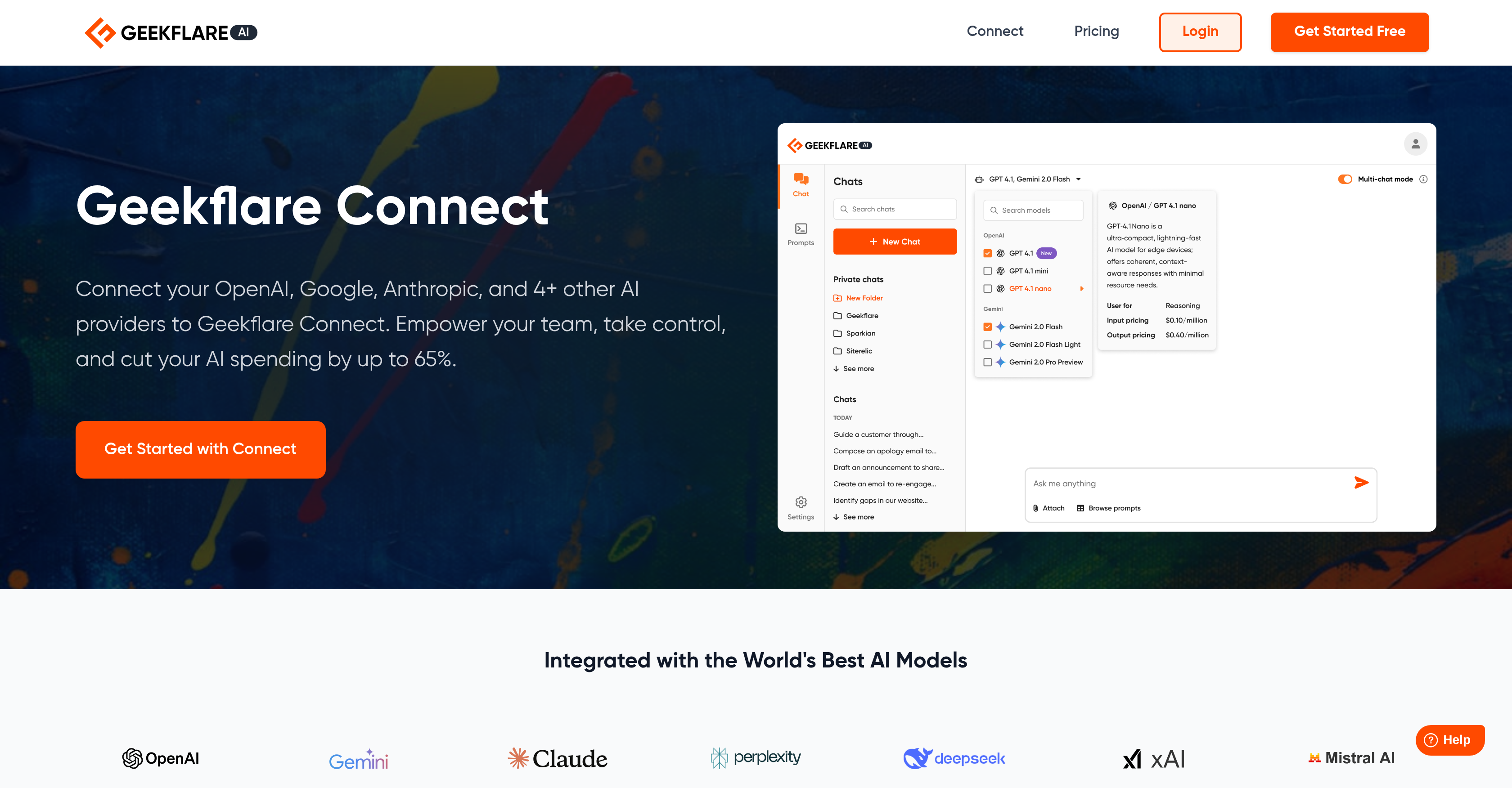
- Cut AI costs by up to 65% through unified team collaboration that eliminates redundant subscriptions and inefficient tab-switching
- Compare responses from GPT-4, Gemini 2.5, and Claude 4 side-by-side to instantly identify the best model for each specific task
- Access real-time web data for up-to-the-minute research answers powered by Google and Firecrawl integration
- Gain complete visibility into team token usage and chat history across all providers with consolidated usage analytics
- Launch projects faster using the curated prompt library with expert templates for marketing, support, and engineering workflows
- Find any past conversation instantly with fully searchable chat history organized by folders and topics
- Share chat histories and collaborate seamlessly across marketing, support, and engineering teams in one workspace
- Start working immediately with simple setup that lets you connect API keys and invite teams in minutes
Pros & Cons
Pros
- Collaborative platform
- Unified multi-provider support
- Side-by-side model comparison
- Live web access
- Organized chat experience
- Searchable chat history
- Team token usage analytics
- Prompt library
- Easy setup
- Variety department catered
- Workflow efficiency
- Centralized workspace
- Simplified collaboration
- Immediate interaction with models
- Browser tab reduction
- Powerful unified workspace
- Real-time data integration
- Shareable team chat
- Kickstart with curated prompts
- Fast onboarding and productivity
- Involve your team quickly
- Secure API key addition
- Immediate model usage
- Evokes creativity in projects
- Brand tone consistency
- One place content finalization
- Translation for global campaigns
- Integrated competitor analysis
- Shared prompts for positioning
- Workspace for collaboration
Cons
- Data privacy concerns
- Possible tool complexity
- Requires multiple API keys
- Team collaboration complexities
- Potential performance issues
- Limited data translation languages
- Lack of offline mode
- Potential setup difficulties
Reviews
Rate this tool
Loading reviews...
❓ Frequently Asked Questions
Geekflare Connect supports AI providers such as OpenAI, Google, Anthropic and more, eliminating the need for multiple browser tabs and centralizing the models in a unified workspace.
The setup process for Geekflare Connect is simple and user-friendly. Users first sign up for an account on Geekflare Connect. They can then securely add their API keys from one or more providers in their settings. Once the keys are added, users can immediately start interacting with their models in the interface.
The side-by-side model comparison feature on Geekflare Connect allows users to compare responses from various models like GPT-4, Gemini 2.5 and Claude 4 instantly on a unified platform. This feature enhances quick decision-making by finding the best output for tasks more efficiently.
Yes, Geekflare Connect is designed for collaborative team work. It provides a unified workspace where teams can easily organize conversations, search their full chat history, and share it with their teams. It also gives a consolidated view of your team's chat history and token usage across all connected providers.
API keys on Geekflare Connect are secured as per their website. Users can add their API keys securely in their settings during setup.
Geekflare Connect provides a range of benefits to different departments. Marketers can use it as a campaign co-pilot for bold ideas, high-impact copy, and marketing to drive conversions. Founders, managers, and teams from support to engineering can utilize the platform to streamline their workflow from brainstorming to publishing, enhancing efficiency and promoting collaboration across the board.
The 'Prompt Library' feature in Geekflare Connect provides a curated collection of expert prompts to kickstart tasks. Users can also create private prompts as per their need, enhancing customization and relevancy of tasks.
Geekflare Connect helps reduce AI spending by up to 65% through unified team collaboration. By integrating various AI provider keys, it eliminates the need for jumping between browser tabs and provides access to every model from one workspace, reducing operational inefficiencies and costs.
The 'Usage Analytics' feature on Geekflare Connect provides a consolidated view of your team's chat history and token usage across all connected providers. Such detailed insights enhance the understanding of usage patterns, enabling more informed decision-making and resource allocation.
Geekflare Connect aids in your workflow from brainstorming to publishing by offering a unified workspace where teams can instantly access, compare, and collaborate with top AI models. With features such as a prompt library and advanced chat experiences, it simplifies the workflow, accelerating processes from idea generation to final publication.
The advanced chat experience on Geekflare Connect offers an organized and efficient communication platform. Users can organize conversations with folders, search their entire chat history, and share the chat with their teams as needed.
With the real-time data and live web access features, Geekflare Connect supercharges your AI operations. You can access up-to-the-minute answers, enabling enhanced research with real-time data powered by Google and Firecrawl.
Yes, users can securely connect multiple AI keys from different providers to Geekflare Connect. This offers the benefit of centralizing the models in a single powerful workspace, simplifying the process and eliminating the need to manage separate tabs for different providers.
Yes, Geekflare Connect is designed for easy setup and onboarding. Users can sign up, add API keys, invite their teams, and begin working with AI tools right away. This leads to a simpler onboarding process and instant productivity.
Yes, Geekflare Connect offers a searchable chat history. This feature allows users to efficiently find past conversations and information within their chat history.
With Geekflare Connect, users can gain insights quickly using real-time data access and features such as side-by-side model comparison that let users find the best output for their tasks at a faster rate.
Models like GPT-4, Gemini 2.5, and Claude 4 on Geekflare Connect provide users with a wide range of AI tools for various tasks. Users can compare responses from these models side-by-side to facilitate better decision-making for the best output for their tasks.
Geekflare Connect enhances team productivity by providing a unified, multi-provider supported platform where teams can collaborate, share ideas, and streamline their workflow from brainstorming to publishing. The platform's ease of setup also contributes to instant productivity.
Yes, Geekflare Connect allows users to share their chat history with their teams. This feature promotes collaborative work and ensures appropriate team members can access necessary conversations and information.
Users can sign up for Geekflare Connect and get started on Geekflare's official website. The sign-up process is straightforward and fast, and users can immediately start interacting with models in the interface once they've securely added their API keys.
Pricing
Pricing model
Freemium
Paid options from
$9.99/month
Billing frequency
Monthly
Related Videos
Geekflare Connect - Onboarding and your first chat
Geekflare•23 views•Sep 1, 2025