Overview
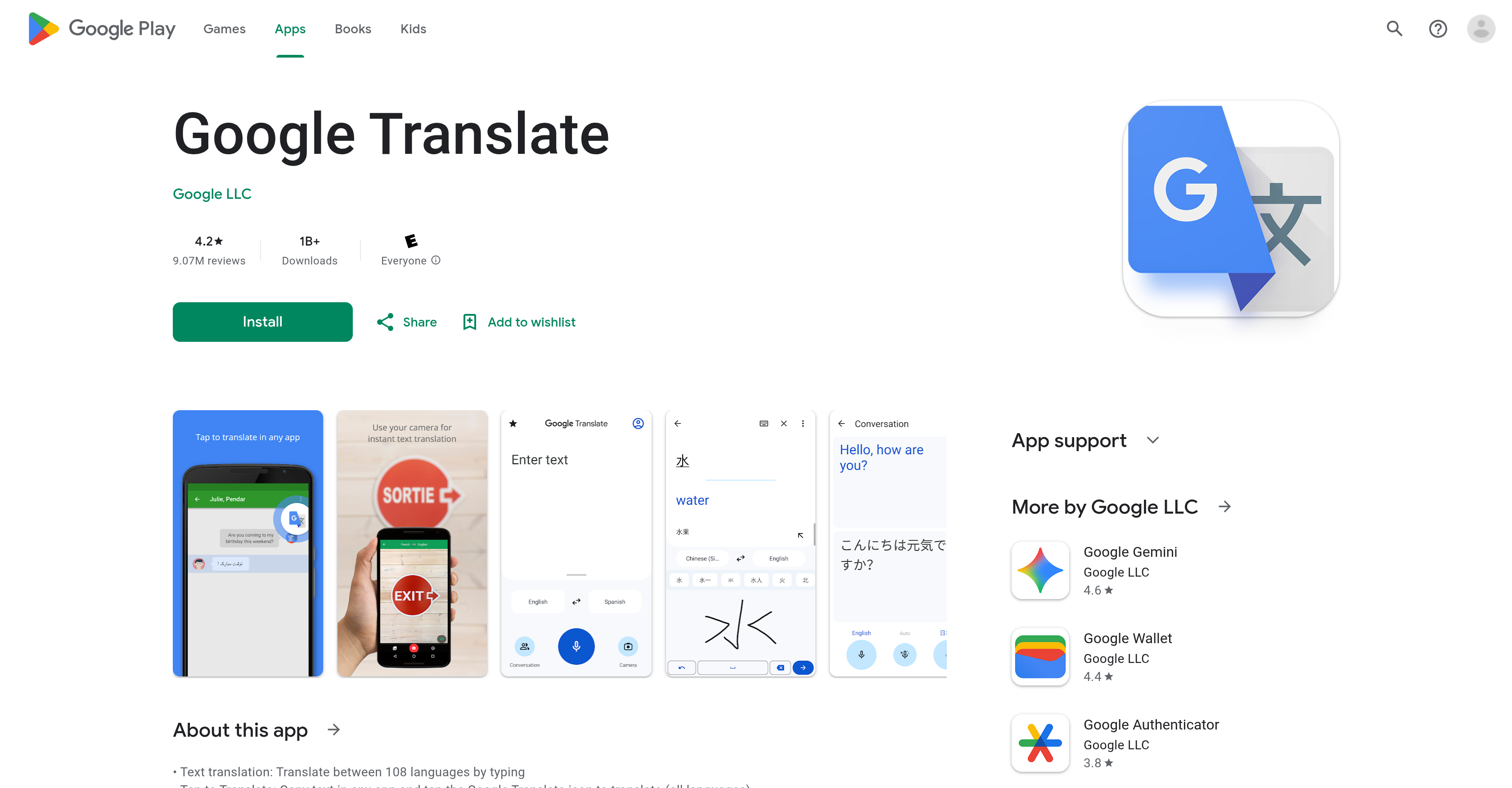
- Read foreign signs and menus instantly by pointing your camera at text, using the instant camera translation for 94 languages.
- Have fluid, two-way conversations with real-time bilingual conversation translation, understanding and being understood immediately.
- Translate handwritten notes or characters you draw on screen, with handwriting recognition for 96 languages.
- Access your most important translations anywhere by saving words and phrases to your Phrasebook, which syncs across your mobile app and desktop.
- Understand live speeches or long audio by using the transcribe feature for continuous, near real-time translation of spoken language.
- Communicate without an internet connection by downloading language packs for offline translation in 59 languages.
- Get higher quality translations from printed materials by taking or importing photos, a feature available for 90 languages.
Pros & Cons
Pros
- Translates 108 languages
- Instant translation feature
- Image text translation
- High quality photo translations
- Real-time bilingual conversation translation
- 96 languages handwriting translation
- Cross-device syncing
- Phrasebook feature for saving translations
- Continuous translation with transcribe feature
- Optional permissions
- Can work without microphone or camera permissions
- Offline translations
- Account setup and management
- Supports external storage
- Over 1B downloads
- High user rating
Cons
- Inaccurate at times
- Issues with voice translation
- Limited transcribe feature languages
- Confusion with long phrases
- Doesn't translate full sentences
- No option for playback speed adjustment
- Handwriting feature limited to 96 languages
- Translation breakdown while reading
- Loss of content when voice translate stops
Reviews
Rate this tool
Loading reviews...
❓ Frequently Asked Questions
Google Translate supports translations between 108 languages including Afrikaans, Albanian, Amharic, Arabic, Armenian, Assamese, Aymara, Azerbaijani, Bambara, Basque, Belarusian, Bengali, Bhojpuri, Bosnian, Bulgarian, Catalan, Cebuano, Chichewa, Chinese (Simplified), Chinese (Traditional), Coriscan, Croatian, Czech, Danish, Dhivehi, Dogri, Dutch, English, Esperanto, Estonian, Ewe, Filipino, Finnish, French, Frisian, Galician, Georgian, German, Greek, Guarani, Gujarati, Haitian Creole, Hausa, Hawaiian, Hebrew, Hindi, Hmong, Hungarian, Icelandic, Igbo, Ilocano, Indonesian, Irish, Italian, Japanese, Javanese, Kannada, Kazakh, Khmer, Kinyarwanda, Konkani, Korean, Krio, Kurdish (Kurmanji), Kurdish (Sorani), Kyrgyz, Lao, Latin, Latvian, Lingala, Lithuanian, Luganda, Luxembourgish, Macedonian, Maithili, Malagasy, Malay, Malayalam, Maltese, Maori, Marathi, Meiteilon (Manipuri), Mizo, Mongolian, Myanmar (Burmese), Nepali, Norwegian, Odia (Oriya), Oromo, Pashto, Persian, Polish, Portuguese, Punjabi, Quechua, Romanian, Russian, Samoan, Sanskrit, Scots Gaelic, Sepedi, Serbian, Sesotho, Shona, Sindhi, Sinhala, Slovak, Slovenian, Somali, Spanish, Sundanese, Swahili, Swedish, Tajik, Tamil, Tatar, Telugu, Thai, Tigrinya, Tsonga, Turkish, Turkmen, Twi, Ukrainian, Urdu, Uyghur, Uzbek, Vietnamese, Welsh, Xhosa, Yiddish, Yoruba, Zulu.
Google Translate can translate between 108 languages.
Google Translate can translate between one language and another at a single time.
The instant translation feature in Google Translate is designed to provide real-time translations of text in images. Users can simply point their camera at a text in a different language, and Google Translate will translate that text instantly into the selected language. This feature is available for 94 languages.
Yes, Google Translate has an exceptional feature that can translate text in images. It can recognize and translate text in images when a user simply points their device's camera at the text. This revolutionary feature is supported in 94 languages.
Yes. Google Translate has a unique functionality that enables real-time translation of bilingual conversations. It allows for instant understanding and communication between two individuals speaking different languages.
Yes, Google Translate has a handwriting translation feature. This feature is designed to translate drawn text characters instead of typed text, and it supports 96 languages.
The Phrasebook feature in Google Translate allows users to star and save certain translated words and phrases for future reference. This feature is accessible in all the supported languages. To use it, you just need to mark the star next to a translated word or phrase, and it will be saved in the Phrasebook for future reference. It helps frequent users to quickly access commonly used translations without having to translate them again.
Yes. Google Translate provides a cross-device syncing feature that allows users to synchronize their Phrasebook data between the mobile app and a desktop. After saving translated words or phrases in Phrasebook on one device, users can access that same data on another device by logging in to the same account.
The transcribe feature of Google Translate is designed to continuously translate someone speaking a different language in near real time. It is a useful tool for translating live speech or audio recordings. Note that it's limited to only 8 languages currently.
Google Translate may request permissions for microphone use for speech translation, camera access for text translating text via the camera, external storage for downloading offline translation data, and access to contacts for account setup and management. However, these permissions are optional, and users can still use the app even if they don't grant these permissions.
Yes, Google Translate has an offline translation feature which enables translations even when there is no internet connection. This feature supports 59 languages.
Yes, Google Translate offers cross-device syncing which allows users to sync their Phrasebook between the app and desktop. You simply need to log in using the same account on both devices.
Yes, Google Translate can recognize and translate handwriting. The app supports handwriting translation in 96 languages, allowing the user to draw text characters instead of typing.
Yes, Google Translate supports speech translation. This feature uses your device's microphone to capture spoken words and translate them into a selected language in real time.
Yes, Google Translate can translate text from photos. Users can take or import photos for higher quality translations. This feature is available for 90 languages.
The quality of translations provided by Google Translate may vary based on the complexity of the text and the languages involved. While Google Translate is generally accurate for simple translations, users may find some inaccuracies with complex sentences or technical vocabulary in certain languages.
Yes, Google Translate can be used even if optional permissions are not granted. It may ask for permissions like access to the microphone for speech translation, camera for translating text via the camera, and contacts for account setup and management. Even if these permissions are not granted, users can still use the app's essential features.
Yes, Google Translate offers real-time conversation translation. It has a separate functionality designed specifically for translating bilingual conversations in real time.
Some unique features of Google Translate include: translating between 108 languages by typing, instant camera translation for 94 languages, translation of handwriting in 96 languages, Phrasebook for saving and referencing translated phrases across all languages, real-time translation of bilingual conversations in 70 languages, transcribing spoken language in near real time in 8 languages, and the ability to translate offline in 59 languages.
Pricing
Pricing model
Free
Paid options from
Free
Related Videos
How to Use Google Translate for Travel! (New Features Explained)
The Travel Coaches•113.3K views•Sep 14, 2025