

Graphix
Turn raw data sets into clear, presentation-ready visuals without manual chart building, because AI data visualization reads your numbers or topic and maps them into the right infographic format.
Listing not yet reviewed by our editors · How we check
Overview
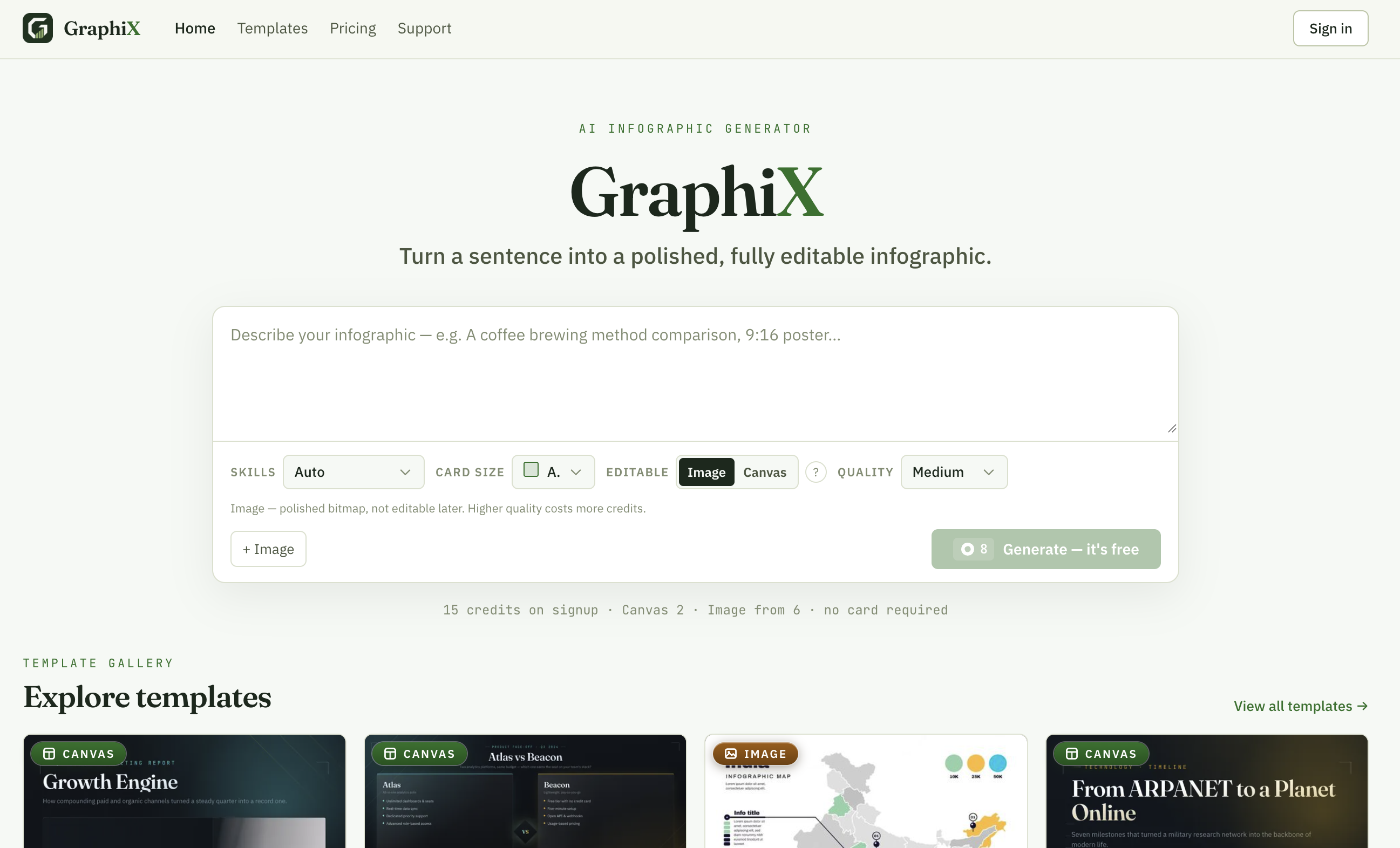
- Turn raw data sets into clear, presentation-ready visuals without manual chart building, because AI data visualization reads your numbers or topic and maps them into the right infographic format.
- Get a finished infographic from a few sentences of instruction, since you describe what you need in a brief and the AI infographic generator builds the design to match.
- Show every kind of story your data tells, from trends and project history to side-by-side decisions, with built-in chart, timeline, and comparison infographic types.
- Skip the blank canvas and start from a layout that fits your purpose by choosing from a selection of ready-made infographic templates.
- Keep full control over the final look and wording, because every generated graphic is fully editable and customizable after creation.
- Begin making infographics at zero cost, with free access to create infographics before committing to any paid upgrade.
Pros & Cons
From the listing; not yet checked by our editors.
Pros
- Generates various infographic types
- Interprets data visually
- Range of templates available
- Customized infographics per brief
- Fully editable graphics
- Freemium model
- User-driven customization
- Easy data interpretation
- Quick infographic creation
- User-friendly interface
- Enhances data presentation
- Suitable for different topics
- Turns data into charts
- Generates timelines from data
- Supports comparison visualizations
- Data-to-visual mapping
- Enhances data comprehension
- Multiple template choices
- Facilitates brief-based creation
- Customization after generation
- Possible additional paid features
- Allows free infographic generation
Cons
- No integration with data platforms
- Limited types of infographics
- May require in-depth customization
- Limited templates
- Freemium model limitations
- No collaborative features
- Data input not automated
- No API
- No mobile app
- Limited data interpretation capabilities
Alternatives to Graphix
Tools that share the most tags with Graphix.
- Infograph.app
Transform complex data into clear visuals instantly using AI that analyzes any text or raw numbers
Free
Not listed
Not yet checked
- Infografix
Transform simple text prompts into professional infographics instantly without any design skills required using AI-powered generation
Free
Not listed
Not yet checked
- AI Infographic Generator
Transform complex data into clear visual stories instantly using simple text prompts, eliminating the need for design expertise
Freemium · from $10/month
$10/month
Not yet checked
- KindlePPT
Generate complete presentations, scripts, essays and quizzes in minutes instead of hours using AI content generation
Paid · from $10/month
$10/month
Not yet checked
- AI Infographics
Transform complex data into engaging visuals instantly using AI-powered text-to-infographic conversion
Free trial · from $5/month
$5/month
Not yet checked
- AI Infographic Generator
Eliminate expensive designer fees and slow turnarounds by generating professional infographics for just $0.30 each after your free credits.
Freemium · from $12/month
$12/month
Not yet checked
Reviews
Rate this tool
Loading reviews...
Frequently asked questions
What is Graphix AI Infographic Generator?
Graphix AI Infographic Generator is a tool designed to transform topics or data sets into visually appealing and comprehensible infographics.
How does Graphix interpret data?
Graphix employs AI technology to interpret data. The AI system is capable of understanding given data sets or topics and mapping them into a suitable visual format.
What kind of infographics can Graphix generate?
Graphix can generate a wide range of infographic types, inclusive of charts, timelines, and comparisons.
Can I choose my own template on Graphix?
Yes, Graphix offers a selection of templates that users can choose from according to their requirements or preferences.
Is it possible to edit the graphics generated by Graphix?
Yes, the graphics generated by Graphix are fully editable. This feature provides flexibility and customization options to the users.
How does Graphix map data into visual format?
Graphix maps data into visual format using AI technology. The AI system is designed to understand and interpret the data, subsequently transforming it into a suitable visual format - a process known as data visualization.
Is it possible to use Graphix for free?
Yes, users can begin creating infographics on Graphix free of charge.
Does Graphix offer a freemium model?
Given that Graphix allows anyone to start creating infographics for free, it suggests the existence of a freemium model where additional features or capabilities may be available at an extra fee.