Overview
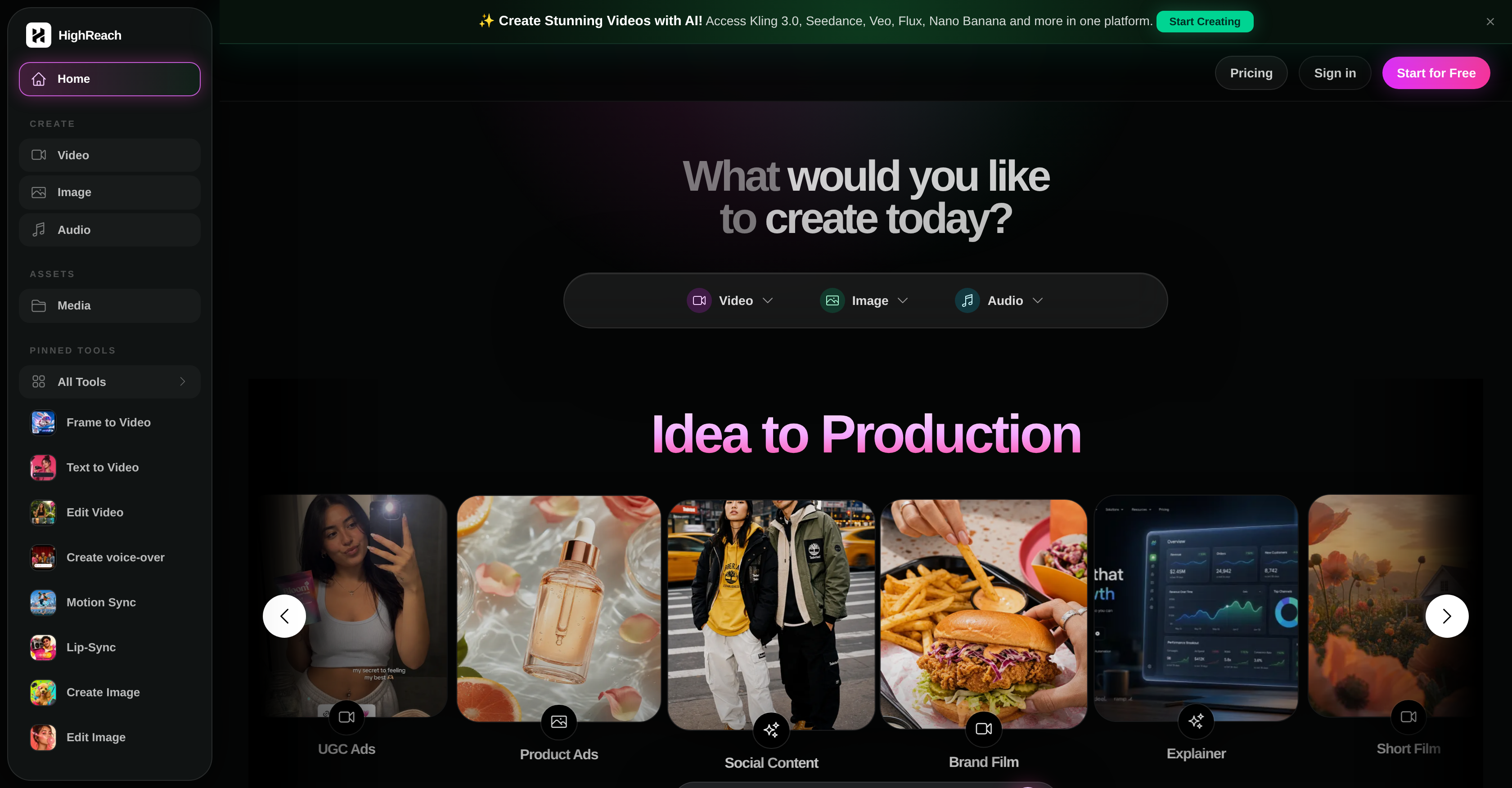
- Create campaign-ready videos, product ads, and brand films from text prompts or frames, powered by AI video generation and editing that adapts to object, scene, and style changes.
- Produce polished, on-brand visuals instantly with text-to-image conversion and AI image editing, retouching, and inpainting—ensuring every asset matches your exact creative direction.
- Launch talking-avatar videos that engage audiences by animating a speaker image with uploaded voice audio, supported by AI avatars creation and text-to-speech for seamless voiceovers.
- Generate dynamic motion content that syncs perfectly to a reference pose, beat, or motion clip, making your video edits feel intentional and alive.
- Build complete ad concepts faster with multi-shot image-to-video generation and prompt adherence, ensuring your AI-generated content aligns precisely with your campaign brief.
- Create shareable social content and brand films in one unified workspace, combining AI video, image, and audio production tools to streamline your entire creative workflow.
- Enhance your video and image assets with AI-generated music and sound effects, adding production value without needing separate audio software.
Pros & Cons
Pros
- Generates videos from frames
- Prompts-based text-to-video feature
- Video editing based on objects
- Video editing based on scenes
- Video editing based on style
- Generates voice-over from text prompts
- Ability to match movements to references
- Animate images with uploaded audio
- Text to image conversion
- Model reference for text to image conversion
- Prompt-based image editing
- Image retouching capabilities
- Generates music and sound effects
- Asset creation for product ads
- Asset creation for social content
- Asset creation for brand films
- Prompt Adherence feature
- Creates avatars from images
- Asset generator for reusable assets
- Talking avatar creation
- Products image to studio-quality photoshoots
- Auto-contained workflow for ad creation
- Auto subtitle feature for videos
- Platform-ready video exports
- Brand-consistent designs for images
- Supports 75+ languages for global reach
- Voices & Voiceover selection
- Automatically creates ads from product links
- Optimized resizes for multiple platforms
- Ability to create custom avatars
- Auto captions for engagement
- Asset generator for various formats
- Optimized for ad platform exports
- Photo to Avatar feature allowed
- Option for Lip Sync in avatars
- Supports multi-language and accents
- Transforms product images into ai photoshoots
Cons
- Lacks collaboration options
- Limited avatar diversity
- No mute option
- No plugin for platforms
- No offline mode
- Not open source
- Potential privacy concern
- Subscription plans restrictive
- Doesn't support all languages
- Inadequate documentation or tutorials
Reviews
Rate this tool
Loading reviews...
❓ Frequently Asked Questions
HighReach comes loaded with many crucial features including AI Video Generation and Editing, Audio Production, AI Avatars Creation, Text To Speech, Text To Image Conversion, Image Editing and many others. These features help in creating and managing different types of creative assets effectively from a single platform. Other distinctive features include Multi-shot Image-to-Video, Prompt Adherence, and AI Inpainting.
HighReach assists in creating campaign-ready assets by allowing users to generate and edit videos, images, avatars, and audio content. Users can make use of various functionalities like creating video from text prompts or frames, editing videos as per scene or object changes, and converting text to images.
HighReach's video editing function is designed to provide varying editing capabilities that include creating videos from frames or text prompts. Moreover, it allows edits according to object, scene, and style changes. It's an essential feature that equips users to tailor videos suited best for their brand's creative needs.
Yes, HighReach is equipped with a feature where it can generate voice-over audio from text prompts. It's an important part of HighReach's AI Audio Production feature set and helps in creating quality audio content.
Yes, HighReach has the ability to animate images with uploaded voice audio to create talking-avatar videos. This feature is a significant part of the AI Avatars Creation functionality that HighReach offers.
HighReach's AI models offer support for prompt adherence and are capable of multi-shot image-to-video generation enhancing the creation of ad concepts. They are integral in making the functioning of HighReach adept at creating highly personalized and modular content.
The 'Text to Image' conversion feature in HighReach enables conversion of text prompts into images. This capability can be optimized by using optional model references. It permits brand-specific visuals that can be created using simple text prompts.
HighReach can create a variety of videos including campaign-ready assets, brand films, and product ads. It includes the capabilities of creating videos from frames or text prompts and editing videos as per object, scene and style changes.
HighReach supports ad concept generation through enhanced video generation capabilities and latest AI models. These functionalities enable the users to create more engaging and innovative ad concepts that can meet their brand's unique promotional needs.
HighReach becomes an ultimate tool for social content through its abilities to create and edit videos, images, and avatars that match the unique needs of social platforms. Further, its AI Social Content, Image Editing and various other features facilitate creating engaging and shareable content.
HighReach helps in creating talking avatar videos by animating a speaker's image with uploaded voice audio. This allows users to create engaging avatars that can communicate with audiences effectively.
HighReach can assist in your brand films creation process by providing tools to generate and edit videos according to your needs. It can convert frames or text prompts into videos and can further allow you to make edits based on object, scene, and style changes.
Yes, HighReach is capable of generating music and sound effects. It is a part of their 'AI Audio Production' feature that improves the overall experience of the user interactively.
'Multi-shot Image-to-Video' in HighReach refers to the feature which facilitates transformation of multiple still images into a smooth and cohesive video.
HighReach handles AI retouching by integrating this functional feature to help correct or enhance images. AI Retouching allows users to improve image quality and bring necessary modifications automatically.
'Motion Matching' feature in HighReach allows users to match the movement in their videos to a reference pose, beat, or motion clip. This helps in creating dynamic and engaging motion content.
Yes, with HighReach, users can create and edit videos. HighReach provides functionalities such as creating videos from frame or text prompts and editing videos according to object, scene, and style changes.
Yes, HighReach can convert text to speech with the help of its 'Text To Speech' feature. This capability is particularly useful in creating voice-overs for videos and avatars.
'AI Inpainting' feature in HighReach is used to complete an image by filling in the missing areas or holes in an intelligent way leveraging AI.
The 'Prompt Adherence' feature in HighReach enables the AI to stick to given text prompts closely while generating videos, creating images, or during any content creation process. This feature assures that all AI-generated content aligns well with initial input or instructions.
Pricing
Pricing model
Paid
Paid options from
$14/month
Billing frequency
Monthly