Overview
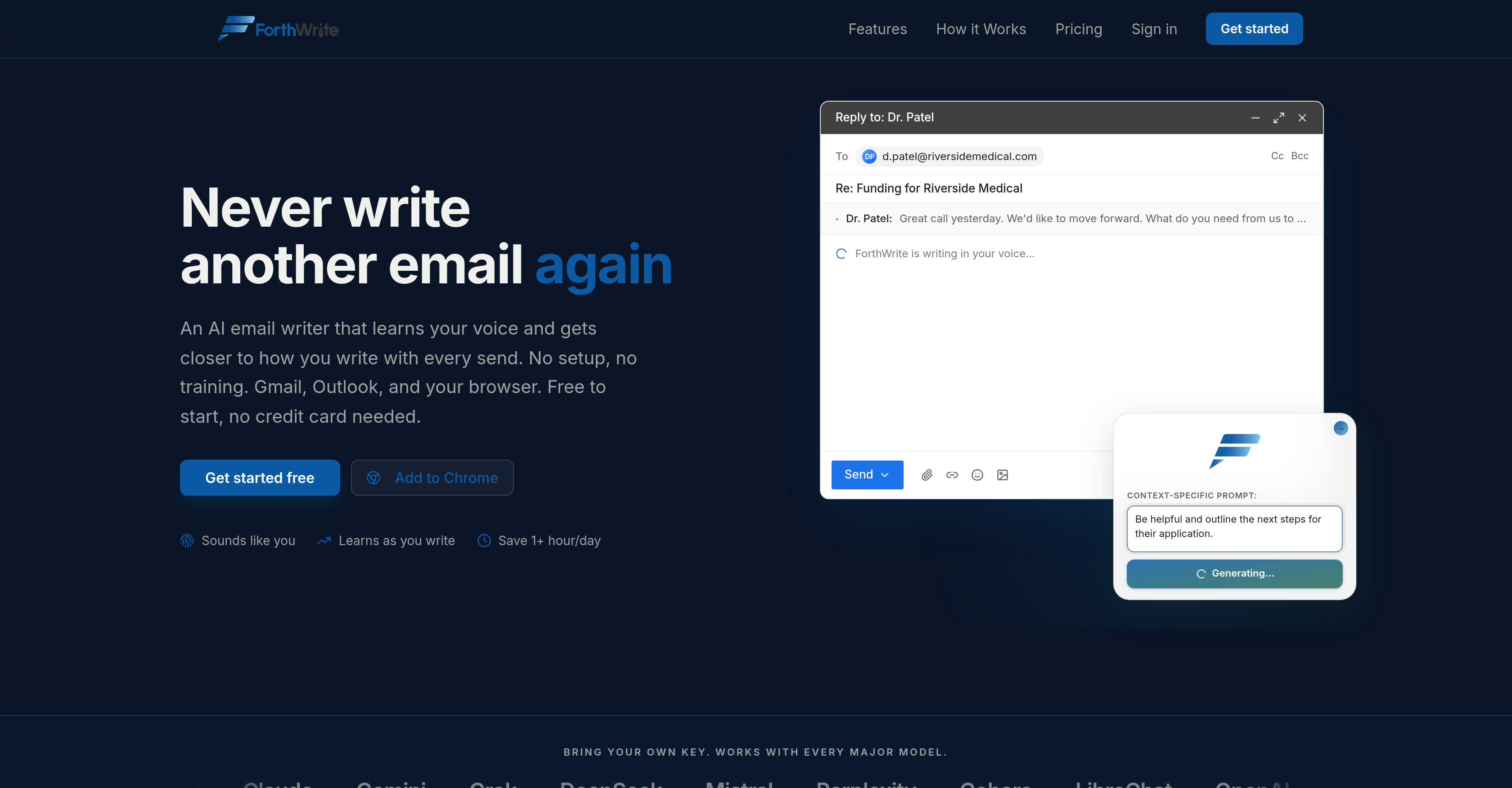
- Draft emails in your authentic voice without rewriting every message—Voice Match captures your tone, sentence rhythm, and sign-offs from your real sent mail.
- Auto-draft replies before you even open your inbox, so you respond faster and clear your queue in seconds—automated email replies work in the background as messages arrive.
- Maintain your personal voice at scale across hundreds of replies—recipient-aware drafts adapt to who you are emailing, keeping each message contextually appropriate.
- Cut email composition time to near zero—accept a pre-written draft and send, because the AI learns from your accepted drafts to improve accuracy with every email sent.
- Protect your unique writing style and data with full privacy control—BYOK support lets you bring your own API key for OpenAI, Claude, Grok, and more, with encrypted, isolated training sets.
- Refine your email persona through data-driven iteration—Prompt Lab enables version control and A/B testing of prompts against your sent emails to optimize how closely drafts mirror your voice.
- Track how well drafts match your style and measure time saved—Performance Analytics shows acceptance rates and similarity scores, giving you concrete proof of personalization improvement.
- Start using it instantly with zero setup—works inside Gmail and Outlook on the web, adapting progressively from your first sent email without any training required.
- Export or wipe your training data anytime with one click—full data portability and a data wiping feature ensure you retain complete ownership of your writing profile.
Pros & Cons
Pros
- Learns your writing style
- Saves significant email time
- Supports multiple AI models
- No training setup required
- Voice accuracy improves over time as more sent emails are collected
- Batch-draft entire inbox with one click
- Auto-drafts incoming emails
- Context-aware thread understanding
- Can bring your own API for a discount
- Detailed performance analytics
- Free plan available
Cons
- Limited to Gmail, Outlook
- Model is pre-selected based on tier unless you provide your own API key
- Data Wiping may lose personalization
- Limited weekly drafts on free plan
- Dependence on Chrome/Microsoft Marketplace for extension
Reviews
Rate this tool
Loading reviews...
❓ Frequently Asked Questions
ForthWrite is an AI-powered email writer designed to learn each user's unique writing style and form emails accordingly. The more emails a user sends, the more refined and accurate ForthWrite becomes. By integrating with email platforms like Gmail and Outlook, ForthWrite provides seamless functionality right inside the user's inbox. Featuring tools like Voice Match and Prompt Lab, ForthWrite can draft emails in the user's voice, while also offering the ability to manage prompts and make data-driven revisions ensuring the user's writing style is accurately mirrored.
ForthWrite utilizes a wide range of AI models such as OpenAI, Claude, Gemini, Grok, DeepSeek, Mistral, Perplexity, Cohere, and LibreChat. The choice of multiple AI models ensures that ForthWrite has a broad and comprehensive understanding of various prompts, enabling shorter learning curves and adaptability across different writing styles.
Voice Match is a proprietary feature of ForthWrite that analyzes a user's sent emails to capture their unique writing traits including tone, sentence rhythm, and signature sign-offs. As Voice Match progressively learns these traits, it helps ForthWrite compose emails that closely mimic a user's writing style, offering a more personalised and realistic experience.
Yes, ForthWrite is designed to be seamlessly integrated with popular email platforms such as Gmail and Outlook. This integration offers users the convenience of drafting AI-assisted emails directly from their inbox, eliminating the need to switch between different applications.
The 'Prompt Lab' is a feature in ForthWrite that enables users to manage their prompts effectively. It allows users to test their prompts against their previously sent emails and receive suggestions based on their data for potential revisions. This iterative approach of testing and revising ensures the generated drafts improve in mirroring the user's distinct writing style.
ForthWrite prioritizes data privacy by following a 'Bring Your Own Key' principle. This means ForthWrite encrypts users' sent emails. The emails are isolated to each user's account and are never shared or used in shared models. Essentially, users maintain total control over their data by being the sole key holders.
The 'Bring Your Own Key' principle followed by ForthWrite is a data privacy measure. It means that sent emails from a user are stored for learning the user's voice, but they are encrypted and tied exclusively to the user's account. They are not shared with other users nor used in training shared models. It is a way to secure the user's data and keep it isolated.
In ForthWrite, prompts can be managed using the 'Prompt Lab' feature. Users can version-control their prompts, test them against their previously sent emails, and receive data-driven suggestions that can be used for revising and refining prompts. The facility to manage prompts allows for efficient optimization and aids in producing more accurate and personalized drafts.
When ForthWrite mentions 'a unique training set is created for each user', it means that the AI develops a distinct learning database from a specific user's sent replies and accepted drafts. This unique set of data aids in sharpening the AI's understanding of the individual user's writing style and tone, thereby improving the personalization and authenticity of future drafts.
ForthWrite provides users with the option to export their data whenever they wish. Though specific steps are not outlined on their website, the feature reaffirms ForthWrite's commitment to user data privacy and ownership.
ForthWrite requires no setup or training. It is designed to adapt and learn from the user's inputs progressively, eliminating the need for any specialized training or complex setup procedures. You can start using it right away with its seamless integration to Gmail and Outlook.
ForthWrite emulates a user's writing style by learning from the user's previous sent emails and accepted drafts. The AI understands the tone, sentence rhythm, typical sign-offs, and more, thereby enabling it to form highly personalised drafts that sound very much like the user. The model improves with each additional email sent to provide a sharply accurate emulation.
ForthWrite can drastically save time when drafting emails by creating AI-assisted drafts implicitly in the user's voice. Rather than the user having to write each email from scratch, ForthWrite forms the drafts based on the user's unique writing style. Therefore, the user only needs to review and send the drafted emails, significantly cutting down on time expended on email composition.
ForthWrite's Performance Analytics feature provides various useful data such as the acceptance rates of the drafts, similarity scores that show the likeness between user's writing style and the drafts created, and the time saved by using this AI tool. As such, it offers users insights into how successfully ForthWrite is emulating their personal writing style and the efficiency gained.
ForthWrite functionally integrates with Outlook, the same way it does with Gmail. By being conveniently available inside the Outlook interface, the user can easily avail of ForthWrite's AI drafting services while composing emails. The exact specifics of this integration aren't fully explained on their website, but it ensures a seamless, hassle-free usage within the existing email platform.
When ForthWrite refers to 'version control', it points to the ability to manage and keep various versions of prompts allowing for A/B tests and data-driven edits via the 'Prompt Lab'. 'User optimization', on the other hand, speaks to its evolving capability to increasingly mirror the user's unique writing style and preferences over time as the AI learns more about the user through their sent emails and accepted drafts.
ForthWrite utilizes several major AI models, including OpenAI, Claude, Gemini, Grok, DeepSeek, Mistral, Perplexity, Cohere, and LibreChat. The benefit of employing a variety of AI models is that it broadens ForthWrite's understanding and interpretation of language and context, catering to various writing styles. This strategy ensures an adaptable and highly personalized writing assistance experience for each user.
Context-aware replies in ForthWrite are designed to provide comprehensive responses by carefully considering the entire email thread, including forwarded messages and nested introductions. It ensures that the drafted replies not only address the most recent queries but also other relevant topics raised in the entire thread, delivering a more thoughtful and thorough response.
ForthWrite offers browser-based functionality which means it integrates directly with the web browser and functions within it. This precludes the need for any additional software or plug-ins, and adds to the convenience and usability of ForthWrite. This feature, however, requires more specifics that are not entirely available in the given data.
ForthWrite's website specifically mentions seamless integration with Gmail and Outlook. While it's potentially possible for ForthWrite to be compatible with other email service providers, confirmation of this requires further specifics that are not available in the present dataset.
ForthWrite learns and emulates a user's writing style by examining their previous emails. The more the user drafts and sends out emails, the better ForthWrite understands their writing style. It captures the tone, sentence rhythm, and typical sign-offs of the user's sent emails, which helps it to write more precise and personalized replies. All this learning is encrypted and isolated to each user's account, forming a unique training set that increases accuracy with every sent email.
Yes, ForthWrite can integrate with your current email platforms. It's designed to seamlessly function within major email platforms like Gmail and Outlook. It operates straight from the email interface, offering a user-friendly and convenient experience.
The 'Prompt Lab' in ForthWrite is a practical feature that allows users to manage their prompts. It lets them version control their prompts and test them against sent emails. What's more, the Prompt Lab also provides data-driven suggestions for edits, thereby helping to refine and optimize the generated email drafts.
ForthWrite's Performance Analytics provide valuable insights on the progress of the drafts in mirroring the user's voice. It monitors the acceptance rates, similarity scores, and the amount of time saved for the user. These insights help the user understand how closely the AI-generated drafts are matching their own writing style and voice, paving the way towards improved efficiency and personalization over time.
ForthWrite ensures data privacy through the 'Bring Your Own Key' principle. This means users' sent emails are encrypted and stored in an individual account that is isolated and not shared. This way, ForthWrite ensures that users' data is neither shared nor trained on shared models, safeguarding user data privacy.
Yes, users can export their data from ForthWrite at any time. This allows for maximum flexibility and control over the user's own data, further addressing privacy concerns.
Yes, ForthWrite is compatible with several major AI models beyond OpenAI. These include Claude, Gemini, Grok, DeepSeek, Mistral, Perplexity, Cohere, and LibreChat. This wide model compatibility amplifies the tool's flexibility and adaptability to various writing styles and tones.
Yes, ForthWrite provides A/B testing capability. This functionality is included within the 'Prompt Lab' feature, which allows users to version control their prompts, test them against sent emails, and receive data-driven suggestions for edits. This helps in optimizing and improving the performance of their drafted emails.
ForthWrite's 'Bring Your Own Key' principle is a feature that gives users control over their data privacy. By owning their encryption key, users can ensure that their sent emails are stored and encrypted in their individual accounts and not shared or used with shared models. This protects the unique writing style and personal data of each user from either being mixed with others' data or being accessed by unauthorized parties.
The 'Data Wiping Feature' in ForthWrite gives users the control to delete their data at any time with a single click. This feature is crucial for ensuring data privacy and control, empowering users to remove their training set whenever they feel the need.
Yes, ForthWrite works within standard web browsers. Its design allows it to function seamlessly on any browser interface, which makes it more accessible and convenient for users who prefer web-based emails over specific email platforms.
ForthWrite does not require any setup or training to use. It's designed to be intuitive and user-friendly. Users can simply start to send out emails and the AI tool starts learning their writing style from the get-go, gradually improving its accuracy with every sent email.
ForthWrite helps users save time by automatically drafting replies. It creates drafts in the user's voice in the background as emails come in, significantly accelerating email interactions by minimizing the time a user would typically spend on composing an email.
ForthWrite captures a user's sentence rhythm and typical sign-offs by analyzing their sent emails. The AI models study these attributes and over time learn to mimic these aspects when auto-drafting replies, making the responses sound more custom and authentic.
Yes, ForthWrite creates unique training sets for each user. It generates these sets based on the user's sent replies and accepted drafts. This benefits users as the more they use the tool, the more accurate and personalized their email drafts are, as the AI has a larger pool of user-specific data to learn from.
Yes, ForthWrite can automatically craft email replies in the user's voice. It studies and learns from the user's sent emails and acceptance rates of drafted emails to improve its writing style emulation. Over time, the tool can draft responses that sound authentically like the user, saving them writing time.
ForthWrite handles real sent mail analysis by storing the sent emails in an encrypted and isolated account. It analyses these emails to capture the user's unique tone, sentence rhythm, and sign-offs. This method enables the tool to learn from the user's real-life writing style and improve the authenticity of the auto-drafted emails.
ForthWrite's 'Automated Email Replies' feature streamlines email interactions by automatically drafting replies as emails arrive. It analyses the incoming email content and context and auto-drafts a reply in the user's voice, speeding up email handling significantly.
Yes, ForthWrite does grow more accurate with every email sent. It learns from the user's accepted drafts and actual sent emails, using these to train and enhance its understanding of the user's personal writing style. Over time, its ability to draft in the user's unique voice improves, leading to more accurate and personalized drafts.
Pricing
Pricing model
Freemium
Paid options from
$12/month
Billing frequency
Monthly
Refund policy
60-day money-back guarantee. If it doesn't sound like you, we'll fix it or refund everything.