IconsMint
Overview
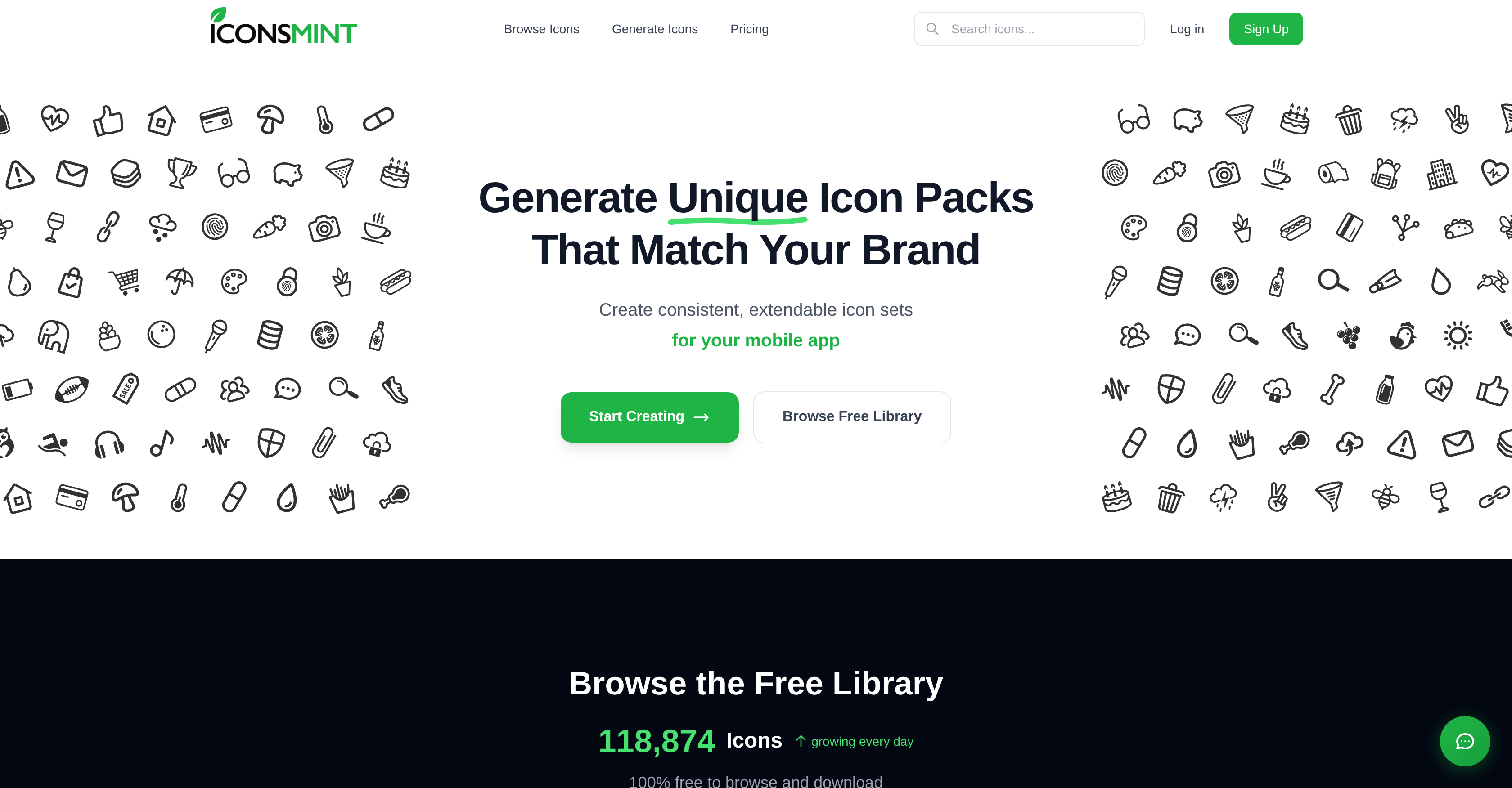
- Launch projects faster with a complete, brand-aligned icon set generated from a simple text description, powered by AI that interprets your visual requirements.
- Maintain perfect visual cohesion across all icons and future additions, as the AI ensures consistent style, weight, and feel for your entire set.
- Achieve pixel-perfect precision for interfaces or add hand-drawn character with expressive details, choosing between geometric and artistic styles.
- Fine-tune any design by adjusting stroke thickness from ultra-thin to bold, giving you complete control over the icon's visual weight.
- Use icons commercially without worry, as paid plans include a license for client projects, SaaS products, mobile apps, and websites with no attribution required.
- Integrate seamlessly into your workflow by exporting icons in production-ready SVG, PNG, Icon Font, or SVG Sprite formats compatible with any design tool.
Pros & Cons
Pros
- Generates consistent icon sets
- Customization of stroke thickness
- Extend existing icon sets
- Full commercial rights included
- Multiple export formats supported
- Facilitates brand visual alignment
- Supports geometric & artistic styles
- Free plan available
- Supports multiple design preferences
- Unique and consistent icons
- Designed for various platforms
- Contains free icon library
- No attribution required
- Generates icon sets seamlessly
- Themed icon packs generation
- Offers fine-tuned customization
- Works with all frameworks
- Commercials-use friendly
- Ready to use in production
- Provides dashboard design
- Superior brand consistency
- No credit card required
- Client project friendly
- Custom Icon Set creation
- Brand-Identity oriented tool
- Useful for startups
- Exponential style options
- Stroke thickness tunable
- Web & Mobile Apps friendly
- SVG & PNG formats
- Unlimited collections
- Easy to extend sets
- Compatible with various tools
- Icon Font & SVG Sprite
- Offers commercial licensing
- Generation of various style icons
- Plain text requirements description
- Dynamic adjustment of design
- Customizable details of icons
Cons
- Limited style options
- Similar outputs for simple descriptions
- Dependant on user descriptions
- No API for integrations
- Limited free plan
- Dependant on commercial plans
- Limited to geometric, artistic styles
- Potential duplicate icons generation
- No offline mode
- Focused mostly on brand consistency
Reviews
Rate this tool
Loading reviews...
❓ Frequently Asked Questions
IconsMint is an AI-powered tool that enables users to create and customize consistent icon sets. Users can generate unique icons in accordance with their brand's visual style. It can handle geometric and artistic styles, allowing for pixel-perfect precision and expressive details. IconsMint also provides an option to fine-tune the stroke thickness to suit the design needs.
IconsMint generates unique icons by allowing users to describe their requirements in plain text. The AI then processes this information and provides a complete set of matching icons with consistent style and feel.
IconsMint guarantees the consistency of icon sets by using AI to produce icons based on user input. The AI ensures that all the icons in a set match in style and weight, thus maintaining consistency.
Geometric and artistic styles on IconsMint offer different looks for the icons. The geometric style provides clean lines, consistent weight, and pixel-perfect precision. The artistic style, on the other hand, offers hand-drawn character with organic strokes and expressive details.
IconsMint offers a range of customization options including the ability to describe icon requirements in plain text for AI to create the sets, an option to adjust stroke thickness, and the ability to extend any previously created icon set with newly generated icons, ensuring they maintain the same visual style and weight.
Yes, IconsMint can indeed extend previously created icon sets. Users can generate new icons that maintain the same visual style and weight as the existing set.
Yes, IconsMint does offer commercial rights for icon usage. Its paid plans include full commercial rights for icon use in client projects, SaaS products, mobile apps, and websites.
IconsMint can export icons in multiple formats including SVG, PNG, Icon Font, or SVG Sprite.
IconsMint is compatible with various design tools because it provides icons in widely accepted formats like SVG, PNG, Icon Font, and SVG Sprite. These formats can be easily incorporated into a variety of design tools.
Though specific tools and frameworks are not explicitly mentioned on their website, IconsMint's compatibility with SVG, PNG, Icon Font, and SVG Sprite formats makes it suitable for use with numerous design tools and frameworks that support these formats.
Stroke thickness in IconsMint can be customized using the feature 'Fine-Tune Stroke Thickness'. This allows users to adjust the line weight of any outline icon to perfectly match their design.
Yes, IconsMint can generate icons that are in alignment with your brand's visual style. Users can provide their requirements in plain text and the AI will provide a set of icons with consistent style and feel that align with the given instructions.
According to their website, the requirement for commercial use is a paid plan. These plans provide full commercial rights allowing icons to be used in client projects, SaaS products, mobile apps, and websites.
Yes, IconsMint does have a capability to extend existing icon sets with newly generated icons. This feature ensures the new icons match the same visual style and weight of the existing set.
Yes, IconsMint can generate pixel-perfect precision icons, particularly under its 'geometric' style.
Yes, IconsMint can generate icons with expressive details. This is a feature of its 'artistic' style, which delivers hand-drawn character and expressive detail on icons.
IconsMint manages to maintain the same visual style and weight for extended icon sets by using its AI. Users can add to any set they've created and the AI will generate new icons that match the exact same style and weight.
IconsMint specializes in graphic designs related to icon creation and customization. Its focus areas include design tool, Icon Generation, Brand Consistency, Customization, Brand Identity, Visual Design, Digital Art, Graphic Design, User Interface, Vector Graphics, and Automation.
IconsMint can be used for a wide range of projects including dashboards, mobile apps, SaaS platforms, and websites. Commercial rights for icon usage are included in its paid plans, covering client projects, SaaS products, mobile apps, and websites.
Yes, IconsMint is an AI-powered tool. It integrates AI algorithms to process user input and generate unique icon sets according to the provided requirements.
IconsMint works by interpreting the user's requirements described in plain text and then generating a set of icons that match these requirements in style, weights and elements. The AI ensures consistency across all icons for stronger brand cohesion. Moreover, a user can add more icons to an existing set, and the system will generate new ones maintaining the same style and weight. The generated icons can be fine-tuned, particularly the stroke thickness, to match design preferences, and they are readily exportable in several formats.
IconsMint offers several features like AI Icon Generation, Brand Consistency, Design Preferences options, Commercial Licensing, and support for Multiple Export Formats. It also features a Dashboard Design option, and is compatible with various platforms including SaaS, Web Design, Mobile Apps and Startups. Other features include Custom Icon Sets creation, Brand Identity visualization, UI/UX Design, Visual Branding, User-interface Design, and a Free Library of icons. Users can also adjust stroke thickness and create both Geometric and Artistic Style icons.
To generate a unique icon set with IconsMint, you start by describing your needs in plain text. The system processes this information and generates a matching set of icons consistent in style, weight, and feel. The generated icons can be extended and customized as required, specially the stroke thickness. The final icon set can be exported in various formats, compatible with most design tools and frameworks.
IconsMint, through its AI technology, ensures brand consistency by interpreting your plain text requirements and converting it into a corresponding icon set that maintains your brand’s visual style, weight, and overall feel. If additional icons are needed for an existing set, the system is set up to generate new ones that match the exact style and weight, ensuring no loss in visual standard and brand consistency.
IconsMint can generate icons in both geometric and artistic styles. Geometric icons offer clean lines, consistent weight, and pixel-perfect precision. Artistic icons, on the other hand, present hand-drawn character, organic strokes, and expressive detail.
The stroke thickness adjustment in IconsMint works through a user-friendly, free feature. Users can adjust the line weight of any outline icon to match their design perfectly. The system allows the strokes to be made thinner for elegance or thicker for impact, as many times as the user wants.
Yes, with IconsMint you can extend a previously created icon set. By adding to any created set, the system generates new icons that match the existing style and weight perfectly, maintaining brand consistency.
IconsMint is commercially friendly. Included in its paid plans is a commercial license that allows users to use the generated icons in client projects, SaaS products, mobile apps, and websites. There are no extra fees and no attribution required.
IconsMint supports multiple export formats including SVG, PNG, Icon Font, and SVG Sprite. This allows the icons to be production-ready for any design framework or tool.
Yes, IconsMint is compatible with various frameworks and design tools. Its ability to export icons in versatile formats like SVG, PNG, Icon Font, or SVG Sprite ensures that the icons can be readily used with any design framework or tool.
The icons generated by IconsMint are suited for various types of projects or platforms. These include dashboard designs, mobile apps, SaaS products, websites, startups and more. The tool is flexible to adjust to different design needs, allowing users to maintain consistent brand image across platforms.
To generate an icon set that matches your brand style with IconsMint, you describe your brand style and requirements in plain text. The system then produces a full set of matching icons, consistent in style and feel. IconsMint's AI technology ensures brand cohesion is maintained throughout the set.
The AI feature in IconsMint ensures brand consistency by interpreting the user's descriptions and generating a coherent set of icons that align with the specific brand style, weight, and feel. Additional icons can also be generated that match an existing set in style and weight, ensuring brand consistency across multiple icon sets.
The free library in IconsMint includes a wide variety of icons that users can explore and download for free. It comprises of 134,000 icons growing every day. The library is diverse and includes popular icons for arrows, homes, users, downloads, stars and much more.
Yes, you can customize the weight of the icons on IconsMint. The platform provides a feature for adjusting the stroke thickness of the icons, allowing design flexibility from ultra thin to extra bold.
Yes, you can use the icons generated by IconsMint for your startup mobile app. IconsMint provides icons suitable for different platforms, including mobile apps. Users can generate sets that are consistent with their brand's visual style, thereby ensuring a professional and cohesive design for their app.
Yes, IconsMint does provide icons in both geometric and artistic styles. Geometric style features clean lines, consistent weight, and pixel-perfect precision. Artistic style, meanwhile, offers a hand-drawn character look with organic strokes and expressive detail.
IconsMint offers several pricing plans according to user requirements. There's a free plan which lets users explore IconsMint at no cost and grants them 10 AI-generated icons at sign-up. The 'Starter' plan, for creators, costs $15/month providing 40 AI icons/month, unlimited downloads and a commercial license amongst other features. Users can view full pricing details on the IconsMint website.
Yes, IconsMint does provide a free trial. This free plan permits users to explore the platform, offers 10 AI-generated icons on signing up, allows browsing of a large number of icons and has scalable options for later upgrade when required.
Pricing
Pricing model
Free Trial
Paid options from
$15/month
Billing frequency
Monthly
Refund policy
No Refunds