SparkIcon AI
Overview
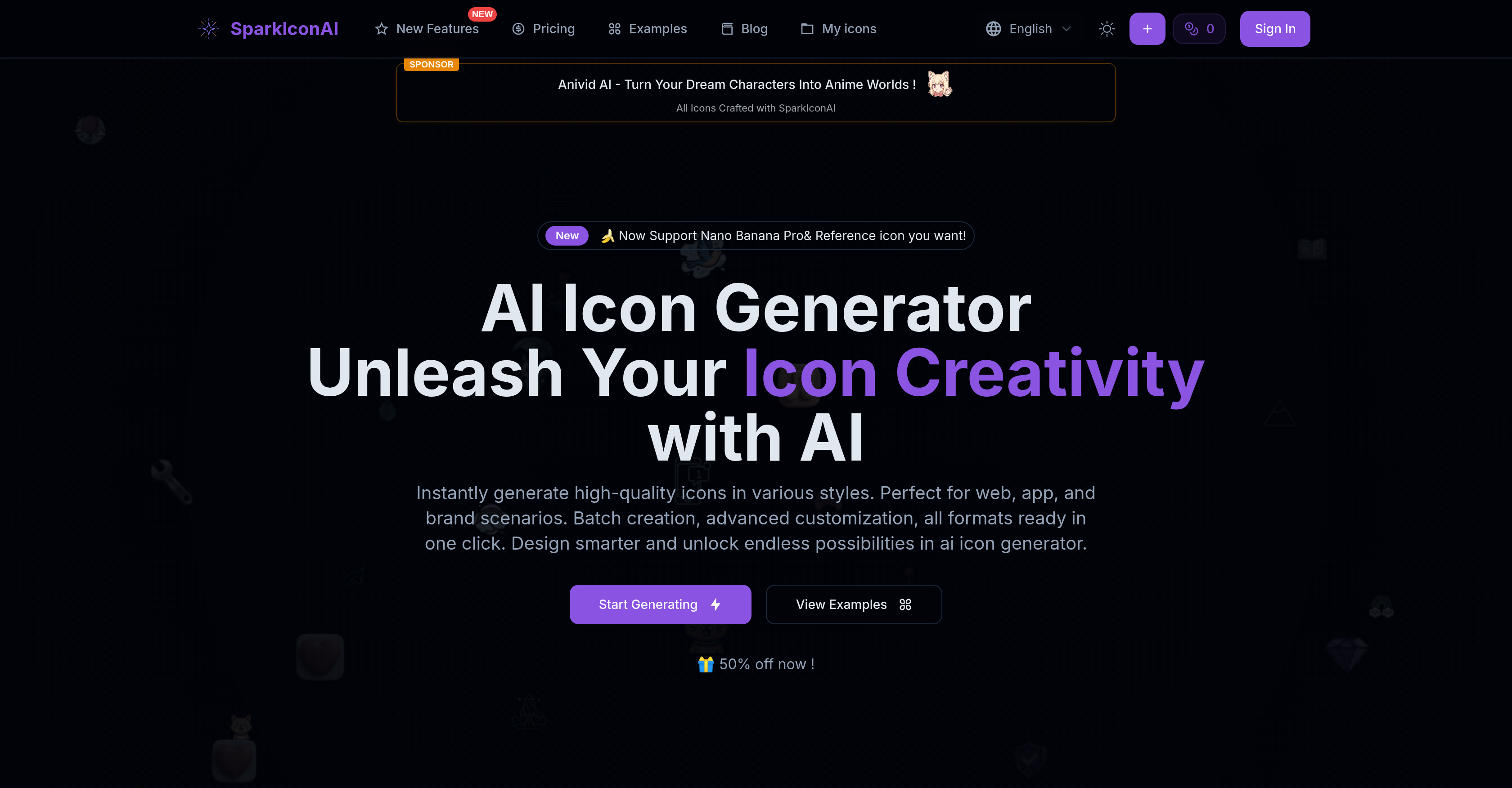
- Transform ideas into professional icons instantly using advanced AI models that understand your creative vision
- Maintain perfect clarity across all devices with ultra-high 1024x1024 resolution icons that stay crisp on any screen
- Match your exact brand identity by uploading reference images that guide the AI to create tailored icon designs
- Explore unlimited creative directions with diverse styles including 3D, pixel, hand-drawn, and flat designs
- Refine icons to perfection with background removal and corner radius adjustments for complete design control
- Export ready-to-use assets in PNG, ICO, and WEBP formats for any project requirement
- Generate multiple icon variants simultaneously to quickly explore different design possibilities
- Stay current with regularly updated style libraries that incorporate the latest design trends
Pros & Cons
Pros
- Nano Banana model integration
- Supports diverse icon styles
- Regular update of styles
- Ultra-high 1024x1024 resolution
- Generates multiple icon variants
- Intuitive export options
- Corner radius adjustment
- Background removal capability
- Exports in PNG, ICO, WEBP
- Allows reference image upload
- Supports custom icon design
- Aligned with brand identity
- Matches aesthetic preferences
- Generates professional-grade icons
- Enabled icon evolution
- Supports batch creation
- Advanced customization options
- Smart prompt optimization
- Google Gemini 2.5 integration
- Style-specific options like Ghibli
- Community showcase feature
- Generates commercial-use images
- Affords icon refinement post-generation
Cons
- Limited aesthetic options
- No SVG export
- Single style per icon
- No batch downloading
- No freemium version
- Over-reliance on pre-sets
- No editable layers
- Lacks API integration
Reviews
Rate this tool
Loading reviews...
❓ Frequently Asked Questions
SparkIcon AI is an advanced icon generator powered by AI, designed to convert creative ideas into striking, professional-grade icons swiftly and consistently. It supports a myriad of unique styles like 3D, flat, pixel, hand-drawn, and many more. Alongside leveraging cutting-edge AI models, it also provides features like instant generation of icon variants, background removal, corner radius adjustment, and supports all major export formats.
SparkIcon AI works by employing AI models, chiefly the OpenAI imagine model and the Nano Banana model, to understand prompts provided by the user creatively and artistically. By making a selection from a broad array of styles and uploading reference images if required, users are able to generate high-quality icons. Further adjustments can be made by providing feedback or using the batch creation feature.
SparkIcon AI utilizes leading AI technologies, predominantly the OpenAI imagine model and the Google Gemini 2.5 powered Nano Banana model. These advanced models imbue SparkIcon AI with deep semantic understanding and creative interpretation abilities for the provided prompts.
SparkIcon AI supports a comprehensive range of styles to cater to various project requirements. Styles comprise 3D, flat, pixel, hand-drawn, and several others. Additionally, new styles are introduced regularly to keep the icons current and trend-aligned.
With SparkIcon AI, you can create multiple variants of an icon effortlessly. This can be done initially during the icon creation phase, or subsequently by refining and evolving an already generated icon. The iterative process enables users to experiment and fine-tune effectively, producing the desired outcome for their project.
Yes, SparkIcon AI offers ultra-high 1024x1024 resolution for its produced icons. This ensures the icons look detailed and crisp on any device, from mobile apps to large displays, irrespective of screen size.
In SparkIcon AI, you have the flexibility to adjust the corner radius of the generated icons. This feature is included in the advanced customization options provided by the tool.
SparkIcon AI delivers the capability to remove the background of any icon produced by the tool. This feature is part of the advanced export options SparkIcon AI provides.
For exporting icons, SparkIcon AI covers all major formats. Users can export their creations in PNG, ICO, and WEBP formats to suit their needs.
Yes, SparkIcon AI allows users to upload reference images. These images guide the AI-led icon generation process, facilitating the creation of icons tailored to the individual's aesthetic preferences or brand identity.
SparkIcon AI assists in matching a brand identity by enabling users to upload reference images that guide the AI in icon generation. This, along with a diverse selection of styles and powerful customization options, allows the creation of icons that perfectly align with any visual preferences and brand identity.
SparkIcon AI fuels creativity through its cutting-edge AI technology that can interpret prompts intelligently and generate high-quality icons in various styles. This allows users to experiment with a wide range of aesthetics including 3D, pixel, hand-drawn and other unique styles.
SparkIcon AI ensures professional-grade icon creation through the combined use of OpenAI imagine model and Google Gemini 2.5 powered Nano Banana model. It outputs ultra-high resolution icons that look sharp and detailed on all displays, covering a diverse range of styles. The tool also includes features to refine and evolve any generated icon, allowing optimization to perfect the final output.
In its commitment to stay fresh and on-trend, SparkIcon AI regularly adds innovative styles to its toolbox. Specific names of these new styles are not disclosed, but they promise to diversify your icon design potential.
Yes, SparkIcon AI supports the generation of 3D icons as part of its diverse style provision. Users can select 3D as an option whenever it aligns with their project requirements or aesthetic preferences.
In SparkIcon AI, the Nano Banana model is one of the advanced AI technologies it uses. It is powered by Google Gemini 2.5 and aids in delivering professional-grade icons with a deep understanding and creative interpretation of user prompts.
Yes, hand-drawn is one of the many styles that SparkIcon AI supports. This empowers users to create icons with a more personalized, artisanal feel.
SparkIcon AI interprets prompts by leveraging its advanced AI models. These models, like the OpenAI imagine model and the Nano Banana model, enable deep semantic understanding and creative interpretation of the provided prompts, enabling the AI to visualize and generate unique, high-quality icons aligned with user requirements.
Yes, pixel style is within the diverse range of styles provided by SparkIcon AI. By selecting this style, users can generate icons perfect for applications with a retro or game-themed design.
SparkIcon AI helps blend icons into the user's intended aesthetic by using a combination of diverse style selections, intuitive customization options, and the ability for users to upload reference images. This ensures the generated icons ally seamlessly with whatever aesthetic the user desires, be it in line with brand identity or personal preference.
Pricing
Pricing model
Free Trial
Paid options from
$5
Billing frequency
One-time
Refund policy
No Refunds