
Image to Music AI.com
Overview
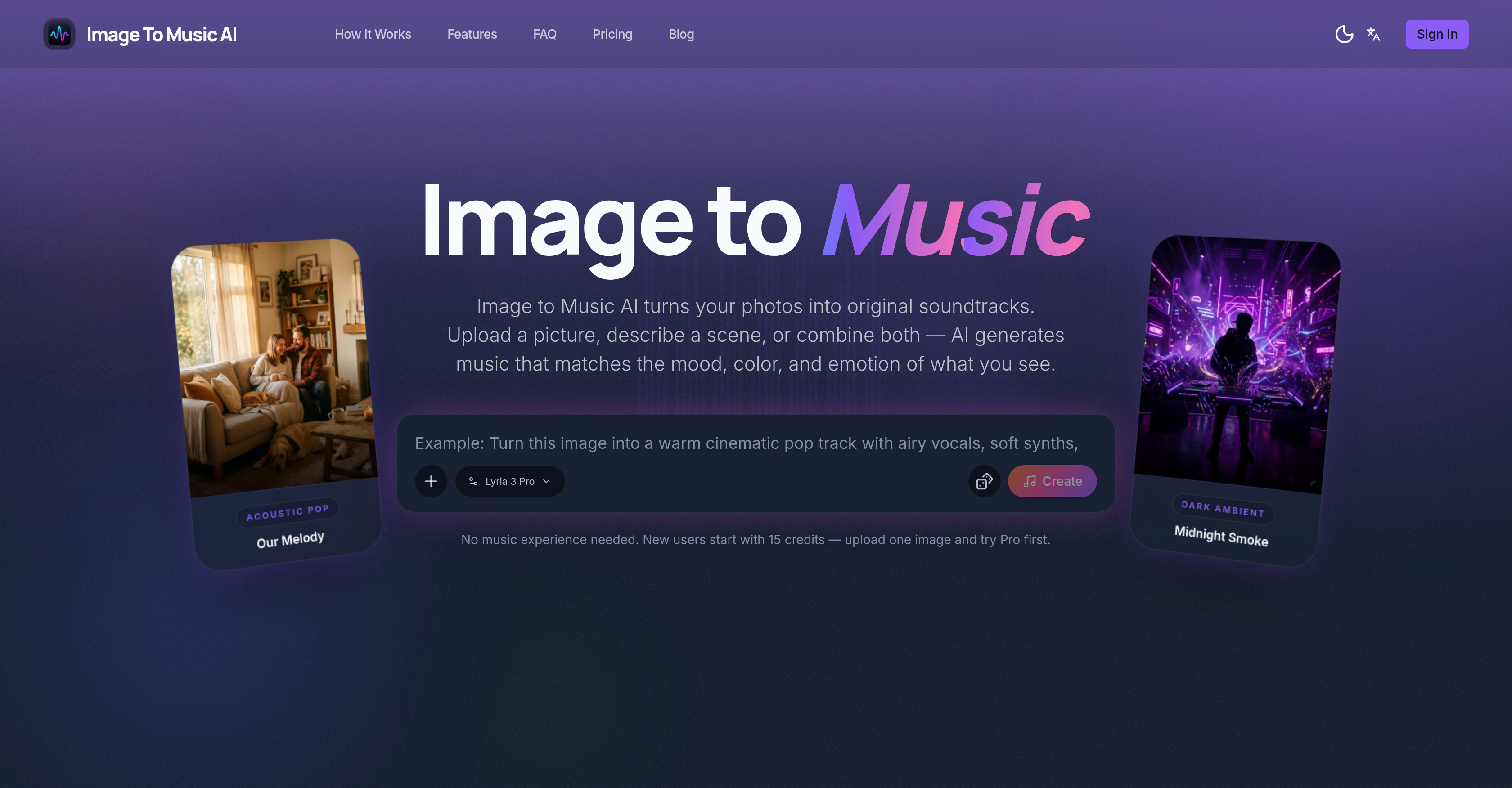
- Instantly create a unique musical identity for your travel photos and memories by uploading any image, from landscapes to portraits, for AI to analyze its mood and colors.
- Fine-tune the genre, energy, tempo, and instrumentation of your soundtrack using simple text prompts, giving you precise creative control without musical experience.
- Generate multiple AI music tracks from the same photo to compare different interpretations side-by-side, ensuring you select the perfect fit for your project.
- Combine an uploaded image with a text description to create a highly customized soundtrack that perfectly aligns with your specific creative vision and narrative.
- Preview, adjust, and regenerate your music in a simple workflow, then download the final soundtrack as a ready-to-use audio file for videos or mood boards.
Pros & Cons
Pros
- Custom unique soundtrack generation
- Image mood and color analyzation
- Generates music from scene descriptions
- User-adjustable soundtrack
- Generates multiple versions for comparison
- Text prompts for music refinement
- Exportable audio files
- Suitable for photographers and vloggers
- Image-based and text-based input modes
- Generates music for landscapes, portraits
- Appropriate for creative mood-centric projects
- Music refinement through multiple regeneration
- Ability to fine-tune generated music
- Multiple-user friendly
- Create soundtracks for travel photographs
- Offers music generation from descriptions
- Simpler than writing sound descriptions
- Visual cues into sonic emotion conversion
- Transforms concept art into music
- Allows side-by-side music comparison
- Turns photo mood into music
- Allows comparison between soundtracks
- Able to create short video scores
- Music generation from memory description
- Supports both image and text
- Creates different music for different moods
- Visual thinker-friendly tool
- No music experience needed to use
- Instant soundtrack preview
- Supports multiple output versions
- Music genre can be refined
- Energy, tempo, and instrumentation guidance
- Fast processing time
- Producing mood-board soundtracks
- Customizable soundtracks for moodboards
- Music fits image instantly
- Instant atmosphere capture from image
- No need for music prompt engineering
- Visual color and light to music
- Photograph to matching soundtrack conversion
- Matches music composition to image
- Transforms visual ideas into music
Cons
- No real-time soundtrack generation
- No support for bulk uploads
- Limited to one image input
- No manual customization features
- Limited to mood-based soundtracks
- No mention of soundtrack quality
- Credits-based usage
- Limited track comparison
- No multiple file formats support
- No mobile app available
Reviews
Rate this tool
Loading reviews...
❓ Frequently Asked Questions
Image to Music AI is a specialized tool designed to transform images into custom soundtracks. It allows users to upload or describe a scene and using Artificial Intelligence, it generates music that reflects the mood, color, and emotion captured in the image or described scene.
Image to Music AI uses advanced AI algorithms to interpret the visual characteristics of uploaded images, including color scheme, mood, and context. It then generates music that reflects these characteristics. It's not simply an image-to-sound converter. It indeed develops an understanding of the image to create music that aligns with the image's vibe and emotion. The music also can be regenerated, previewed, and adjusted until the user is satisfied.
With Image to Music AI, users can use any image of their choice. This ranges from landscape pictures, portraits or even images that capture a memory. The AI tool is designed to analyze and interpret visual mood, colors, and energy of any selected image.
Yes, Image to Music AI allows the use of text prompts. This feature isn't restricted to the image-based process. Users can use text prompts to help refine the genre, energy, tempo, and instrumentation of the generated music.
Yes, with Image to Music AI, users have the ability to refine the genre, energy, tempo, and instrumentation of the music. These adjustments can be made using text prompts.
Yes, Image to Music AI offers the flexibility to generate multiple music tracks from the same image. This allows users to compare different soundtracks and select their preferred one.
Once users have previewed, adjusted, and are satisfied with the soundtrack generated by Image to Music AI, they can download the music. The downloaded tracks can be exported as audio files. There are no extra steps or hidden requirements for downloading.
Image to Music AI aims to benefit a variety of users such as photographers, travel enthusiasts, vloggers, and anyone engaged in creative projects needing mood-centric soundtracks.
Yes, users can fine-tune the music generated by Image to Music AI. The tool is designed with both image-to-music and text-to-music modes that allow users to adjust and regenerate the soundtrack until they're satisfied with the result.
No, users do not need to have any music experience to use Image to Music AI. The design of the tool makes it user-friendly and straightforward for people regardless of their music background.
Yes, with Image to Music AI's versatile functionality, users can apply the same photo to generate multiple different music tracks. This allows for comparison before deciding on a final selection.
The music generation process with Image to Music AI usually takes around 2 to 5 minutes.
The music tracks created with Image to Music AI can be exported as downloadable audio files.
The exact AI model that powers Image to Music AI isn't stated on their website.
Image to Music AI analyzes the image by interpreting its visual characteristics such as mood, colors, and energy. By doing so, it generates a custom track that mirrors the conveyed feeling from the image.
Yes, if users prefer to use scene descriptions instead of images, Image to Music AI is also able to generate soundtracks based on the details provided in those descriptions.
According to their website, there isn't a clear statement regarding the commercial use of the generated music tracks by Image to Music AI. It's recommended to reach out to them directly for inquiries about usage rights.
The image-to-music mode in Image to Music AI begins the creation process with an image, interpreting its visual elements to generate music. The text-to-music mode, on the other hand, allows users to describe the music they want in words, helping to guide the system in terms of genre, energy, tempo, and instrumentation.
It's not completely clear from their website if the use of Image to Music AI is free of charge. However, it is stated that new users start with 15 credits. For detailed information about pricing and cost structure, it is recommended to visit their official website or contact them directly.
The output from Image to Music AI is a downloadable audio file. This custom soundtrack mirrors the mood, color, and emotion conveyed in the input image or described scene, which can be refined using text prompts for genre, energy, tempo, and instrumentation
On Image to Music AI, an image can be uploaded through their website's upload feature. All you need to do is select the image from your device and the tool will begin to analyze and convert the image into music.
Yes, Image to Music AI is capable of creating music based on text descriptions. You can input a text description on their website, and the AI will interpret and turn it to a unique soundtrack.
Image to Music AI interprets the mood, color, and emotion from an image by employing an AI model that reads and analyzes these visual cues in the image. These elements are then translated into a soundtrack that resonates with the aforementioned aspects of the image.
Yes, the soundtrack generated by Image to Music AI can be adjusted. Users have the ability to preview the generated music and refine it until they're satisfied. Adjustments can include changes in genre, energy, tempo, and instrumentation.
Yes, Image to Music AI allows users to generate multiple music tracks from the same photo. This feature helps users compare different musical interpretations of the same image before choosing the one that fits best.
The soundtrack created by Image to Music AI can be downloaded directly from their website once the user is satisfied with the track. The soundtrack is provided as a downloadable audio file without the need for extra steps or hidden requirements.
The target user group for the Image to Music AI tool includes anyone undertaking creative projects that require mood-centric soundtracks. This could be photographers, travel enthusiasts, vloggers, designers working on mood-boards, or creators of short video content.
Yes, Image to Music AI can help create music for travel photographs. It can turn landscape shots and travel images into unique soundtracks, thereby giving every trip its unique musical identity.
Yes, apart from turning images into music, Image to Music AI also offers a text-to-music conversion feature. By inputting a text description, users can guide the AI to generate music that complements the narrative.
The comparison feature of Image to Music AI allows users to generate several AI music tracks from the same photo. This enables them to listen to these variations side by side, compare them, and choose the track that best fits their requirements.
Yes, Image to Music AI can definitely assist you in creating mood-based music for your creative projects. The tool reads and translates the visual mood of any reference photo or text description into a customized soundtrack that fits the project's atmosphere.
Yes, Image to Music AI can generate a soundtrack for a portrait image. Whether it's a family portrait, a self-portrait, or any kind of portrait image, the tool analyzes the mood, color, and energy of the photo to create a corresponding soundtrack.
Yes, Image to Music AI features an audio preview function. After the AI generates a soundtrack from a chosen image or text description, users can instantly listen to it. They can then adjust and regenerate it until they are satisfied with the outcome.
Yes, with Image to Music AI, you have the ability to influence the genre, energy, tempo, and instrumentation of the music. The tool allows text prompts to refine these elements of the music, ensuring the final track fits your requirements.
With Image to Music AI, you can turn a memory into music by either choosing a photo that represents the memory or using a text description to describe the atmosphere or emotions associated with it. The AI will then generate a soundtrack that mirrors that scene or emotion.
Yes, Image to Music AI interprets different types of images differently. Whether it's a warm family portrait, a dark atmosphere or a vibrant retro scene, the AI is designed to capture and convert the unique moods, colors, and energy of these varying contexts into corresponding music.
Image to Music AI translates the perceived energy of a photo into music by understanding the varying intensities and contrasts in the colors, light, and composition of the image. This perception is then transformed into sonic energy which influences the tempo, rhythm and dynamics of the produced soundtrack.
To generate music with Image to Music AI, start by uploading a photo or describing a scene on their website. The AI will then convert these visual cues into music. You can preview, refine, and download the soundtrack once you're satisfied with it.
Yes, with Image to Music AI, you can combine both a photo and a text description to create a more customized soundtrack. You commence with the image and further fine-tune the generated music with text prompts, producing a soundtrack that corresponds better with your vision.
Pricing
Pricing model
Free Trial
Paid options from
$4.95/month
Billing frequency
Monthly
Refund policy
No Refunds