

Kumoo
Shortlist your best shots from a full shoot in less time while keeping the final call yours: AI photo culling sorts, filters, and rates images for an initial selection, and you decide what makes the gallery.
Listing not yet reviewed by our editors · How we check
Overview
- Shortlist your best shots from a full shoot in less time while keeping the final call yours: AI photo culling sorts, filters, and rates images for an initial selection, and you decide what makes the gallery.
- Get one cohesive color grade across an entire wedding, event, or outdoor gallery, even when light shifts between frames: start from a preset or a reference image, and Kumoo applies that visual direction while correcting differences in exposure, light, and color, backed by RAW processing, curves, and intelligent exposure.
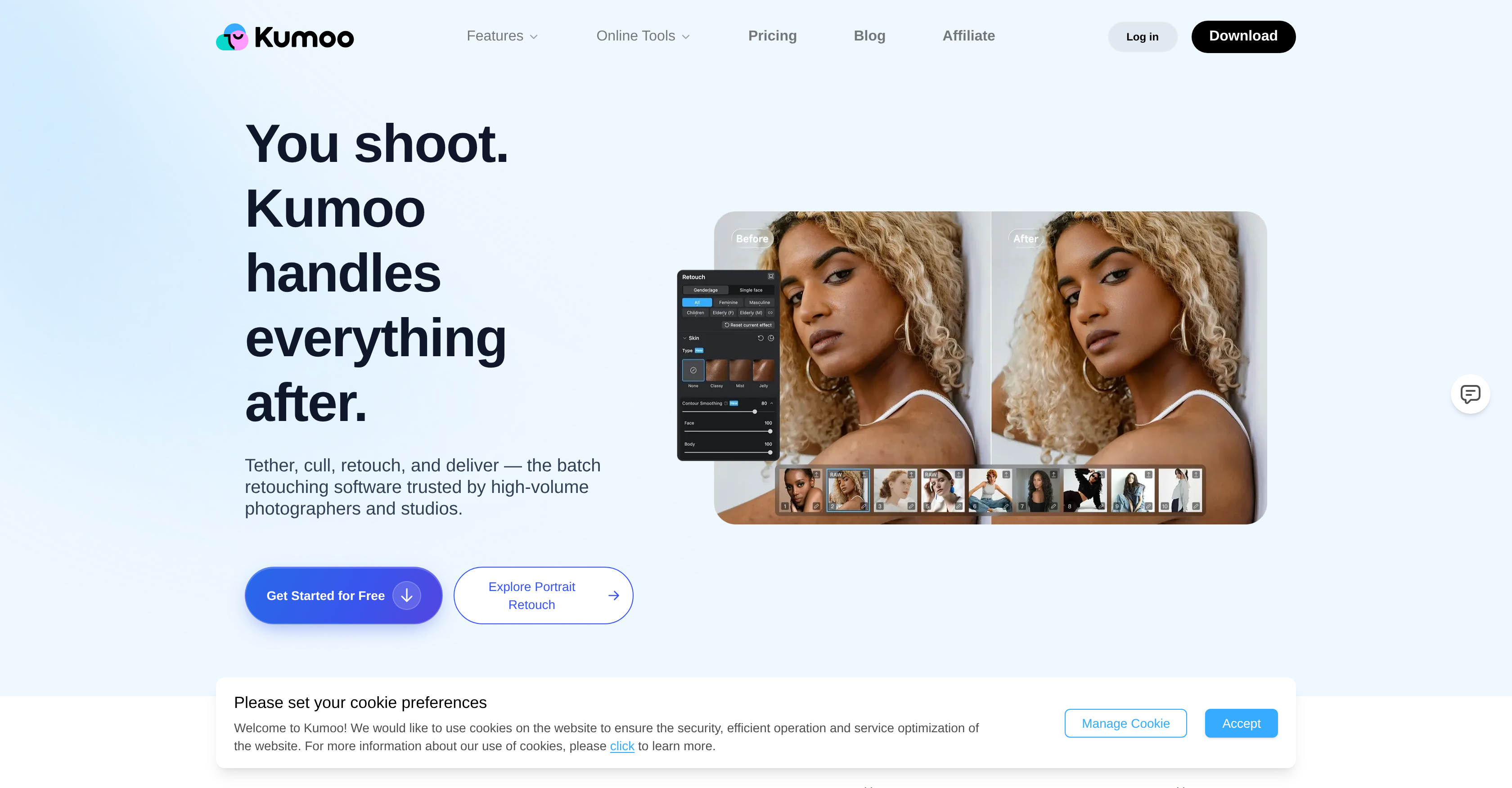
- Deliver polished portraits that still look like your clients: AI portrait retouching removes blemishes, stray hairs, glare, and tooth imperfections, with manual controls for precise, natural-looking skin retouching.
- Ship clean apparel and e-commerce product photos without a flattened, plastic look: clothing wrinkle removal smooths garments while keeping fabric texture and drape intact.
- Fix distracting backgrounds without reshooting: remove objects and studio equipment, clean backdrop edges, expand the frame, and replace backgrounds, skies, or scenery.
- Finish studio jobs and recurring orders in a single pass: batch photo editing imports, edits, syncs, and exports hundreds of JPEG, PNG, and RAW images at once with saved presets.
- Shorten delivery cycles from the moment you press the shutter: tethered shooting applies your chosen style to images as they come in during the session.
- Skip slider hunting for one-off edits: describe the result you want in plain words, and the Photo Agent finds a matching preset or produces a polished edit.
- Handle quick tasks like white-background product shots or ID and profile photos with no setup: browser-based online tools for background removal, object removal, image enhancement, and white-background creation work without registration.
- Keep your editing workflow wherever you work: Kumoo runs on macOS 13.0 or later, Windows 10 or later, and iPad, carrying the full cull-grade-retouch-deliver pipeline across devices.
Pros & Cons
From the listing; not yet checked by our editors.
Pros
- Connected capture-to-delivery workflow
- Desktop editing plus online tools
- macOS, Windows, and iPad support
- Initial culling with sortable images
- Culling filters and star ratings
- Photographer-controlled final image selection
- Grade from reference images
- Apply visual direction across batches
- Per-image lighting-aware color adaptation
- RAW processing with curves
- Intelligent exposure adjustment
- Saved reusable editing presets
- Batch-adapt presets across frames
- Consistent galleries despite varying exposure
- Tethered shooting with consistent styles
- Tethered workflow shortens delivery cycles
- Portrait retouching preserves individual likeness
- Skin, stray-hair, and glare retouching
- Tooth imperfections and crooked-teeth fixes
- Remove lighting equipment from backdrops
- Clean background cutout edges
- Expand image framing
- Replace backgrounds, skies, and scenery
- Wrinkle removal preserves fabric texture
- Clothing edits preserve fabric drape
- Backdrop cleanup with body refinement
- Online white-background creation
- Separate online object removal
- Online image enhancement tool
- Online clothing-color editing
- Photo Agent accepts written edit requests
- Photo Agent identifies suitable presets
- Photo Agent produces polished edits
- Localized across 40+ markets
- Dedicated e-commerce and ID-photo workflows
- Supports studio, wedding, and event workflows
- Up to 12 faster workflows
Cons
- Final cull choices remain photographer-controlled
- Linux/Android support unlisted
Alternatives to Kumoo
Tools that share the most tags with Kumoo.
- EzRemove
Browser tool that removes the background from a photo and returns a transparent PNG.
Freemium
Not listed
Nov 24, 2026
- Dewatermark
Erase any watermark automatically in seconds using AI detection, even complex multi-layered or color-blended ones
Freemium · from $5/month
$5/month
Not yet checked
- Remove Background by Picsart
Eliminate manual editing and process thousands of product images automatically with AI-powered background removal that scales with your production needs
Freemium · from $10/month
$10/month
Not yet checked
- UnblurImage AI
Rescue blurry photos ruined by motion or poor focus with AI algorithms that refine each pixel for maximum sharpness
Freemium · from $3.90/month
$3.90/month
Not yet checked
- Photoleap
Transform any photo into professional quality with AI enhancement that perfects colors, lighting, and details
Free trial · from $3.99/month
$3.99/month
Not yet checked
- RemoveMark
Get watermark-free Sora videos instantly without downloading software using our web-based platform
Freemium · from $9.90/month
$9.90/month
Not yet checked
Reviews
Rate this tool
Loading reviews...
Frequently asked questions
What does Kumoo include for photographers and studios?
Kumoo combines desktop photo editing and online tools for culling, color grading, portrait and clothing retouching, background work, batch editing, tethered shooting, and image delivery.
How does Kumoo’s AI culling help me choose photos?
Kumoo uses image sorting, filters, and ratings to help you make an initial selection and review promising photos faster.
Does Kumoo make the final culling decisions, or do I?
You make the final choices. Kumoo assists with the initial cull but leaves final decisions to the photographer.
Can Kumoo apply a consistent color grade across a whole gallery?
Yes. You can start with a preset or reference image, then apply the visual direction across a batch. Kumoo adjusts for differences in light, exposure, and color.
Which RAW, JPEG, and PNG formats does Kumoo support?
Kumoo supports JPEG, PNG, and RAW files. The website does not specify additional format details.
Can Kumoo batch-edit hundreds of photos at once?
Yes. Kumoo can batch import, edit, sync, and export hundreds of images at once.
How natural do Kumoo’s portrait retouching results look?
Kumoo’s portrait tools are intended to produce natural-looking edits and preserve each person’s likeness. You can adjust settings for more precise control.
Can I adjust Kumoo’s AI edits manually?
Yes. Kumoo provides controls for precise manual adjustments alongside presets and AI-assisted tools.