MangaMaker
Overview
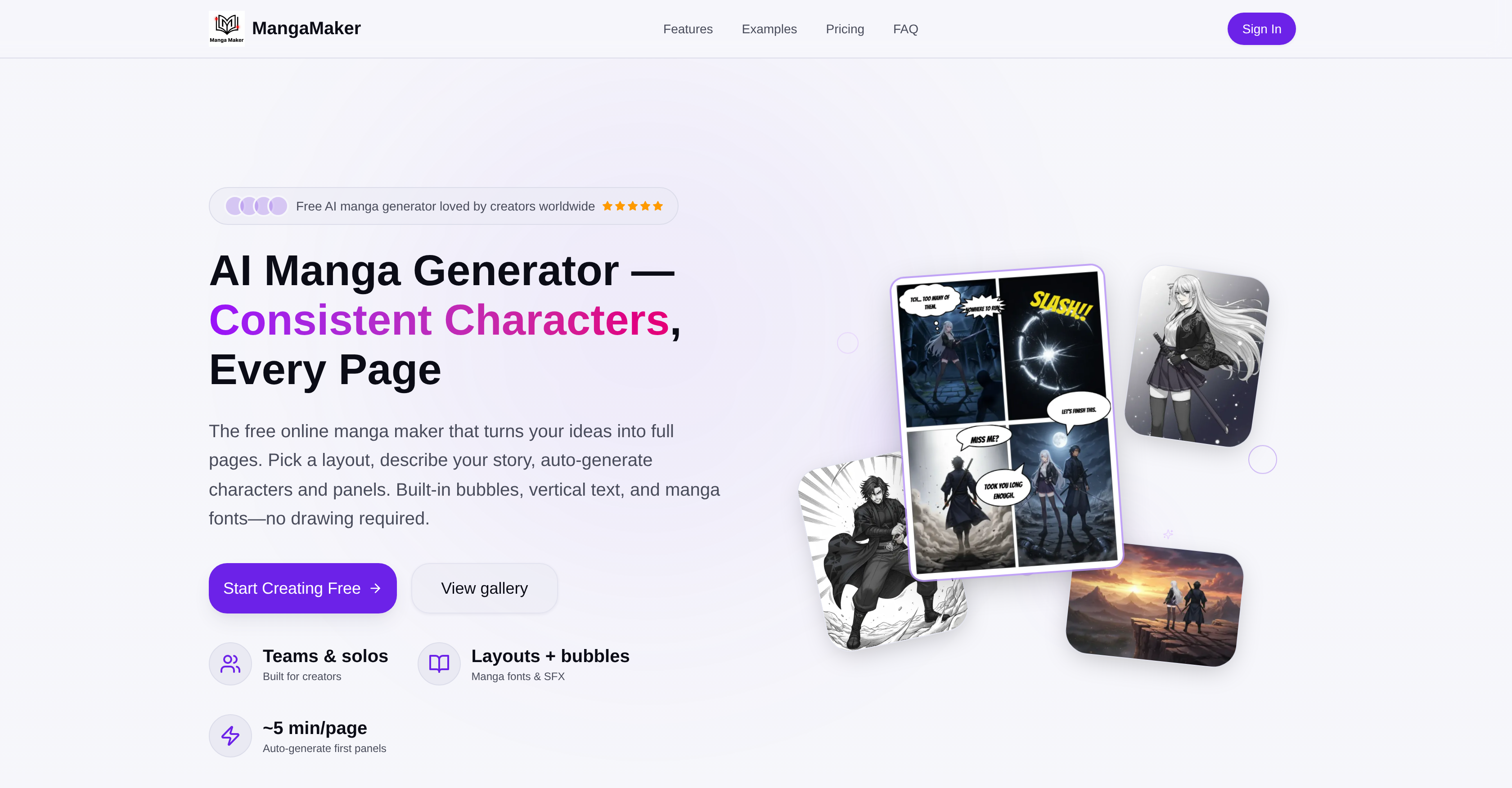
- Publish your manga ideas without drawing skills by describing scenes and letting AI generate high-resolution, manga-style artwork for every panel.
- Maintain perfect character consistency across all pages with a system that remembers traits, clothing, and expressions, applying updates automatically.
- Design complete pages in about 5 minutes using a drag-and-drop canvas with professional layouts, adjustable panel order, spacing, and speech bubbles.
- Export print-ready, high-resolution files or web-optimized PNGs with full creative control over color, black-and-white styles, and manga fonts.
- Collaborate seamlessly or work solo with an intuitive web-based editor accessible from any browser, requiring no credit card to start.
Pros & Cons
Pros
- Multiple art styles
- High-resolution export
- Full creative control
- Works in browser
- No credit card for startup
- Automates manga creation
- Drag-and-drop panels
- Speech bubbles available
- Vertical text
- Self-editing and finetuning
- Allows color grading
- Address character consistency
- Allows character updates
- Transforms text to art
- Professional manga layouts
- One-click generation
- Built-in bubbles
- Flexible grid system
- Panel style settings
- Export-ready content
- One-time character definition
- Automatic character consistency
- Panel adjustments
- Prompts per panel
- Automatic panel generation
- Export for web and print
- Comprehensive functionalities
- Safe margins for exports
- Supports multiple bubble styles
- Supports team and solo creators
- Maintains uniform traits and clothing
- Low time requirement (5 minutes/page)
- Easy layout creation
- Allows character recognition
- Maintains character expressions across panels
- Multiple font styles
- Supports vertical text
- Total creative control
- Includes a character library
Cons
- Limited to manga/comic design
- No mobile application
- Relies on text descriptions
- Doesn't support 3D design
- No collaborative features
- Dependent on internet connection
- Limited font styles
- No built-in tutorial guides
- Doesn't support hand-drawn inputs
- Limited range of art styles
Reviews
Rate this tool
Loading reviews...
❓ Frequently Asked Questions
MangaMaker is an online AI-powered tool used for generating manga and comics. The tool offers a suite of features to aid both teams and solo creators by automating various steps typically involved in manga creation.
MangaMaker's AI Art Generation feature can transform text descriptions into high-resolution manga-style artwork. Users supply textual descriptions of what they want to see in each panel and the AI tool generates respective images.
The Character System in MangaMaker allows users to create characters once and maintain their appearance across all panels automatically. This technology ensures uniformity in character traits, clothing, and expressions across different frames.
With MangaMaker, users can create full-color manga, black and white manga, and anime-style characters. The tool allows customization based on user's choice and provides flexibility in creating various manga types.
MangaMaker ensures character consistency across panels by using its advanced Character System. The system holds information about each character and uses AI models to maintain the same traits, clothing, and expressions across different frames.
The estimated time to create a page with MangaMaker is around 5 minutes. The exact duration may vary based on the complexity and detail required in the page.
Yes, MangaMaker provides the ability to edit and fine-tune panels, including adjustments to panel order and spacing. It gives users the flexibility to arrange their content as required for their story.
In MangaMaker, users can add bubbles, vertical text, and use various manga fonts. This allows for enhancing the visual storytelling quality with dialogue boxes and thought bubbles.
Yes, you can change a character's design at any point while creating a comic on MangaMaker. This tool has a feature to update the design and it can apply the changes across the entire comic automatically.
No, MangaMaker does not require a credit card for startup. You can start creating manga instantly on their website without any upfront payment.
Yes, MangaMaker supports the creation of full-color manga. Users have the flexibility to create content in rich colors to enrich the visual aesthetics of their work.
Yes, it is true. MangaMaker is designed so that anyone can create manga pages and comics without needing any advanced drawing skills. The platform’s AI and intuitive design tools handle the complex aspects, making the process simpler and accessible.
MangaMaker's text-to-art feature works by converting user-supplied textual descriptions into visual representations. Users describe what they want to see in each panel or scene and the AI creates the artwork accordingly.
MangaMaker is designed to support both team and solo creators. Its collaborative and intuitive design makes it suitable for a team of creators, while its simple and user-friendly interface also makes it ideal for solo creators.
Yes, MangaMaker can generate characters automatically. Users can easily create character profiles and MangaMaker's AI will ensure the consistency of those characters throughout all panels.
Yes, MangaMaker provides the ability to edit and fine-tune panels. Users have full control over the layout, spacing, order, and color grades of panels to ensure their content is presented exactly how they want it.
Yes, MangaMaker provides export-ready pages. The platform offers a seamless content creation to export process, making it quick and easy for creators to share and distribute their manga or comic.
Yes, MangaMaker's AI can generate panels based on descriptions provided by the user. This feature transforms text prompts into visual panels, providing a unique tool for visual storytelling.
No, MangaMaker is not restricted to any particular browser. Designed as a web-based tool, MangaMaker can be accessed and used from any modern web browser.
Yes, MangaMaker offers multiple manga art styles. From traditional black and white manga to vibrant full-color and anime-style characters, MangaMaker's AI tools allow for a versatile range of visual designs.
MangaMaker is a free online AI platform designed for the creation of manga and comics. It offers a variety of features that aid not only teams but also solo creators. Some of its key features include an intuitive canvas editor, AI art generator, character system and comprehensive editing capabilities. It transforms textual inputs into high-resolution manga-style artwork while maintaining character consistency across different frames.
In MangaMaker, automatic character generation works in a streamlined manner. Users are able to define the characters once and the AI-powered recognition features help maintain their appearance across all panels. The Character System of the tool automates this process and even allows for easy updates. The tool's proprietary technology keeps character traits, clothing, and expression consistent across various frames.
MangaMaker offers advanced text editing features. The tool supports vertical text and multiple manga fonts. Users can choose from various text styles and effects to create more impactful panels. Speech bubbles, thought clouds, and dynamic sound effects can also be added to enhance the storytelling experience.
MangaMaker uses AI-powered recognition to maintain character consistency across panels. When creating characters, users can make use of the Character Library to provide reference images and descriptions. The AI system automatically detects these reference points and maintains a uniform appearance, clothing, hairstyle, and facial features for characters across all panels.
MangaMaker is particularly useful for those without drawing skills as it automates crucial aspects of comic and manga creation. Users can describe their story, select a layout and the tool auto-generates characters and panels according to these inputs. MangaMaker takes care of layout, character design, animation, text, and other elements, thus eliminating the need for any advanced drawing skills.
MangaMaker works in any modern web browser, and this extends to mobile browsers. However, for the best experience with the canvas editor, it's recommended to use a desktop or tablet device with a larger screen.
The AI Art Generator in MangaMaker is a feature that transforms text descriptions into high-resolution manga-style artwork. It leverages advanced AI models to generate artwork based on user input. This allows users to get custom manga-style artwork without needing any prior artistic skills.
The Character System in MangaMaker operates by maintaining uniform traits, clothing, and expressions of characters across all panels. By enabling users to define characters once, it automates the process of keeping these character profiles consistent across different frames. This system is powered by advanced AI models.
Yes, users can make alterations to character designs in MangaMaker. They can define the characteristics once, and any changes made to a character's design will be updated across the entire comic automatically. This feature helps maintain consistency while allowing for creative flexibility during the creation process.
Using MangaMaker, it takes approximately 5 minutes to create a page. This makes the process significantly faster and efficient as compared to traditional drawing methods.
Yes, MangaMaker offers a generous free tier that lets users create manga pages and explore all of its features. While it does offer premium plans with added benefits, its base functionalities can be used for free.
Yes, MangaMaker provides high-resolution export of content. The tool enables the export of ready-to-share PNGs or print-ready files in high resolution, suitable for both web and print.
MangaMaker's panel generation process involves the use of an intuitive canvas editor where users can drag and drop panels, speech bubbles and professional manga layouts. The tool offers features for adjustments, prompts per panel, and automatic panel generation based on user's input descriptions.
In MangaMaker, you maintain character consistency across all panels by utilizing the Character Library feature. Using this, you create character profiles with reference images and descriptions. The AI technology then uses this information to ensure that characters appear consistent in terms of appearance, clothing, hair style, and facial features across all panels.
Yes, MangaMaker is suitable for both teams and individual creators. Its features facilitate collaborative comic and manga creation, and it provides a platform for teams to effortlessly create content together.
The intuitive canvas editor in MangaMaker can be utilized by simply using a drag-and-drop movement for panels, speech bubbles, and professional manga layouts. It is designed for seamless interaction and is suitable even for users with little to no technical expertise.
Yes, MangaMaker supports both color and black-and-white manga creation. Users have the flexibility to choose their preferred mode of creation within the platform.
Yes, in MangaMaker, users have the ability to fine-tune panel order, spacing and color grades via the built-in editor. This ensures flexibility and control over the flow and aesthetics of the created manga or comic.
In MangaMaker, the process of converting text descriptions into artwork is handled by the AI Art Generator. Users provide detailed descriptions of what they want to visually represent in their panels, and the AI Art Generator transforms these descriptions into manga-style artwork using advanced AI models.
No, MangaMaker does not require a credit card for a startup. Users can start creating manga and comics for free, without the need to enter any credit card details.
Pricing
Pricing model
Free Trial
Paid options from
$29.90/month
Billing frequency
Monthly
Refund policy
No Refunds