
MixAudio
Overview
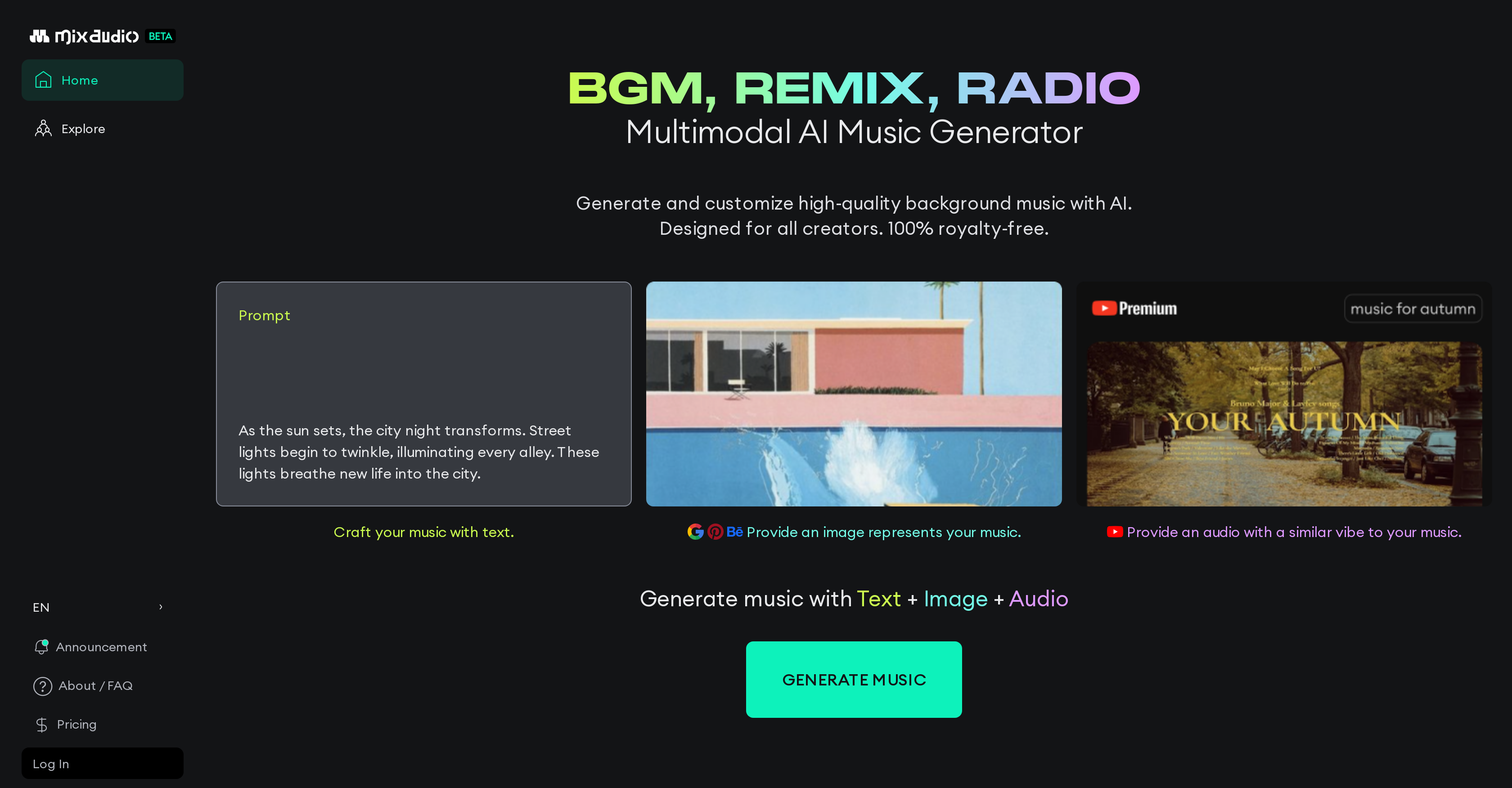
- Instantly create custom background music for any project using simple text descriptions of your desired mood or narrative with text-to-music generation
- Generate music that perfectly matches your visual content by uploading images that represent your desired feeling through image-to-music conversion
- Create music with specific sonic qualities by providing reference audio files that capture your envisioned vibe using audio-to-audio generation
- Combine text, image, and audio inputs in any combination for maximum creative control over your final music composition
- Use all generated music commercially without legal concerns thanks to 100% royalty-free licensing that eliminates copyright risks
- Produce professional BGM, remixes, and radio-style music without musical expertise through intuitive multimodal input options
Pros & Cons
Pros
- Generates background music
- Allows remix creation
- Enables radio-style music generation
- Produce high-quality music
- Offers royalty-free music
- Garner music with textual prompts
- Selecting image for music vibe
- Inputs audio for music generation
- Text to music capability
- Image to music capability
- Audio to audio generation
- Combination of text, image, and audio inputs
- 100% copyright safe
- Designed for all creators
- Enables music customization
- Creative freedom in sound design
- Expresses musical imagination
- Helps in mood description
- Generate music with Text + Image + Audio
- Supports music for various purposes
- Royalty-free background music creation
- Easy to use
- Flexible control over output
Cons
- No offline functionality
- No API access
- Potential inaccurate mood representation
- Limited music genre selection
- No integration with editing software
- Transition between inputs may be abrupt
- Can't handle complex textual prompts
- No collaborative feature
- No multi-language support
- Unclear pricing structure
Reviews
Rate this tool
Loading reviews...
❓ Frequently Asked Questions
MixAudio is a multimodal AI music generator platform allowing creators to express their ideas in various music forms such as Background Music (BGM), remixes, and radio-style music. The platform enables users to generate and customize royalty-free, high-quality background music for a multitude of purposes.
MixAudio employsAI to generate music based on a user's input. Users can tailor their music using textual prompts, an image that represents their desired feeling, or by providing an existing audio file with a vibe similar to their envisioned music. MixAudio also offers the option of using a blend of text, image, and audio inputs for music generation.
Yes, MixAudio can generate music from text inputs. Creators can input a narrative or a mood description and MixAudio will generate a piece of music that fits said requirements.
Yes, MixAudio can generate music from an image. Users can select an image that represents their desired feeling and MixAudio will utilize this image to generate suitable music.
Yes, MixAudio can generate music from an existing audio file. Users can provide an audio file with a vibe similar to their envisioned music, and MixAudio will generate corresponding music.
Yes, MixAudio indeed allows for a combination of text, image, and audio inputs for music generation. This feature grants creators flexibility and control over the outcome of their music.
Yes, all music generated by MixAudio is 100% royalty-free. This ensures complete peace of mind for users in their creative endeavors, eradicating risks of potential copyright infringements.
MixAudio is designed for all creators looking to create, customize, and generate high-quality background music. This includes but is not limited to, music producers, video creators, podcast designers, and more.
Yes, MixAudio does handle sound design. The platform allows its users to create intricate sound design by generating and customizing high-quality, royalty-free music.
Yes, MixAudio can generate both remixes and radio-style music. The AI platform caters to a broad spectrum of music preferences and allows its creators to express their musical imaginations in a multitude of forms.
In the case of narrative interpretation for music creation, users can input a narrative or mood description. Based on this input, MixAudio will generate a fitting piece of music that aligns with the provided context.
The process of music generation with MixAudio revolves around the user's input. Users can tailor their music using text prompts, an image representing their desired feeling, or an audio file that captures their envisioned vibe. They can also use a combination of these inputs. MixAudio then generates a composition that matches the inputs provided.
MixAudio can generate a diverse range of music styles, from Background Music (BGM) and remixes, to radio-style music. The genre of music can be determined by the user's input in the form of text, image, or audio.
No, there are no copyright issues with using music from MixAudio. All music generated by this platform is 100% royalty-free, eliminating any potential copyright concerns.
Yes, the music generated by MixAudio can be used for commercial purposes. As mentioned, all compositions are 100% royalty-free, removing legal complications from commercial usage.
Yes, MixAudio provides a set of creative tools to support music customization. Creators can tailor their tracks using text prompts, selected images, or provided audio files.
MixAudio's text to music feature is unique because it allows users to input a narrative or mood description that the AI then uses to generate a piece of music fitting their description. This feature offers users a personalized and intelligently designed music experience.
Yes, textual prompts can be used in MixAudio for music creation. Creators can input a narrative or describe the mood they intend their music to elicit, and MixAudio will generate corresponding music.
Yes, you can provide your own audio file to MixAudio. The platform will then generate a piece of music with a vibe similar to your provided audio.
Pricing
Pricing model
Freemium
Paid options from
$7.99/month
Billing frequency
Monthly
Related Videos
MixAudio: The AI Text To Audio Stem Generator Part 1 #shorts
Simulation Beats•239 views•Apr 25, 2024