
My AI Room Designer
Overview
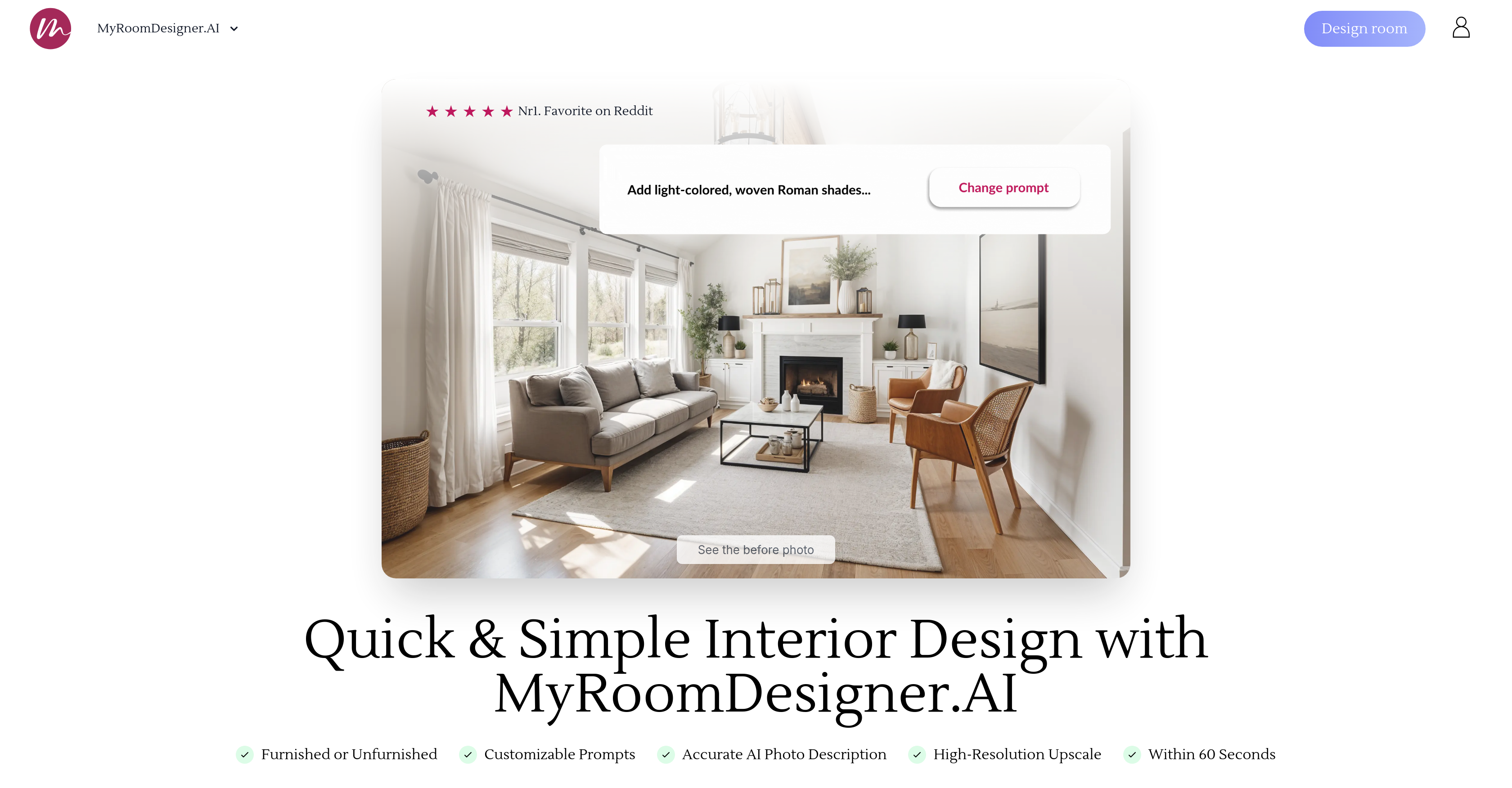
- See your room transformed in any style instantly by uploading a single photo and selecting from dozens of aesthetics
- Experiment with different furniture layouts and color schemes risk-free using the intuitive swap and adjustment tools
- Create photorealistic visions of your remodeled space with high-resolution upscaling that shows precise details
- Remove existing furniture and clutter from your room photo to start with a clean slate for your new design
- Get three personalized design options tailored to your space that you can further refine to match your exact taste
- Build a shopping list of recommended products directly from your final design to easily purchase what you see
- Design any room in your home including living rooms, bedrooms, kitchens, home offices, gardens, and basements
- Make confident renovation decisions by visualizing how different styles will look in your actual space before buying anything
Pros & Cons
Pros
- Supports variety of rooms
- Offers diverse aesthetics
- Upload photo for analysis
- Interactive furniture swapping
- Color customization
- Instant design options
- High-resolution upscale
- Removes unwanted items
- Product recommendations
- Convenient shopping list creation
- Design customization
- Real-time editing
- One-click restyling
- Fast problem-solving
- Custom color selection
- Generates alternative designs
- Wide style selection
- Integrated mood board tool
- Room layout detection
- Shopping list creator
- Background remover
- Style and color selection
- Integrated with popular brands
- Client-ready presentations
Cons
- Requires photo upload
- Limited to three designs
- Depends on user-defined styles
- No multi-room support
- Recommendation accuracy uncertain
- No native app
- No design history
- Limited customization options
- Unknown data usage
- No 3D modeling
Reviews
Rate this tool
Loading reviews...
❓ Frequently Asked Questions
My AI Room Designer supports a wide variety of rooms. This includes, but is not limited to, living rooms, bedrooms, home offices, nurseries, kitchens, gardens, dining rooms, bathrooms, yoga studios, libraries, theaters, studios, game rooms, wine cellars, music rooms, fitness rooms, pantries, laundry rooms, mudrooms, balconies, attics, basements, closets, and libraries.
To start using My AI Room Designer, users must upload a photo of their room. The tool then analyzes the depicted space, allowing users to select their preferred style and customize details as desired. The tool provides a platform for effective interaction, letting users make changes to furniture, colors, and more according to their liking.
Yes, My AI Room Designer does allow for color adjustments in designs. Users can personalize their room designs by adjusting color palettes according to their preferences, which contributes to the tool's high degree of customization capability.
Yes, My AI Room Designer supports furniture swapping. This feature allows users to experiment with different furniture items in their room designs, thus providing an extensive range of customization options.
Users first upload a photo of their room, which the AI then analyzes. Next, the preferred style is selected and details are customized as desired. The tool allows for effective interaction, with users able to swap furniture items, adjust colors, and refine the appearance. Users then receive three personalized design options that can be further modified to meet their specifications.
Additional features offered by My AI Room Designer include high-resolution upscales, removal of unwanted items, recommendations for similar products, and an in-editor shopping list creation tool. These features aim to provide comprehensive design solutions, creating an intuitive and efficient design process.
Yes, My AI Room Designer does offer an item removal feature. This allows users to clean up their designs by removing unwanted items, further enhancing the personalization process and helping to create room designs that truly reflect their personal style and preference.
Yes, My AI Room Designer provides recommendations for similar products. By analyzing the items in a room design, the tool suggests similar products that can enhance the overall look and feel of the room, thus providing a comprehensive and intuitive design experience.
Yes, a shopping list can be created with My AI Room Designer. During the design process, a convenient shopping list is created in the editor, allowing users to keep track of the items they wish to include in their design, thereby facilitating a seamless design-to-purchase transition.
My AI Room Designer leverages AI technology to generate personalized designs. Upon uploading a room photo, the AI analyzes the depicted space, the style is selected, and details are customized according to preference. The tool interacts efficiently with users, allowing them to adjust various elements of the design. Instantly, three personalized design options are generated, each of which can be further modified to align with the user's unique style.
Yes, My AI Room Designer supports high-resolution upscales. This feature allows users to improve the clarity and overall appearance of their designs, enabling them to visualize their ideas with greater precision and detail.
My AI Room Designer offers a diverse range of aesthetics for room design. This list includes contemporary, modern, traditional, rustic, minimalist, industrial, coastal, bohemian, Scandinavian, mid-century modern, art deco, French country, shabby chic, Hollywood regency, tropical, farmhouse, craftsman, gothic, Asian Zen, southwestern, Victorian, transitional, Mediterranean, Moroccan, eclectic, and nautical styles.
My AI Room Designer makes decorating a room more efficient by providing an AI-powered platform for designing rooms. By simply uploading a photo, the tool analyzes the space and allows users to select and customize their preferred style. Advanced features such as swapping furniture items, adjusting colors, high-resolution upscales, removal of unwanted items, and shopping list creation in the editor offer an intuitive and time-efficient design solution.
My AI Room Designer is unique in that it leverages AI technology to streamline and personalize room design. The tool supports various types of rooms and styles, precisely tailors room designs to personal preferences, provides three personalized design options, and allows users to modify furniture items, colors, and other details. Additional features like high-resolution upscales, item removal, similar product recommendations, and shopping list creation make the process highly efficient and tailored compared to traditional room design methods.
My AI Room Designer analyzes a user's space by first employing users to upload a photo of their room. Using its advanced AI technology, the tool then analyzes the depicted space, understanding its layout and existing features. This analysis forms the basis of the personalized design options it generates, which users can customize to fit their vision seamlessly.
My AI Room Designer is equipped to assist with home renovation projects. The tool provides a platform for efficient interaction, where users can adjust furniture, colors, and other elements of their room designs as desired. This streamlined process aids in the decision-making process during renovations and gives users the confidence that the final result will match their vision.
Yes, My AI Room Designer can be used for professional interior design work. It supports a diverse range of rooms and styles, and generates personalized room designs that can be modified to align with client's preferences, thereby offering a comprehensive solution for professional projects. The additional features of the tool such as high-resolution upscales, product recommendations, and shopping list creation also support the needs of professional design work.
My AI Room Designer reflects a user's personal style in each design by allowing customization of various elements. Users can choose from a wide range of aesthetics and adjust details like room style, color palette, and furniture according to their preference. The tool also offers personalized design options, allowing users to refine the appearance to their liking and create designs that are unique and personal.
My AI Room Designer can assist with room remodeling by providing an innovative, AI-powered platform. Users start by uploading a photo of their room, the tool analyzes the space, then users select their preferred style and customize as desired. The tool helps in swapping furniture items, adjusting colors, and refining appearance instantly, enabling users to envisage their remodeled room in a few simple steps.
Yes, My AI Room Designer can be used for decorating different parts of the home such as the garden or basement. It supports designing a variety of rooms, ranging from living rooms and bedrooms to unique spaces like yoga studios, libraries, gardens, and basements. This broad applicability makes it a versatile tool for several home decorating needs.
Pricing
Pricing model
Paid
Paid options from
$15/month
Billing frequency
Monthly
Refund policy
No Refunds