

NanoPic
Get exact photo edits without masking, layers, or editing skills: type the change in plain words and the image-to-image AI photo editor applies it.
Listing not yet reviewed by our editors · How we check
Overview
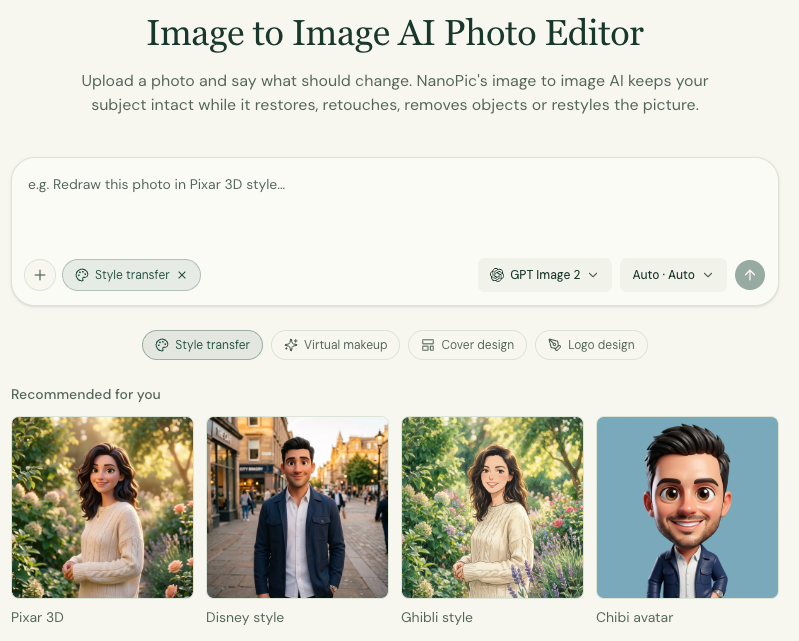
- Get exact photo edits without masking, layers, or editing skills: type the change in plain words and the image-to-image AI photo editor applies it.
- Change one detail and keep everything else intact: targeted AI inpainting edits only the area you describe, so faces, lighting, and composition stay as they were.
- Refine a picture step by step without starting over: chat-based editing keeps your progress on the same image so each prompt builds on the last.
- Bring faded, damaged family pictures back to life: AI old photo restoration repairs and revives aged images from a single upload.
- Clean up shots ruined by photobombers or clutter: the object remover and people remover erase unwanted elements and fill the space to match the scene.
- Place your subject in any setting: the AI background changer swaps the backdrop while the subject stays untouched.
- Preview a new look before committing to it: the virtual hairstyle and makeup try-on shows the change on your own photo.
- Give portraits a new artistic style: AI portrait restyling transforms the mood and aesthetic while keeping the person recognizable.
- Get a usable logo from a rough idea: sketch-to-logo generation turns hand-drawn concepts into finished brand visuals.
- Test results before paying and publish clean final images: free credits come with new accounts during sign-up promotions, and paid credit packs and plans remove the watermark.
Pros & Cons
From the listing; not yet checked by our editors.
Pros
- Continuous editing in single chat
- Agent remembers all steps
- No re-upload after edits
- Up to 4K resolution output
- Image-to-image edits preserve subject
- Wide aspect ratio options
- Free daily credit bonuses
- No watermark after purchase
- Commercial license included
- JPG/PNG up to 10MB
- Fully browserbased, no install
- Text prompt driven editing
- Automatic old photo restoration
- Colorization of blackandwhite scans
- Contextaware object removal
- Background replacement with lighting match
- Seasonal and weather transformations
- Style transfer to Ghibli/Pixar
- Hair color and makeup swapping
- Outfit change without rephotographing
- Product photo enhancement for listings
- Prompt remix gallery for inspiration
- Payasyougo credit system
- Refunds on failed generations
- Transparent model credit costs
- Secondsfast processing speed
- Chat history version comparison
- Oneclick image download
- No masks or brushes required
- Multiimage reference support
- Language toggle for UI
- Dark/light theme toggle
- Integrated tutorials and blog
- Batch credit discounts for subscriptions
- Automatic background blur for products
- Contentaware fill for gaps
- Preserves facial details accurately
- Works on any device browser
- Nocode visual editing workflow
- Visual storytelling templates included
- Supports ecommerce image pipelines
- Realtime chat feedback loop
- Highquality output without artifacts
- Seamless model switching per request
- Credit usage per resolution tier
- Daily checkin credit accrual
Cons
- 10MB upload limit
- Only JPG/PNG supported
- Free plan adds watermark
- Credit costs vary by model
- Highresolution images cost more
- No batch processing capability
- Results stored only in chat
- Cannot export layers or masks
- All processing cloudbased
- Limited control over fine details
Alternatives to NanoPic
Tools that share the most tags with NanoPic.
- EzRemove
Browser tool that removes the background from a photo and returns a transparent PNG.
Freemium
Not listed
Nov 24, 2026
- Dewatermark
Erase any watermark automatically in seconds using AI detection, even complex multi-layered or color-blended ones
Freemium · from $5/month
$5/month
Not yet checked
- Remove Background by Picsart
Eliminate manual editing and process thousands of product images automatically with AI-powered background removal that scales with your production needs
Freemium · from $10/month
$10/month
Not yet checked
- UnblurImage AI
Rescue blurry photos ruined by motion or poor focus with AI algorithms that refine each pixel for maximum sharpness
Freemium · from $3.90/month
$3.90/month
Not yet checked
- Photoleap
Transform any photo into professional quality with AI enhancement that perfects colors, lighting, and details
Free trial · from $3.99/month
$3.99/month
Not yet checked
- RemoveMark
Get watermark-free Sora videos instantly without downloading software using our web-based platform
Freemium · from $9.90/month
$9.90/month
Not yet checked
Reviews
Rate this tool
Loading reviews...